
Home › Forums › Ticket Products › Event Tickets Plus › Bug when changing number of participants
- This topic has 8 replies, 3 voices, and was last updated 9 years, 12 months ago by
Hunter.
-
AuthorPosts
-
October 13, 2016 at 1:24 am #1175792
Matthias
ParticipantHi there,
Really happy with your plugins event ticket and event calendar.
I bought the event ticket plugin but there is two bugs :
First Bug :
When I change the number of participant from 0 to 1, it shows a block with details to complete.
When I change from 1 to 2, nothing appends although it should show me details for the second participant.
When I change from 2 to 3, the details for the second participant appears but nothing for the third participant.
When I change from 3 to 4 nothing appends.Second Bug :
On the same page, I asked for the details fields to be required, but when I fulfill them and add the tickets to cart, there is an error telling me to fulfill the required fields.Here is the dev version of the site : http://surfingreunion.airlab.fr/competition/1ere-coupe-open/
Could you help to fix this please ?Thanks,
MatCould you tell me how to fix this
October 13, 2016 at 11:28 am #1176134ModeratorHey Mat,
Thank you for the thorough post and sorry to hear about the issues. I noticed you’re running outdated versions of our plugins. Are you able to update to the most recent versions and review our Testing for conflicts guide and reply back with your findings? While I’m awaiting the results, I’ll check the logged bug reports to see if we have anything matching what you’ve described.
Keep me posted and we’ll continue investigating. Thank you and take care. Cheers!
October 13, 2016 at 10:28 pm #1176398ParticipantHello Hunter,
I’ve just updated the outdated plugins.
But there is still the same problems.Any clues on your side ?
Mat
October 14, 2016 at 11:10 am #1176725ModeratorWelcome back and thank you for updating,
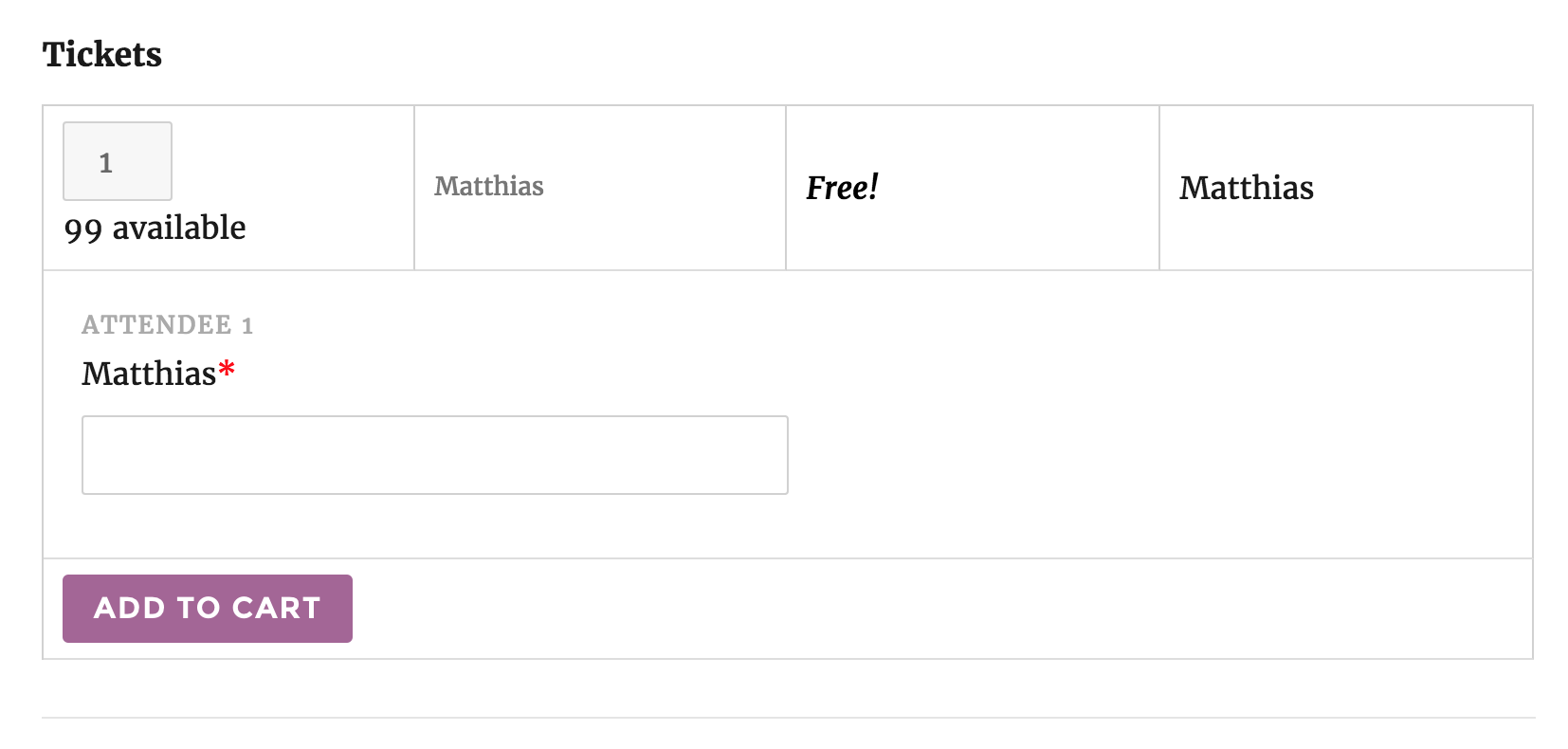
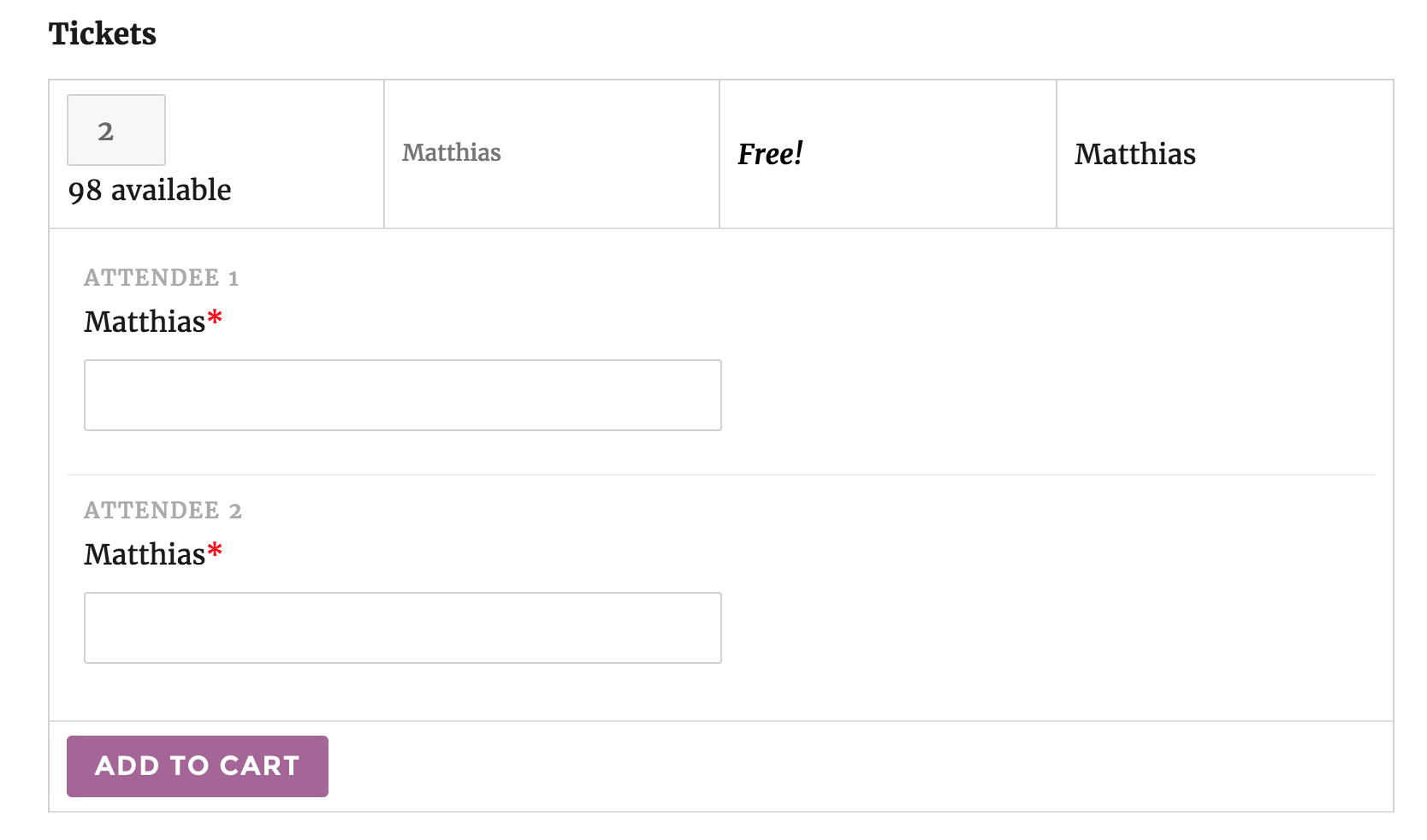
I was unable to reproduce the first issue you’re having. As you can see in the screenshots below, the correct number of attendee meta fields displays dependent upon the number of tickets I’ve selected.
When I select two tickets, two ticket required fields display:
I was also unable to reproduce the second issue you’re having. Can you please review our Testing for conflicts guide and reply back with your findings? This is a required step before we can proceed troubleshooting. Let me know and we’ll go from there.
Thanks again and have a great weekend. Cheers!
October 16, 2016 at 10:23 pm #1177569ParticipantHi Hunter,
Thanks for letting me know the bug is not present on classic version of the plugin.I followed your Testing for conflicts guide and it appears the bug disappears when I activate Twenty sixteen theme. So the Avada theme is creating some conflicts.
What should I do know ?
The behavior when changing the number of participants is really strange as you can see here : http://surfingreunion.airlab.fr/competition/1ere-coupe-open/Could you help please ?
October 16, 2016 at 10:39 pm #1177574ParticipantHunter,
I found that there is no bug in Avada theme but only in the child theme I have created.
I have created the my-child-theme/tribe-events/single-event.php file. The purpose is to show the form that is normally in the sidebar, in the content.
Here is the code :<?php
/**
* Single Event Template
* A single event. This displays the event title, description, meta, and
* optionally, the Google map for the event.
*
* Override this template in your own theme by creating a file at [your-theme]/tribe-events/single-event.php
*
* @package TribeEventsCalendar
* @version 4.2.4
*
*/if ( ! defined( ‘ABSPATH’ ) ) {
die( ‘-1’ );
}$events_label_singular = tribe_get_event_label_singular();
$events_label_plural = tribe_get_event_label_plural();$event_id = get_the_ID();
?>
<div id=”tribe-events-content” class=”tribe-events-single”>
<!–<p class=”tribe-events-back”>
“> <?php printf( ‘« ‘ . esc_html__( ‘Toutes les compétitions’ ), $events_label_plural ); ?>
–><!– Notices –>
<?php tribe_the_notices() ?><?php //the_title( ‘
‘, ‘
‘ ); ?>
<div class=”tribe-events-schedule tribe-clearfix”>
<?php echo tribe_events_event_schedule_details( $event_id, ‘‘, ‘
‘ ); ?>
<?php if ( tribe_get_cost() ) : ?>
<span class=”tribe-events-cost”><?php echo tribe_get_cost( null, true ) ?></span>
<?php endif; ?>
</div><!– Event header –>
<div id=”tribe-events-header” <?php tribe_events_the_header_attributes() ?>>
<!– Navigation –><?php printf( esc_html__( ‘%s Navigation’, ‘the-events-calendar’ ), $events_label_singular ); ?>
<ul class=”tribe-events-sub-nav”>
<li class=”tribe-events-nav-previous”><?php tribe_the_prev_event_link( ‘<span>«</span> %title%’ ) ?>
<li class=”tribe-events-nav-next”><?php tribe_the_next_event_link( ‘%title% <span>»</span>’ ) ?><!– .tribe-events-sub-nav –>
</div>
<!– #tribe-events-header –><?php while ( have_posts() ) : the_post(); ?>
<div id=”post-<?php the_ID(); ?>” <?php post_class(); ?>>
<!– Event featured image, but exclude link –>
<?php echo tribe_event_featured_image( $event_id, ‘full’, false ); ?><!– Event content –>
<?php do_action( ‘tribe_events_single_event_before_the_content’ ) ?>
<div class=”tribe-events-single-event-description tribe-events-content”>
<?php the_content(); ?>
</div>
<!– .tribe-events-single-event-description –>
<?php do_action( ‘tribe_events_single_event_after_the_content’ ) ?><!– Event meta –>
<?php do_action( ‘tribe_events_single_event_before_the_meta’ ) ?>
<?php tribe_get_template_part( ‘modules/meta’ ); ?>
<?php do_action( ‘tribe_events_single_event_after_the_meta’ ) ?>
</div> <!– #post-x –>
<?php if ( get_post_type() == Tribe__Events__Main::POSTTYPE && tribe_get_option( ‘showComments’, false ) ) comments_template() ?>
<?php endwhile; ?><!– Event footer –>
<div id=”tribe-events-footer”>
<!– Navigation –><?php printf( esc_html__( ‘%s Navigation’, ‘the-events-calendar’ ), $events_label_singular ); ?>
<ul class=”tribe-events-sub-nav”>
<li class=”tribe-events-nav-previous”><?php tribe_the_prev_event_link( ‘<span>«</span> %title%’ ) ?>
<li class=”tribe-events-nav-next”><?php tribe_the_next_event_link( ‘%title% <span>»</span>’ ) ?><!– .tribe-events-sub-nav –>
</div>
<!– #tribe-events-footer –></div><!– #tribe-events-content –>
Could you help me ?
October 16, 2016 at 11:23 pm #1177577ParticipantFound the issue !
Thanks for your help, have a great day !
Mat
October 17, 2016 at 11:41 am #1177820ModeratorGlad to hear you got the issue resolved and thank you for letting me know! Please feel free to create a new thread should you have any more questions or concerns. Cheers!
-
AuthorPosts
- The topic ‘Bug when changing number of participants’ is closed to new replies.