

Forum Replies Created
-
AuthorPosts
-
November 5, 2016 at 8:29 pm in reply to: Calendars are messed up when selecting event date on event creation page. #1188324
Hunter
ModeratorHello,
Sorry to hear the update didn’t make a difference. To confirm we’re not dealing with a theme and/or plugin conflict, can you please review our Testing for conflicts guide and reply back with your findings?
I’d recommend right-clicking your mouse and opening the ‘Inspect‘ tool to see if any errors display in the console. Temporarily setting ‘wp_debug’ to ‘TRUE’ on your wp-config.php file might also be a good idea.
Keep me posted with what you learn and have a great rest of the weekend. Cheers!
November 5, 2016 at 8:23 pm in reply to: Event Aggregator – Google Calendar – Incomplete Import #1188323ModeratorHey Kevin,
Welcome to our support forums 🙂
Would you mind clarifying the date you shared for me? 01/04/2017 – is this January 4, 2017 or April 1, 2017? It would also be helpful if you could send over your System Information as a private reply.
Just to confirm, have you tested as outlined in our Testing for conflicts guide? Lastly, when you say “partial imports” – what info is coming through? What info is not coming through?
The more details you can provide, the better. Screenshots and/or screencasts help a ton too! Thanks again and have a great rest of your weekend. Cheers!
November 5, 2016 at 8:16 pm in reply to: Can't select different views or see more events on specific day #1188322ModeratorThank you for choosing PRO and welcome to our forums! Sorry to hear you’re experiencing troubles. Before we go much further, can you please review our Testing for conflicts guide and reply back with your findings?
Once we have this information, we’ll have a better idea on how to solve the conflicts. Thanks again and have a great rest of the weekend. Cheers!
November 5, 2016 at 8:14 pm in reply to: Mini Calendar Widget JS error when selecting taxonomy #1188320ModeratorHello and welcome 🙂
We are aware of the issue you’ve shared with us and have a logged bug report aimed to get fixed in an upcoming maintenance release. I don’t have a concrete date/time when that will be, but we keep users updated through our changelogs in your WP admin dashboard and our Release Notes.
My apologies you’re having to deal with this bug and thank you for being thorough in your initial post. Let me know if you have any questions and enjoy the remainder of your weekend. Cheers!
ModeratorHi Ed,
Welcome back and thank you for reaching out. Unfortunately, importing recurring events via CSV is not possible at this time. A workaround is to import the initial occurrence as a single event, then go into that event and edit it to become a recurring event. That will generate all the other events in the recurrence series.
Sorry I don’t have a better answer for you at this time and let me know if you have any more questions. Cheers!
ModeratorHi Amy,
Thank you for reaching out! The attendee meta fields should be on the event page beneath the details and venue info. (see screenshot below)
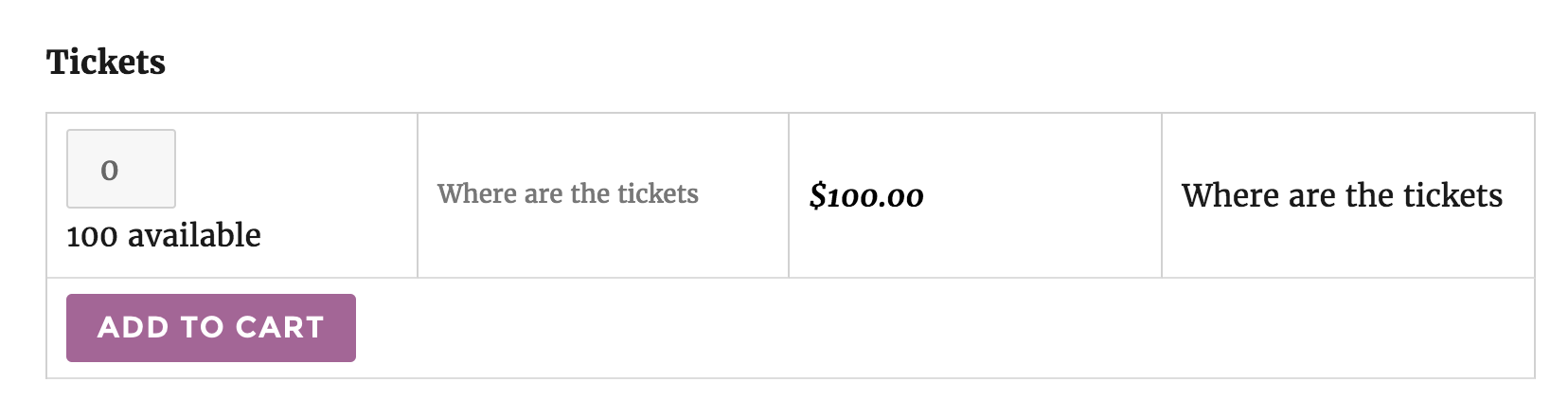
The second screenshot you shared with me is of the WooCommerce checkout page where billing/shipping info is collected. I hope this helps clarify your issue and if not, please confirm you’ve reviewed our Testing for conflicts guide and reply back with what you learn.
Thanks again and have a wonderful rest of your weekend. Cheers!
November 5, 2016 at 7:55 pm in reply to: Widget editing ability disappears when Events Calendar Plug in active #1188315ModeratorHello,
Welcome back! Would you mind sharing a link to the thread you referenced in which another user reports similar behavior? I’ll also need you to review our Testing for conflicts guide and reply back with your findings. Please ensure you revert back to the default theme in addition to deactivating all plugins other than ours.
I did my best to recreate the behavior you described but was unable to do so. If you experience the issue with the default WP theme and only our plugins active, please send additional screenshots and/or a screencast if possible.
Thanks and have a wonderful rest of the weekend. Cheers!
ModeratorHi and welcome 🙂
We don’t currently have any add-ons or additional plugins for GoToWebinar, but I took a quick look at the forums and found a relative few threads which I’ve linked to below. I’d also recommend visiting our UserVoice Feature Ideas to submit the request there. We are always incorporating ideas into feature releases!
- https://theeventscalendar.com/support/forums/topic/i-need-to-trigger-a-function-once-a-ticket-is-purchased/
- https://theeventscalendar.com/support/forums/topic/acf-display-in-email-template/
One last option I can think of is to reach out to a developer from our list of customizers. Best of luck and thanks for choosing PRO. Cheers!
November 5, 2016 at 7:39 pm in reply to: Events Imported with the Wrong Times and End Date/Time not displaying #1188312ModeratorHey Cody,
Thank you for posting and being so thorough. It’s also appreciated you ran through the Testing for conflicts guide prior to creating the thread.
We are aware of the behavior you’ve described and have a logged bug. It’s marked as priority 1, so that means it should be released in the next maintenance release though I can’t make a promise. You’ll see update info on your WP admin dashboard and our Release Notes once we get a fix released.
If you’re comfortable running SQL queries, that’s probably the most efficient method. Let me know if you need help and I’ll do my best to accommodate. Another option would be to use the Bulk Delete plugin.
Have a great rest of your weekend and thanks again. Cheers!
November 5, 2016 at 6:35 pm in reply to: Event Aggregator Hourly Update not running every hour #1188306ModeratorHello,
I’ve set up the import to run hourly, so I’ll report back once I have more information. If it goes beyond 24 hours, please feel free to chime in and I’ll get a notification. Thank you and have a great rest of your weekend!
November 5, 2016 at 6:24 pm in reply to: Events not listed correctly in Google search results #1188303ModeratorMy pleasure! I’ll close this thread out, but if you need anything else… you know where to find us! Take care 🙂
ModeratorHello,
Thank you for sharing your solutions with us! I’ve gone ahead and added them into the logged bug reports for others to use if they need. Thanks again and have a great rest of your weekend. I’ll mark this thread as ‘Pending Fix’ for the time being, so please create a new thread if you have any additional questions or concerns. Cheers!
November 5, 2016 at 6:19 pm in reply to: Loader not working when using shortcode to display all events #1188299ModeratorHello,
Thank you for your patience while I discussed the matter with other support team members. We couldn’t come to a conclusion whether the load wheel not displaying when using the [tribe_events] shortcode is by default or design. I went ahead and logged a bug report for the developers to review and make a decision, but please keep an eye on your WordPress admin dashboard and our Release Notes for maintenance release information.
Sorry I don’t have a definitive answer for you at this time and let me know if you have any more questions. Enjoy the rest of your weekend. Cheers!
November 4, 2016 at 4:03 pm in reply to: Map finds nothing when asked to look near 'United states' #1188010ModeratorHey Sara,
There isn’t a way to set a center coordinate, but you can change the map zoom setting under Events > Settings > General. (see screenshot below)
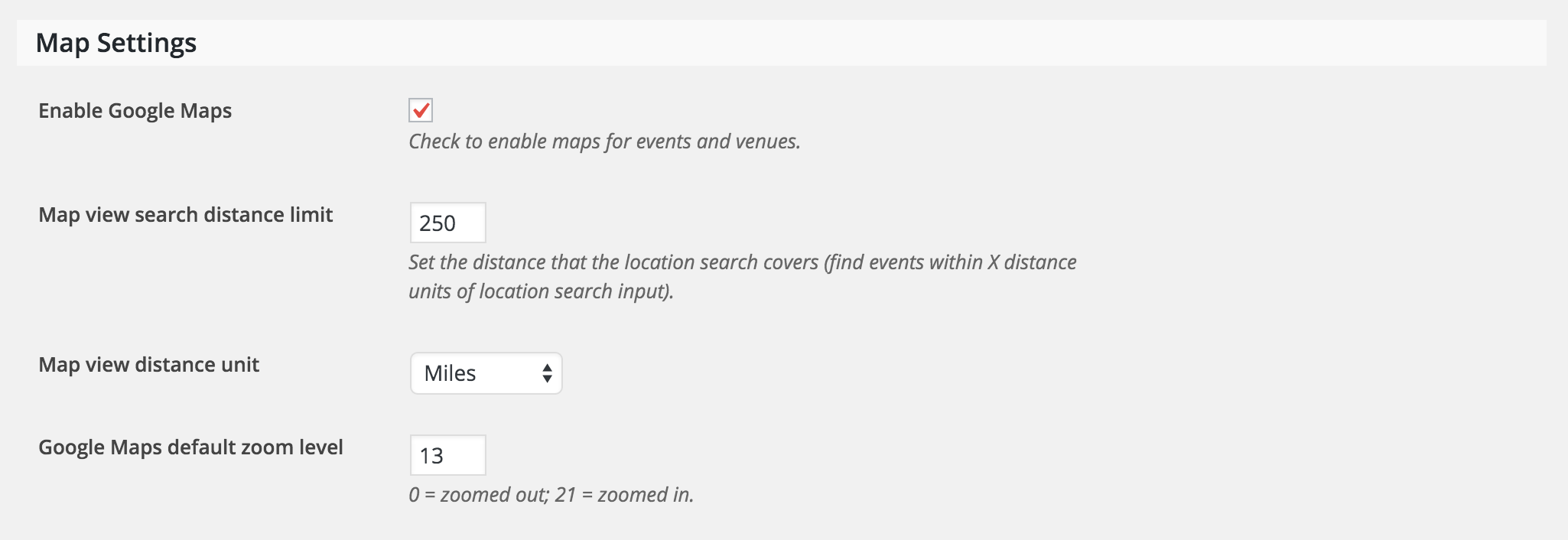
I notice you have tags for both Europe and Asia (not Japan) – does the plugin behave how you’d like if you add ‘United States’ category to those events happening in the US? If you’d like to see the option to input a center coordinate, please head over to our UserVoice Feature Ideas and submit it as a request.
Have a great weekend! Cheers 🙂
ModeratorAha! Glad to hear you figured it out! Feel free to open a new thread if you have any more questions as I’ll be closing this one out. Enjoy your weekend. Cheers!
-
AuthorPosts