

Forum Replies Created
-
AuthorPosts
-
November 6, 2016 at 7:03 pm in reply to: Removing the plug-in due to removal of .csv import function #1188472
Hunter
ModeratorHey Paul,
Thank you for reaching out. I’m not sure where you heard or read that the CSV import functionality was removed, but I can assure you it is still available! If you visit Events > Import, you’ll see the option to import events, venues, and organizers using .CSV files. (see screenshot below)
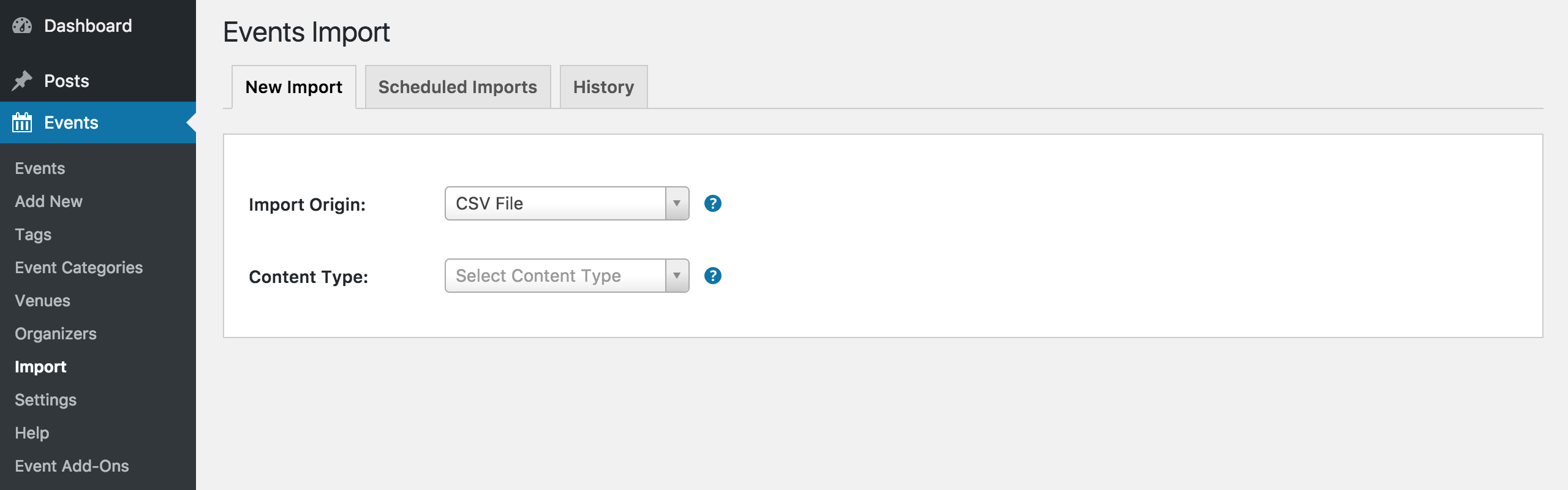
Please let me know if you have any more questions and if you need assistance, I encourage you to create a new thread on our WordPress.org plugin page and we’d be happy to help troubleshoot any issues you have. Lastly, if you remember where you read this functionality was removed, please share a link with me.
Thanks again and have a great week ahead. Cheers!
ModeratorHello again, Blandine 🙂
I attempted to recreate the behavior on my test install but was unable to do so. It is required that you review our Testing for conflicts guide to confirm whether there is a theme and/or plugin conflict. Please reply back with what you learn.
The shortcode you’re using is only valid with a PRO license. It appears you only have a license for Event Tickets Plus, so in order for the shortcode to work properly, you would need to purchase a PRO license. More info can be found here.
ModeratorHi and welcome back 🙂
Thank you for sharing the screenshots! Did you ever set up a ‘Schedule’ for the sale on the WooCommerce product page? (see screenshot below)
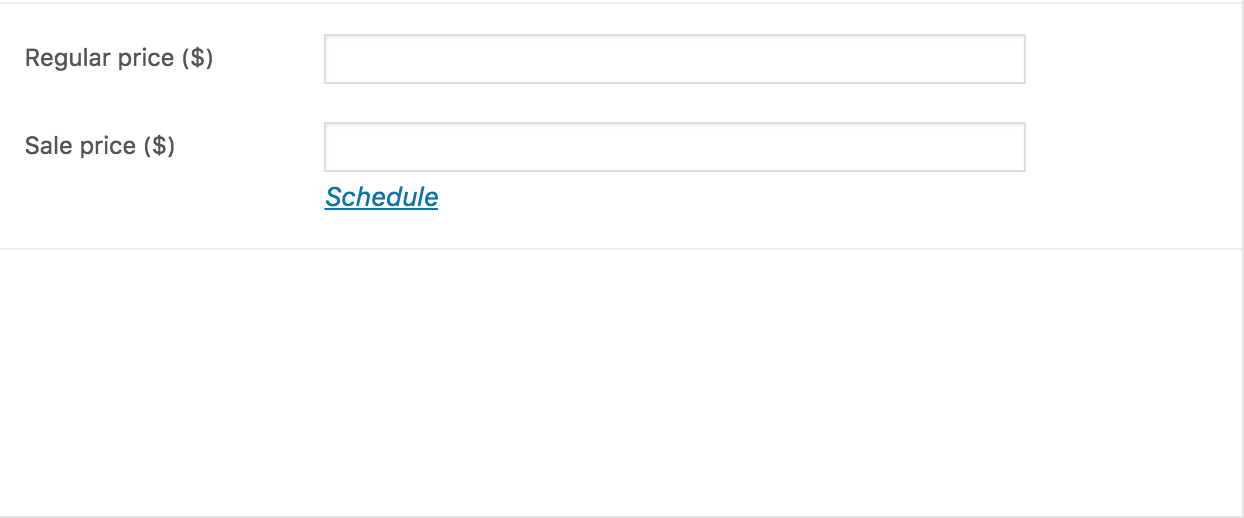
I’ll also need you to confirm the issue still occurs with the default theme and only our plugins active. Refer to our Testing for conflicts guide for more info.
Thanks again and have a great Monday morning. Cheers!
ModeratorHello again, Filip 🙂
Can you please review our Testing for conflicts guide and reply back with your findings? Keep me posted and have a great evening. Take care!
ModeratorHi @filip and @chris. Chris, thanks for jumping in here… we always appreciate another voice for these types of threads!
Currently, there is no built-in feature allowing site admins to print out tickets, but you could use a plugin like BNFW to send a copy of each ticket to the admin email address, then print them out from there.
This is definitely an idea worth mentioning over at our UserVoice Feature Ideas, so if you have a minute, we (and other users, I’m sure!) would truly appreciate the submission.
Thank you for reaching out and please let me know if you’ve got any more questions. Cheers to the both of you!
ModeratorHey Jonathan,
Welcome to our Pre-Sales Questions channel 🙂
1. The purchase price stated on your website. Is that to be paid on a monthly basis or an annual basis?
The prices listed include valid licenses and access to our Premium support forums for one year.
2. When my clients purchase tickets, do they pay through paypal? What are the payment options?
You have the option to pay via PayPal or Stripe.
I hope I’ve helped and please let me know if you have any more questions or concerns. Have a great upcoming week and thanks again. Cheers!
ModeratorHi Filip,
Welcome back to the PRO support forums! There isn’t a shortcode for displaying attendees at this time. I recommend visiting our UserVoice Feature Ideas to submit the idea as a feature request.
This Knowledgebase article isn’t exactly what you’re looking for, but I feel it’s worth sharing: Display a list of attendee’s events
I hope this helps and have a wonderful week ahead. Cheers!
ModeratorHello,
Welcome to our Pre-Sales Question channel 🙂
We don’t have any current integration with Sagepay nor am I seeing any plans of doing so, but there are a number of customers using Sagepay without conflict as far as I know. We offer a 30-day money back refund, so if you wanted to try it out to see how it works together, that’s always an option. Another idea would be to visit our UserVoice Feature Ideas page and submit the integration as a request.
I hope this answers your question and please let me know if you have any additional questions or comments. Have a great week. Cheers!
ModeratorHello,
Thank you for reaching out!
We’d be happy to assist with your request, so please visit our Contact page and complete the form. Once we have the info, we’ll see what we can do and reply via email with details.
Thanks again and have a great week ahead. Cheers!
November 6, 2016 at 5:50 pm in reply to: Events imported from Facebook show dates incorrectly – 19/11/16 as '19f' etc. #1188454ModeratorHello,
Welcome to our PRO support forums 🙂
Thank you for reaching out. Sounds like a strange issue indeed! I imported an event from Facebook using Events Aggregator, but was unable to reproduce the issue. I also checked the logged bug reports but don’t see anything similar to what you’ve described.
Can you please review our Testing for conflicts guide and reply back with your findings? Please send a screenshot of your Events > Settings > Display > Date Format Settings too.
Thanks again and have a great Monday. Cheers!
ModeratorHey Michael,
Welcome back 🙂
You can use either the Tribe Events Bar or for even more features, our Filter Bar Plugin does a great job at allowing users to search and sort your events by date, time, venue, organizer, and even Additional Fields!
Please let me know if this helps answer your question and have a great week ahead. Cheers!
ModeratorHey Todd,
Thanks for your purchase and welcome to our forums! To continue troubleshooting, can you please review our Testing for conflicts guide and reply back with your findings? Is the issue restricted to only your calendar/month view, or is it occurring in all views?
I would also like the Time listed before the event if that is possible.
Can you elaborate where you would like the time listed before the event? E.g. on your single event page, calendar/month view, etc. The more descriptive you can be, the better. Screenshots are also very helpful in these instances.
Thanks again and have a great Monday morning. Cheers!
November 5, 2016 at 8:56 pm in reply to: Clicking "All Events" does not bring back to page with [tribe_events] shortcode. #1188333ModeratorHey Adam,
Welcome and thank you for posting. I agree with the logic you’ve shared with me, so what I’ve done is completed a bug/feature report outlining the details for the developers to review while preparing for their next releases. I can’t guarantee this is in fact a “bug” or something they think warrants changing, but having it in the pipeline is the first step.
I’d also recommend heading over to our UserVoice Feature Ideas and submitting it as a feature request. The more eyes that see your idea, the better.
I unfortunately don’t have a workaround for you at this time, but please keep an eye on your WordPress admin dashboard and our Release Notes for more info. Thanks for understanding and have a great rest of your weekend. Cheers!
ModeratorHi Chrystal,
Sorry to hear you’re having troubles. I attempted to reproduce the behavior on my local environment but was unable to do so. Can you please confirm you reviewed our Testing for conflicts guide? We’ll need to rule out a theme and/or plugin conflict before taking the next step.
Thanks and have a wonderful rest of your weekend. Cheers!
November 5, 2016 at 8:40 pm in reply to: Events Aggregator – Import using keyword refine returning incorrect events #1188327ModeratorWelcome back, Kenneth 🙂
I’m not seeing any logged bug reports resembling what you’ve shared with me, but I’ve logged this as a bug for now. The developers will review the information and make the decision on how to better handle the keyword searchers in these scenarios.
I don’t have a temporary workaround for you at this time, but feel free to ping me on Monday to see if anyone on the team can assist. I can’t promise you anything, but we will try our best to make it happen.
Lastly, we inform users on maintenance and feature release info via our changelog in your WP admin dashboard and our Release Notes.
Thanks for reaching out and have a great rest of your weekend. Cheers!
-
AuthorPosts