

Forum Replies Created
-
AuthorPosts
-
George
ParticipantHello!
1. You do NOT need Events Calendar Pro to use Event Tickets Plus.
2. If just want to sell tickets on “pages” or “posts” on your site, and not on “events”, then you do not need The Events Calendar. But if you do want to have “events” on your site, then you would need The Events Calendar. In either case, no matter what, you will need these two plugins: Event Tickets and WooCommerce. (And if you would rather use Easy Digital Downloads than WooCommerce, that is fine too. 🙂 )
3. Events are indeed stored in the wp_posts table.
Please let me know if this helps and if there are any other issues or questions I can try to help with!
Cheers,
GeorgeParticipantExcellent news, Alexander—glad to hear it.
Out of curiosity, what was the conflicting plugin?
— George
ParticipantThanks so much for sharing your solution, Uwe! That’s a clever way to get the event post’s ID that I wasn’t able to figure out.
Cheers,
GeorgeParticipantHey Misha,
Thanks for your followup. There are custom coding options for sure, in the sense just about any customization you can think of will likely be technically possible. We cannot help with any custom coding, however, nor can we provide support for any issues that arise relating to or because of custom coding.
And so to go about doing any custom coding on your site, you would have to write that custom code yourself or hire a professional developer to do it for you. We have a list of great developers here → http://m.tri.be/18k1 (and have no affiliation with any of these folks—they’re simply some well-respected names in the community that we’ve compiled to share in situations like this one).
I hope this helps! 😀
— George
ParticipantHey Jack,
Thanks for confirming this.
I cannot recreate this behavior and we have no other reports of this issue, so it seems like there is a theme or plugin conflict happening on your site.
I would recommend doing the complete set of troubleshooting steps on this page → https://theeventscalendar.com/knowledgebase/testing-for-conflicts/ After EACH STEP in that process, check back on your events page and see if anything changes.
I know that you mentioned explicitly not being able to do this testing. It is the only useful next step from here, though, unfortunately. 🙁 Is there any chance you could wait for a weekend or some sort of “off-peak” time to do this testing on the live site? If you are concerned about this testing affecting any data or layouts on the site, please be sure to make a thorough backup of your site and database before doing the testing.
Please let me know what you think.
— George
February 7, 2017 at 3:37 pm in reply to: Need to know which version best for me. Need calendar in different categories #1230963ParticipantI would like to know if there is a way that my events link in each of my towns pages can show the events calendar, rather than it only being shown/displayed from the main events link from my home page.
Thanks for your follow-up Christian!
The closest thing to what you describe above is the [tribe_events] shortcode that is available in Events Calendar Pro. You can learn more about that shortcode and how it functions here: https://theeventscalendar.com/knowledgebase/embedding-calendar-views-tribe_events-shortcode/
Please let me know if that is helpful and if there are any other issues or questions I can try to help with! 😀
— George
February 7, 2017 at 3:35 pm in reply to: Aggregator default alternative image import for Facebook events #1230961ParticipantThis is a great idea for sure, Marisa. It’s something I can assure we will consider, though unfortunately even if it is something we decide to add to our plugins it’ll likely not arrive in our plugins for at least several release cycles from now (which could translate into several months at the earliest).
Just wanted to set your expectations there!
To help this idea along, please feel free to post it on our UserVoice page here ? http://tribe.uservoice.com
☝️ Other customers can vote ideas up and down on this page. We pay close attention to this activity and it informs much of our product decisions.
I will close this thread for now — open a new thread any time if other issues or questions arise!
Sincerely,
GeorgeFebruary 7, 2017 at 3:29 pm in reply to: On SUBMIT EVENT page, when I click "Add New User", it just scrolls to the top #1230958ParticipantHey @Tomonori,
Glad to hear issue #2 is resolved! 😀
1. I went to look at your submission page to try and help troubleshoot this “scroll to top” issue, but was met with a login form as shown here (click for a larger-sized image):
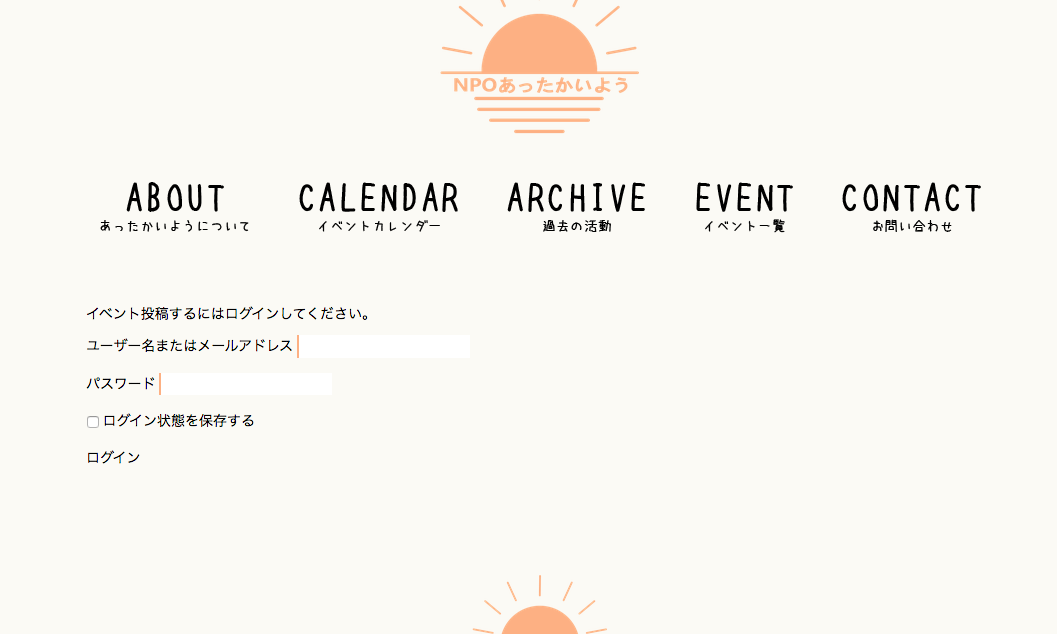
Can you temporarily disable the login requirement for the submission form so that I can look at the submission form firsthand and try to troubleshoot the problem there? If not, can you post some login credentials for your site here in a private reply? I will use them to log in and view the form. But please note that I will not actually change anything in your admin—I will only view pages!
2. You have already shared your system information on this thread, which is very helpful. Now that you’ve updated some plugins, would you mind sharing the information again? If possible, please post your site’s complete, un-edited system information using the “Sharing information manually” steps outlined in this article: https://theeventscalendar.com/knowledgebase/sharing-sys-info/
Thanks!
GeorgeParticipantOkay Stefan, thanks for confirming your issue is resolved for now.
Best of luck with your project. Please open a new thread any time if other issues or questions arise.
Sincerely,
GeorgeFebruary 7, 2017 at 3:23 pm in reply to: Events RSVP facility creating customer complaints – please help \O/ #1230947ParticipantThis reply is private.
ParticipantHey Arthur,
We unfortunately do not provide any theme customization services ourselves. We also don’t maintain an “official” list of recommended themes, as there are simply too many good ones out there to maintain a list!
Folks generally have the least problems with themes from these two sources: wordpress.org/themes and arraythemes.com
This is because themes at both locations follow the WordPress Coding Standards.
If you find a theme shop with themes you like, definitely ask their support team if their themes follow the WordPress Coding Standards, and if so, how strictly they follow those standards. The more strictly they follow those standards the fewer problems you are likely to have.
As for your Filter Bar issue with the license key, can you please do the following two things to help me help you?
1. First, can you screenshots of the exact message the you see when you try entering your license key? You can do so by uploading the screenshots to this thread. If you have issues with that, you can upload to Imgur.com, Flickr.com, CloudUp.com, or any similar image-hosting site; then just share the links to those images here and I’ll take a look.
2. Next, share your site’s complete, un-edited system information using the “Sharing information manually” steps outlined in this article: https://theeventscalendar.com/knowledgebase/sharing-sys-info/
This information will help me try and figure out what’s happening.
Thanks!
GeorgeParticipantNo worries! 😀
Glad it’s working, cheers ?. Open a new thread any time if other issues or questions arise!
— George
ParticipantDuly noted—we can hopefully update that documentation soon.
Stay tuned for news regarding the breadcrumb stuff!
— George
ParticipantHey Amy,
Thanks for reaching out.
We are unfortunately not able to help with design tweaks or any custom coding. Please read more about this here: https://theeventscalendar.com/knowledgebase/what-support-is-provided-for-license-holders/
If you need to write custom CSS on your site, definitely check out a [free!] tool like Firebug if you use FireFox, or the Developer Tools for either Safari or Chrome. They have “Inspector” tools that let you zoom right over the element whose margins, padding, colors, etc. are not quite right — then you can easily see what styles are being applied to that element, and so you can then more easily write custom CSS to correct those styles.
Please also note that much of the appearance of The Events Calendar is dictated by your active theme. This means two things:
1. You may have some luck by contacting your theme developer for some assistance on why their theme has no margin/padding/etc.
2. You may find some progress by simply heading to Events → Settings → Display in your wp-admin, and finding the “Events template” option there. Try out every single available template; after each time you choose a template, click “Save changes”, then check out how events appear on your site. There may be a specific template that works or looks better than others.
Cheers,
GeorgeParticipantHey Sue,
Thanks for reaching out, and for your patience over the weekend.
We unfortunately cannot help with custom coding or tweaking how our plugins look or function. Read more about this here: https://theeventscalendar.com/knowledgebase/what-support-is-provided-for-license-holders/
While what I wrote above is true, I am on trying to at least help you get started on this tweak to things. With that in mind, then, I’m curious about what you wrote here:
I have manage to use tribe_get_maximum_cost ( ) to get the maximum cost however it shows the maximum cost for all events and I would like the cost for only the current event.
Can you please clarify where exactly you want the maximum cost to show? Share screenshots of where on your site, if possible—you can do so by uploading the screenshots to this thread. (If you have issues with that, you can upload to Imgur.com, Flickr.com, CloudUp.com, or any similar image-hosting site; then just share the links to those images here and I’ll take a look.)
You say “the current event”, but I unfortunately am not quite certain what you mean. Sorry for my misunderstanding.
Cheers!
George -
AuthorPosts