
Home › Forums › Calendar Products › Community Events › On SUBMIT EVENT page, when I click "Add New User", it just scrolls to the top
- This topic has 7 replies, 4 voices, and was last updated 9 years, 7 months ago by
Tomonori.
-
AuthorPosts
-
February 6, 2017 at 2:32 pm #1230203
Tomonori
ParticipantUsing the Community Plugin.
1. When users submit an event from the Frontend,
If I click “Add another organizer” – the page just scrolls to the top: does not allow me to add another organizer.2. If I click to Add another Recurrance Rule, the page just reloads.
February 6, 2017 at 3:34 pm #1230225George
ParticipantHey there,
I’m sorry to hear about these issues! I cannot recreate them on my own site, and I noticed that you’re using out-of-date versions of these plugins:
• The Events Calendar
• Events Calendar Pro
• Community EventsThe first step I would recommend here, then, would be to head to this page on this site: http://theeventscalendar.com/my-account/downloads
That page will show the most current version numbers of each plugin listed above.
Update each plugin to its most recent version, then have another look at your issues and let us know if issues persist. If they do, we’ll continue the investigation from there! 😀
Thanks,
GeorgeFebruary 6, 2017 at 5:08 pm #1230261ParticipantOk, I updated all the plugins, and issue #2 seems to have been resolved.
Issue #1 remains:
1. When users submit an event from the Frontend,
If I click “Add another organizer” – the page just scrolls to the top: does not allow me to add another organizer.I see the link in the Source HTML shows href=”#” – seems this might be a bug.
February 7, 2017 at 3:29 pm #1230958ParticipantHey @Tomonori,
Glad to hear issue #2 is resolved! 😀
1. I went to look at your submission page to try and help troubleshoot this “scroll to top” issue, but was met with a login form as shown here (click for a larger-sized image):
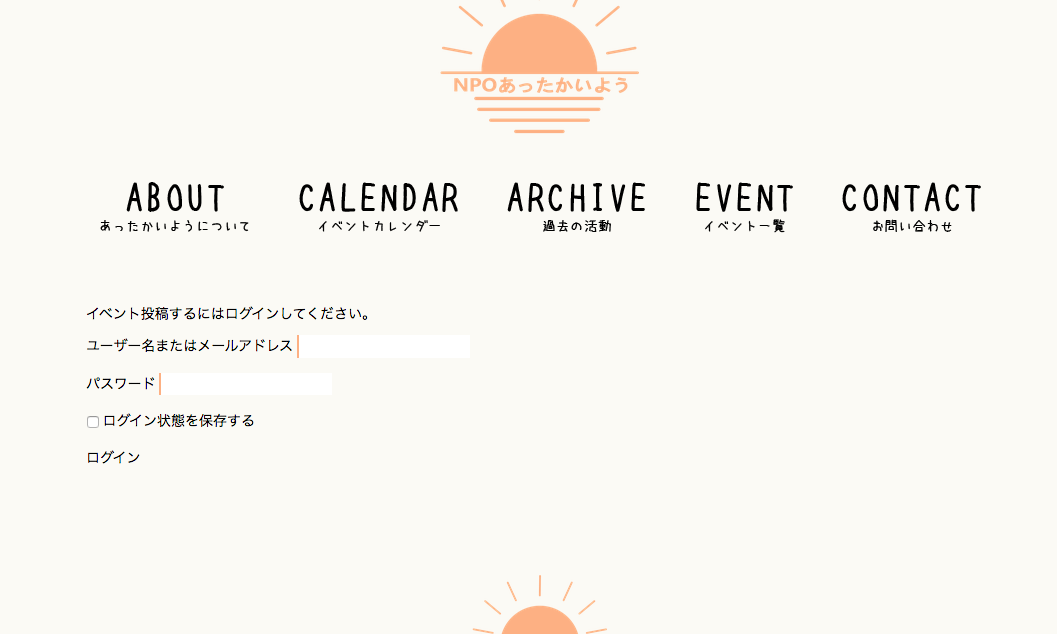
Can you temporarily disable the login requirement for the submission form so that I can look at the submission form firsthand and try to troubleshoot the problem there? If not, can you post some login credentials for your site here in a private reply? I will use them to log in and view the form. But please note that I will not actually change anything in your admin—I will only view pages!
2. You have already shared your system information on this thread, which is very helpful. Now that you’ve updated some plugins, would you mind sharing the information again? If possible, please post your site’s complete, un-edited system information using the “Sharing information manually” steps outlined in this article: https://theeventscalendar.com/knowledgebase/sharing-sys-info/
Thanks!
GeorgeFebruary 8, 2017 at 10:19 pm #1231872ParticipantThis reply is private.
February 9, 2017 at 8:59 am #1232180ParticipantThis reply is private.
March 3, 2017 at 8:35 am #1249024Support Droid
KeymasterHey there! This thread has been pretty quiet for the last three weeks, so we’re going to go ahead and close it to avoid confusion with other topics. If you’re still looking for help with this, please do open a new thread, reference this one and we’d be more than happy to continue the conversation over there.
Thanks so much!
The Events Calendar Support Team -
AuthorPosts
- The topic ‘On SUBMIT EVENT page, when I click "Add New User", it just scrolls to the top’ is closed to new replies.