

Forum Replies Created
-
AuthorPosts
-
George
ParticipantHey @Craig,
Thanks for reaching out. I will address your questions in reverse order:
Also a 2nd site is set up for rairc.yournewsites.com which was a staging URL which is no longer used as the site is now live and active at the domain rairc.com. Do I need to disconnect the prior url and then add the new one and if I do will the license number change or have to be re-added to that sites WordPress admin?
☝️ Yes, if you need to have rairc.com licensed for automatic updates and such, then you must remove rairc.yournewsites.com from your License Keys page here: http://theeventscalendar.com/license-keys
Once that is removed, head to the wp-admin of rairc.com, and to Events → Settings → Licenses. Enter the license key here and save changes. (This is the same license key that was previously used on the staging site. But now that you’ve removed the staging site from the license key, you can use the key on the “real”/production site.)
Now, as for your other issue where that license is saying that it’s out of installs, this could be happening for a number of reasons.
I would recommend the following steps:
1. First, head to Events → Settings → Licenses on this site, and remove the license key. Then, head to http://theeventscalendar.com/license-keys and disconnect the omcar.com domain name.
2. Once both steps above are complete, try copying the license key again and then go back to Events → Settings → Licenses in the omcar.com wp-admin. Enter the license key, and save it.
3. These steps are basically a way to “refresh” the connection of the license key to the domain name. Do they seem to help at all?
4. If not, then please post the complete, un-edited omcar.com system information to this thread and I will take a closer look. Here’s how to post system information ? https://theeventscalendar.com/knowledgebase/sharing-sys-info/
Thank you!
GeorgeJune 13, 2016 at 9:05 am in reply to: Find $post_id to add post_excerpt on Tickets email (email.php) #1126160ParticipantHey @Sean,
Thanks for reaching out. The posts you linked to are both from 2014, so they are indeed out of date and referring to code that either no longer exists, or is deprecated and in old plugin versions.
Before diving in, can you confirm that you’ve read this page and understand the limitations of our support? ? https://theeventscalendar.com/knowledgebase/what-support-is-provided-for-license-holders/
I am still happy to help here, and will! 😀 No worries. But I just want to set your expectations early on, because we cannot help with code customizations here.
To help me help you, can you please clarify what you’re trying to show on the ticket emails? This may sound obvious, but: are you trying to show the excerpt of the event/post type the ticket belongs to? Or have you added excerpts to the tickets themselves and want to show those? I assume it’s the former, by far—but just want to be absolutely certain before diving into the code and writing you a long reply.
Cheers,
GeorgeParticipantHey @Graphic,
While I’m not sure why it is showing now when it wasn’t before, I would recommend adding this CSS to the bottom of your theme’s style.css file to hide that text:
.screen-reader-text {

    clip: rect(1px, 1px, 1px, 1px) !important;

    position: absolute !important;

    height: 1px !important;

    width: 1px !important;

    overflow: hidden !important;

}
I hope this helps!
Cheers,
GeorgeJune 13, 2016 at 8:43 am in reply to: Ticket questions saved as cookies, is there an alternative? #1126147ParticipantHey @Shaun,
While there currently is not such a way to reveal the cookie size easily, I am wondering—can you share a link to an event on which the cookie size is being exceeded? I am just curious to see how many tickets and fields and such are being used.
Please note there is a “set as private reply” button on the reply form here, so if you want to keep that link visible to only you and the support team, check that button before you submit your reply.
Thank you!
GeorgeJune 13, 2016 at 8:26 am in reply to: Ticket questions saved as cookies, is there an alternative? #1126130ParticipantHey Shaun,
I’m really sorry for the trouble here. The way we are currently using cookies can indeed max-out limits like you describe here. I hate to bear the bad news, but unfortunately there is no easy way to go about getting around this. 🙁
Using alternative methods for lightening the reliance on cookies is something we’re keen on, but such solutions are not likely to come for at least another few releases of the plugin. There is no setting or filter at this time, but we are working on adding one!
Please let me know what you think and if there’s anything else I can try to help with, shed light on, etc.
Sincerely,
GeorgeParticipantI’m sorry to hear about this, @Chrisophe!
That is an odd issue—to help us investigate, can you post your site’s “System Information”? Here’s how to do that ? https://theeventscalendar.com/knowledgebase/sharing-sys-info/
This problem may, unfortunately, be one with your theme. 🙁 I only mention this because I cannot recreate the issue in any of my own site’s front-end views, and it seems like your theme is providing many custom events layouts and such. So its code may be the culprit here.
1. For now, share your “System Information” as mentioned above.
2. Can you clarify how this row of three events is made? Are you using a shortcode to do it, for example? A theme option? Any detail here is much appreciated. Share screenshots of the way you are configuring this, too, if possible. (You can do so by uploading the screenshots to this thread. If you have issues with that, you can upload to Imgur.com, Flickr.com, CloudUp.com, or any similar image-hosting site; then just share the links to those images here and I’ll take a look.)
Thank you!
GeorgeParticipantSorry to hear about this, @Ben!
I just tested this out on my own site and found no issue with the display settings.
You mention your theme and the WordFence plugin as possible culprits here—this could be the case, but to investigate a bit more closely first, can you post your site’s “System Information”? Here’s how to do that ? https://theeventscalendar.com/knowledgebase/sharing-sys-info/
Thank you!
GeorgeParticipantYikes!
Sure thing, @Manzoor, we’re happy to help and can refund any erroneous purchases.
However, you did not make three purchases. You have only purchased one license: an Events Calendar Pro Business License.
☝️ Do you need this Business License? Or do you just need a Personal License?
Business Licenses work on three sites.
Personal Licenses work on one site.You have currently bought one Business License, but I can refund this so that you can then buy just a Personal License.
Let me know what you think! 😀
GeorgeParticipantHey Noah,
I’m sorry for the frustrating limitations here. While, in all honesty, we don’t have many privacy-related improvements on the horizon (in the short-term, specifically!), I hope that I can help out here by recommending a lightweight plugin that should help with the privacy element.
The plugin is called “Restrict Content”, and is free ? https://wordpress.org/plugins/restrict-content/
That plugin, or a similar one, may help you make the calendar visible only to certain approved members on your site.
I hope this helps—please let me know if so and if there’s anything else I can try to help with.
Sincerely,
GeorgeJune 13, 2016 at 7:48 am in reply to: Organizer is required and Organizer Email is required error #1126095ParticipantHey @Tom,
I’m sorry to hear that you still have problems with this!
To be clear, is the only issue you are referring to this one:
When trying to fill out the form to add a new event, we are getting an error message saying “Organizer is required”, even when an organizer is already selected.
Using the latest version of all plugins, I just tested this and have no error messages. I cannot recreate the problem, and whether using “Saved” organizers or creating new ones, a mix of both, or not using any organizers, my submission form works fine.
If you’re willing to watch a boring video of me typing and filling out the form, I recorded myself doing this and it working fine here ? https://cloudup.com/cip28ioOmvA — just wanted to share this!
To help investigate this issue, can you start by posting your site’s “System Information”? Here’s how to do that ? https://theeventscalendar.com/knowledgebase/sharing-sys-info/
Thank you!
GeorgeParticipantThis reply is private.
June 13, 2016 at 7:36 am in reply to: Cart doesn't get empty even after the ticket or event date/time is in the past #1126086ParticipantHey @Tac,
That shouldn’t possible—indeed, if the event is in the past then it should not be possible to buy it!
There are two possible culprits here:
1. Did the event ticket have a specified “End sale date” that was later than the event itself?
2. There could be a timezone-related issue, based on how things are configured on your site. To help investigate this, can you please share your “System Information”? Here’s how ? https://theeventscalendar.com/knowledgebase/sharing-sys-info/
Thank you!
GeorgeParticipantHey @Dario,
Thanks for reaching out. I checked out your site, but did not find any different behavior whether I refreshed, AJAX searched, etc.
All I saw, no matter what I tried, was the design shown in this screenshot:
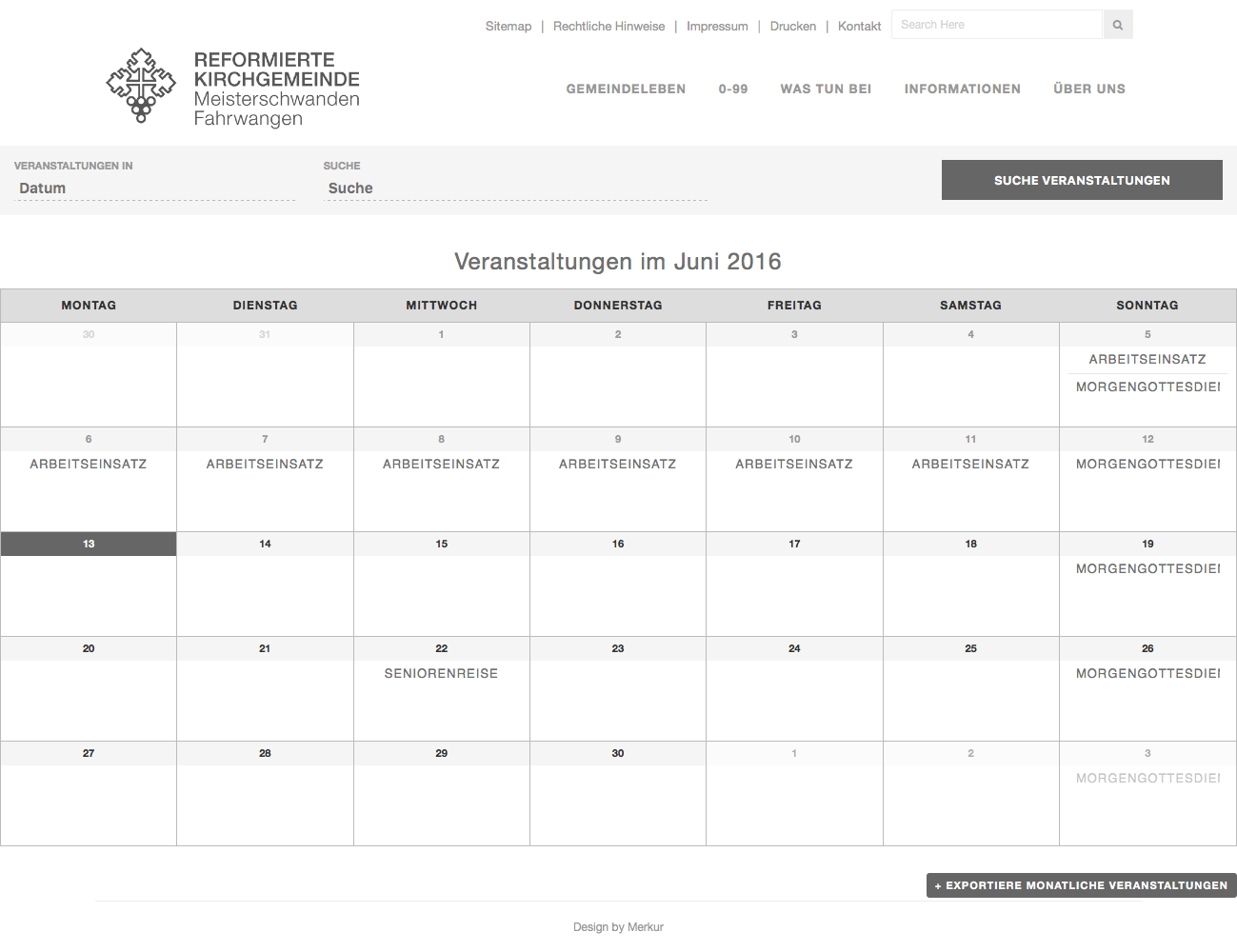
1. ☝️ Is that an example of when the CSS does not load?
2. Can you share screenshots of what you see? You can do so by uploading the screenshots to this thread. If you have issues with that, you can upload to Imgur.com, Flickr.com, CloudUp.com, or any similar image-hosting site; then just share the links to those images here and I’ll take a look.
3. Can you please post your site’s “System Information” to this thread? Here’s how ? https://theeventscalendar.com/knowledgebase/sharing-sys-info/Thanks!
GeorgeParticipantHey @Websource,
When you say “summary calendar view,” are you talking about the Month View, for example? So that, e.g., when you hover over an event and the event’s tooltip pops up, that the tooltip will “only x tickets” left or “sold out”, etc.?
I’m just curious about the details here so that I can best supply an answer and possible solutions. We have rolled out some updates related to these types of messages, but at this time not on the month view, for example.
Thank you!
GeorgeParticipantHey @Ali,
Thanks for reaching out.
To show a history of ticket purchases, you can use a new shortcode that we launched in version 4.2 of Event Tickets Plus. Read about how to configure this here ? https://theeventscalendar.com/knowledgebase/display-a-list-of-attendees-events/
As for your second question, this is unfortunately not possible, in part because our plugins do not support recurring event tickets at this time. 🙁 Sorry to disappoint!
I hope this information helps!
Sincerely,
George -
AuthorPosts