

Forum Replies Created
-
AuthorPosts
-
Geoff B.
MemberThis reply is private.
MemberThis reply is private.
MemberGood morning Ben,
II am super stoked that this did the trick for you.
You are welcome back in our support forums any time 🙂
For now, I am going to close this thread.
Have a great week!
Geoff B.
MemberThis reply is private.
MemberThis reply is private.
MemberGood afternoon Bart,
You have a good point. It looks like both the Elegant themes support plugin and the Elegant themes updater plugins are now legacy.
In other words, you probably do not need any of them (which solves one problem).
As for the license key error messages not being accurate, you are correct. 4.4.4 did not fix that issue yet. But, I promise you will be informed as soon as it’s out.
Thank you for your continuing patience as we are going through a blitz of fixes.
Best regards,
Geoff B.
March 14, 2017 at 1:40 pm in reply to: The first page of Events list doesn't show all events #1254067MemberThis reply is private.
MemberGood evening Bart,
Thank you for the info.
I apologize for the delay answering. Somehow this one got under the radar.
Could you tell me if the issue persists when updating the Elegant themes updater to its latest version (1.2): https://www.elegantthemes.com/gallery/divi/documentation/update-legacy/
Have a great day!
Geoff B
MemberMe again,
I have also flagged this one.
Best regards,
Geoff B.
March 14, 2017 at 12:19 pm in reply to: Missing Translation Possibilities for several strings #1254027MemberHello again Brian,
Noted, I have flagged this one as well.
Cheers,
Geoff B.MemberGood evening Brian,
I am bringing these pending translations to our translation magician’s attention.
Hang in there!
Geoff B.
MemberGood afternoon Brian,
Fantastic!
It feels so nice to finally be able to complete some of these.
Thank you once again for your awesome input.
You are welcome back in our support forums any time 🙂
For now, I am going to close this thread.
Have a great week!
Geoff B.
MemberGood afternoon Kelly,
Thank you for writing back and clarifying.
On my end I am seeing the image floating to the left of everything (not to the top – see screenshot)
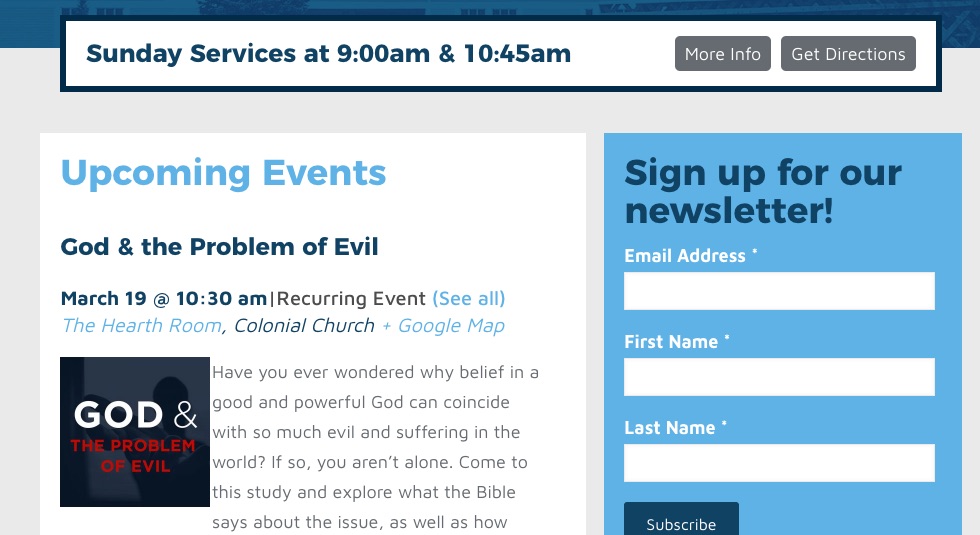
In any case try slightly tweaking the following CSS rule to your style.css file or in your Custom CSS metabox by adding the last line (float: left) to make sure it sticks on all browsers:
.homecal .tribe-events-list .tribe-events-event-image {

border: 0px !important;

width: 30%;

float: left !important;

}
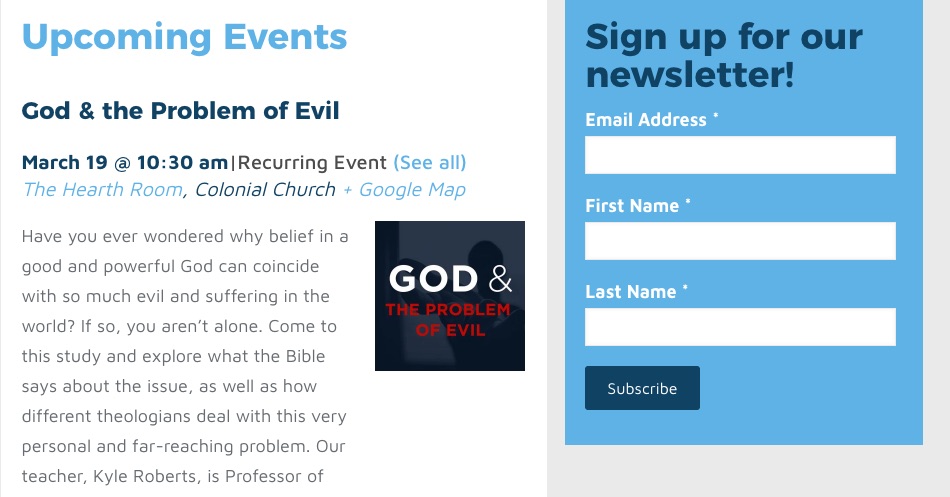
You could also make it float right with the following code
.homecal .tribe-events-list .tribe-events-event-image {

border: 0px !important;

width: 30%;

float: right !important;

}
Let me know how that goes.
Best regards,
Geoff B.MemberGood afternoon Nicholas,
Thank you for the info and the email.
I was able to take a look around and I see what you mean.
If I did not know any better, I would say some kind of firewall or security plugin (maybe at the webhost level is blocking access to the license key server).It also seems that you are running The Events Calendar version 4.2.3 and The Events Calendar PRO version 4.2.3
Here are my recommendations to get closer to resolution:
- Make a complete database backup of the site
- Activate a maintenance page plugin
- Deactivate and delete both the Events Calendar and the Events Calendar Pro (you will not lose any event data)
- Grab a copy of the latest version of both of these plugins in a .zip file format here: https://theeventscalendar.com/my-account/downloads/
- Using WordPress built-in “Add plugin” interface, upload and activate the latest version of both plugins
- Try inputing the license key again.
If that does not work, you might have to consider upgrading your WordPress version as well.
Let me know how that goes.
Best regards,
Geoff B.MemberGood afternoon Michael,
I am glad my suggestion has helped a bit.
Here are my recommended suggestions:
- You need to downgrade to 4.4.1 for both the Events Calendar and the Events Calendar Pro to restore the photo view
- Please contact the authors of the X theme to let them know that we have upgraded the version of Isotope included in our the Events Calendar Pro plugin
Could you please send me a copy of the latest version of your WordPress theme / child theme via a link to a .zip file link (stored Dropbox or Google Drive) so that I can run some tests on my end ? I recommend a private reply for that purpose.
Please ensure you are using the latest files as found on your actual website.
This way I will get access to any updates or customizations you might have made.Best regards,
Geoff B.
-
AuthorPosts