

Forum Replies Created
-
AuthorPosts
-
Geoff
MemberHi Thomas,
Nice to see you again and I hope you’re doing well!
Good question. The only workaround I know for this is the answer that my colleague Nico provided here in this thread:
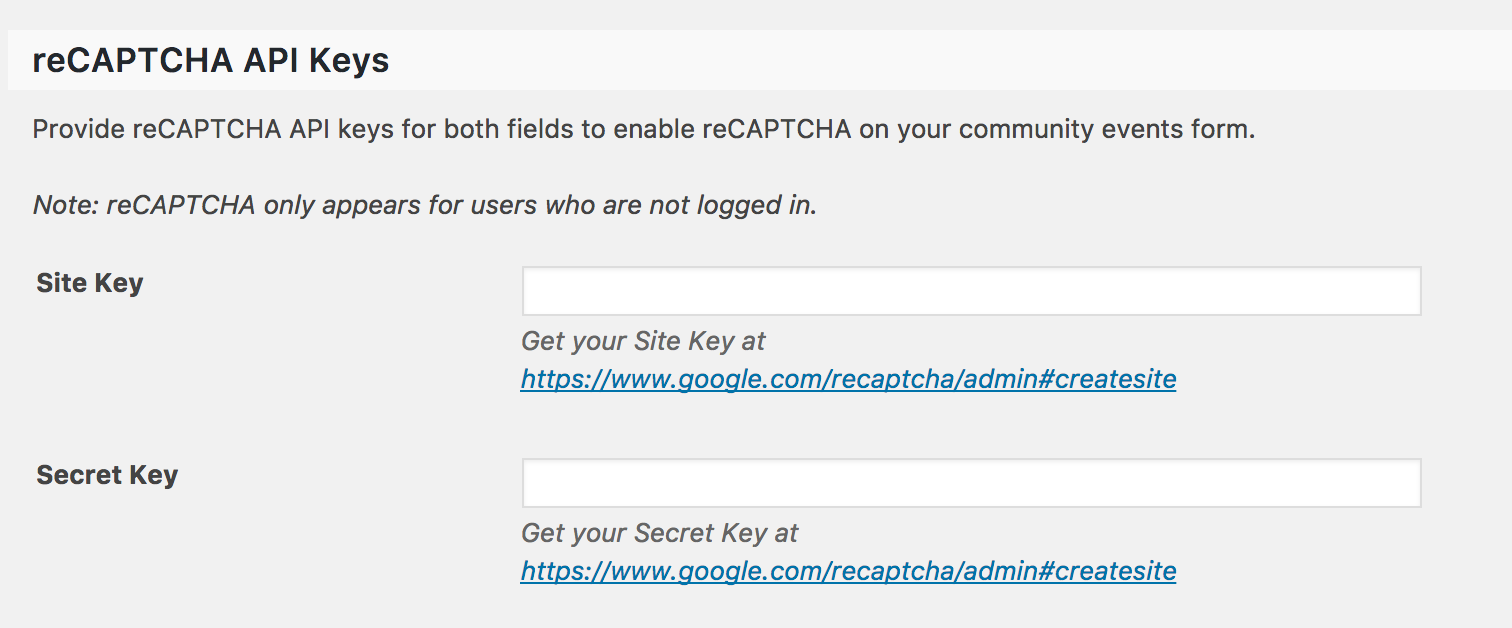
It’s worth noting that Community Events does allow you to add ReCAPTCHA to the form settings to prevent automated login attempts and from the need to redirect to a custom login. You can activate that by navigating to Events > Settings > Community from the WordPress admin:
Cheers!
GeoffMemberHi Massimo,
I’m afraid the reason you’re bumping into issues here is that The Events Calendar does not support Polylang. As far as multilingual support goes, we officially support WPML for The Events Calendar and Events Calendar PRO with instructions to set that up here:
https://theeventscalendar.com/knowledgebase/setting-up-the-events-calendar-with-wpml/
Sorry to bear bad news, but does this at least help answer your question? Please let me know.
Cheers,
GeoffMemberHi Frecson,
I’m afraid the reason you’re bumping into issues here is that The Events Calendar does not support Polylang. As far as multilingual support goes, we officially support WPML for The Events Calendar and Events Calendar PRO with instructions to set that up here:
Sorry to bear bad news, but does this at least help answer your question? Please let me know.
Cheers,
GeoffMemberHi Tony,
Feel free to let us know if you have questions! I know that posting forum topics is sometimes not ideal for pre-sales questions but we’d be happy to help with any questions you might have about the plugins and their features as best we can.
We are technically “closed” this week during the holidays, but I’ll keep an eye on this thread and reply as quickly as I can when I am online.
Cheers,
GeoffMemberThis reply is private.
December 28, 2016 at 7:46 am in reply to: Users able to see who bought tickets to a specific event ? #1211008MemberHello Paul,
Good question and the answer is yes: Event Tickets Plus does indeed include a feature that displays a list of who have registered for an event.
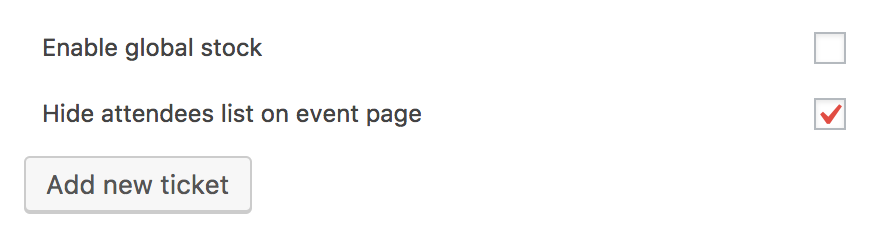
You can choose whether to display that list on an event-by-event basis when publishing the event:
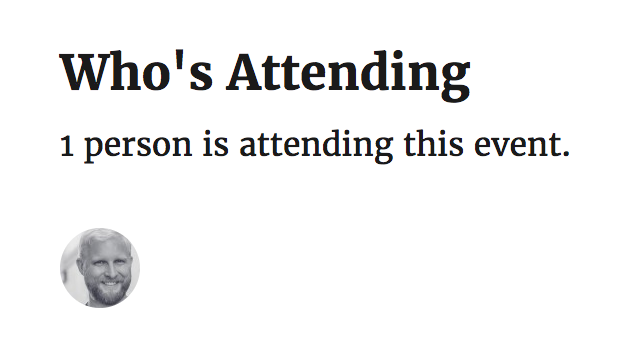
Once that has been enabled, the photos of those going to the event will be displayed on the event page:
Does this help answer your question? Please leet me know. 🙂
Cheers!
GeoffMemberHi Chris,
Hey there and thanks for getting in touch!
We’d be happy to help — but I do want to note that our pre-sales forum is used to answer questions about purchasing our premium plugins.
If you’re looking for technical support, it would be awesome if you could post your question to our WordPress.org support forum.
Or, if you already have an active license for one of premium plugins, will you please log into your account and post your topic to our premium support forum instead?
And when you do, it would be awesome if you could provide both a link to your site as well as your system information — this will help our team dig right in and help as best we can.
Thanks so much!
MemberHi Tien,
Thanks for following up!
There’s actually no need to locate the attendee-list.php file. Instead, you can create a PHP file named attendees-list.php and paste the code I linked to earlier:
https://gist.github.com/geoffgraham/9d5ff5b61f1afacc2708ed77b8f65af2
I see you have a couple of other questions — would you be willing to open new threads for those? That will help us keep the conversation here to one topic at a time and help avoid any confusion.
Cheers!
GeoffMemberMy pleasure! I hope you had a great holiday season heading into 2017 — cheers and let us know if anything else pops up. 🙂
Geoff
MemberOh wow, nice sleuthing Marcus! I had a hunch that Event Rocket was being used for the homepage, but the extra layer of a redirect in .htaccess adds so much more clarity.
Awesome job and thanks for following up to let me and the rest of the community know.
Cheers!
GeoffDecember 28, 2016 at 7:28 am in reply to: Change Fontsize of Event Title in the list view widget (and in foto view) #1210991MemberHi Frank,
Will you please try this instead? Minor difference, but hopefully it helps:
/* Sets widget event title size */
.tribe-mini-calendar-event h2 {
font-size: 25px !important;
}

/* Sets Photo View event title size */
#tribe-events h2.entry-title {
font-size: 25px !important;
}
Like I said before, you may need to play with this a bit on your own to make it work with your theme.
Cheers!
GeoffDecember 28, 2016 at 7:26 am in reply to: [tribe_events] Shortcode Limit option not Working #1210990MemberHowdy @aplussideas.
Thanks for the feedback! It would be awesome if you would add your support behind the feature request for this so we can see more demand for it:
Thanks a ton!
GeoffDecember 22, 2016 at 2:52 pm in reply to: Plugins Updates for Events Calendar Pro Not Showing #1209805MemberHi Abby,
So sorry for the trouble here with updating!
While I do not know specifically why the actual update is not showing up for you in the WordPress admin, you can download the updated version (4.3.4) by logging into your account on this site and navigating to the My Account > Downloads screen.
Once you have downloaded the plugin, you can install it manually following the steps outlined in this guide:
Does this get the update installed and active for you? Please let me know. 🙂
Cheers!
GeoffDecember 22, 2016 at 2:47 pm in reply to: Change Fontsize of Event Title in the list view widget (and in foto view) #1209801MemberHi Frank,
You might need to play with this a little more bit more, but adding this to your theme’s style.css file or using the Advanced CSS editor in the WordPress Customizer (Appearance > Customize) might do the trick:
/* Sets widget event title size */
tribe-mini-calendar-event h2 {
font-size: 25px !important /* or whatever size you'd like */
}

/* Sets Photo View event title size */
#tribe-events h2.entry-title {
font-size: 25px !important /* or whatever size you'd like */
}
Here is a screenshot of how that looks in Photo View when I tested it on your site. Like I said, though, you may wind up using different classnames than what I provided and need to play with it a little more to get it just right.
Cheers!
GeoffDecember 22, 2016 at 1:22 pm in reply to: Importing WordPress blog posts in to Events Calendar #1209775MemberMy pleasure and happy holidays to you as well! Our entire team will be taking a break starting tomorrow, but we sure hope you have a wonderful time and we’ll see you back soon. 🙂
Wishing you the best,
Geoff
-
AuthorPosts