

Forum Replies Created
-
AuthorPosts
-
Brian
MemberHi,
Thanks for using our plugin. I can try to help out here, but we are limited in supporting theme compatibility issues.
For Genesis we do have this guide for integration:
That might help you get closer to what you are looking for.
Cheers
December 14, 2015 at 6:50 am in reply to: This Event plug in is awesome but I need to allow users to subscribe to ical #1040827MemberHi,
Thanks for using the Events Calendar.
Here on the pre-sales forum, I’m afraid we do not provide technical support. I would ask that you take any technical support questions across to our wordpress.org forum – our staff scan it periodically and other community members may also be able to help out.
Having said that you can try this snippet to create an iCal feed:
https://gist.github.com/jesseeproductions/2b1af6527b7029eaea6e
Thanks again!
December 14, 2015 at 6:42 am in reply to: 'don’t have the sufficient permission' to update Facebook Events #1040826MemberHi,
Thanks for using the Events Calendar.
Here on the Translation forum, I’m afraid we do not provide technical support for our premium plugins. I would ask that you take any technical support questions across to our premium forum where we will respond to you within 24 hours during the week:
https://theeventscalendar.com/support/forums/
Having said that make sure all your Plugins are at least 4.0 from the Plugin Management screen.
You can download the latest version from your account here on theeventscalendar.com
And follow these steps for a manually update:
Thanks again!
MemberHello,
Glad it helps.
We do not have shortcodes so it is not possible to place the list view on the home page with the filter bar.
If you think that is something you would like as a feature I encourage you to visit our User Voice Page and either upvote an existing request or make a new request there.
December 11, 2015 at 6:50 pm in reply to: Event Title Twice on single event (tried CSS and PHP rules) #1039957MemberI am glad to see you were able to figure it out.
I am going to go ahead and close this ticket. If you have a similar issue or another in the future, please do not hesitate to create a new ticket.
Thanks!
MemberHi,
Perhaps it is possible, but it is not a feature we currently have we only can auto import from pages and manual imports from everything else.
MemberHi,
Thanks for using our plugins. I can help out here.
This is a little guide I have for the QR Codes that explains the capabilities needed to checkin: (it does not have to be an admin account)
How to check in using Ticket Plus’s QR Codes:
- Get an App for your phone or tablet that can read QR codes (Scan for IOS is what I use)
- Setup the Scanner App to open in a browser or in the app itself (I used Chrome as my browser with the app and signed in there)
- In either sign into your site with at least a author level account or create a special account with edit_posts and read capabilities (User Role Editor is an easy plugin to do this with)
- Scan the QR Code and you will get a success message such as “This Ticket with ID xxxx was checked in.”
If you are just seeing the event page with no success message it does not recognize you as logged in.
Also, please make sure to have cookies turned on so your login will work.
Does this help clear it up?
MemberHI,
Thanks for using our plugins. I can help out here.
The date search is from that forward so it is working correctly.
Only on the Day View does it show events from that single day.
Does that help?
MemberHi,
Thanks for the interest in our plugins. I can help answer your questions.
When importing events from a profile, is it possible to include events the user was invited to but have not responded, and well as once where they indicated that they might go?
All public events can be imported including those from a profile by the event id found in the url. It does not matter if a user indicated if they are going or not.
I have read that automatic importing for profile events is not supported, however can this be set up using a cron job? There is only one account that the events would be imported from.
Automatic imports are not possible with a profile for the Graph API does not allow you with the APP Token to read a profiles events.
For the front end submission, would it be possible to import using just the Facebook event URL?
We do not have a feature to do front end submissions with Facebook.
If you think that is something you would like as a feature I encourage you to visit our User Voice Page and either upvote an existing request or make a new request there.
Cheers
MemberOk so as of our tests yesterday at least.
I am putting all these notes together to help out in development and see if we can find a way around this.
Thanks for your help.
December 11, 2015 at 12:58 pm in reply to: Just renewed WooCommerce Tickets and License Key for Event Tickets Plus Expired! #1039850MemberHi,
Glad it is all working now.
There is not Preview of the Ticket Email besides sending it to yourself.
You can resend tickets from the individual order screen in WooCommerce.
That is in the Upper Right Corer Action Dropdown.
Otherwise, if you think that is something you would like as a feature I encourage you to visit our User Voice Page and either upvote an existing request or make a new request there.
MemberYep it works the same way for now, but it will be where all our new features are going to get added so some changes and more settings will be added in the future.
December 11, 2015 at 12:56 pm in reply to: Previous and next links in photo view (javascript theme conflict) #1039848MemberHi,
It is a good idea to try and keep your tickets to one topic as it helps other people if they are looking for the same thing and for us to keep track.
No worries here though.
To reverse the past order does this snippet work for you?
https://gist.github.com/elimn/0be6c4cbcf80b3721c81
I am not sure what else you tried.
As for performance.
I cannot help setup a caching beyond what we provide for the month view.
I would look to using a plugin such as WP Super Cache and that could help.
I have found WP Rocket and W3 Total Cache to work well too.
It could also be hosting if on a shared host.
Cheers
December 11, 2015 at 12:51 pm in reply to: Important for all users that use the Event Option 'Sticky in Month View' #1039847MemberHi,
I am not seeing any other reports of this and not able to reproduce.
So first question is do you have any custom coding for the events calendar in your theme?
And if so does removing it help?
If that does not help the next step is to please follow our testing for conflicts guide:
And see if that can narrow down the cause of this.
Let me know what you find out thanks.
MemberHi,
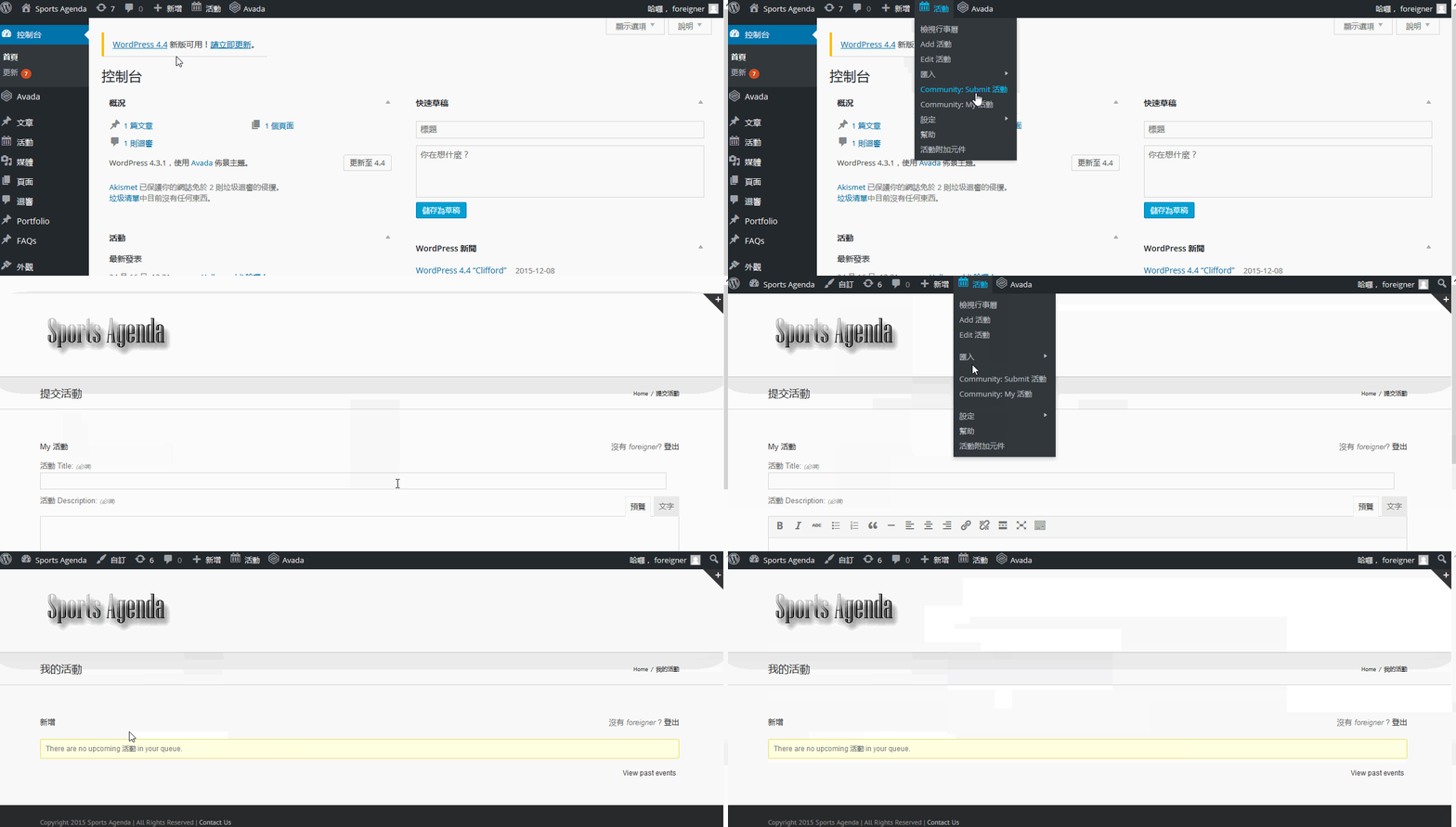
So the issue is the events slug was not being used so the urls were looking like this:
http://sportsagenda.infocommunity/add
When it should be this:
http://sportsagenda.info/events/community/add
I disabled the Event Rocket
And that resolved the issue it in English. I do not believe the Event Rocket can be used with the latest versions of the Events Calendar and should be removed.
As for the Community Links
I got them working by following these links:
-
AuthorPosts