Forum Replies Created
-
AuthorPosts
-
Patricia
MemberHi Werner,
This specific issue affects sites that reached their Google Maps API usage limit.
Can you please make sure that you have a Google Map API key enabled and correctly setup in your site?
If your API key is already in place and the issue persists, can you please let us know if your site is hosted in a shared server? I’m asking this because a given web server IP address can only make 20k requests/day and if you are in a shared server this limit is easily reached.
If you have only a few venues and your site is hosted in a shared server, this is probably the cause of the issue you are experiencing.
Please let me know the answer to these questions and we will be happy to further investigate your case.
Regards,
Patricia
August 31, 2017 at 7:04 am in reply to: Connect Facebook to event aggregator Hangs in endless wait #1343053MemberHi Harry,
Our “Other URL” import option is officially in Beta phase: at this moment it is quite stable and functional, but it’s not yet complete: our development team is still working to improve this feature. That’s probably the reason why you are unable to import events from this URL now.
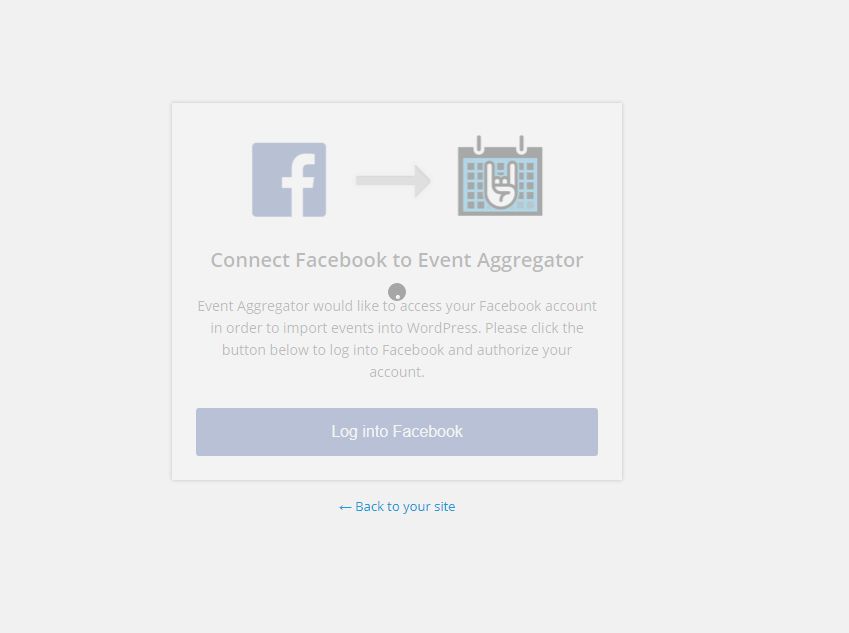
I’ve been reviewing this issue you are experiencing while trying to connect Events Aggregator to Facebook and found some cases where customers were blocked by their browsers because tracking protection was enabled: meaning that they were trying to connect to Facebook while using a Private (Incognito) browser window.
Can you please make sure that you are not accessing your site and trying to connect EA to Facebook in a private browser window?
If you are not in incognito and the issue persists, please try to connect to Facebook again using Google Chrome and while in this page, press F12 to use Chrome Developer Tools. After that click on the Console menu and send us a screenshot / let us know if you see any errors in there. You will find further information about Chrome Developer tools here.
Please let me know your test results.
Thanks!
Patricia
MemberHi Sebastien,
Our team is actively working to adapt Event Tickets to WPML, but I can’t guarantee when we will be finished.
Did you try to implement the workaround suggested by Geoff in that Feature Request? I’m pasting his advice here in this ticket:
“In the meantime, you could get it to partially work, but this is unsupported.
To achieve that, you will need:
1) WooCommerce multilingual
2) To make sure you have followed to the letter these instructions: https://theeventscalendar.com/knowledgebase/setting-up-the-events-calendar-with-wpml/
3) Some manual interventionAfter creating the ticket AND saving the event, head over to WPML > Support > Troubleshooting page.
Once you are there, you should see several cleanup buttons. I would recommend:
1) Clearing WPML cache
2) Using the button that forces language assignment to items (which is what is creating the issue). 3) This can also be accomplished by deactivating and reactivating WPML.
4) Your ticket will now magically appear.The only downside is that the tickets you create in other languages are not really translations of the initial ticket. They are completely independent new tickets.”
I hope this helps!
Let me know if you need anything else and I’ll be happy to assist!
Cheers,
Patricia
MemberHi Kevin,
I’m not sure what is causing your recurrence rows to be hidden, probably a theme conflict since you disabled all other plugins and the issue persisted.
To solve the problem, you can override this CSS rule by adding the following code in your theme’s style.css file:
.recurrence-row .tribe-recurrence-exclusion-row {
  display: table-row !important;
}
I hope this helps! Please let me know if you need anything else in the mean time!
Regards,
Patricia
MemberHi Margaret,
Awesome! Good to know everything is working as expected now 🙂
Let me know if you need anything else and have a great day!
Cheers,
Patricia
MemberHi Jason,
Awesome! Good to know everything is working as expected now 🙂
Let me know if you need anything else and have a great day!
Cheers,
Patricia
MemberHey Margaret,
Thank you for reaching out to us!
I’ve just accessed your calendar in month and list view and I can see both events (“Brisbane – Real Stories of the NDIS” and “Gold Coast (10/13) – Real Stories of the NDIS” (10/14)) there.
Can you please Clear/Purge your site’s cache (and your browser cache as well) and check if everything works as expected after that?
Let me know if you need anything else and I’ll be happy to assist!
Regards,
Patricia
August 30, 2017 at 12:25 pm in reply to: Spinning Grey Wheel On Calendar Widget Since Update #1342629MemberHey Robert,
Thank you for reaching out to us!
I’m very sorry about this issue you are experiencing.
Can you please share with us the link to the page where you are getting this error?
I believe it might be associated with a plugin or theme conflict since I can’t replicate the issue from here (with all Modern Tribe plugins enabled and Twenty Seventeen theme installed).
Thanks!
Patricia
MemberHey Jonathan,
Thank you for reaching out to us! I’m very sorry about this issue you are experiencing, let me help you to solve it!
I’ve seen similar issues in the past and in those cases the problem was associated with a theme conflict.
Can you please temporarily deactivate all of your plugins (except Modern Tribe plugins) and change your theme to another one like Twenty Seventeen and let us know if the issue persists after that? You will find further information about our conflict test here.
Also, please enable WP_DEBUG and WP_DEBUG_LOG and share with us any messages you see while creating new events. All WP_DEBUG messages will be stored in a debug.log file in /wp-content/debug.log.
Thanks!
Patricia
MemberThis reply is private.
MemberHey Jason,
Thank you for reaching out to us!
To achieve what you want, please replace the code you just shared (at [your-theme]/tribe-events/month/single-event.php) with the following:
https://gist.github.com/nefeline/d74ff6806108771b4da7b951eff57753
I’m suggesting this change because your code is using a deprecated function (tribe_event_link) and is throwing some PHP Notices.
If you prefer to stick with your customization, please replace ‘tribe_event_link’ with ‘tribe_get_event_link’ and use the following code to wrap your time function:
<?php if(!tribe_event_is_all_day()){ [your function tribe_get_start_date] } ?>I hope this helps!
Let me know if you need anything else and I’ll be happy to assist!
Best Regards,
Patricia
MemberHey Melanie,
Thank you for reaching out to us!
You can hide your event venue by adding the following code in the end of your theme’s style.css file:
.tribe-events-meta-group-venue {
    display: none !important;
}
I hope this helps! Let me know if you need anything else and have a great day!
Best regards,
Patricia
August 30, 2017 at 7:44 am in reply to: Connect Facebook to event aggregator Hangs in endless wait #1342348MemberHi Harry,
I’m sorry to know that the issue persists even after accessing your site using different browsers.
Since I can’t replicate the issue from here, I believe that there is a plugin or theme conflict causing this problem.
Can you please make sure that all of your plugins are up to date? If they were updated and the issue persists, could you please temporarily deactivate all of your plugins (except Modern Tribe plugins) and change your theme to another one like Twenty Seventeen and let us know if the issue persists after that? You will find further information about our conflict test here.
Also, please enable WP_DEBUG and WP_DEBUG_LOG and share with us any messages you see while trying to delete recurring events. All WP_DEBUG messages will be stored in a debug.log file in /wp-content/debug.log.
Please share with us your test results. If you need anything else in the mean time, please let me know and I’ll be happy to assist!
Best regards,
Patricia
August 30, 2017 at 7:23 am in reply to: Import Google Calendar returns "There was an error fetching the results" #1342341MemberHi Lisianne,
I just wanted to follow up and thank you again for sharing this solution with us: I wasn’t able to replicate the conflict from my end, but we’ve found other users experiencing the same conflict as you did and disabling Relevanssi solved the problem for them as well.
Let us know if you need anything else and have a great day!
Cheers,
Patricia
MemberHi Sebastien,
One more thing, I’ve removed the admin user and password from your previous reply for security reasons.
Since the password was exposed for a few hours, I would recommend you to update/change it as soon as possible.
Regards,
Patricia
-
AuthorPosts