

Forum Replies Created
-
AuthorPosts
-
January 7, 2017 at 5:57 pm in reply to: Events not showing after upgrade from 2.0.11 to 4.3.5 #1214798
Hunter
ModeratorHello and welcome 🙂
I think the best route to go in this instance is to manually update in order until you’ve reached the most recent version. Start with just TEC since PRO is simply adding additional features, and all you’re attempting to do is get the events to display.
You can download previous version of The Events Calendar here. Make the default WordPress theme and The Events Calendar are the only active themes/plugins on your site while doing the manual updates. For more information, please review our Manual Updates Knowledgebase article.
Let me know how things go and have a great rest of your weekend. Cheers!
ModeratorHi and welcome back,
Have you tried flushing your permalinks? Visit Settings > Permalinks in your WordPress admin dashboard and hit the ‘Save Changes‘ button. Check to see if the error goes away. The error displaying at the top of your site is because you have WP_DEBUG set to ‘true‘ on your site’s wp-config.php file. You can set it to ‘false‘ and it should disappear. What is recommended in this situation is set up a clone of your site on a testing environment where you can fully troubleshoot the issue.
We don’t have any logged bugs of users reporting similar issues and I’m not able to reproduce it on my test site. I really wish I could troubleshoot the issue with you in greater detail, but there’s unfortunately not much I can do.
Refer to our Testing for conflicts guide once you have your site cloned to a testing environment and make sure WP_DEBUG is set to ‘true’ until you figure out where the conflict is coming from.
Please keep me updated with what you find out and enjoy the remainder of your weekend. Cheers!
January 7, 2017 at 4:53 pm in reply to: Automatically to the top when clicking 'Next events' #1214794ModeratorHello,
I hope you’re having a great weekend. It’s best to have a testing environment where you can fully troubleshoot issues. Try doing some Google searches on the topic as I’m sure they’re a much better resource in this instance than I could be.
Let me know how things go and have a great rest of the weekend!
ModeratorI haven’t personally tried it myself, so I’m unsure on how to answer that question. It might be worth setting up a test environment if you don’t already have one and testing things out. Sorry I don’t have the answer readily available and if you do test things out and want to share your findings with me for others to benefit from down the road, I’ll leave this thread open for the time being. If not, let me know and I’ll go ahead and close it out unless you’ve got any more questions or comments.
Have a great rest of your weekend!
ModeratorHello,
I hope you are having a great weekend. Do the imports which fail do so 100% of the time, or does it seem intermittent? If multiple scheduled imports attempt to run at the same time, they may “fail”, but things the plugin should reattempt the scheduled import. Additionally, the cron is triggered every time a user visits your site, so there’s the potential of a lack of triggers for the cron to run, therefore the scheduled import fails to run.
We have a logged bug aimed at improving the messages seen in the Events > Imports > History tab to provide a better explanation as to why a scheduled import has failed. I’ve added this forum thread to the ticket which helps expedite the process of getting a fix included in an upcoming release. I don’t have a precise date when it will be available, but please stay tuned to our Release Notes and the plugin changelogs for more information. The good news is, it’s set to be included in the next release!
What I would do as a solution is use WP Crontrol to set up scheduled crons, ensuring the scheduled imports occur. Thanks again and let me know if you’ve got any additional questions or comments. Cheers!
ModeratorWelcome back,
According to the Using One License for Live and Dev Sites Knowledgebase article, .dev is just one of many options to choose from. Regardless, have a look at our Moving Your License Keys and Licenses for Multisites Knowledgebase article and let me know if you’re able to get everything working properly. It’s also best you review our Testing for conflicts guide on the site you’re having issues with to eliminate the potential of a theme and/or plugin conflict.
Thanks and have a great rest of the weekend 🙂
ModeratorHey Matt,
Thank you for your patience. To assign a category once an event submitted via the Community Events form, please add the following snippet to the bottom of your theme’s functions.php file:
/* Tribe, assign a category after a Community Events submission is saved */

function tribe_ce_force_category ( $event_id ) {

	wp_set_object_terms( $event_id, 'category1', Tribe__Events__Main::TAXONOMY );

}

add_action( 'tribe_community_event_created', 'tribe_ce_force_category' );
Change the category1 text to the slug of the category you’d like events assigned to. Let me know how it works out for you.
To auto-populate the Community Events form with the organizer adding an event would require a bit more custom code than I’m permitted to spend writing. I also looked for existing examples but wasn’t able to come up with anything. Sorry I can’t do more here, but I see the validity in the request, so your best best bet is to submit the request to our UserVoice Feature Ideas or build out the functionality yourself.
Finally, I’ve set a function that changes the word “Event” to “Class” everywhere else throughout the Events Calendar, but it doesn’t seem to take effect on this sub-plugin… is it possible to make that happen too, or is that just a bug?
I’m using the code from our Changing the word ‘events’ to something else Knowledgebase article and it seems to be working everywhere for me. Please see the screenshot of my Community Events form below for reference.
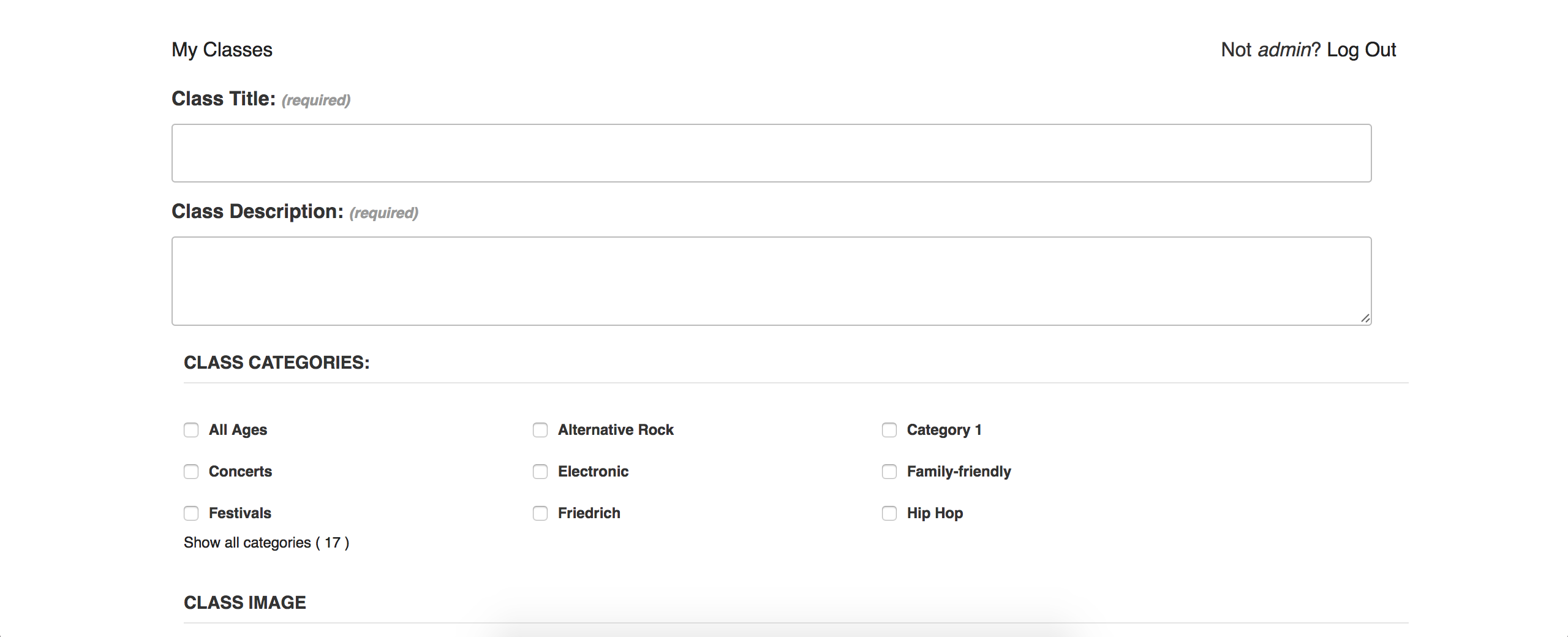
Are you using the code provided in the linked above Knowledgebase article? If so, please elaborate where it is not working and provide screenshots if possible. Thank you and have a great rest of your weekend. Cheers 🙂
January 7, 2017 at 1:42 pm in reply to: Auto-import from Facebook is not working for all events #1214769ModeratorHello,
Thank you for the update. I went ahead and created a scheduled import to run every 30 minutes using this link provided by you: https://www.facebook.com/NAUMANNsLeipzig/
The initial import worked and the scheduled imports seem to be working properly for me. Please see screenshots below for reference:


Do any of the scheduled imports which are failing ever work, or do they fail 100% of the time? What triggers the cron to run scheduled imports is a visit to your site. You can use WP Crontrol to create your own scheduled cron jobs to ensure they run properly.
I do see a report logged related to Facebook scheduled imports failing, but after more testing it appears if imports do fail, they get rescheduled. I’ll attach this forum thread to said report for the developers to review. Please stay tuned to our Release Notes and the plugin changelogs for more information. Thanks again and let me know if you’ve got any additional questions or comments. Cheers!
January 6, 2017 at 10:51 am in reply to: Events are not listed in order of event start time in month view #1214444ModeratorThank you 🙂
Please keep me updated with your findings and have a great weekend!
ModeratorSteve,
Thank you for the response. I understand it’s frustrating to hear the feature is not yet ready for release. You could use a plugin like Duplicate Post to help reduce spent creating new events.
Sorry again you’re having to wait longer than anticipated for the recurring event tickets feature and best of luck finding a viable workaround in the mean time. Have a great weekend!
ModeratorThank you for sharing your solution with me 🙂
I’ll close this thread out but please feel free to create a new one if you have any more questions. Have a great weekend!
ModeratorWelcome back 🙂
Go ahead and visit our Contact page and complete the form so we can get that processed for you. Feel free to link back to this thread. Thanks again and have a great weekend!
ModeratorHey Mike,
I went ahead and created a scheduled import using the second link provided around 5 hours ago. I did not run into any issues with the initial import and the scheduled import appears to also be working correctly. Please see screenshots below for reference.
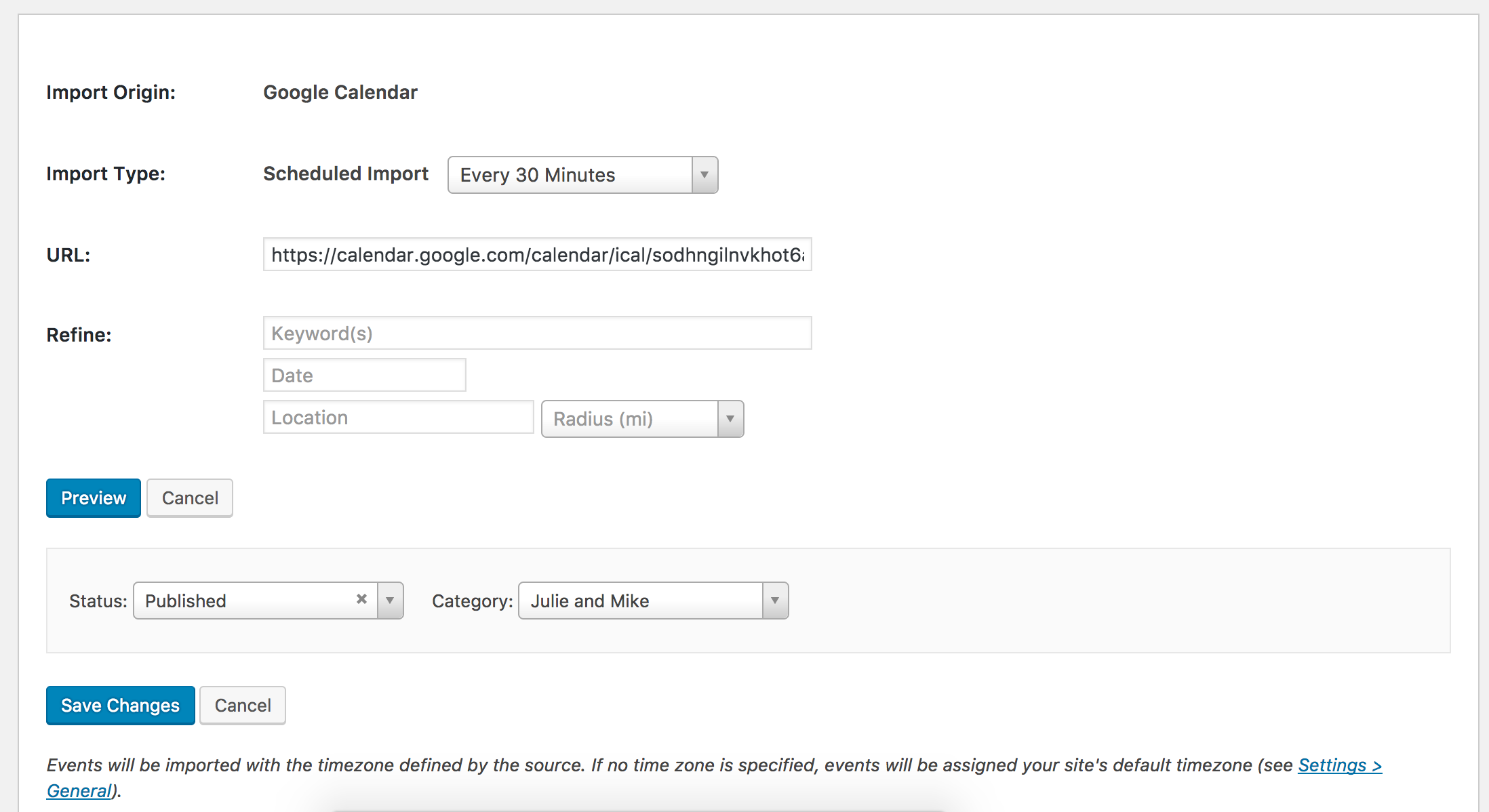



I was working on the testing site when I noticed the import trigger and everything went well. With that said, I’m afraid there’s not much I can do without being able to replicate the behavior. I also checked our logged bug reports, but there doesn’t appear to be a widespread problem at this time.
I wish I could offer you more of an explanation and let me know if you’ve got any more questions or comments on the matter. Thank you and have a good evening.
ModeratorHey Matt,
Welcome back and Happy New Year 🙂
Firstly, I want to force a category that anyone who creates a ‘community’ event. I don’t want them to have the option of any category – how is that done?
To disable users from being able to add categories when submitting events via the Community Events submit event form, you could simply delete the code from the template. Please review our Themer’s Guide for details on how to properly create and save customizations to avoid losing them next time updates are available. Let me know if you need any help and I’ll provide as much assistance as I’m permitted.
Secondly, I want to force the organiser to be themselves, so that they can only post an event if they are the organiser… is that possible too?
Forgive me, but I am a little confused by your question. Do you mind rephrasing it and possibly give an example so I can better understand?
Finally, I want to be able to hide specific entry fields… google maps, google map links, payment… is there a function to do that, or is it just a case of removing the fields themselves from a template file?
The Themer’s Guide I linked to above is going to be the simplest way to remove the fields you want from the submit event form. Again, let me know if you need any help and I’ll do the best I can. For what we are able to cover in the forums, please refer to our What support is provided for license holders? Knowledgebase article.
Thank you and have a great evening. Cheers!
ModeratorHey Joe,
Thank you for posting to our Pre-Sales Questions channel and thank you for reaching out. I hope your New Year is off to a great start. Our and Community Tickets plugins make it extremely simple for users to add upcoming events and tickets. I’ll share all the relative info I have below and some screenshots of the Submit Event page and the view users will see of their listed events. We have a 30-day money back policy which allows you plenty of time to see if things are going to work out.
- https://theeventscalendar.com/knowledgebase/new-user-primer-community-events/
- https://theeventscalendar.com/knowledgebase/new-user-primer-community-tickets/
- https://theeventscalendar.com/knowledgebase/community-events-settings/
- https://theeventscalendar.com/knowledgebase/managing-community-events-submissions/
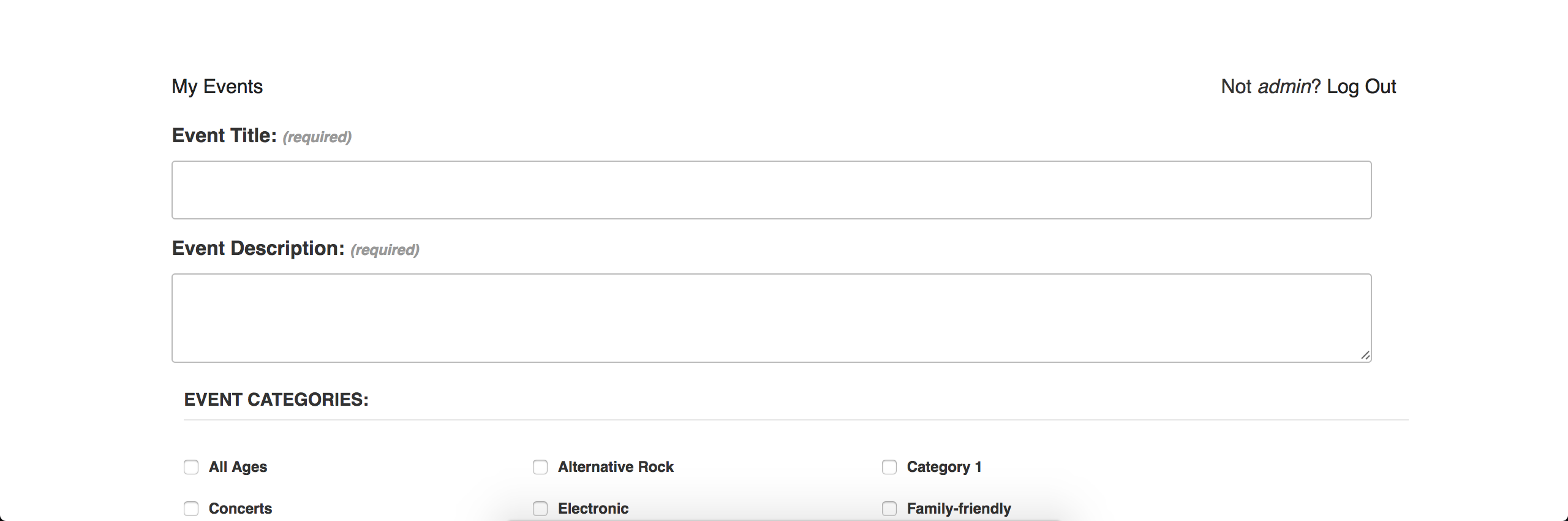
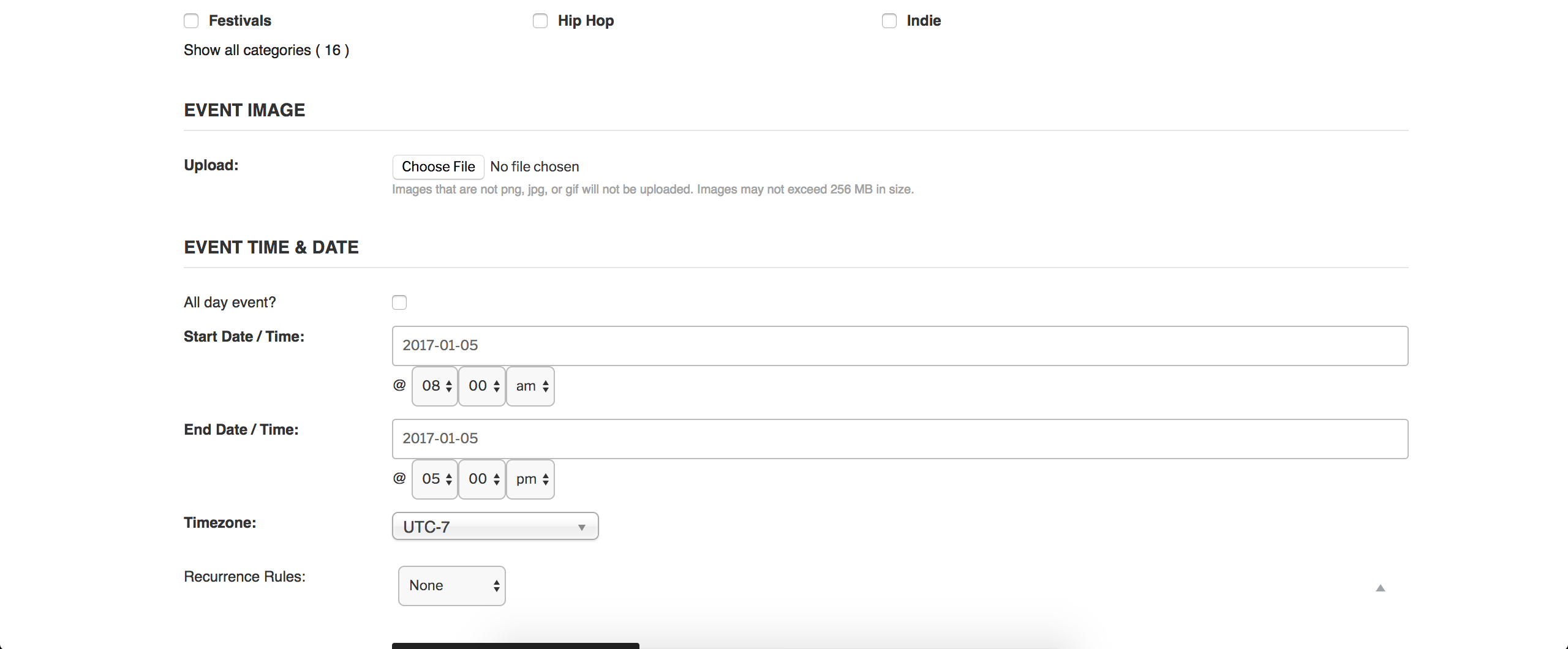
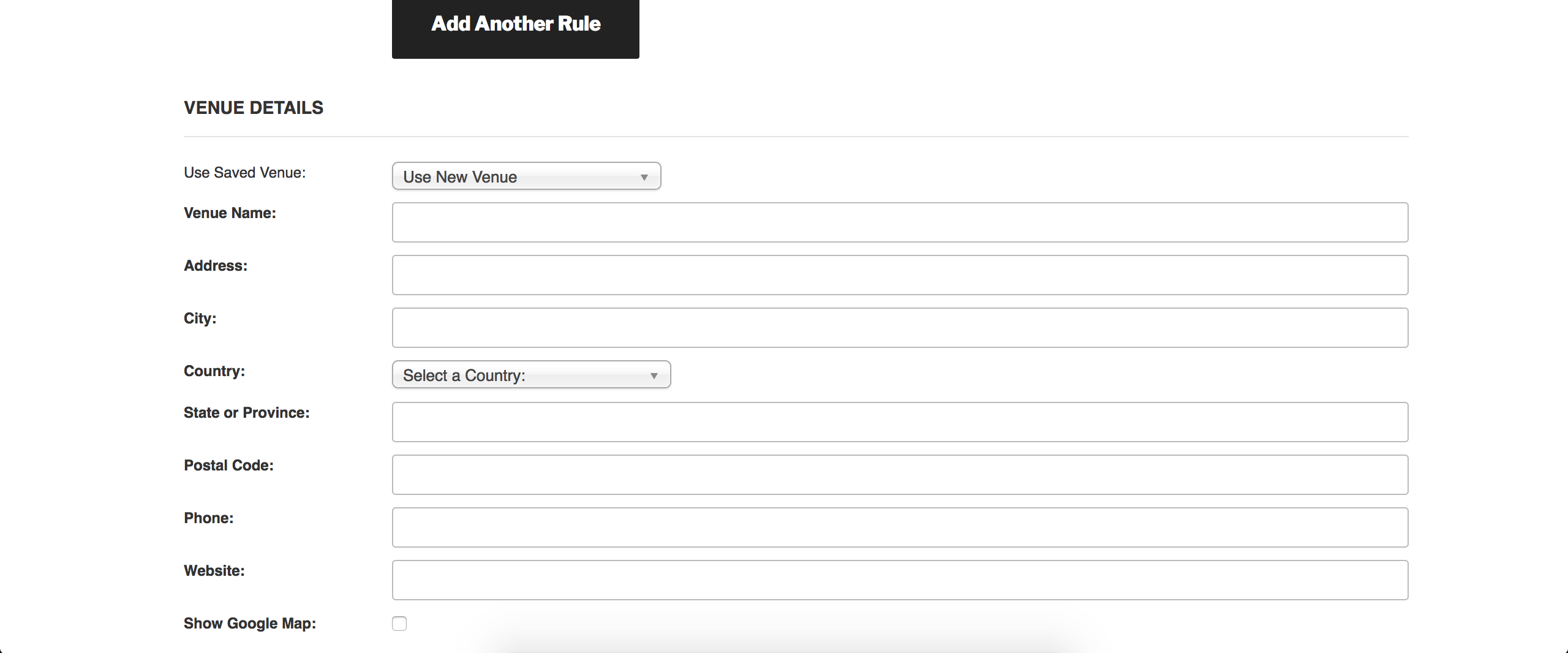
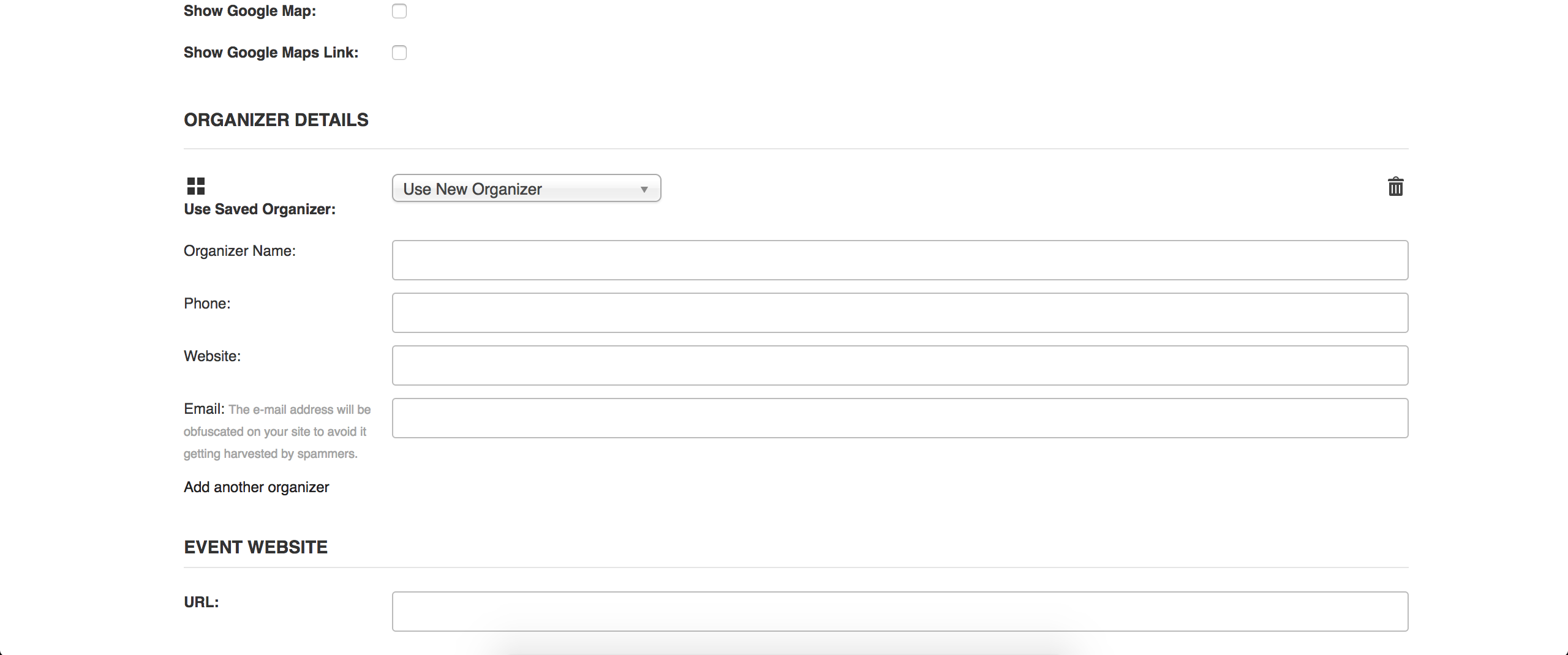
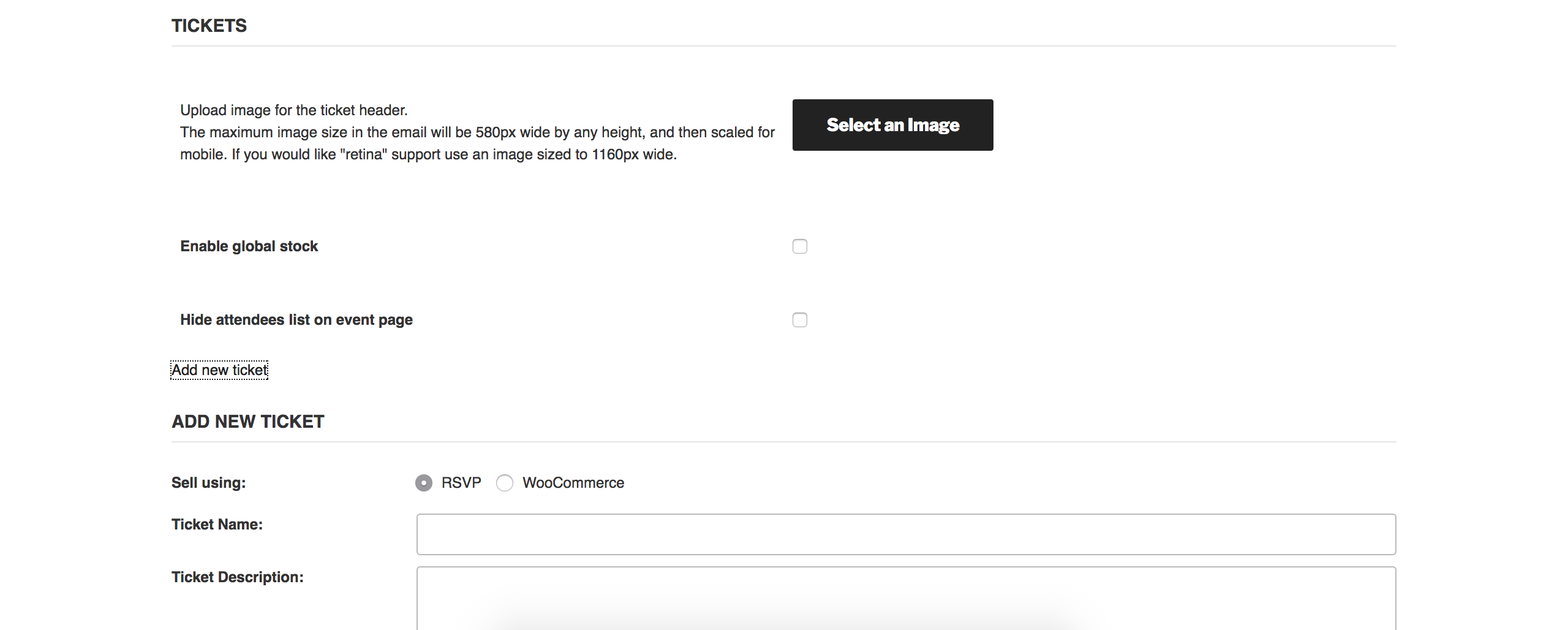
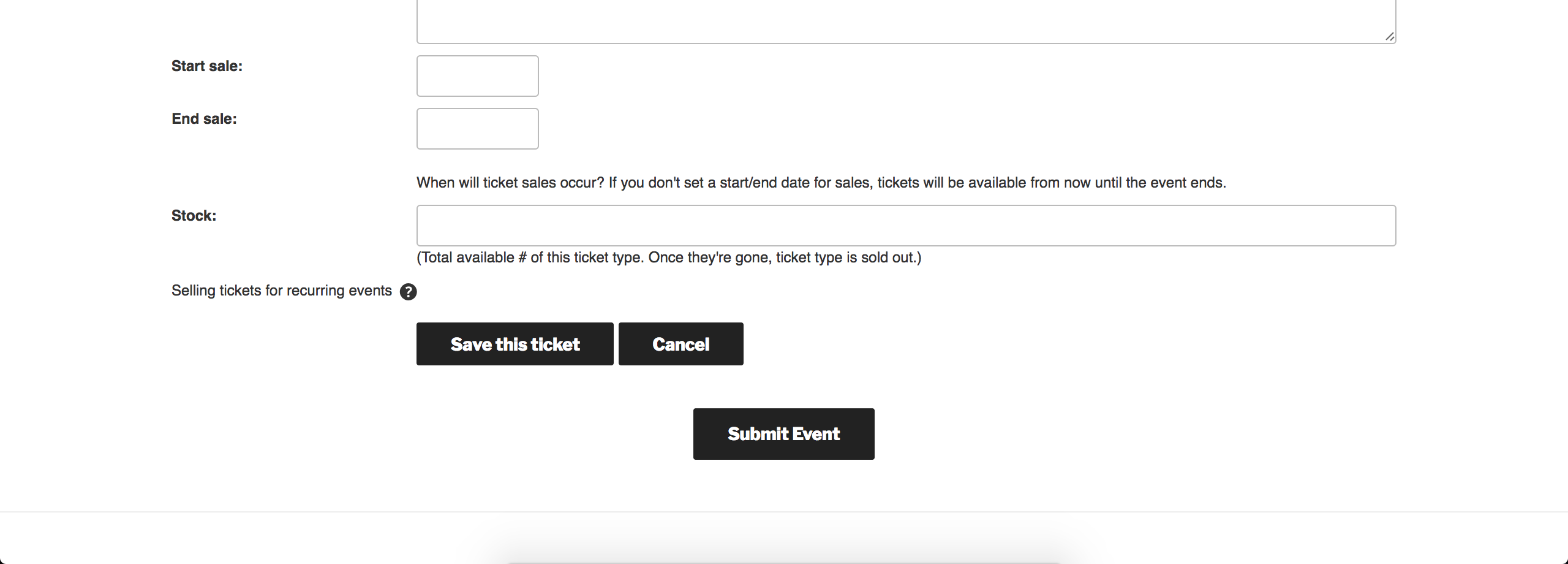
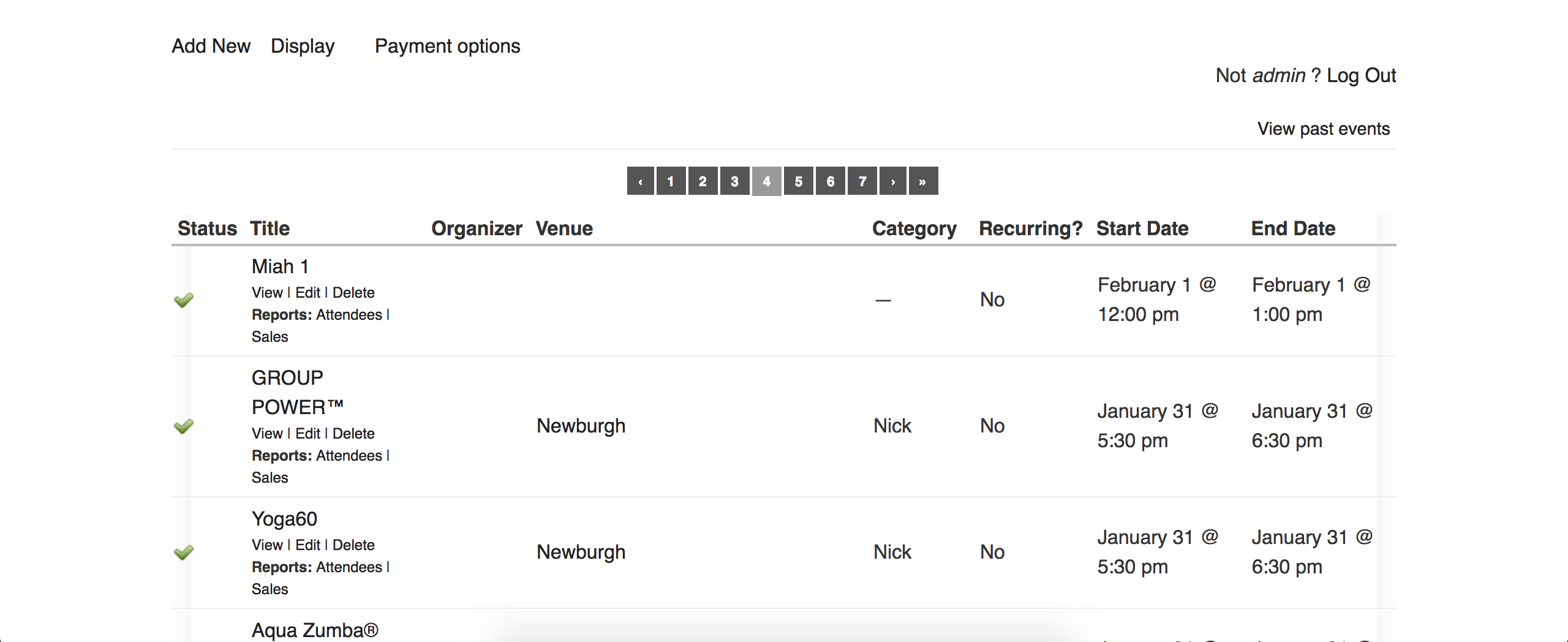
If you did choose to purchase the plugins, we would honor the Bundles price. Please let me know if you have any additional questions and take care 🙂
-
AuthorPosts