

Forum Replies Created
-
AuthorPosts
-
Hunter
ModeratorHi and welcome 🙂
Thank you for your purchase and I hope your New Year is off to a great start! It sounds like you might be experiencing a theme and/or plugin conflict. To isolate the source of conflict, please review our Testing for conflicts guide and reply back with what you learn.
Please include your System Information as a private reply. Thanks again and have a great evening. Cheers!
ModeratorHello and welcome back,
We are aware of the issue you’ve shared with me and a release should be available in the next upcoming maintenance release. Please stay tuned to our Release Notes and the plugin changelogs for more information. You can see a temporary workaround here. Let me know how it works out and have a good evening. Cheers!
ModeratorHi Colleen,
Welcome back and thank you for the kind words! From the looks of it, the red exclamation mark is an indication that the scheduled import failed for some reason. Before I can test to reproduce the behavior, can you please review our Testing for conflicts guide and reply back with your findings?
Thanks again and have a great evening 🙂
ModeratorHello and welcome back 🙂
Before opening new threads, it is a required step you review our Testing for conflicts guide and note what you find.
I created two test events based on the information you provided. For the first event, I set the date for January 26, 1744 and set it to recur every year until January 26, 2017.
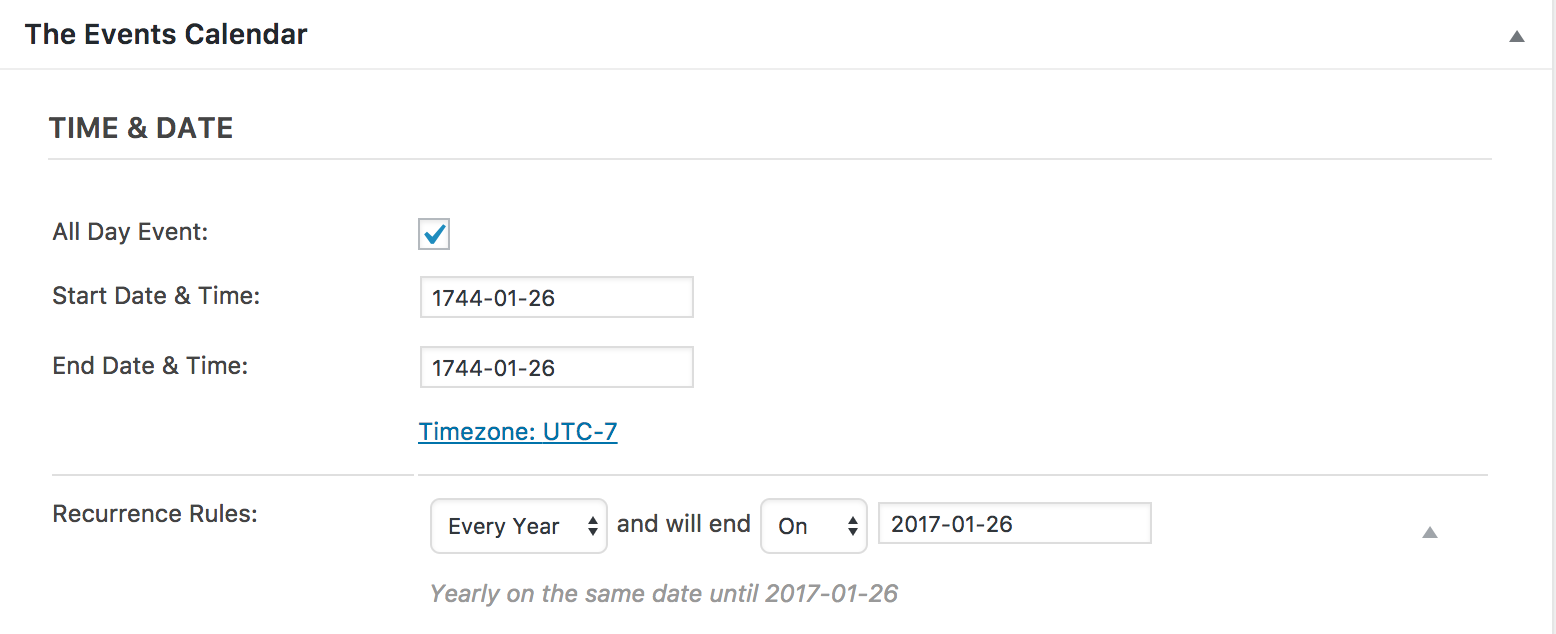
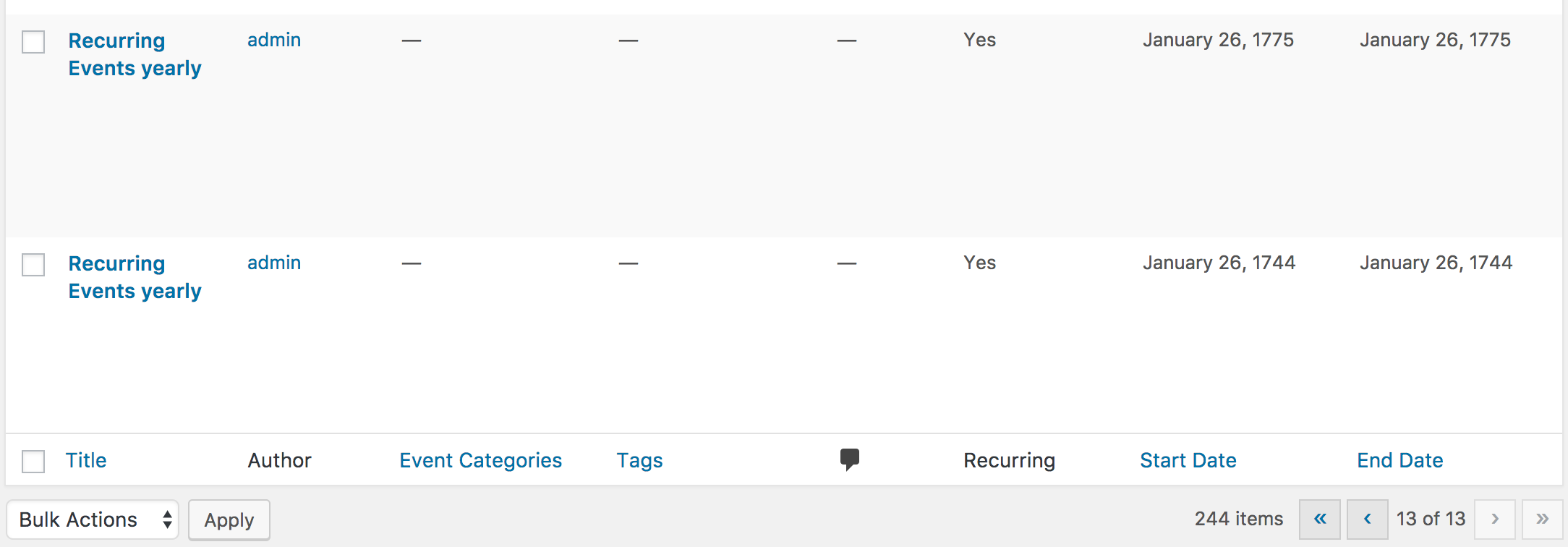
244 events were created, the first starting on January 26, 1744 and the last on January 26, 2017. I’m not sure why events were not created from 1745-1774.
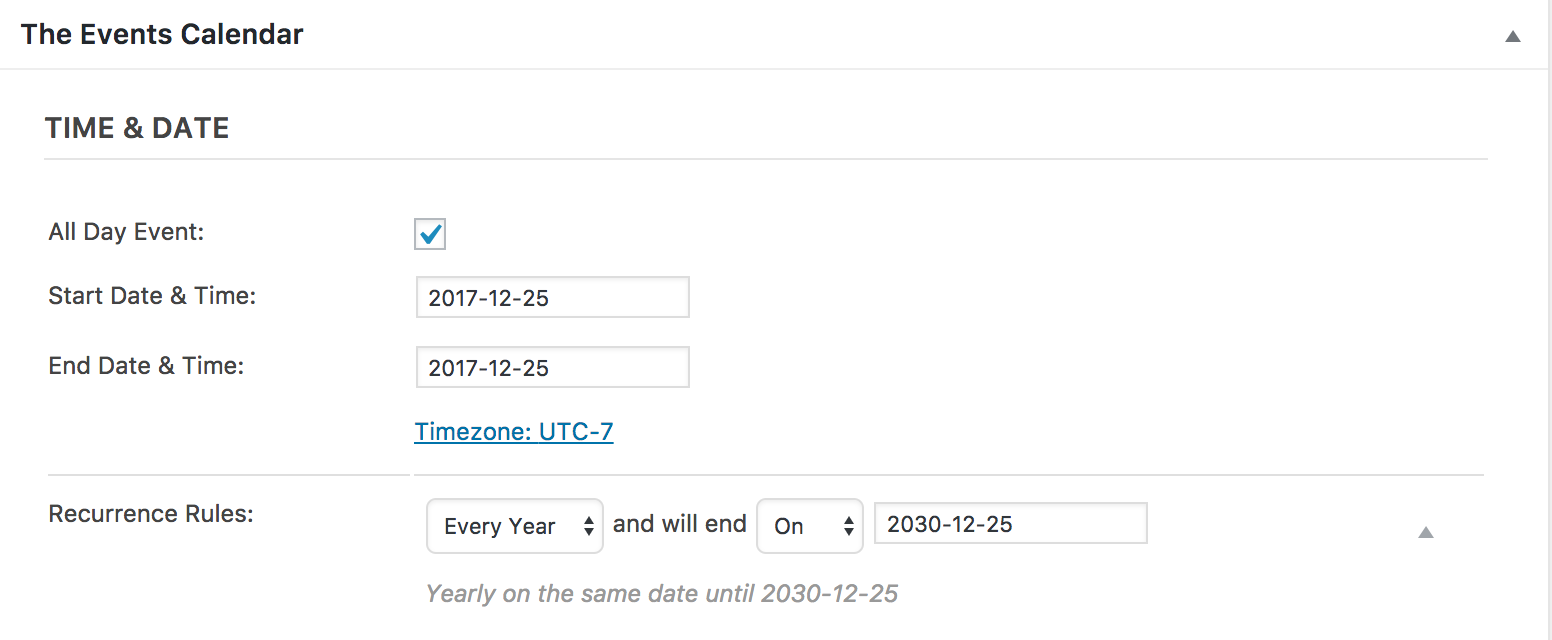
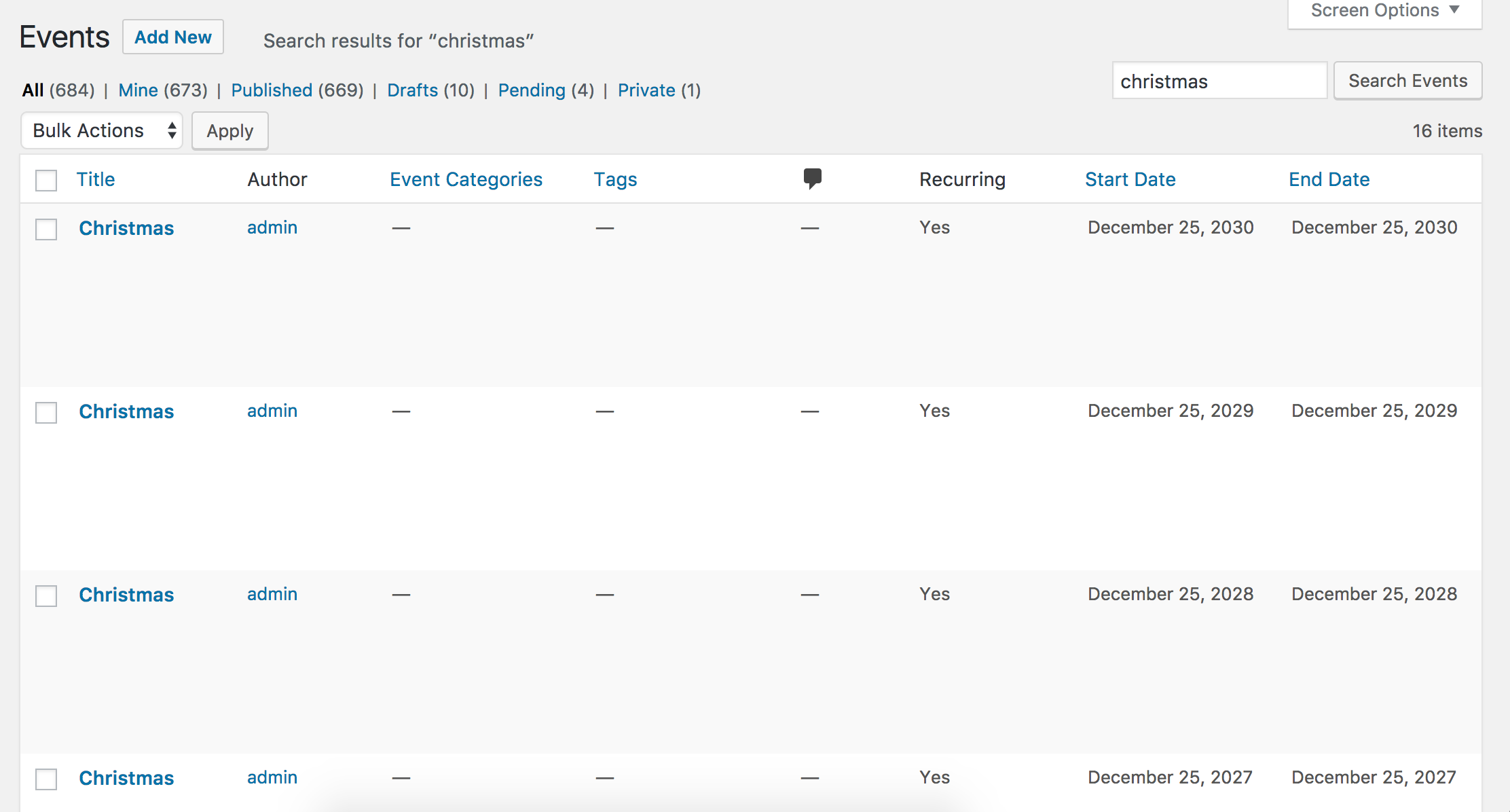
For the next event, I set the date for December 25th, 2017 and a yearly recurrence until 2030. 14 events were created, so that worked as expected.
It might be best you set up a fresh WordPress installation where you can fully troubleshoot the issue. Make sure you have only the default WordPress theme and The Events Calendar installed and activated on the test site. Please review our Using One License for Live and Dev Sites and Testing for conflicts guide for more information.
Please make sure WP_DEBUG and WP_DEBUG_LOG are enabled on your site’s wp-config.php file. Any errors will display at the top of your page as you try to reproduce the conflict. Note what you find and please include it in your reply. I’ll also need you to send over your System Information as a private reply
Let me know what you find and I’ll do more research and testing in regards to the missing events I encountered during my initial testing. Thanks and have a good evening.
ModeratorHi and welcome back 🙂
Thank you for posting and I hope your New Year is off to a great start! I’m not sure how many columns were present prior to the update, but you can create any layout you’d like by following the instructions from our Themer’s Guide. You’ll have to handle the customizations yourself for the most part. Please review our What support is provided for license holders? Knowledgebase article to learn what we’re able to cover in the support forums.
Both of these YouTube videos are relative to what you need to do: Customizing WordPress #1 – How To Create A Child Theme by LevelUpTuts Customizing WordPress #2 – Using Chrome Developers Tools
Sorry I can’t be more helpful in this instance and if it comes to it, you might want to look into hiring a professional to help further assist. Thanks again and have a pleasant evening 🙂
ModeratorHello and welcome 🙂
What do you have the ‘Default status for submitted events‘ option under Events > Settings > Community set to? Do you see the event you submitted via the Community Events submit event forms listed under Events in your WordPress admin dashboard? Please review our Testing for conflicts guide and try adding an event with the default WP theme and only our plugins active.
Also the test ticket wouldn’t let me upload the ticket header image, there was no price setting for the first ticket but there was for the “Add New Ticket”.
Does this behavior occur with the default WordPress theme and only our plugin active? Please review our Testing for conflicts guide. This is a required step to continue receiving support. Do you have the ‘Enable ticket images’ option checked under Events > Settings > Community? (see screenshot below)

You can also see below in the screenshots that I did not have any problems uploading a featured image for a test ticket I’ve created and the ticket cost field displayed for the first ticket I added:

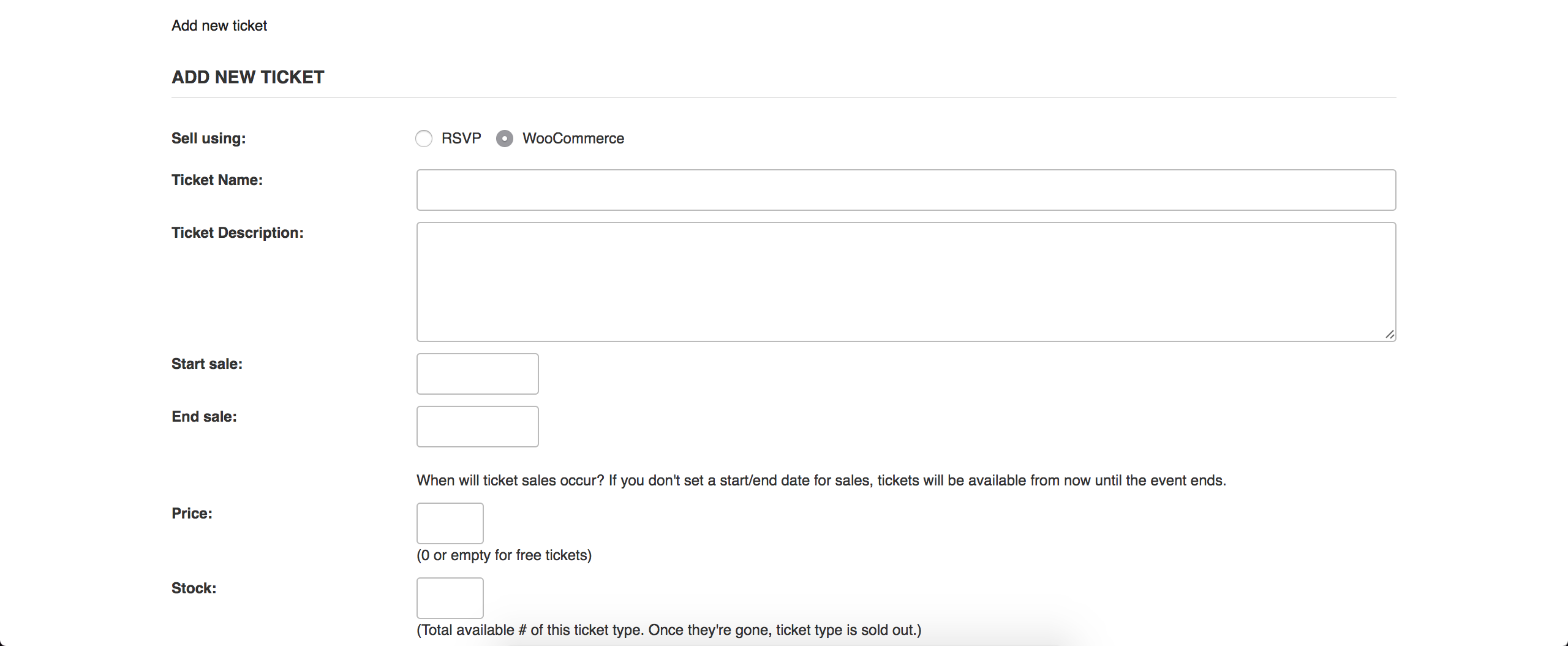
Again, please review the Testing for conflicts guide to see if you can identify the source for each conflict you’re having.
How do I remove the RSVP pay option and only offer the WooCommerce option within Community Tickets?
Add this extension, which works just like a plugin. You should be able to remove the RSVP option with ease. Please let me know how it works out for you.
Why doesn’t the “post to EventBrite” window appear within Community Tickets so customers have the choice?
That is a great question! I recommend visiting our UserVoice Feature Ideas and submitting this functionality as a request. I can’t guarantee when nor if it will come to fruition, but please stay tuned to our Release Notes and the plugin changelogs for more information. Thanks again and let me know if you’ve got any additional questions or comments. Cheers!
ModeratorHey Jennifer 🙂
I hope your New Year is off to a great start! I notice you’re running version 4.3.1.1 of PRO. Can you update to the latest version, then review the Testing for conflicts guide to see if the issue persists?
If so, it might be best you set up a fresh WordPress installation where you can fully troubleshoot the issue. Make sure you have only the default WordPress theme and The Events Calendar installed and activated on the test site. Please review our Using One License for Live and Dev Sites for more information.
Please make sure WP_DEBUG and WP_DEBUG_LOG are enabled on your site’s wp-config.php file. Any errors will display at the top of your page as you try to reproduce the conflict. Note what you find and please include it in your reply. Lastly, make sure the Create recurring events in advance setting is set to greater than 1 or 2 months prior to creating a recurring event.
Thank you and please keep me updated with what you find out. Cheers 🙂
ModeratorThank you for letting me know the issue has been resolved and please feel free to create a new thread if you have any more questions or comments. Take care!
ModeratorAwesome! I appreciate the update. Please open a new thread if you have any more questions. Cheers!
January 5, 2017 at 4:44 pm in reply to: Events are not listed in order of event start time in month view #1214106ModeratorHey Miah,
Thank you for the update and detailed response. I set up three test events on the same date. One running 12pm-1pm, one from 2pm-3pm, and the last from 4pm-5pm. I viewed the calendar and the order of the events were correct before making any edits. (see screenshot below)
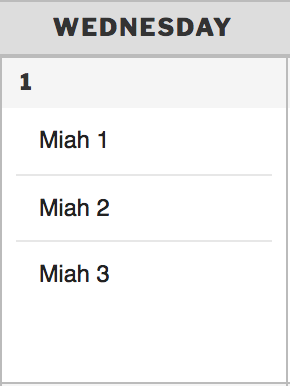
I then edited the last two events one at a time by reducing their end times by 30 minutes, making sure to refresh and view the calendar in between making the changes to see if the order changed. The order was never affected by my edits and I did not experience any issues throughout my testing.
I notice in your System Information that you have version 4.3.3 of PRO and 4.3.4.2 of TEC installed. Can you update to the most recent versions, the retest to see if the behavior persists? Make sure to follow the steps outlined in our Testing for conflicts guide.
Lastly, have you tested to see if you can narrow down the exact source of conflict? E.g. does the issue occur with the default WordPress theme and only TEC active? Or does it occur when PRO and Filter Bar are active? Does it occur with TEC active, PRO deactivated, and Filter Bar activated? The best thing you can do in this instance is the exact step-by-step instructions I need to follow in order to reproduce the behavior. The more specific you can be, the better Once I can confirm a bug is present, we’ll take the necessary steps to getting it addressed.
Thanks again and I look forward to getting the conflict identified so we can move onto the next step. Keep me updated and take care 🙂
January 5, 2017 at 4:24 pm in reply to: How do I prevent my events from showing up in a Google search? #1214102ModeratorGreat! Thank you for the update and hopefully this does the trick. Take care 🙂
ModeratorHello,
Thank you for the update and sharing your System Information with me. I’m not seeing anything out of the ordinary. I’ve worked with both BJ Lazy Load and W3 Total Cache and would personally start there.
I’m not having any display issues with the Filter Bar on my test site and there aren’t any logged bugs resembling your issue. It might be best you set up a fresh WordPress installation where you can fully troubleshoot the issue. Make sure you have only the default WordPress theme and The Events Calendar installed and activated on the test site. Please review our Using One License for Live and Dev Sites for more information.
Please make sure WP_DEBUG and WP_DEBUG_LOG are enabled on your site’s wp-config.php file. Any errors will display at the top of your page as you try to reproduce the conflict. Note what you find and please include it in your reply.
This Customizing WordPress #2 – Using Chrome Developers Tools YouTube video is a great visual example on how to use your browser’s ‘Inspect’ tool to make changes using CSS.
Sorry I can’t do more in this scenario and best of luck resolving the conflict. Thanks again and have a good evening 🙂
ModeratorHello,
Thank you for the update. Can you try updating the plugins on your dev site to the latest versions and retesting to see if the issue occurs? Have you copied your live database and uploaded it to your dev site recently? If not, it’s best you do that so you ensure you’re working on an exact replica of your live site.
The only relative bug report I’m finding has to do with attendees who paid via PayPal’s order information does not appear until the order has been marked as “Complete” in WooCommerce. Do you have the option seen in this screenshot checked or unchecked?
Thanks again and take care 🙂
ModeratorHello,
Thank you for the update.
If only I had 48 hours a day
I hear you there! Please keep me posted on what you find out when you’re able to fully test on a non-production site. Have a great rest of your day 🙂
ModeratorHello,
Glad to hear you’re on the right track! Check out our Add event content to an event widget Knowledgebase article for instructions on adding excerpts to the widgets. Have a good evening and take care!
-
AuthorPosts