
Home › Forums › Calendar Products › Events Calendar PRO › Recurring Events yearly – revisited
- This topic has 3 replies, 4 voices, and was last updated 9 years, 9 months ago by
Peter.
-
AuthorPosts
-
January 5, 2017 at 12:42 pm #1213995
Peter
ParticipantThe original thread was closed, it told me to open a new one and refer to the original…. “Recurring Events yearly”
The solution seemed to work great, however for some reason when I set an end date of 2030, the recurring event only display’s in next year’s date (2018), which is fine, but the following years are blank so it doesn’t appear to going forward to the set end date.
As well, going “back in time” it only display’s back to 2015, the start date of the event was entered as 1744 Jan. 26 (1774-01-26)
…okay, while writing this, I found in the Events > Settings > General page I could set the “clean up” time and the “Create recurring events in advance for… and I set the advance to 240 = 20 years, and the clean up to 150. That didn’t seem to work either.
January 5, 2017 at 6:45 pm #1214139Hunter
ModeratorHello and welcome back 🙂
Before opening new threads, it is a required step you review our Testing for conflicts guide and note what you find.
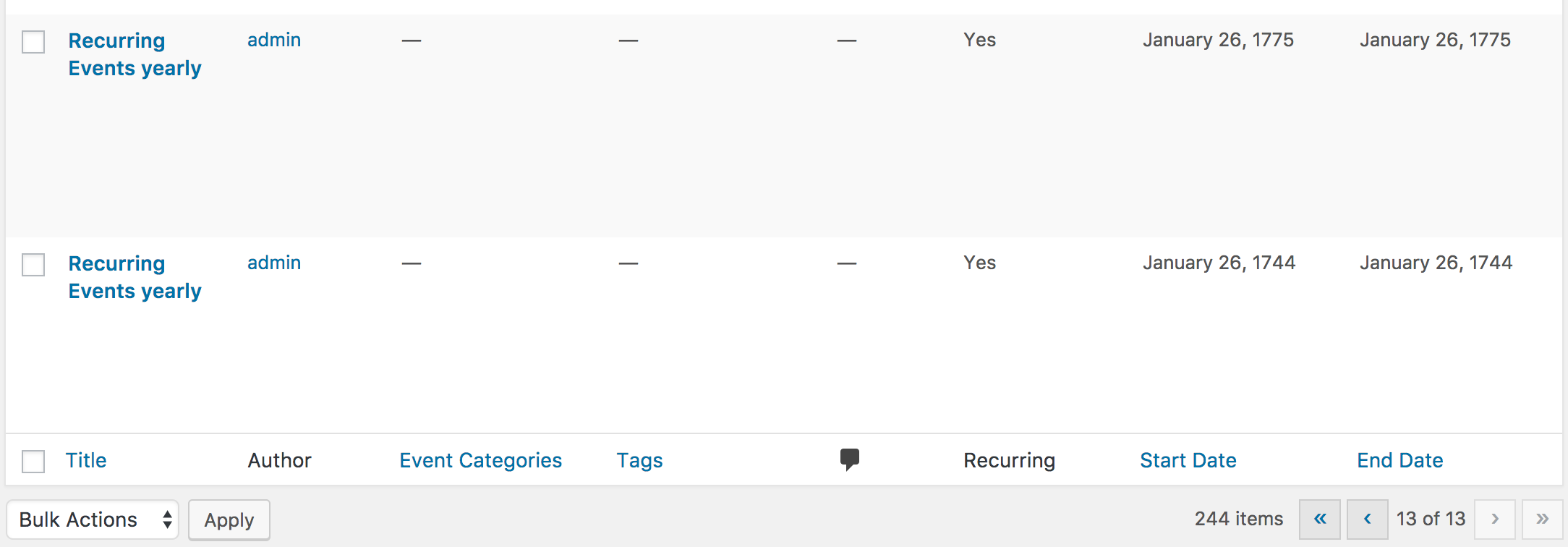
I created two test events based on the information you provided. For the first event, I set the date for January 26, 1744 and set it to recur every year until January 26, 2017.
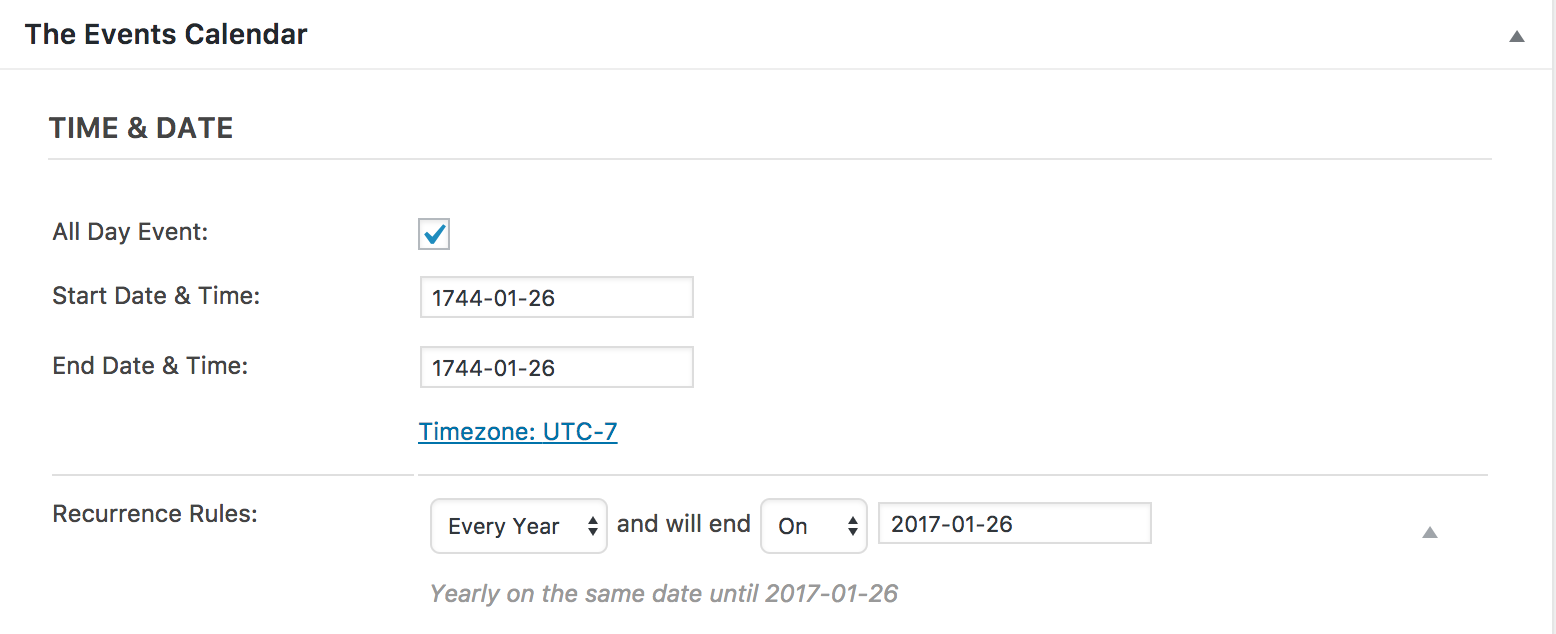
244 events were created, the first starting on January 26, 1744 and the last on January 26, 2017. I’m not sure why events were not created from 1745-1774.
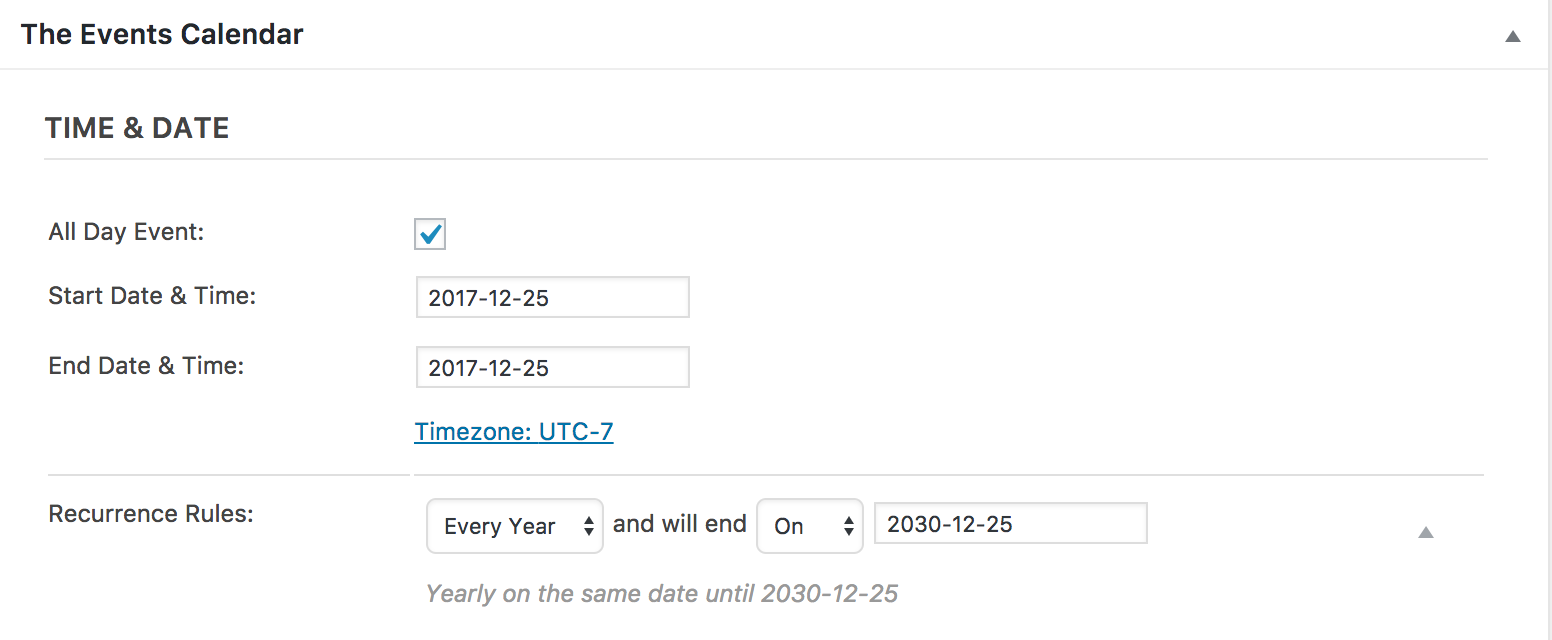
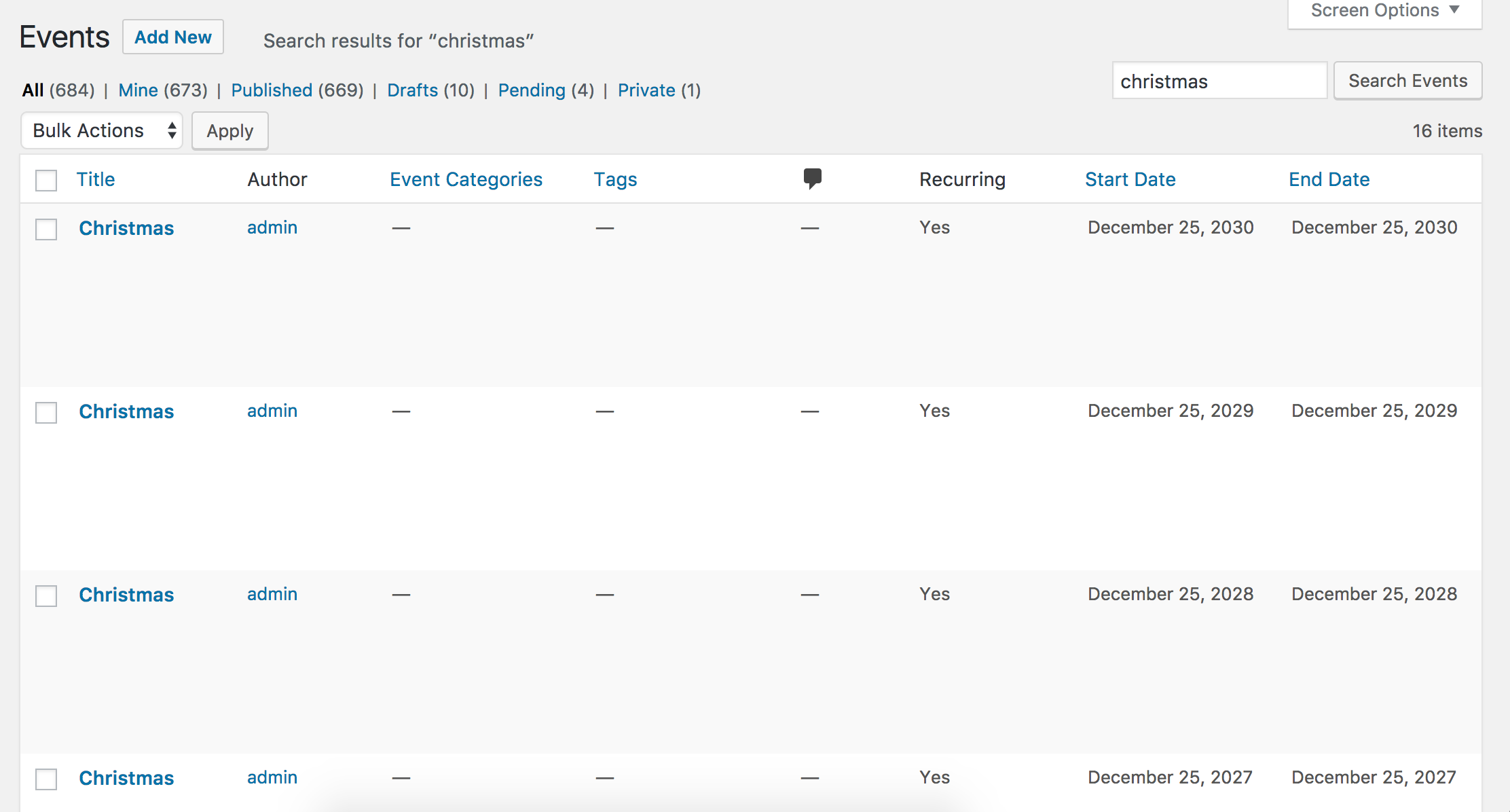
For the next event, I set the date for December 25th, 2017 and a yearly recurrence until 2030. 14 events were created, so that worked as expected.
It might be best you set up a fresh WordPress installation where you can fully troubleshoot the issue. Make sure you have only the default WordPress theme and The Events Calendar installed and activated on the test site. Please review our Using One License for Live and Dev Sites and Testing for conflicts guide for more information.
Please make sure WP_DEBUG and WP_DEBUG_LOG are enabled on your site’s wp-config.php file. Any errors will display at the top of your page as you try to reproduce the conflict. Note what you find and please include it in your reply. I’ll also need you to send over your System Information as a private reply
Let me know what you find and I’ll do more research and testing in regards to the missing events I encountered during my initial testing. Thanks and have a good evening.
January 27, 2017 at 8:35 am #1225225Support Droid
KeymasterHey there! This thread has been pretty quiet for the last three weeks, so we’re going to go ahead and close it to avoid confusion with other topics. If you’re still looking for help with this, please do open a new thread, reference this one and we’d be more than happy to continue the conversation over there.
Thanks so much!
The Events Calendar Support Team -
AuthorPosts
- The topic ‘Recurring Events yearly – revisited’ is closed to new replies.