

Forum Replies Created
-
AuthorPosts
-
Hunter
ModeratorThanks for the update! Enjoy the rest of your week and feel free to open up a new thread if you have questions or run into any more issues. Take care 🙂
ModeratorHi and welcome,
1) For some reason the Events templates ‘break’ on Mobile. Both Calendar views and Events pages seem to go ‘over the edges’. Is this because of my theme? Is there a way I can fix it to stay within the container? Any ideas would be much appreciated. We dig your plug in and look forward making the best of it.
The only way to tell if it’s a theme issue is to again review the Testing for conflicts guide and note your findings. Have you tried different combinations of options under Events > Settings > Basic Template Settings? If so, what were the results?
Your best bet to getting things looking/feeling how you want is to create customizations as explained in the Themer’s Guide and using some CSS as explained in this Customizing WordPress #2 – Using Chrome Developers Tools YouTube video.
Actually, referring to the first issue, the Calendar PHOTO view is the one that does not work, not the List View.
I see your’re using the X theme. We are aware of the issue with Photo view and the X theme, so I’ve included this forum thread to the report and will update the thread with more info once a fix is released. You can try this CSS below to help get your Photo view back to normal:
#tribe-events-photo-events .tribe-events-photo-event {

position: relative !important;

float: left !important;

}
ModeratorHi and welcome 🙂
Are you familiar with our Themer’s Guide? It’s the best resource we have geared towards customizing all event-related content.
Most info can be found in our Technical Docs, so check that out and let me know what you’re able to find. Please note we’re limited with customizations as stated in our What support is provided for license holders? Knowledgebase article, but I’ll do my best to at the least point you in the right direction.
Basically, I need to direct to another page that is not the single event page generated by tec…..
Where exactly are you linking to? Where are these links coming from/stored? Last recommendation is to search our forums in hopes another user has requested similar info which has a working solution.
Keep me posted and take care. Cheers!
ModeratorHi John,
Thank you for reaching out. First, can you visit Events > Settings > General and look to see if a “Fix geolocation data” button appears? If so, go ahead and hit the “Fix venues data” button to see if that has an effect on the behavior.

Dear Sirs, unfortunately, the Google maps link uses the address of a venue only — no matter whether the exact coordinates have been entered. This way, if Google Maps does not recognize an address (or if there is no address for a venue because it is the parking lot or it is somewhere out of town), Google maps is not showing the correct location.
Are you referring to when adding/editing a venue and selecting “Show Google Maps Link” and “Use latitude + longitude” checkboxes (screenshot below) and then inputting the GPS coordinates? If so, are you recommending that if a venue has the lat/log coordinates entered in addition to the address, the lat/long should take priority over the venue address?

We welcome any input you might have over at our UserVoice Feature Ideas. Please take a moment to review existing submissions which might relate to your request. Feel free to add your input on how things can be improved.
Lastly, have you noticed if the issue occurs when clicking the “+ Google Map” button on the List view? Notice the “+ Google Map” text in the screenshot below.
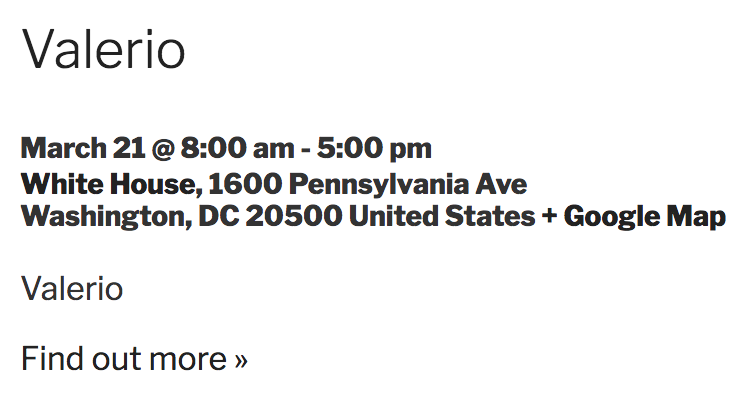
Let me know if I’m on the right track and keep me posted. Cheers!
ModeratorHi and welcome,
Do you mind sharing the ICS-Source file with me? You can do so as a private reply. See screenshot below to see where the option to mark a reply as private:
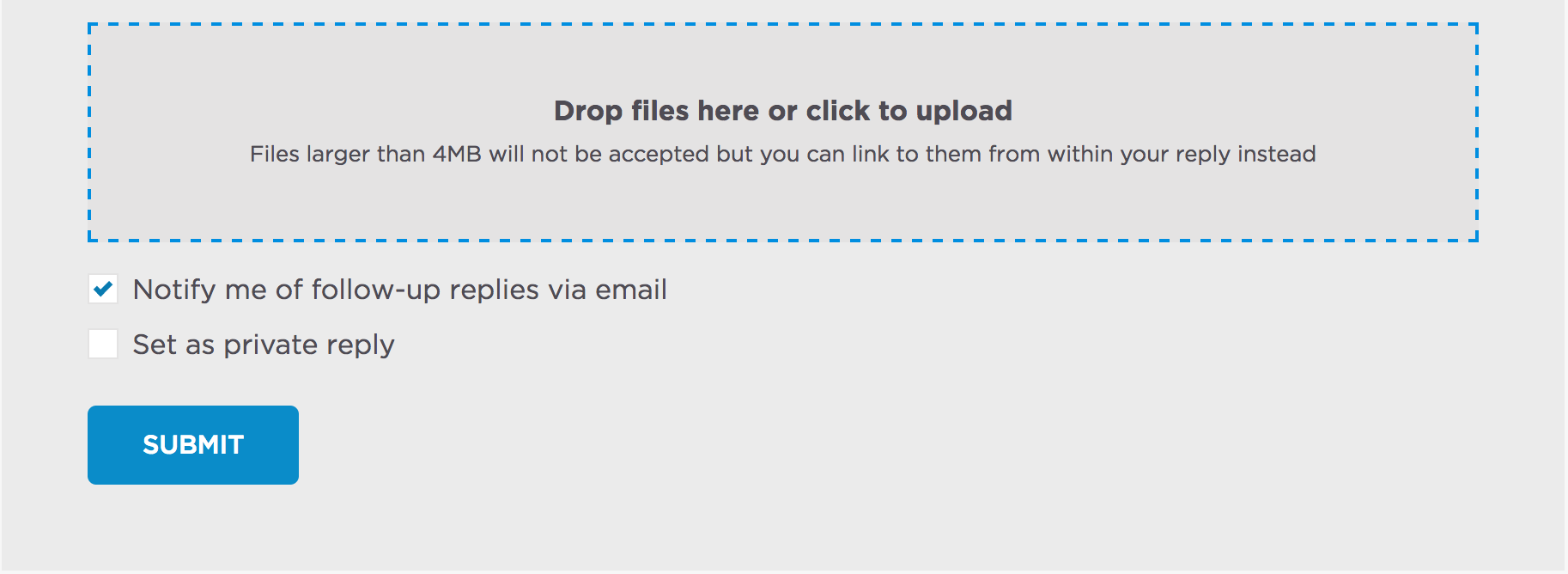
Once I have that, I’ll have a better idea on how to proceed. Thanks and have a good rest of your day!
ModeratorHave you checked your Default currency symbol setting under Events > Settings > General? See screenshot below for example:

Change it from $ to the € symbol and let me know if that has the desired effect. I quickly changed my setting from $ to € and it looks to be working for me:
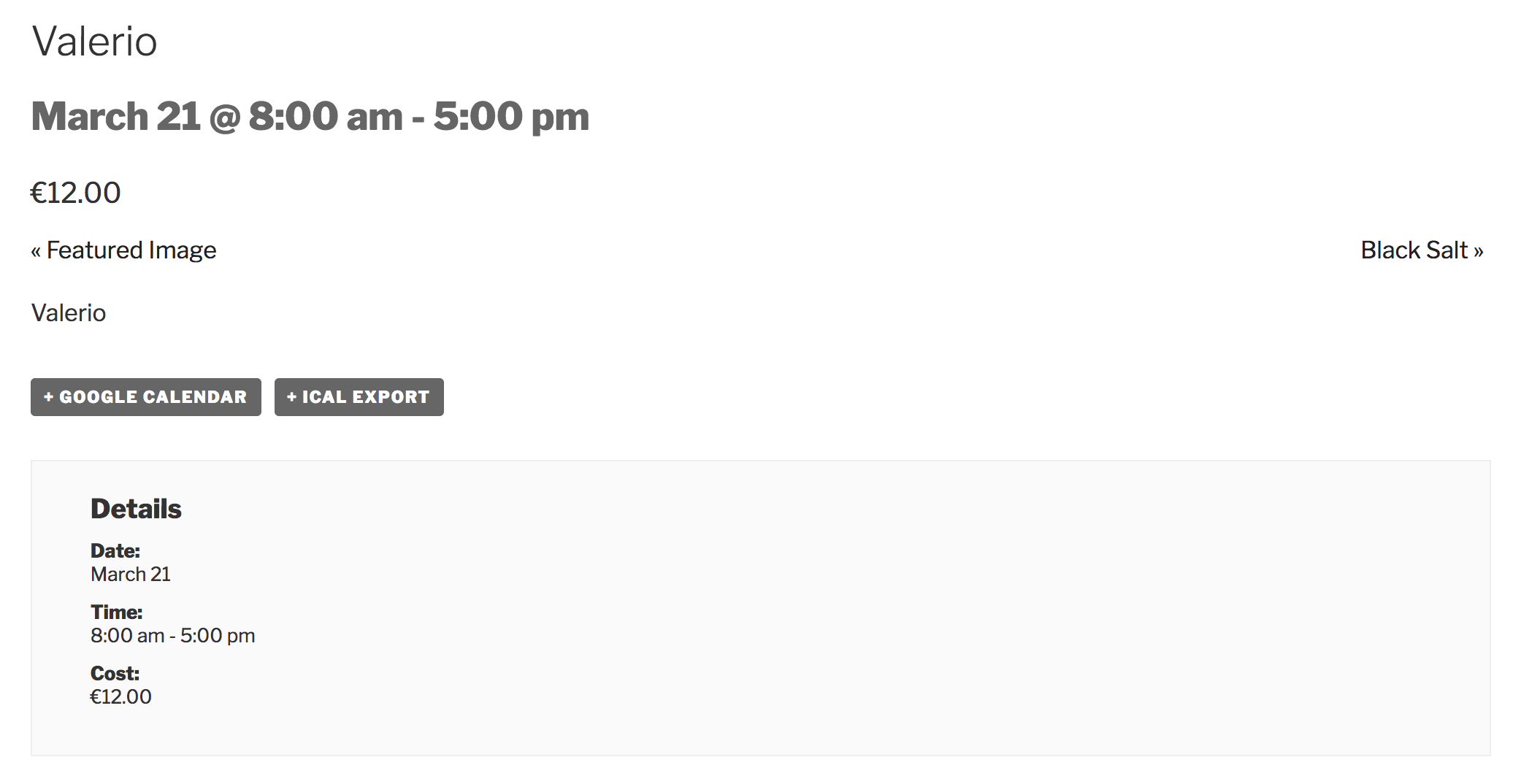
Keep me posted and have a pleasant rest of your day. Cheers!
ModeratorJeffrey,
Welcome to our Pre-Sales Channel and thank you for considering our plugins for your project. The short and sweet answer to your question: yes! All you’d need is a license for Event Aggregator in order to set up a scheduled task for your WordPress site to import events from your Google Calendar. I’ve shared a screenshot of the process below:
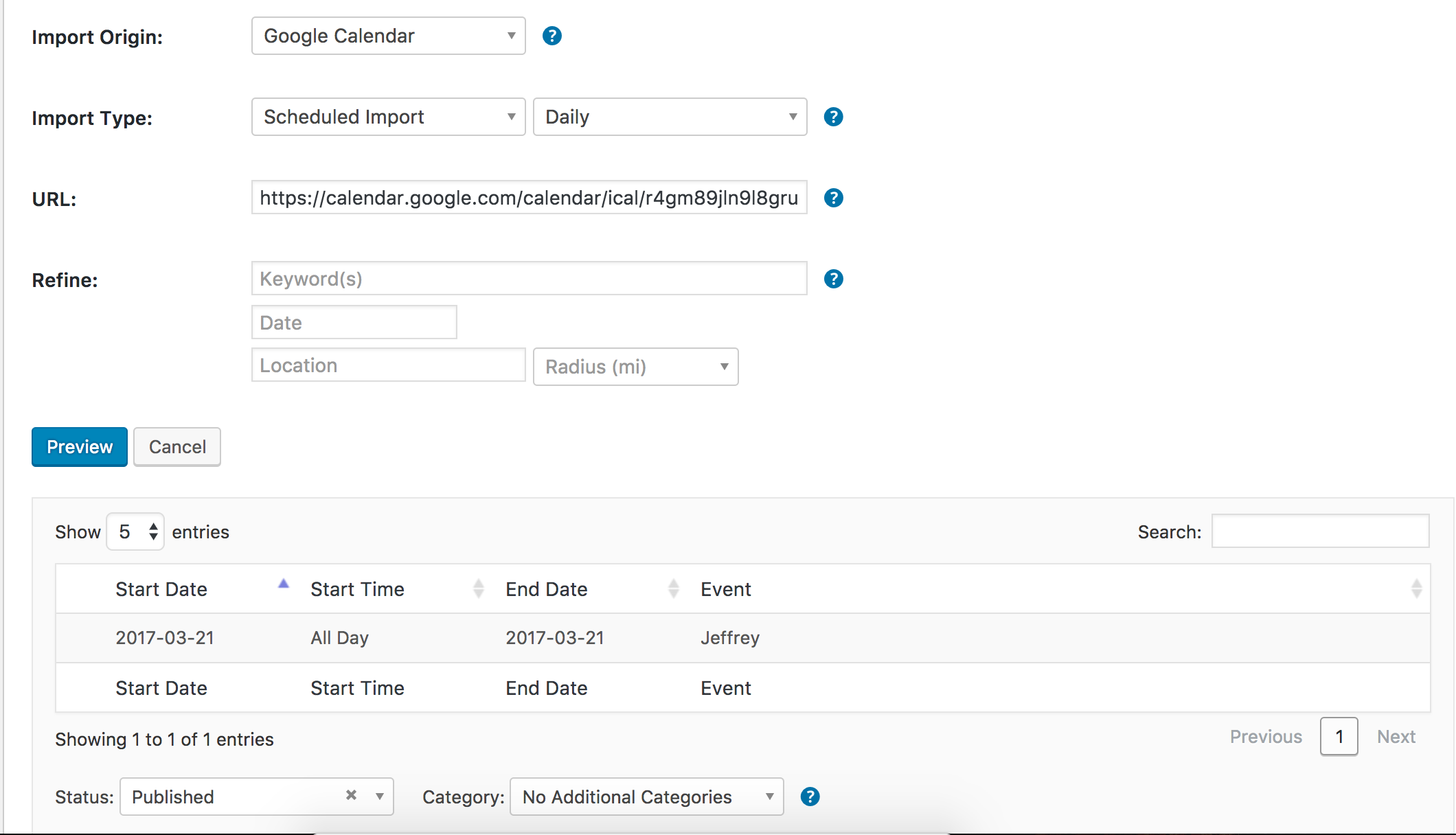
Click the Event Aggregator link above for complete details and if you have any additional questions, shoot them over in a reply and I’d be happy to help further assist. Thanks again and have a great rest of your day. Cheers!
ModeratorWelcome back,
Thank you for sharing the link with me. Before I’m able to test the issue myself, can you visit the Events > Import > New Import screen and fill it in as you’ve been doing thus far. Take a screenshot of that screen and send it in a reply. Next, visit Events > Settings > Imports screen and again, take a screenshot and include it in your reply.
One last question: are you the calendar manager of the source URL (E.g. you have add/edit privileges) you shared in your previous reply? https://calendar.google.com/calendar/ical/anyfocus.org_n09j8jobmjdpud1h27mns9ujl8%40group.calendar.google.com/public/basic.ics
I’ll look out for your reply and until then, have a great evening. Cheers 🙂
ModeratorHi and thank you for your patience. I’ll be handling this thread from here on out. In response to your initial issue, it might be best to review the Testing for conflicts guide to locate the specific source(s) of conflict.
Also, after we ship a feature or maintenance release, we try to clue users in to things they should look for by providing useful data in Events > Help > Recent Template Changes. If you navigate there, you should see a list of recently updated templates (which changes each release).
I located a bug report attached to this forum thread you shared with me: https://wordpress.org/support/topic/4-4-0-1-tribe_events_get_days_of_week-returns-months-not-days-of-week/
In the report notes, it states,:
To test this, I just modified /wp-content/plugins/the-events-calendar/src/views/month/loop-grid.php from
$days_of_week = tribe_events_get_days_of_week();to
$days_of_week = tribe_events_get_days_of_week( 'short' );

var_dump($days_of_week);
I’m not sure if that helps and I don’t see any temporary workarounds in the report. I’ve added this forum thread to the ticket which helps expedite the process of getting a fix included in an upcoming release. I don’t have a precise date when it will be available, but please stay tuned to our Release Notes and the plugin changelogs for more information.
I checked a single event on your site and the Google Map displayed. Are you still having issues there? If possible, include the issues you’re still experiencing in a list-style format and your System Information as a private reply.
Thanks again and let me know if you’ve got any additional questions or comments. Cheers!
ModeratorHey, thanks for contacting us! We actually rely on the community to help keep our plugins translated and make all of the latest translations available here on this site:
• http://translations.theeventscalendar.com/projects
For information on translation your calendar:
• https://theeventscalendar.com/knowledgebase/creating-translations-for-events-using-wpml
• https://theeventscalendar.com/knowledgebase/changing-the-language-on-your-calendar
• https://theeventscalendar.com/knowledgebase/translating-the-events-calendar
• https://theeventscalendar.com/knowledgebase/changing-the-word-events-to-something-elseLet me know if this helps and have a great afternoon. Cheers!
ModeratorHey Jamie,
Welcome back and sorry to see emails are not getting delivered. Do you have a plugin like Easy WP SMTP installed which helps ensure emails get delivered? If not, I highly recommend checking it out. I use it on all my test and live sites.
I’d also visit your WooCommerce > Settings > Email page to ensure things are set up properly there. Have you tested to see if RSVP emails come through? If not, would you mind giving that a shot? It would also help if you could include your System Information as a private reply.
Keep me posted and have a good evening. Cheers!
March 20, 2017 at 5:41 pm in reply to: It seems I created field sets incorrectly… how do I remove them? #1256971ModeratorHi and welcome back 🙂
If you are referring to our PRO Additional Fields, simply visit Events > Settings > Additional Fields and delete whichever fields you need removed. See screenshot below for example:

If you’re referring to unneeded ticket fieldsets, visit Events > Ticket Fieldsets and remove whichever fields are unnecessary. Please let me know if this helps answer your question and/or if you get caught up along the way. Cheers!
March 20, 2017 at 5:37 pm in reply to: Support not replying to my questions from last week :( #1256969ModeratorHey Sarah,
Welcome back and I hope your week is off to a great start.
I wrote a post more than a week ago regarding tickets and creating four different options… and then I had a reply which was great, but then I asked three more questions in that thread and have had no feedback. Getting frustrated.
Sorry to hear about the communication breakdown. Rather than me guessing which thread you’re referring to, can you please share a link and I’d be happy to look into the matter?
Another question…. I am completing the Event Description section and I need new lines to break up the slab of text. How can I achieve this in the Excel spreadsheet which I convert to CSV for import?
When using the
<br />tag in your event description’s CSV cell, you should get a line break which appears as<br />in the add/edit event screen and translates to a line break in the front end event description.I tested on my local site and am seeing the line break in my event’s description field. If you’re asking how to add line breaks within the description cell in Excel, I unfortunately cannot help you there. Try doing some general web searches on the matter. Another helpful place to get this kind of info is reddit.com/r/excel.
Keep me posted and have a good evening. Cheers 🙂
ModeratorHi and welcome back,
Sorry to see you’re having troubles. I notice in your System Information you have The Events Calendar version 4.4.3 installed. According to our latest Release Note, it appears this issue may have been addressed.
Is there any way you can update to version 4.4.4 then see if you’re able to reproduce the behavior? After you have updated, please visit your Events > Settings > APIs screen and select the “Refresh your connection to Facebook” button to ensure there aren’t any issues there. Please take a screenshot of that screen after you authorize and include it in your reply. See screenshot below for example:

I get the same on Pro with recurring events I click on weekly but nothing happens.
Can you please provide more information about this issue? Best idea would be to visit the edit event screen of a recurring event you’re experiencing the behavior on and send a screenshot of the ‘TIME & DATE’ section.
Lastly, WP version 4.4.2 came out on February 2, 2016 – well over a year ago. While our System Requirements state we support back to WP version 3.9, it honestly might be best you update to the latest version if possible.
Thank you and have a pleasant rest of your day. Cheers 🙂
ModeratorHi and welcome back,
Thank you for being so thorough in your initial post. I like to clarify things before assuming, so basically: if 2 people want to attend the event on August 21st and 23rd, they need to add 4 tickets to the cart and ignore the last 2 Name (text field) and dates (checkboxes). Is this correct?
If so, I see there is a popular request over at our UserVoice page resembling what you’re after: http://tribe.uservoice.com/forums/195723-feature-ideas/suggestions/5368470
Please take a moment to review the submission and see if it aligns with what you’re looking to do. If so, feel free to comment on the UserVoice thread including the features/functionalities you’d like built into an upcoming release.
We also have a feature report logged internally, so I’ll include this forum thread which helps increase attention on the matter. I can’t give out any precise dates, but we’ll update you here in this thread as well as provide that info in our plugin changelogs and Release Notes.
Let me know if this helps answer your question. Sorry I don’t have a better response for you at this time and have a pleasant rest of your week. Cheers!
-
AuthorPosts