

Forum Replies Created
-
AuthorPosts
-
March 20, 2017 at 3:59 pm in reply to: tribe_is_event(), tribe_is_venue(), and tribe_is_organizer() not working anymore #1256928
Hunter
ModeratorHi and welcome back,
I touched base with the dev team about your inquiry and they said as far as they know, those conditionals are still functional. Furthermore, one dev tested each of them and all of them appear to function as expected.
Might I recommend reviewing our Release Notes and plugin changelogs to see if you can identify any other fix/update which might’ve have had an effect on your results.
Lastly, When users have custom templates they are responsible for updating them to match changes made in new releases. We try to minimize disruption as far as possible. Also, we try to clue them in to things they should look for by providing useful data in Events > Help > Recent Template Changes. If you navigate there, you should see a list of recently updated templates (which changes each release).
Let me know if this helps and enjoy the rest of your day. Cheers 🙂
ModeratorHi and welcome back,
Happy Monday and sorry to see you here under the circumstances. I checked our logged bug reports and located a bug which matches the description of what you’ve shared with me. Luckily, it was patched up in PRO version 4.3.3. In your System Information, I notice you have version 4.2.2 (in addition to other outdated version of our plugins), so it might be best you update all TEC-related plugins and check to see if the issue remains.
You might run into an issue where the Recurring events “See all” page displays past events rather than the next future event in the series, but we’re aware of that and a fix will be available shortly. I’ve included this thread to the report which helps increase attention on the matter. Nature of the business dictates I cannot provide any timeline when it’ll be available, but we’ll update you here in addition to the plugin chagelogs and Release Notes.
Let me know how things go and have a pleasant rest of your day. Cheers 🙂
ModeratorHey Ruth 🙂
I hope your Monday is off to a great start and thank you for considering our plugins for your project. I’d be happy to help answer your questions.
Q: Share events via social media channels and email
A: We don’t include any sort of social media buttons allowing users to share event-related content in our plugins, but there are many reputable plugins that will accommodate this requirement. Try searching the WordPress repository for highly rated (like The Events Calendar), well-documented, and look at their support sections to see if they are maintained regularly.Q: Automatically email ticket purchase confirmations and event reminders
A: Once a user RSVPs, they receive a confirmation email acknowledging their expected presence. Once a user purchases a ticket, they receive a ticket via email including a scannable QR code. Information can be found by reviewing our New User Primer: Event Tickets & Event Tickets Plus, Making Tickets, and Tickets: Managing Your Orders and Attendees which gives an idea of the user’s general experience when RSVP’ing and/or purchasing a ticket for an event.While it is currently not possible to send out a reminder prior to the event within the plugin settings dashboard, we have a feature report aimed to add this feature, so I’ll include this thread to the report and reply back here once that it is available.
I recently made a short screencast for another prospective user which quickly goes over the process of creating a ticket, purchasing a ticket, and viewing the order details.
Q: Ability to add a calendar event to personal calendars directly from the website using your plugin.
A: If you visit our demo site, we’ve included options to export calendars/list of events in addition to single events. Look for the buttons below:
Q: Incorporate coupons
A: Unfortunately, without some custom coding which we’re unable to provide assistance with, it is not currently possible to incorporate coupons with tickets. We understand it only makes sense that tickets and coupons are compatible, so we have a feature report logged which means it’s officially “on the books” and will be available in an upcoming feature release.Nature of the business dictates I cannot provide any sort of timeline when you can expect this feature, but I’ll include this thread to the report we have written up and update you here once the feature has been released. It’s always best to review the plugin changelogs and Release Notes prior to updating all of your plugins.
Q: Ability to remember previous guest’s registration information
A: It depends… but say your interest is in hooking up Event Tickets Plus with WooCommerce. Once a user add tickets to the cart, remembering who they are becomes WooCommerce’s responsibility and various factors can feed into that. I can tell you that typically, WooCommerce will remember shipping and/or billing information for a user going through the checkout if they’ve gone through it before.As far as I know, Event Tickets’ RSVP feature by itself doesn’t make any attempts to remember and pre-populate the attendee name or email address fields. If this is a feature you’d like to see incorporated into an upcoming feature release, visit our UserVoice Feature Ideas as it’s the best venue for this type of activity.
Q: Ability to link address to map app / directions
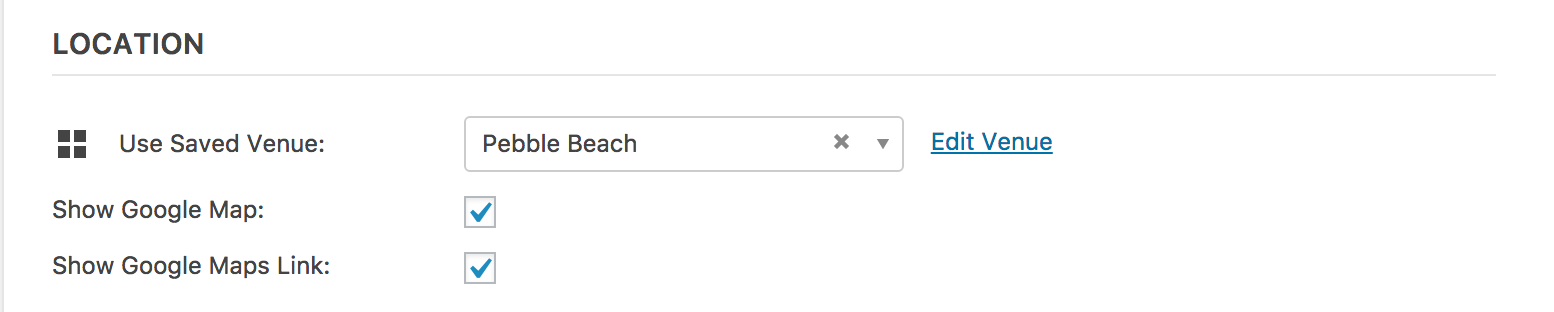
A: We have included the option to display Google Maps and/or a link to a Google Map on single event pages. Map View (available with an Events Calendar PRO license) displays all events (starting with the next upcoming event). You can view our demo site’s Map View for an example.Add/edit event screen:
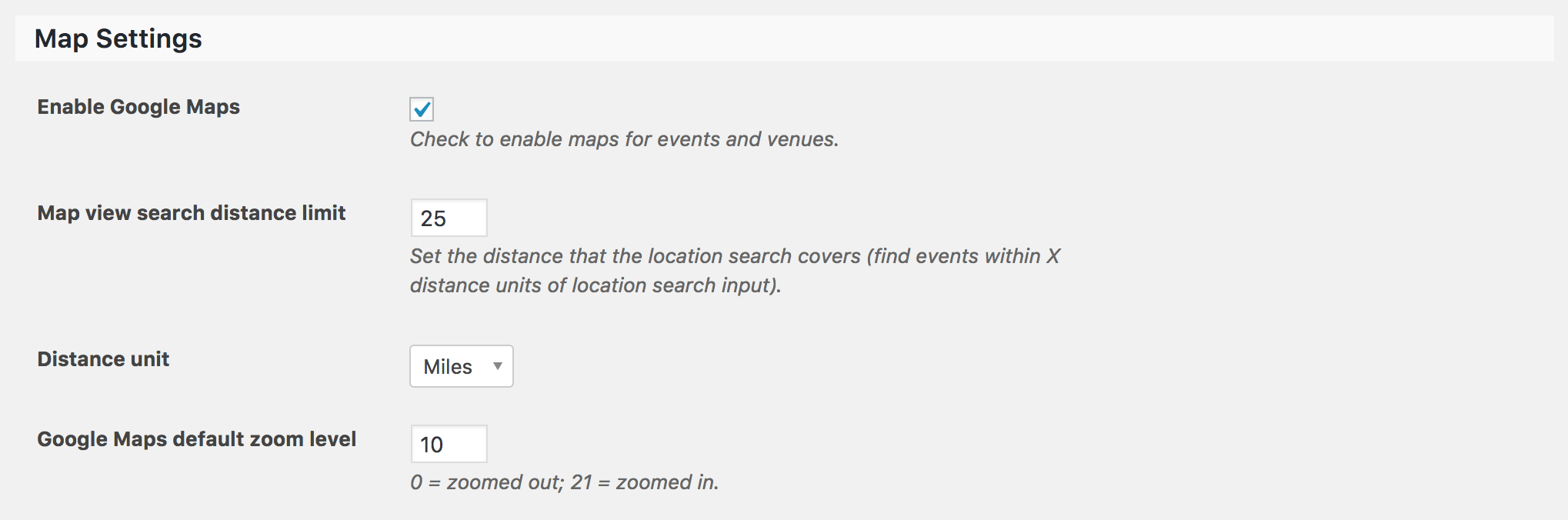
Global map-related settings:
Other questions:
Q: How does my organization receive payment from ticket sales?
A: All of that is handled through your E-commerce provider. Please review our Event Tickets Plus: which ecommerce solution is right for you? for more information.Q: What fees / processes are involved in ticket sales?
A: There aren’t any fees associated with our plugins. Once you install Event Tickets & Event Tickets Plus and let’s go with WooCommerce as an example, you’ll pay whatever fees are associated with the checkout process you use. If it’s PayPal, you’ll pay their transaction fees. There might be other costs associated with the checkout process such as SSL/secure checkout.Q: Is there a way to filter local and national events?
A: There are a variety of ways to filter events. Refer to the Map View link view above for one of the best examples. On each view (Month, List, Map, etc), look above the list of events for the tribe-events-bar. The Near field (currently experiencing odd behaviors from a known but) allows users to type in a location which yields results based on distance from nearest to farthest from the location they entered.The Filter Bar allows for even greater filtering abilities. Check out the working example on any view in our demo site for an example. Select the “Show Filters” link to see the filters.

Using PRO Additional Fields would allow for even more options when it comes to filtering local and national events. This is a another feature available with a PRO license.
Q: Other than Events Calendar Plus, are there other plugins I will have to purchase to make ticket sales work correctly (woo commerce, etc?)
A: You would need Event Tickets, Event Tickets Plus, and the E-Commerce platform of your choosing. So, the short and sweet answer is no.Be sure and check out our Bundles page to ensure you don’t miss out on an opportunity to save money. Finally, we offer a 30-day money back guarantee, so if things don’t work as you want/need there’s essentially no risk involved. Visit our Refunds page for more information.
Please let me know if I’ve sufficiently answered all of your questions and feel free to reply back with any more you might have. Enjoy the rest of your day and thanks again for the consideration. Cheers!
ModeratorHi Marcel,
Welcome back and I hope your week is off to a great start. I quickly skimmed over our logged bug reports but am not finding anything resembling what you’ve described. Are you using a plugin such as Easy WP SMTP? It helps ensure emails get delivered. If not, it might be a good idea you try it out.
I’d also visit WooCommerce > Settings > Emails and Events > Settings > Tickets > WooCommerce Support to ensure your settings are as you need for the desired user experience.
It might be a good idea you review our Testing for conflicts guide to see if a theme and/or plugin could be the reason behind the behavior. Do you know when the issue started? Did it begin after updating any of our plugins or perhaps your theme or another plugin? It would also be helpful if you could include your System Information as a private reply.
Thank you and have a pleasant rest of your day. Cheers 🙂
ModeratorHappy Monday!
I don’t want to have to downgrade the plugin either – will that require me to re enter all of my events & custom settings for the calendar if downgrading is my only option?
No, your settings are saved in the database so by simply downgrading will not require you to re-set up the plugin. Again, I apologize I don’t have any other option other than downgrading at this time. Should that change before we’re able to get a release shipped, I’ll be sure to update you here.
Let me know should you decide to downgrade if you run into any troubles. Have a good day 🙂
ModeratorHi @Hans-Gerd, I reviewed the bug report related to the forum thread you linked to, but the bug seems to be affecting the Community Events‘ timepicker only allow am/pm times, not 24-hour times.
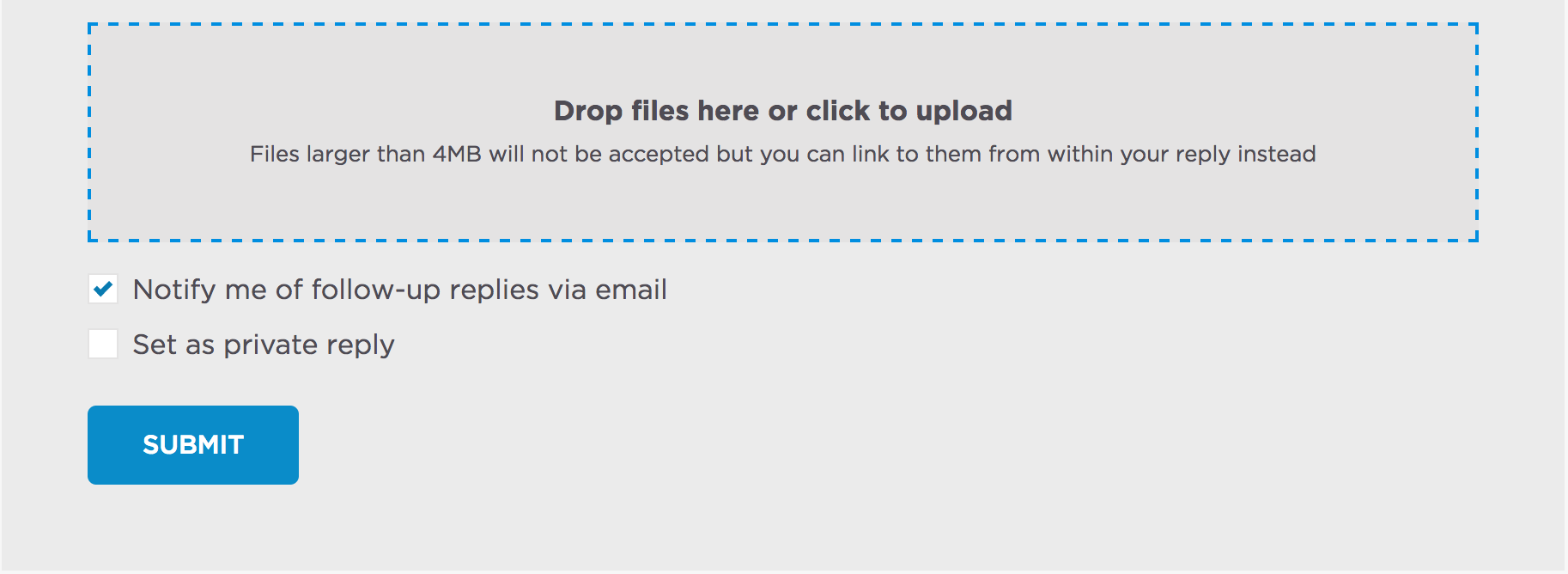
When replying here in the forums, you should see a “Set as private reply” checkbox. Follow the instructions to gather your System Information as a private reply, then paste the contents and check the “Set as a private reply” checkbox.
Keep me updated and have a good afternoon 🙂
ModeratorMy pleasure! I’ll close this thread out but feel free to create a new one if you have any more questions or concerns. Enjoy the rest of your day!
ModeratorI’m happy to hear you have things solved for the most part. Can you please elaborate on the last comment, “But not so flexible with translation”? I’d be happy to look into the matter further.
Thanks 🙂
ModeratorThank you for sending that over. Please allow me enough time to test things out and investigate the matter further. If you don’t hear from me within 24-48 hours, please feel free to ping me and I’ll be sure to reply back with what I’ve learned. Thanks again!
ModeratorPerfect! I’m happy to hear we could help out. Feel free to create a new thread if you have any more questions or comments. Have an excellent week!
ModeratorGo ahead and give it a shot – from what I’m hearing that should be fine. It’s always best to backup your database before making these sort of changes. Let me know how it goes!
March 17, 2017 at 11:03 pm in reply to: Adding Community Events Venue Required Field/s Not Working #1256233ModeratorHey Murray 🙂
Thank you for your purchase and welcome to the support forums. Lets see if I can help you out here. I attempted to set the Phone and URL venue fields’ as required using the code from our Required Fields for Events Submission Form tutorial, but the event was submitted with no problems which obviously is not what we want here.
There happened to be a discussion on this topic earlier today involving a few support team members, but I don’t see any solution in the channel we use to communicate. I’ve contacted those involved in hopes of learning more. Once I hear back I’d be happy to update you.
If you don’t get a response from me within 24-48 hours (slower due to the weekend), feel free to ping me and I’ll see what the situation looks like. Thanks again and have a pleasant rest of your weekend. Cheers!
ModeratorHi and welcome back,
I looked into the matter and provide what I could find below, so please take a moment and review them rather than me rewriting history:
• https://theeventscalendar.com/support/forums/topic/how-to-show-the-ticket-sales-end-date-into-the-event/#post-1157367
• https://theeventscalendar.com/?s=ticket&submit=Search&post_type%5B%5D=wp-parser-function&post_type%5B%5D=wp-parser-hookThings have died down around here, so if you haven’t already please try researching our forums in addition to general web searches. Let me know if you’re unable to come up with a solution and I’ll see what I can come up with. Thanks and have a great rest of your weekend! Cheers 🙂
ModeratorHi and welcome 🙂
Can you send screenshots of your WordPress Admin > Settings > General > Timezone and Events > Settings > Display > Date Format Settings screens?
It would also be helpful if you could send your System Information as a private reply.
Once I have that information I’ll have a better idea on how to proceed. Thanks and have a great weekend ahead!
-
AuthorPosts