

Forum Replies Created
-
AuthorPosts
-
Hunter
ModeratorHi and welcome back,
Unfortunately, these bugs are prioritized fairly low. Reason being is the metrics show users very rarely hit the Refresh button. Additionally, the issue that occurs when the Back button is pressed is more related to which browser users are using, so I can’t say whether that will be considered a bug in the eyes of the developer. With that said, I still don’t have any updates on when a fix will be released. Please refrain creating new topics/responses asking for dates. We are unable to provide them under any circumstance and almost 100% of the time, I do not know myself.
If you would like to submit data via Ajax, you could certainly do that. We do not have a preexisting set of functions you could use, but you could absolutely build it yourself using the Tribe APIs. The function we use to add stuff to the cart is:
Tribe__Tickets_Plus__Commerce__WooCommerce__Main::process_front_end_tickets_form(). If you submit the tickets data via ajax then call that, it will process the ticket and add it to the cart.For future reference, please refer to our Release Notes for feature and fix info.
Thank you for your understanding and have a good evening 🙂
November 1, 2016 at 9:55 pm in reply to: Event Aggregator Hourly Update not running every hour #1186174ModeratorHello,
Sorry to hear about the import troubles. Would you mind sharing a link with me so I can attempt to reproduce the behavior? Let me know and we’ll go from there. Thank you and have a great day. Cheers!
ModeratorHey Brian,
Welcome and thank you for posting. At this time, the best way to make changes to imported events using Events Aggregator > Google Calendars is to make the changes needed to the series of events on Google Calendar, then reimport them into your site. Before doing so, make sure you have the settings correct under your Events > Settings > Imports tab. (see screenshot below)
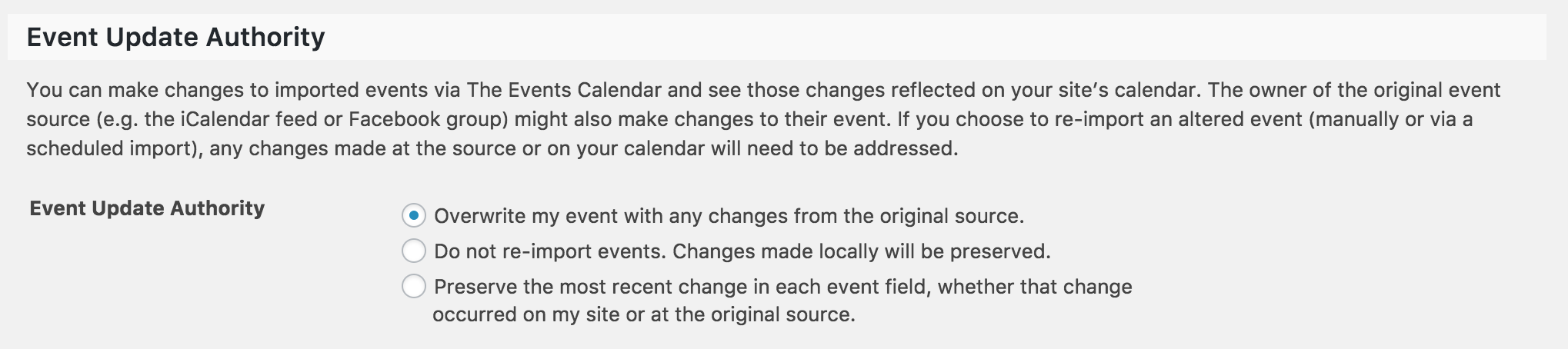
We have a feature ticket logged which will achieve what you’re ultimately asking for, but until then I unfortunately don’t have another solution. Thanks again and please let me know if this helps answer your question. Cheers!
November 1, 2016 at 9:27 pm in reply to: Do the passed events have an expiry date? How long is the data stored? #1186165ModeratorHey Ben 🙂
Thank you for reaching out and welcome to our Pre-Sales Questions channel. Our plugin stores all data in your database, so you would need to manually remove unwanted/outdated event data from your database. If/when you delete our plugin, the data will still remain in your database. If you’re using recurring events, we’ve included a feature which cleans up recurring events after the amount of months you choose. (see screenshot below)

Please let me know if this helps and feel free to respond with any additional questions or comments you have. Cheers!
November 1, 2016 at 9:19 pm in reply to: Events not listed correctly in Google search results #1186161ModeratorHello again 🙂
We don’t have any logged bugs about the issue you’re experiencing, but I have come across it a few times. The best way to go about resolving the incorrect dates in Google search results is to log into your Google Webmaster account and go through the details and settings. If you don’t have a Webmaster account, it’s recommended you set one up. Make sure your events have the correct dates/times, then resubmit a sitemap in your Webmaster account.
I know it’s hard to test this issue as recommended in our Testing for conflicts guide, but there is the possibility you have a theme and/or plugin conflict going on.
Please let me know if this helps and if you see anything that might be contributing to the incorrect dates/times. Thanks for choosing PRO and have a great day. Cheers!
ModeratorHi Kimberly 🙂
Thank you for posting. What a strange issue! What happens if you deactivate all of your plugins, revert back to the default WP theme, then activate TEC, PRO, Filter Bar, and then Community Events last?
It would also be helpful if you could review our Testing for conflicts guide to see if we can narrow down if it’s a specific plugin or your theme causing the warning message.
Before doing the steps above, can you set ‘wp_debug‘ to ‘TRUE‘ on your wp-config.php file to see if any errors display at the top of your site when your on your WordPress Plugins page?
Any more details you can provide would be helpful, including when the problem started, if you’ve noticed it before, etc.
Thanks again and I look forward to getting this mystery solved. Cheers!
ModeratorHey Natalie,
Welcome! Unfortunately, we don’t provide support through our Pre-Sales Questions forum, but you can head over to The Events Calendar WordPress.org support forums for assistance and answers.
If you have a PRO license, you can log into your account and get assistance through the PRO forums.
Thanks for understanding and good luck resolving your issue. Have a good day!
November 1, 2016 at 8:56 pm in reply to: Where Would I find Additional Attendee Information in Database? #1186153ModeratorJon,
The attendee meta info is saved in the wp_postmeta table. Please let me know if you need any additional assistance and have a wonderful day. Cheers!
ModeratorHi Tracie,
I took a look at the links provided and it appears the ‘Tickets‘ section is showing for this event: http://www.ridgemotorsportspark.com/ReDesign2/event/ridge-track-day – however I did not see the ‘Tickets‘ section on the last two links shared.
Before we proceed, can you please review our Testing for conflicts guide and reply back with your findings? Once we have the results from that, we’ll continue investigating. Thank you for reaching out and have a great day. Cheers!
November 1, 2016 at 7:02 pm in reply to: Reccurring events and Events Tickets Plus – clarification needed #1186126ModeratorStefanie,
Welcome to our Pre-Sales Questions channel 🙂
At this time, users are not able to purchase tickets for a specific event within the series of recurring events. The tickets are for the entire series.
So, if you have a recurring event that takes place every Tuesday for 4 weeks, the ticket would be for every Tuesday within those 4 weeks. Users would not be able to purchase a ticket for a particular Tuesday.
I hope this helps and if you need more assistance or explained in another way, I would be happy to help! Take care and have a great evening. Cheers!
ModeratorRussel,
We are currently discussing the potential for users to be able to import events from one TEC/PRO site to another TEC/PRO site, but importing events from other event platforms not included in Events Aggregator and our Eventbrite Tickets plugins is not possible “out-of-the-box” at this time.
I recommend checking out our UserVoice Feature Ideas and submitting it as a feature request. We’re always incorporating the most popular and useful ideas into our plugins.
I hope this helps answer your question and feel free to reply back with any additional questions or comments you have. Thank you and have a wonderful rest of your weekend!
ModeratorHello again, Henry 🙂
I’m unfortunately going to have to close this thread out. We don’t allow users to open multiple threads for the same topic. I’d also like to bring to your attention our list of customizers who can help with the styling issues you’re currently experiencing. As stated in the other thread, we are not able to provide support for theme customizations. (see screenshot below)
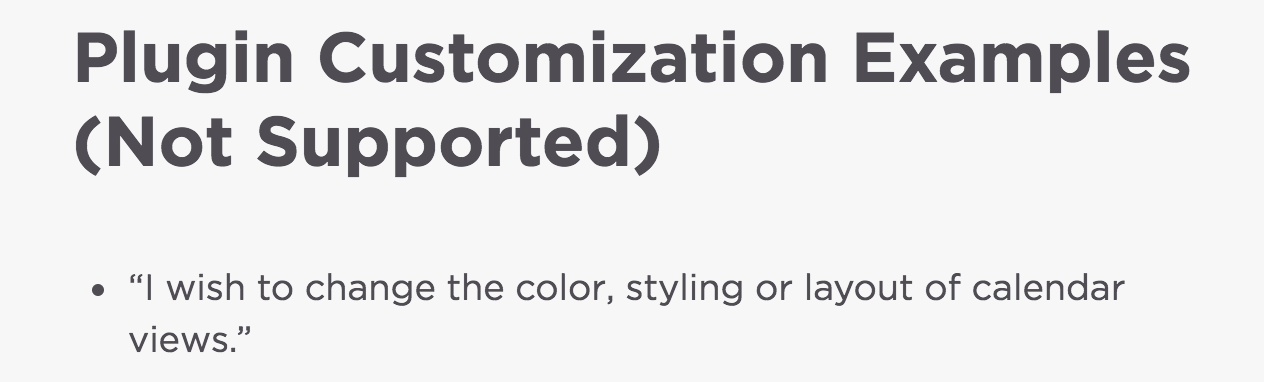
We would love to be able to continue assisting, but there is a point where we have to turn that responsibility over to you. If you haven’t already, I recommend trying different options found under Events > Settings > Display to see if you can get the desired results.
Thank you for understanding and please adhere to our forum rules in the future. Have a great rest of your week!
ModeratorHenry,
While it may not be easy for you, it is ultimately your responsibility when it comes to styling your website and calendar beyond what we include in the plugin. I can assure you by right-clicking your mouse and opening the ‘Inspect‘ tool, it is fairly simple to identify and make changes. You’ll input the CSS code into your theme’s style.css file or if your theme author has included a CSS tab in your WordPress admin theme options, add it there.
You can input code right into the Inspect console to make sure the changes you’re making are correct. This YouTube video is an even better example, so please review it and spend some time until you get the desired results. While we are happy to help where possible, I’m not permitted to spend time customizing customer sites beyond a certain point. It is the first point made on our What support is provided for license holders? Knowledgebase article.
Sorry I can’t do more here. Have a great rest of your night 🙂
ModeratorDonald,
Thank you for the response. There is an option which enables/disables the ability to add/edit their own events based on role. (see screenshot below)
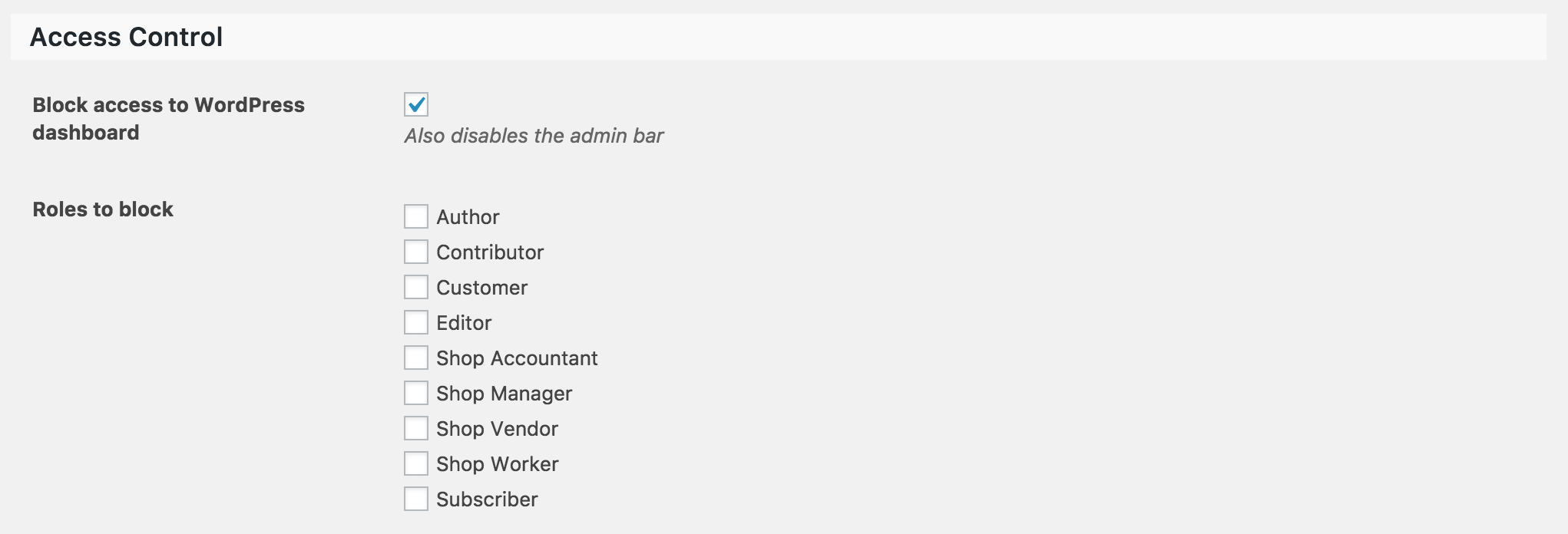
Does this help fully answer your question? Let me know and I’d be happy to provide further assistance. Cheers!
ModeratorT,
Excellent! Thank you for taking the time do set up the test environment and I look forward to your response. Cheers!
-
AuthorPosts