

Forum Replies Created
-
AuthorPosts
-
Geoff B.
MemberThis reply is private.
MemberGood evening Uwe,
Thank you for writing back.
That is also a great workaround. Kudos on that!
You will absolutely be notified when the fix is part of an upcoming maintenance release.
Have a great day!
Geoff B.
MemberGood evening Signe,
I am really glad you like the results.
On my end, tests with your theme yielded the following results
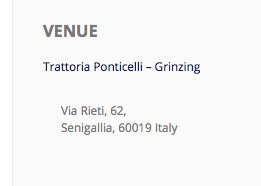
Which, aside from the left-padding (which we fixed), is very similar to what is found in twenty-sixteen. If anything yours look better.
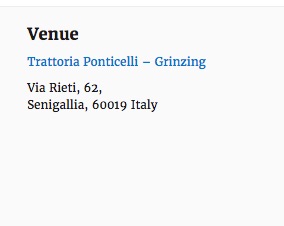
So it looks like this mystery will remain unsolved, but with a happy customer.
You are welcome back in our support forums any time 🙂
For now, I am going to close this thread.
Have a great week!
Geoff B.
March 2, 2017 at 9:35 pm in reply to: Remove/hide the short secription column on an event page #1248765MemberGood evening Kymiel,
Thank you for writing back.
To clarify, here’s a summary of what you need to do:
- Head over to /wp-content/plugins/event-tickets-plus/src/views/wootickets/tickets.php
- Download a copy of that file and take a look starting at line 35The fields you want to move is labeled tickets_description .
echo '‘ . $ticket->description . ”;
You can move that line elsewhere in the table or even remove it completely. - Save a copy of that modified file and save it under /wp-content/themes/Avada-child/tribe-events/wootickets/tickets.php
- This edited file will override the normal display
It will also work if you do that in your parent Avada theme, but this will get overwritten during your next Avada update.
The other thing you could do is control that box with CSS (#tribe-events-content table.tribe-events-tickets td.quantity)
Let me know if that helps.
Have a great day!
Geoff B.
MemberGood evening Hans,
I am glad this is helping.
To learn more about this, I would recommend reading the following:
- https://theeventscalendar.com/knowledgebase/changing-fonts-and-colours/
- https://theeventscalendar.com/knowledgebase/using-google-chrome-developer-tools/
Let me know if that helps.
Have a great day!
Geoff B.
MemberGood evening Louise,
Thank you for writing back.
The shortcodes can be simply pasted in any regular text area (alongside other text and content).
They will also work in most text widgets.In your case, it probably means simply pasting them in your home page “Edit page” screen.
But this depends on your settings under Settings > Reading in wp-admin.
If you are using the default “Blog” page, you might have to edit the page template in your theme to include the shortcode.
Let me know if that helps.
Have a great day!
Geoff B.
MemberGood evening Frank and welcome to the Events Calendar Support forum!
Thank you for reaching out to us.
I would love to help you with this topic.Just to set expectations, as you might know, the scope of our support is mostly to get our customers started on the right track and to help them in case of issues.
We unfortunately do not provide complete support for customization.
With that in mind, it sounds like you are trying to reproduce a very simplified version of what the code does when the yoursite.com/event/event-name/all/ is triggered.
If you have not already, you might want to read our Themer’s guide to get a sense of how our display layers work.
So my recommendation would be to borrow loosely from that code.
Let me know how that goes.
Best regards,
Geoff B.March 2, 2017 at 8:49 pm in reply to: User Issues Adding Comm. Events, Multiple Duplicate Venues & Country Tag #1248754MemberGood evening Karen and welcome back!
Thank you for reaching out to us.
We are sorry to hear about the issues you have faced with our Community Events plugin.
I would love to help you with this topic.Has the screen process changed?
Yes, the look and feel of our interface has changed. But the process itself is almost identical.
I now start on a screen with cart options (!) rather than the Register/Login email screen.
Perhaps this is caused by WooCommerce.
When logging in, by default a WordPress user is brought to the user profile page.I believe that WooCommerce takes over that aspect when installed because he sees users as clients.
The good news is that WooCommerce lets you customize the profile page.
Layout of information and buttons is messy and the process is now confusing
Is it possible that you have done some template overrides (customizations) to the Community Events views ?
If so, they might be in need of updating.
2 quick tests (after a database backup) to see if the issue persist are:
- if there is a /tribe-events/ folder in your WordPress theme, temporarily rename it to /z_tribe-events/
- Try temporarily reverting back to a default WordPress theme such as twenty-sixteen
If not, could you please send me a copy of the latest version of your WordPress theme / child theme via a link to a .zip file link (stored Dropbox or Google Drive) so that I can run some tests on my end ? I recommend a private reply for that purpose.
Please ensure you are using the latest files as found on your actual website.
This way I will get access to any updates or customizations you might have made.Have listed a test event, but the Google Maps link and image isn’t showing.
You are right. There is a bug with the Google Maps settings not being saved when submitted through Community Events.
We apologize for the inconvenience caused by this glitch.
We are actively working on a fix for this.Unfortunately, I cannot commit to a release date for a fix at this point.
But you will be contacted as soon as there is one.
In the meantime, it is possible to force display all Google maps by overriding the setting.
You can apply the following snippet in the functions.php file of your theme (without the PHP tag at the top): https://gist.github.com/elimn/4cbdbf600e4d25842a824147b2e56e5e
Thank you for your patience as we see this through.
2. Multiple duplicate venues
Short term, I would recommend using our Venue Duplicate clean up tool that appears under Events -> Settings -> General when duplicate venues are detected.
I will need to run some tests with your theme to know more.
3. Can you advise how we can have homepage country images which take the user to all the events for this country?
Your best bet to accomplish that would be to use the built-in tag field for that purpose.
It would result in a URL like veganeventhub.com/tag/italy/
Best regards,
Geoff B.
MemberThis reply is private.
MemberGood afternoon Maurizio and welcome back!
Thank you for reaching out to us.
We are sorry to hear about these issues.
I would love to help you with this topic.Regarding the backend, what is going on is that there are so many columns active that the display gets super squeezed.
You can fix that by using the “Screen options” menu while in your Events screen (or any view of WP-Admin really).
Here is what it looks like

As for the deadlinks, could you be slightly more specific ?
Which deadlinks are you referring to ?Best regards,
Geoff B.
March 2, 2017 at 12:56 pm in reply to: Attendee data not stored when using woocommerce and Event Ticket plus #1248581MemberGood afternoon Kunle and welcome back!
Thank you for reaching out to us.
We are sorry to hear about the attendee info not saving on your client’s website.
I would love to help you with this topic.The very first thing I would recommend is upgrading the PHP version to at least 5.4x.
In fact, this is the message that constant contact is issuing as well.For the record, WordPress actually suggests 5.6+ for a smooth operation.
Secondly, we apologize for the inconvenience caused by this glitch.
It seems like there is a bug when different tickets using attendee information are on the same event. We are actively working on a fix for this.
In fact, it is currently pending smoke testing, so it should be released very shortly.
You will be contacted as soon as it’s out.
Thank you for your patience as we see this through.
Hang in there!
Geoff B.MemberGood afternoon Marty and welcome to the Events Calendar Support forum!
Thank you for reaching out to us.
I would love to help you with this topic.I suspect this is caused by a setting found under Events -> Settings -> General.
More specifically, take a look at the value found under Create recurring events in advance for.
Let me know how that goes.
Best regards,
Geoff B.MemberGood afternoon Lisa and welcome to the Events Calendar Support forum!
Thank you for reaching out to us.
We are sorry to hear about the recurring events module not displaying properly.
I would love to help you with this topic.The first thing I would strongly recommend is updating your PHP version to at least 5.4.x
Older PHP versions can cause loads of trouble. In fact, WordPress recommends 5.6+ for a smooth operation.As with every major update, it is highly recommended that you have a full backup and a way to get back to your current install if anything happens.
You could talk to your webhost about this.
Secondly, you might want to do the same for your WordPress version. 4.4.1 is over a year old and important changes have been made in how the WordPress code works since then.
For this purpose, a backup of your database and of the plugins folder is in order.
Ideally you should test that upgrade in a test/staging environment in case it has any impacts on your current plugins or theme.Let me know how that goes.
Best regards,
Geoff B.MemberGood evening Jorge and welcome back!
Thank you for reaching out to us.
I would love to help you with this topic.The first thing you might want to try is to play with the date settings (make a screenshot before you do) found in:
- Events -> Settings -> Display
- Settings > General of your wp-admin
If that does not produce the desired results, then you will need to do a template override (view customization).
You might want to read our Themer’s guide to get a sense of how that works.
Basically, you can change the code of each view you want and tweak the format there.
Let me know how that goes.
Best regards,
Geoff B.March 2, 2017 at 12:21 pm in reply to: How to choose which fields should appear on the Community Form? #1248564MemberGood evening Jakub and welcome back!
Thank you for reaching out to us.
I would love to help you with this topic.There are 2 ways to achieve your goal:
- Create a template override (custom view) for the event submission page. You might want to read our Themer’s guide to get a sense of how that works.
- Simply use CSS to hide the fields you do not want to display.
As a side note, you can even tweak what fields are mandatory on that form: https://theeventscalendar.com/knowledgebase/required-fields-for-events-submission-form/
Let me know if that helps.
Have a great day!
Geoff B.
-
AuthorPosts