Forum Replies Created
-
AuthorPosts
-
Cliff
MemberHi, Gibranna. The JavaScript console error states you need to enter your Google Maps API key.
Please follow https://theeventscalendar.com/knowledgebase/setting-up-your-google-maps-api-key/ and let me know how it goes for you.
March 1, 2018 at 7:12 pm in reply to: Remove dashboard message about geolocation (a follow-up) #1467857MemberHi, Joakim. Sorry you’re experiencing this.
I updated the snippet at that other forum reply to add a “class_exists” check. Hopefully that will resolve the issue for you.
Please let me know how this goes for you.
MemberHi, Brody. Sorry you’re experiencing this.
This isn’t currently a known issue so I’d suggest following these recommended troubleshooting steps for your own site:
There might be some new updates available. Could you please make sure all your Modern Tribe plugins (and WordPress core) are at their latest versions?
- Downloads / Version Numbers
- License Keys
- TEC Automatic Updates
- or TEC Manual Updates
- WordPress core updates
Once you verify you’re on the latest versions, please test to see if the issue is still happening for you.
If it is, please follow our Testing for Conflicts Guide (basically switch to Twenty Seventeen theme and deactivate all plugins and custom code other than Modern Tribe plugins) and see if that helps narrow down the cause of this.
Of course, we always recommend restorable database and file backups as well as performing modifications first on a staging site before modifying anything on your live/production site.
If it doesn’t, please enable WP_DEBUG and WP_DEBUG_LOG (which will create a file on your server at /wp-content/debug.log if there are any WP_DEBUG messages) and share any debug messages you see while trying to replicate this issue and doing other things on your site relevant to this ticket (such as visiting your site’s home page, events page, single-event pages, and anything else you can think to do).
Then, please share your System Information (while in Testing for Conflicts Mode) in a Private Reply. That will give me a lot of extra information to help troubleshoot this.
You might also see if you can spot any console errors at your site. (If needed, you may reference our KB article Using Google Chrome Developer Tools.)
Let us know what you find out.
Thanks.
March 1, 2018 at 6:59 pm in reply to: Multisite or Business License for Events Calendar Pro #1467846MemberHi, Michael. Thanks for your interest in our plugin suite.
Yes, you can buy the Business level license. Just know that you will see wp-admin notices when an update is available, but you won’t be able to actually receive/install the update. You’ll need to perform updates manually: https://theeventscalendar.com/knowledgebase/manual-updates/
Last but not least, we have a pretty great Refund Policy so you can buy one or many of our add-ons and thoroughly test them.
I hope this info helps. Let me know if you have any follow-up questions.
MemberSorry you’re experiencing this.
Best practice for adding custom code (like to implement a PHP snippet to modify The Events Calendar) is to create a functionality plugin, unless it’s something specific to your theme, in which case best practice is to make sure you’re using a child theme, then add the customization to your child theme’s functions.php file.
Note that the opening <?php tag should be removed from our snippets when adding to your plugin file or your functions.php file (it’s only added to enable syntax highlighting)… unless the snippet is a complete file replacement.
I hope this information helps!
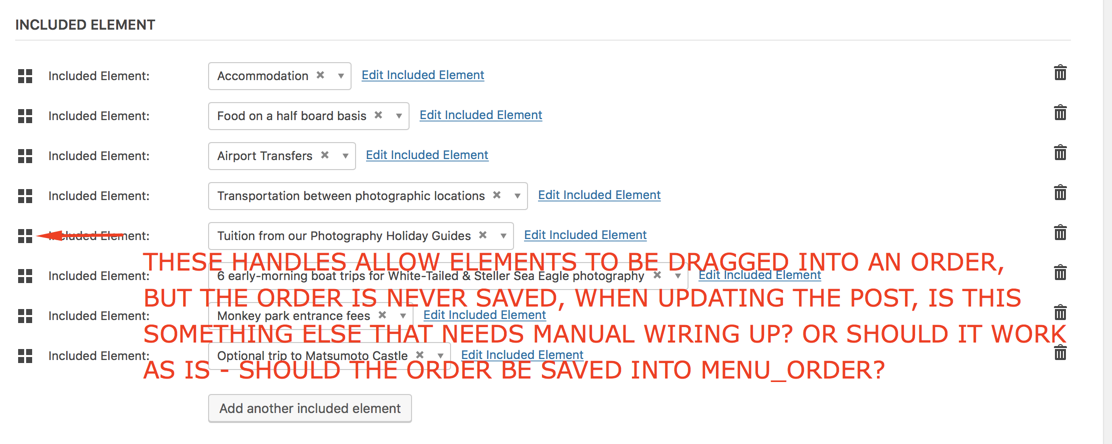
MemberReordering Organizers in the wp-admin Event edit screen does not work either so I logged this bug.
I marked this thread as Pending Fix, which means it should receive a reply once the applicable fix has been released. I cannot guarantee when it will be fixed as it’s in the development team’s hands now. They need to assign it, code it, test it, and schedule it for release.
I apologize for this issue and appreciate your understanding and patience.
===
Regarding your custom coding, I didn’t see use of tribe_get_linked_post_types()
===
You initially stated the linked posts are always in alphabetical order, but your screenshot at https://theeventscalendar.com/content/uploads/2018/03/f9d91a17c3d9db78.png didn’t appear in alpha-order.
===
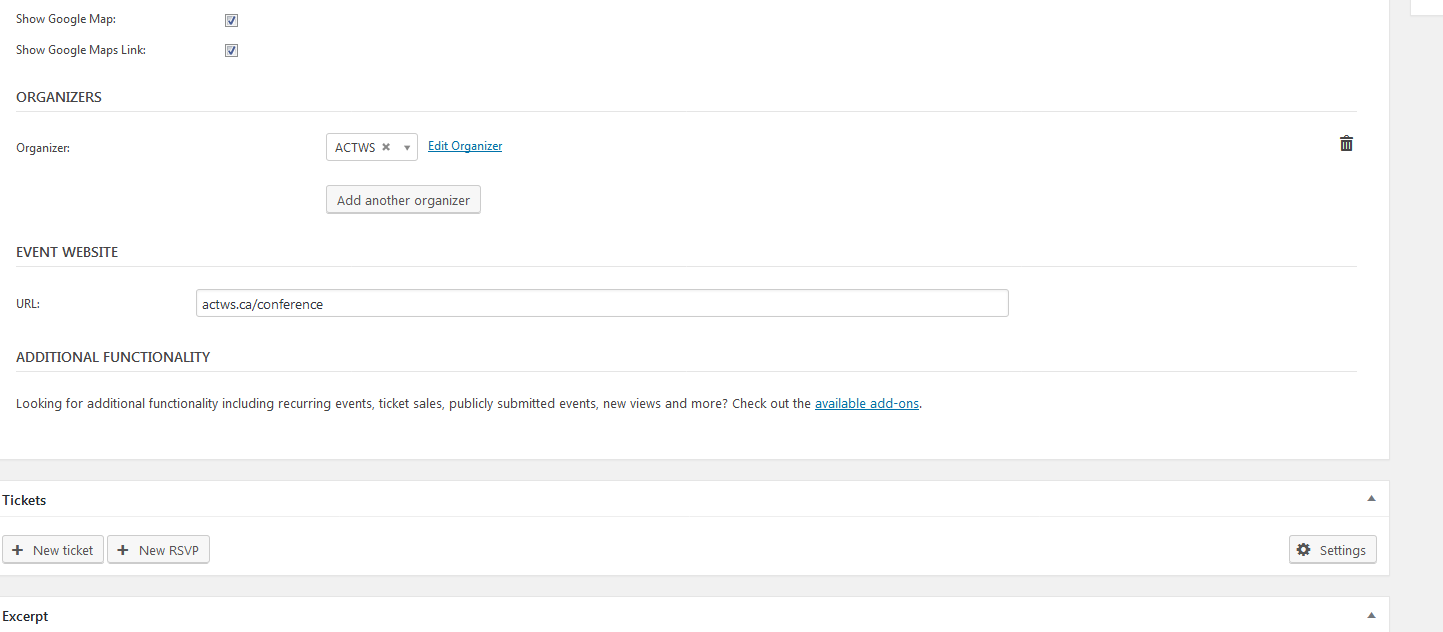
Testing with the Organizers linked post type, whatever order they’re added to the event is the order they display on the front-end single event page. I’d assume your linked post type should operate in the same fashion.
MemberI verified this is not currently possible. It was so I logged a bug. Sorry about this.
I marked this thread as Pending Fix, which means it should receive a reply once the applicable fix has been released. I cannot guarantee when it will be fixed as it’s in the development team’s hands now. They need to assign it, code it, test it, and schedule it for release.
I apologize for this issue and appreciate your understanding and patience.
MemberGotcha. I see https://soulpunchselfdefense.com/event/soul-punching-spartan-sparrows-8/ says 20 available but https://soulpunchselfdefense.com/events/ shows 40 available.
This isn’t currently a known issue so I’d suggest following these recommended troubleshooting steps for your own site:
There might be some new updates available. Could you please make sure all your Modern Tribe plugins (and WordPress core) are at their latest versions?
- Downloads / Version Numbers
- License Keys
- TEC Automatic Updates
- or TEC Manual Updates
- WordPress core updates
Once you verify you’re on the latest versions, please test to see if the issue is still happening for you.
If it is, please follow our Testing for Conflicts Guide (basically switch to Twenty Seventeen theme and deactivate all plugins and custom code other than Modern Tribe plugins) and see if that helps narrow down the cause of this.
Of course, we always recommend restorable database and file backups as well as performing modifications first on a staging site before modifying anything on your live/production site.
If it doesn’t, please enable WP_DEBUG and WP_DEBUG_LOG (which will create a file on your server at /wp-content/debug.log if there are any WP_DEBUG messages) and share any debug messages you see while trying to replicate this issue and doing other things on your site relevant to this ticket (such as visiting your site’s home page, events page, single-event pages, and anything else you can think to do).
Then, please share your System Information (while in Testing for Conflicts Mode) in a Private Reply. That will give me a lot of extra information to help troubleshoot this.
You might also see if you can spot any console errors at your site. (If needed, you may reference our KB article Using Google Chrome Developer Tools.)
Let us know what you find out.
Thanks.
MemberI believe that should be added from Yoast SEO: wp-admin > SEO > Titles & Metas > Post Types > Events (tribe_events)
Please let me know if you have any follow-up questions on this topic.
MemberSure thing, no worries!
Have a great one.
MemberThis reply is private.
MemberGotcha. I see https://theeventscalendar.com/content/uploads/2018/02/6806d749b76d4dfb.png has no tickets assigned to the event, which is why you wouldn’t see the “View Attendees” button…
Could you please use the Duplicator plugin to create a full backup (files and database — please check the box to exclude the uploads folder if it’s large) and link me to download it in a Private Reply.
I might then be able to try and replicate the issue on my own testing server with your site’s files and database.
Thank you.
MemberHere’s a snippet that may work for you:
https://gist.github.com/cliffordp/5ed25b8bfb024efe73d1ce6c42d960aa
Please let me know how this goes for you.
MemberOur paid add-on Event Tickets Plus (ET+) enables the functionality you’re wanting. I tried to highlight this in my previous reply with the bolded text; sorry if that wasn’t clear.
Please let me know if you have any follow-up questions on this topic.
March 1, 2018 at 12:36 pm in reply to: How to generate tickets again after the check in (function)? #1467656MemberAlthough untested, one or both of these might work:
- Tribe__Extension::instance( ‘Tribe__Extension__PDF_Tickets’ )->do_upload_pdf( /*…args…*/ );
- Tribe__Tickets_Plus__Commerce__WooCommerce__Main::get_instance()->send_tickets_email( /*…args…*/ );
That being said, if you successfully send a new email, I believe it would send the existing PDF file and not generate a new one with your added customized styling/watermark image.
Therefore, I’ve logged a feature request for the PDF Tickets extension to be able to force-overwriting the existing PDF.
-
AuthorPosts