Forum Replies Created
-
AuthorPosts
-
Cliff
MemberHi. Thanks for your screenshot. I visited your site’s calendar and this is a video of what I saw: http://cl.ly/2D1D212s0544
There are many console errors, some of which mention Data Tables, which could be affecting how the Month View is being rendered, since it’s technically HTML tables.
The first step is to clear out all those console errors. They could be from other plugins or your active theme.
Please follow our Testing for Conflicts Guide and see if that helps narrow down the cause of this.
Let us know what you find out.
Thanks.
MemberHi Michael.
I’m not sure exactly what you’re wanting to customize or remove/hide featured images from. Maybe you could provide me a link or screenshot with annotations?
===
As far as a Featured Event widget, you could use one of our plugin’s widgets or shortcodes. You could put your Featured Events in a specific Event Category or Event Tag.
If it helps, you might want to use this Event Widget Areas plugin.
===
For your last question, I believe you’re looking for our Themer’s Guide.
===
I hope that gets you on your way!
MemberHi Kathy.
No problem! Please reference https://theeventscalendar.com/knowledgebase/pro-widget-shortcodes/#dl_event-list-shortcode and let me know if you have any follow-up questions.
MemberHi Benoit. You posted in our Pre-Sales forum from a user account that doesn’t have any purchases associated with it.
We don’t answer support questions for Events core/free or PRO add-on in the Pre-Sales forum.
If you made your purchase(s) through a different user account, please login to that account and then post in one of the paid forums.
If not, you may consider posting in our free forum.
Thank you for your understanding and thank you for using our plugins.
MemberHi Shane. Thanks for asking.
You can see how Past Events get displayed at our demo site: http://wpshindig.com/events/list/?tribe_event_display=past (yes, the main built-in way to display them).
Technically, you can use code to come up with your own date ranges, or use shortcodes, and pull off pretty much any customization that isn’t filterable by following our Themer’s Guide.
We have a pretty great Refund Policy so you can buy one or many of our add-ons and thoroughly test them.
Let me know if you have any follow-up questions.
MemberHi Simeon. Sounds like a pretty neat setup. We’re always interested in hearing about customized uses of our products so feel free to share whenever it’s ready!
To answer your question, you might be able to use a plugin like Yoast SEO‘s “Titles and Meta” options: http://cl.ly/0C0e3H1V0i1I
If that’s not sufficient, you could add some custom code like “if single Event post type, redirect to home page” (or to the Events Month View or the Event’s “Event Website” meta field, etc).
I hope these ideas help. 🙂
February 29, 2016 at 8:14 pm in reply to: After update wp 4.4.2 search banner not lined out #1083688MemberHi. Thanks for your question and the link.
The Tribe Bar display is pretty off overall, not just its outline color: http://cl.ly/0i1t063D3J3Y
Please follow our Testing for Conflicts Guide and see if that helps narrow down the cause of this.
Let us know what you find out.
Thanks.
MemberHi Rich. Thanks for your question.
It looks like you’re using the tribe_events_admin_show_cost_field filter properly.
When I have just The Events Calendar and Eventbrite Tickets active, that code works and I see this: http://cl.ly/1H3z0E1T2h3y
Also having Pro activated didn’t affect this screen shot’s display.
It sounds like you’re aware this filter is specific only to the Add/Edit Event post editor screen in wp-admin.
If it’s not working for you, please follow our Testing for Conflicts Guide and see if that helps narrow down the cause of this.
Let us know what you find out.
Thanks.
MemberHi Haider. Thanks for your question.
I think you’ll find the answer to your question here: https://theeventscalendar.com/knowledgebase-category/change-terms/
Please let me know if you have any follow-up questions. Thanks!
MemberHi Teresa, thanks for your question.
The maximum image upload size comes from wp_max_upload_size() (displayed via size_format() ), not from our plugin.
These 2 functions are found in use at /wp-content/plugins/the-events-calendar-community-events/src/views/community/modules/image.php
If you’d like this to be customized specific to the Community Events submission form (and I like that idea)… I didn’t find that as an existing feature request at our plugins’ UserVoice page.
Please do add your feature request there.
This allows others who are interested in that feature to easily voice their support. We frequently review suggestions there to find out which ones are popular, then we implement as many of them as we can.
Once you post it, feel free to link to it from here in case anyone comes across this forum thread in the future.
MemberHi Alex. Thanks for the screenshot. That’s definitely a custom display. Do you have a URL where you found it? Maybe it’s the default view for a theme that has integration with our plugin?
If it really is a custom view that you can’t buy via a theme, you might be interested in our Themer’s Guide and/or our list of known customizers.
MemberHi Patricia. Thanks for your question.
The Events Website field just gets displayed on the Event’s single view as information, not for where the Event’s single view redirects to. Example: http://cl.ly/0F04152i041D
If you give me the exact user flow you’re wanting, I may be able to provide some help for what you’re wanting.
For example, if you want all Event single page views to redirect to that event’s Event Website custom field URL, we could pull that off, but it might not be exactly what you’re wanting to do because then no one would ever see your Event information other than on the archive views (Month, List, Map, etc).
Looking forward to hearing back…
MemberHi. I’m not able to reproduce this on my local testing site. Could you please provide me a copy of your WordPress Permalinks settings screen?
Also, please follow our Testing for Conflicts Guide and see if that helps narrow down the cause of this.
Let us know what you find out.
Thanks.
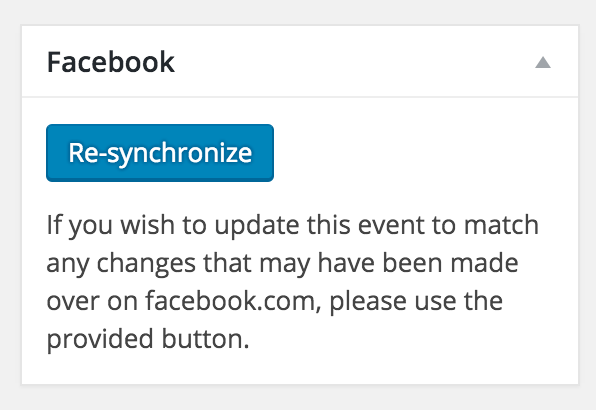
MemberHi Bryan. As you know, there is a “Re-synchronize” option on each event: https://cldup.com/ZecO276G2s.png
Instead, you want a one-click global version of that button for all FB events… Sorry to say that’s not an option at this time.
You might be able to leverage the code where that button is found — /wp-content/plugins/the-events-calendar-facebook-importer/src/Tribe/Resync.php — to create your own cronjob or something along those lines.
I didn’t find that as an existing feature request at our plugins’ UserVoice page.
Please do add your feature request there.
This allows others who are interested in that feature to easily voice their support. We frequently review suggestions there to find out which ones are popular, then we implement as many of them as we can.
Once you post it, feel free to link to it from here in case anyone comes across this forum thread in the future.
MemberHi Cesar. Thanks for your questions.
The “Near” field that Pro adds to the Tribe Bar is from this file: /wp-content/plugins/events-calendar-pro/src/Tribe/Geo_Loc.php
The default geofence radius is 25 miles, which can be filtered — find function get_geofence_size() in that file.
As far as autofilling the search field, you can just link to your site’s search — like this being the URL for searching “New York, NY, USA”: yoursite/events/2016-02/?tribe-bar-geoloc-lat=40.7127837&tribe-bar-geoloc-lng=-74.00594130000002&tribe-bar-geoloc=New+York%2C+NY%2C+USA — just remove the “2016-02/” part so it doesn’t always go to February 2016.
If you prefer a shorter URL: yoursite/events/?tribe-bar-geoloc=New+York%2C+NY%2C+USA will autofill the field but not actually filter the results. In other words, they’d still need to click the “Find Events” button to submit the search.
I hope this is the information you were looking for.
-
AuthorPosts