

Forum Replies Created
-
AuthorPosts
-
February 23, 2017 at 8:12 pm in reply to: "New Event Booking" Email Notification Triggered by Subscription Renewal #1244965
Hunter
ModeratorHi Dave,
If you’re only using Event Tickets, then a booking confirmation goes out to guests once they RSVP for an event sent out by Event Tickets. If you are using Event Tickets Plus and WooCommerce, users will get the booking confirmation email which contains the ticket in addition to the “Your order is complete” email notification from WooCommerce (WooCommerce > Settings > Emails).
I understand running through the Testing for conflicts guide can be tough, but it might be best you set up a fresh WordPress installation where you can fully troubleshoot the issue. Make sure you have only the default WordPress theme and our plugins installed and activated on the test site. Please review our Using One License for Live and Dev Sites and Moving Your License Keys tutorials for more information.
I hope this helps answer your question and take care 🙂
ModeratorA fix is about to be released, so keep your eyes on the Release Notes for more info. In the mean time, you can add the following snippet to your theme’s functions.php file. Make sure to visit WordPress > Settings > Permalinks and hit the “Save Changes” button immediately adding the snippet:
function translate_all_slug_to_alle( $text, $original, $context, $textdomain ) {

    if (

        $textdomain !== 'the-events-calendar'

        || $context !== 'all events slug'

        || $original !== 'all'

    ) {

        return $text;

    }
return 'alle';
}add_filter( 'gettext_with_context', 'translate_all_slug_to_alle', 10, 4 );
Once a fix is released and you update your plugins, you’ll need to remove the code from the functions.php file. Let me know how it works out! Cheers 🙂
February 23, 2017 at 7:51 pm in reply to: Remove previous – next events in Events Calendar Pro?? #1244957ModeratorWhy aren’t the customization’s being displayed (in this case, pagination)?
What would some of the potential issues be preventing the designed behavior?
The only reasons I can think are you’re using a) outdated/incorrect code and/or b the files are not saved with the correct folder structure.
You say you’re using the following structure for the single-event.php template: …\wp-content\themes\snapgravy\tribe-events\pro\single-event.php
If you are trying to overwrite the single event template, you would save it with the following structure: [your-theme]/tribe-events/single-event.php
Try adjusting your single-event.php file so the matches the example above and let me know if your changes reflect on the front-end of your site.
Cheers 🙂
February 23, 2017 at 7:45 pm in reply to: Attendee list doesn`t show the Additional Attendee Information #1244955ModeratorHi Laura,
I’m happy to hear you’ve identified the source of conflict. I’m not 100% certain of a working alternative, but try searching our forums and general web searches on the matter for any plugins that might work without causing conflict.
We are always incorporating the most popular ideas from our UserVoice Feature Ideas page, so take a moment and submit your request.
Sorry I don’t have a better answer for you and if you do find a good solution, feel free to share in the case other users are looking for similar features. Thanks and take care!
February 23, 2017 at 7:38 pm in reply to: WordPress Backend crashes while loading a returning event #1244951ModeratorHi Thomas,
The next step in this instance is to try backdating to a previous version and see if that makes a difference. Make sure to review the tTesting for conflicts guide once again to eliminate the possibility for a theme and/or plugin conflict. Make sure to try testing with all combinations of TEC, PRO, and Filter Bar activated/deactivated.
I checked our logged bug reports and am not seeing anything resembling your issue, so chances are it’s isolated to your setup. Let me know what you find out and we’ll go from there. Thanks 🙂
February 22, 2017 at 10:33 pm in reply to: "New Event Booking" Email Notification Triggered by Subscription Renewal #1244319ModeratorHey Dave,
Thanks for the response. I only asked you to review those settings because we don’t have any logged bugs of users reporting similar behaviors, so I thought with the timing of when these emails started and the recent release of these new settings, they could be related.
I’d to mention that until you are able to review the Testing for conflicts guide to see if there’s a potential theme and/or plugin conflict, there’s not much I can do. Please keep me updated on what you find and take care.
ModeratorDid you notice any errors at the top of your site when WP_DEBUG was set to true? Do any errors show up on your server’s error log? If so, please share them with me. Does the issue happen with all recurring events or just some of them? Have you tried visiting WordPress > Settings > Permalinks and hit the “Save Changes” button? This is known as flushing your permalink and you can learn more about that here.
I’ve located a bug which might be affecting your site. The report states recurring events “Show All” link is broken when it’s translated. Based on your site link I imagine that’s the case, so I’ll add this forum thread to the report. It’s at Priority Level 1 which is an indication it’s almost ready and should be included in the next maintenance release.
Please stay tuned to our Release Notes and the plugin changelogs for more information. Thanks again and let me know if you’ve got any additional questions or comments. Cheers!
ModeratorWelcome back,
Does “unhook” mean “remove_filter”?
Yes, more info can be found here.
Do I need to rename the function or can I stick with displayFilter()?
You can stick with displayFilter().
Thanks for the compliments, we appreciate the kind words! Sorry I can’t do more here and if things get beyond your level of expertise, it might be best to look into hiring a professional to help further assist.
Cheers!
February 22, 2017 at 9:41 pm in reply to: Remove previous – next events in Events Calendar Pro?? #1244303ModeratorHi and welcome back,
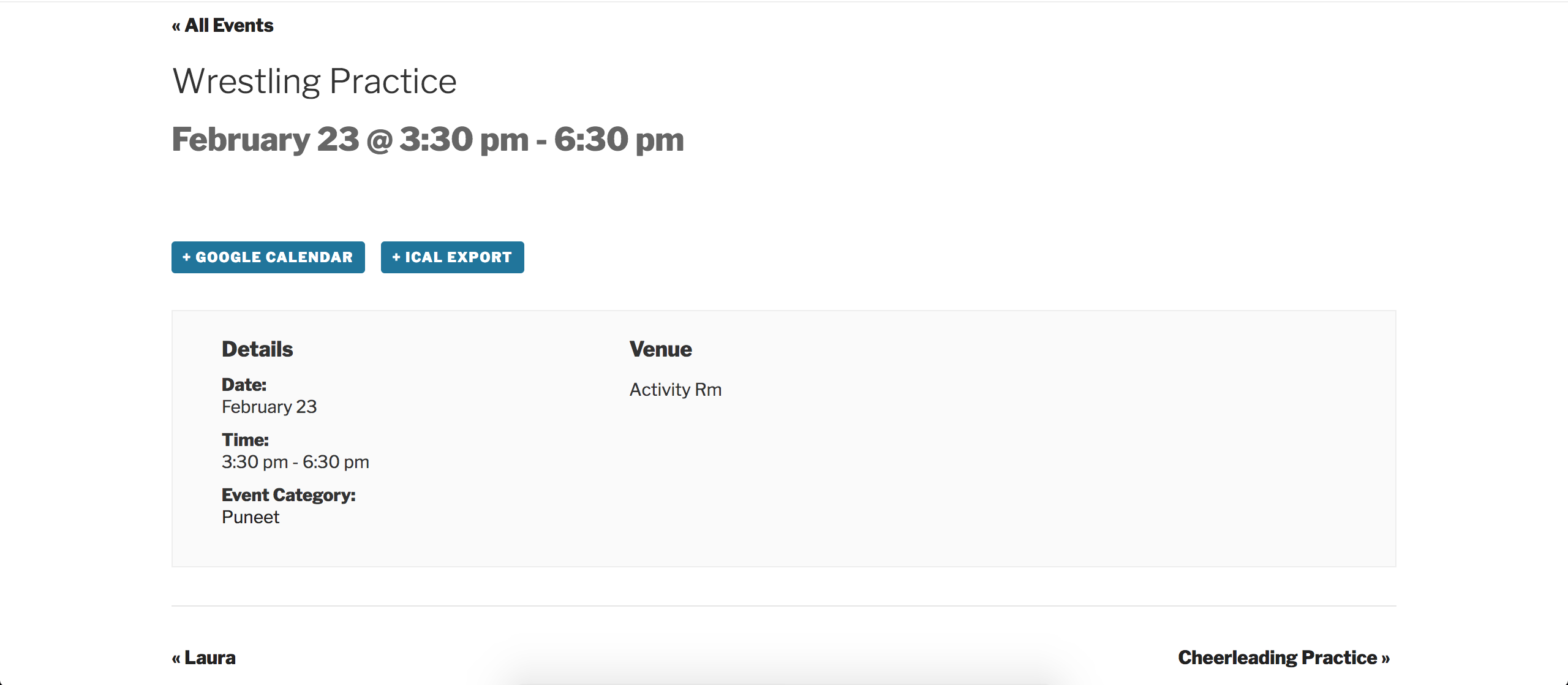
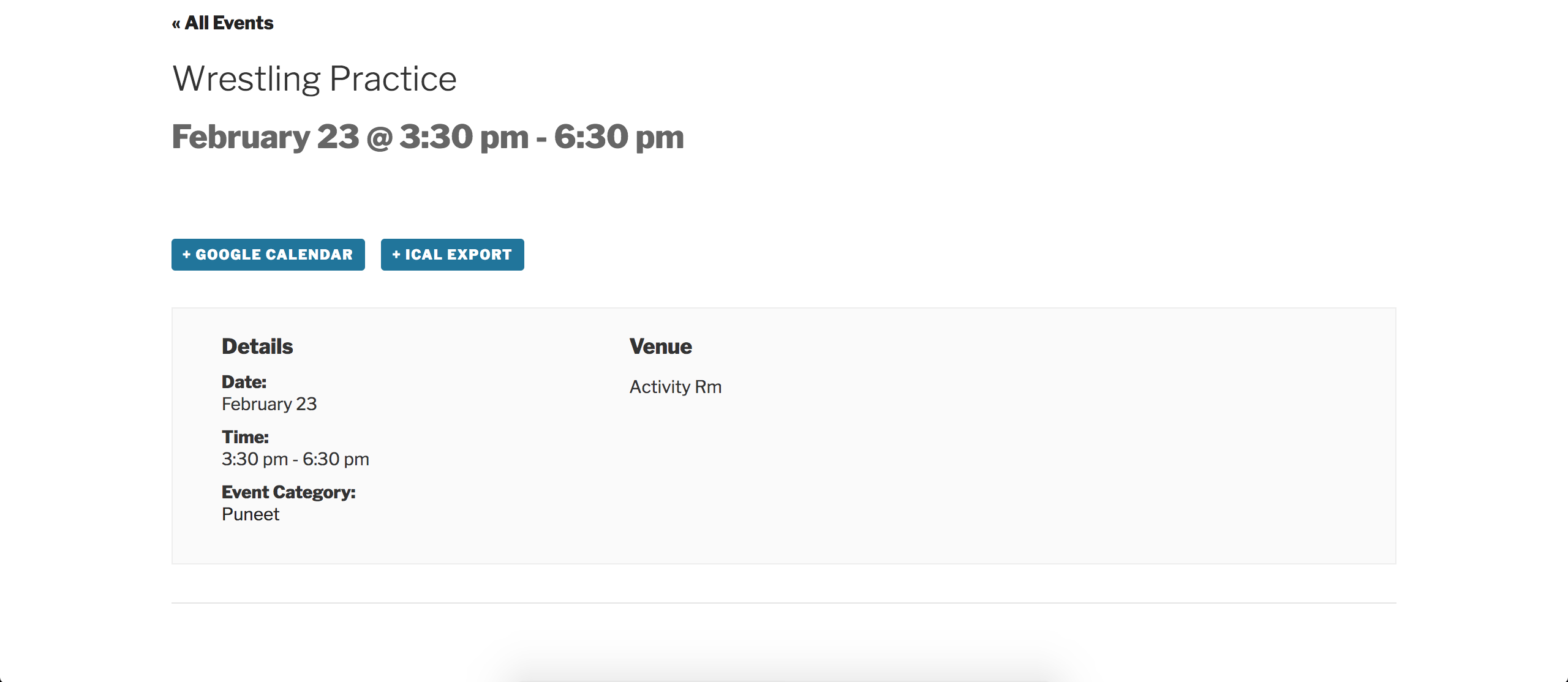
I wasn’t 100% certain on which navigation links you were referring to, but I understand now so thank you for further clarifying. I followed the instructions in the Themer’s Guide and created a template override for /the-events-calendar/src/views/single-event.php and removed lines 80-83. Please see the screenshots below.
This screenshot was taken before doing the overwrite. You can see the navigation links to “Laura” and “Cheerleading Practice” display near the bottom of the image:
After saving the customizations, the “Laura” and “Cheerleading Practice” navigation links no longer display:
Best of luck and let me know if you’re able to get things squared away. Cheers!
February 22, 2017 at 9:28 pm in reply to: View as Map function not working AND Near/Location filter not working #1244298ModeratorHello,
Thanks for the update. I took another look at your site but it appears the Near field is still not displaying:

Can you please describe in explicit detail what the issue with the Near field in the Tribe Events Bar? The only information I have at this time is that it’s “not working”.
Also – I am wondering if I were to purchase the filter bar – would this be resolved?
No, I highly doubt the Filter Bar would alleviate the issues you’re currently experiencing. My guess is you have either a theme and/or plugin conflict. To confirm this, you’ll need to review the Testing for conflicts guide and let me know what you learn. This is a required step to continue receiving support.
When testing, please make sure WP_DEBUG and WP_DEBUG_LOG are enabled on your site’s wp-config.php file. Any errors will display at the top of your page as you try to reproduce the conflict. I also recommend right-clicking your mouse and opening the ‘Inspect’ tool to see if any errors display in the console. Note what you find and please include it in your reply.
As previously mentioned, any issues which subside while your site is in the state outlined in the Testing for conflicts guide will need to be addressed by you as stated in our What support is provided for license holders? Knowledgebase article.
Please keep me posted!
Cheers 🙂February 22, 2017 at 9:15 pm in reply to: Attendee list doesn`t show the Additional Attendee Information #1244296ModeratorHey Laura,
Thank you for the response. I went ahead and attempted to reproduce the behavior, but as you can see in the short screencast the attendee information gets saved and displays in the Attendees screen properly.
Can you please provide more information on how to reproduce your issue? We have a few logged bugs relative to attendee info not displaying, but in order to confirm you’re being affected by them I’ll need more details. If possible, send exact step-by-step instructions on how to reproduce the conflict and I’d be happy to try again.
You might want to try reviewing the Testing for conflicts guide once more, but please make sure WP_DEBUG and WP_DEBUG_LOG are enabled on your site’s wp-config.php file. Any errors will display at the top of your page as you try to reproduce the conflict. I also recommend right-clicking your mouse and opening the ‘Inspect’ tool to see if any errors display in the console. Note what you find and please include it in your reply.
Thank you for your patience while we work to identify the source of conflict and rest assured we’ll get you back on the right track as soon as possible. Cheers!
ModeratorHey Nic,
I’m not really sure how to proceed here. I have Divi version 3.0.14 installed on my test site and the comments are showing fine. I also checked our logged bug reports but am not finding anything relative to your issue.
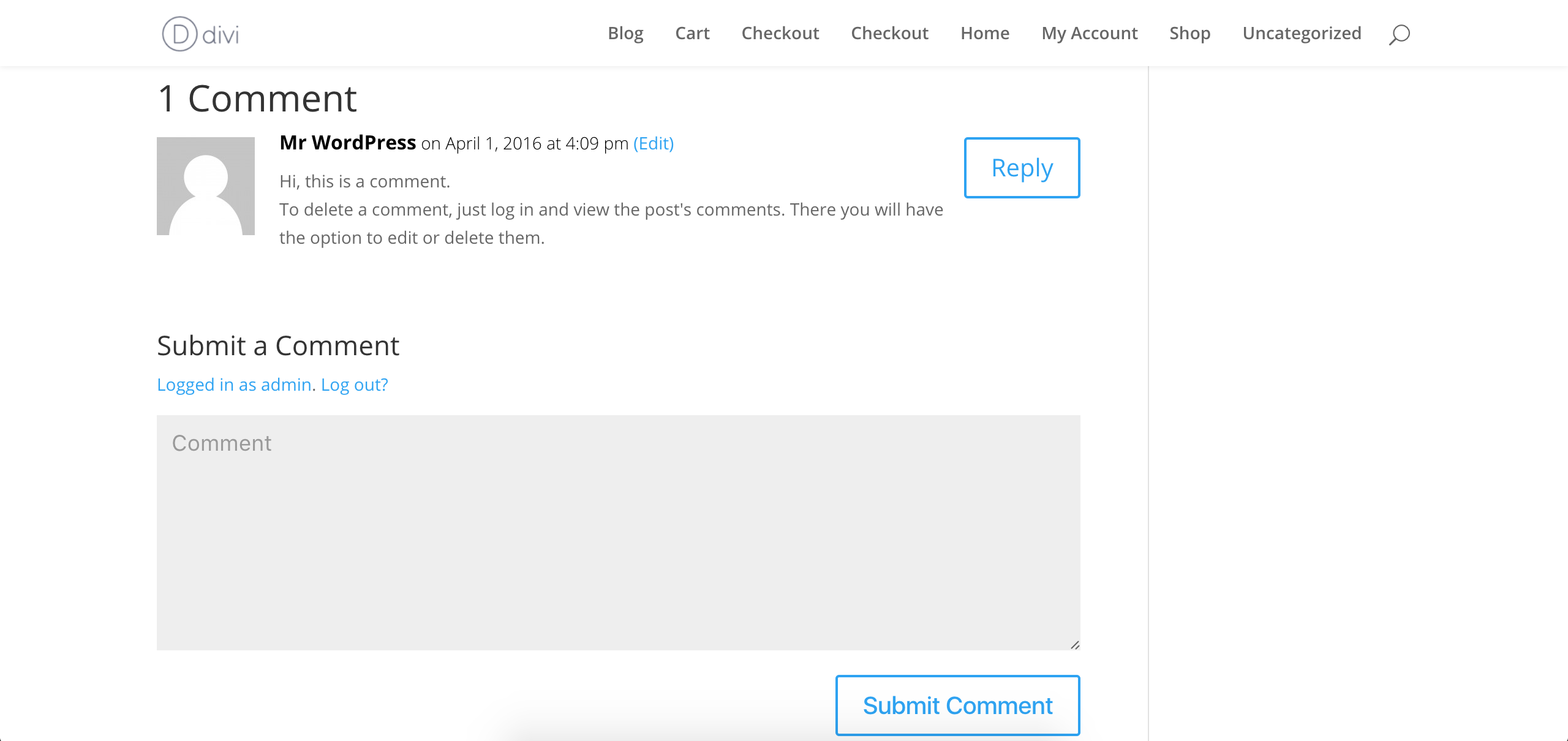
While theme conflicts are typically outside the scope of support, we have a fair amount of Divi users. Is there any way you can send a .zip file of the latest version and if I can reproduce the conflict I’ll get a bug logged for the developers to review. I can’t promise anything on our end but am happy to update you once I hear back from the developers.
Let me know and we’ll go from there. Cheers 🙂
ModeratorIt looks like that string of text doesn’t have an assigned CSS class, so I’d probably do a template override as explained in our Themer’s Guide.
Copy the contents of /the-events-calendar/src/views/modules/meta/details.php, paste them into a new file and save as [your-theme]tribe-events/modules/meta/details.php, then delete the “Cost:” text on line 123. Please review this Customizing WordPress #1 – How To Create A Child Theme by LevelUpTuts for a visual example of the process. Let me know how it works out 🙂
February 22, 2017 at 7:21 pm in reply to: Getting Error 503 and 500 with plugin after recent WP updates #1244255ModeratorWelcome back,
Thanks for resending the System Information over. We have a logged bug affecting customers on GoDaddy Managed Hosting using Event Tickets and Event Tickets Plus, but nothing relative to TEC and/or PRO.
Have you searched in our forums for 500 and 503 errors? It would also be helpful if you can provide any specific errors, especially those on your server’s error log. Without being able to reproduce the behavior on my site and not having more information to work with, I am a little limited at the moment.
Please keep me updated and take care 🙂
February 22, 2017 at 7:08 pm in reply to: Photo view displays vertical and not horizontal since EC Pro 4.4.2 update #1244241ModeratorHey Martin,
I went ahead and tested again to see if I could reproduce the behavior, but as you can see in this short screencast I was unable to.
In the second screenshot you shared with me it appears you have plugins by other authors active and possibly your custom theme active. Could you possibly create a screencast similar to what I’ve shared with you to ensure I’m not missing a step to reproduce the issue.
As previously mentioned, without the ability to reproduce the conflict and since there aren’t any relative bugs logged at this time, there isn’t much I can do at this point. If I were you, I’d set up a fresh test site where you can fully troubleshoot until you find a resolution. Make sure WP_DEBUG and WP_DEBUG_LOG are enabled on your site’s wp-config.php file. Any errors will display at the top of your page as you try to reproduce the conflict. I also recommend right-clicking your mouse and opening the ‘Inspect’ tool to see if any errors display in the console. Note what you find and please include it in your reply.
I’d also try reverting to previous versions to see if you can narrow down when the issue begins for you.
Let me know what you find and take care!
-
AuthorPosts