

Forum Replies Created
-
AuthorPosts
-
Hunter
ModeratorHi Christine,
Thanks for sending over that System Information with me. I don’t see anything out of the ordinary that would cause the multiple import issue. Additionally, we don’t have any open logged bugs of users reporting similar issues.
Do you have the ability to create a test environment with only our plugins active using the default WP theme and see if you’re able to replicate the import issue? I’d also like to get a copy of your database if possible, so please send a link to a Dropbox or Google Drive folder containing your database in a private reply.
Thanks again for the willingness to work with me on the issue and I look forward to resolving this 🙂
April 28, 2016 at 9:28 am in reply to: Calendar shows # when click on month of date in monthview #1108241ModeratorWelcome back,
We are happy to assist in identifying bugs and with general support inquiries, but theme/plugin conflicts are outside the scope we’re able to cover. I just need to confirm you’re not dealing with either of those as outlined in our Testing for conflicts before we move onto the next step. I appreciate your understanding and once we address step 1, I’d be happy to continue troubleshooting.
Have a great upcoming weekend and thanks for choosing PRO!
ModeratorHey Paula,
Is the calendar you’re attempting to import from “public” – meaning it can be viewed by anyone? Also, please provide the link you’re attempting to import events from rather than the file provided.
Let me know and we’ll continue troubleshooting. Have a great upcoming weekend!
April 27, 2016 at 8:33 pm in reply to: Recurring events: Link to first event in list view displays last event of series #1108052ModeratorHello and welcome back,
Sorry to hear about the troubles. I visited the link provided and followed your instructions. After doing so, I encountered the error described. Can you please review our Testing for conflicts guide to ensure you’re not experiencing a theme and/or plugin conflict?
Let me know your findings and we’ll continue troubleshooting from there. Have a good upcoming weekend 🙂
ModeratorWelcome back Amy,
I again tried to replicate the issue and asked my fellow staff members to do so. We were unfortunately unable to do so :-/
Additionally, I checked our logged bug reports and don’t see anything similar. I will keep my eye out on the support forums for other users reporting the same issue as well as the logged bug reports.
Good luck finding a resolution and I apologize again I can’t be of more assistance. Thanks for understanding and have a great upcoming weekend!
ModeratorHello and thanks for letting me know the issue has been resolved. Feel free to create a new thread should anything else come up! Have a great week 🙂
ModeratorHello and thanks for the information.
I apologize for not asking the first time around, but does the issue still occur after following our Testing for conflicts guide? Also, try it with the event being public on Eventbrite with only the default WP theme and our plugins active.
Thanks again and have a good rest of your day.
ModeratorWelcome back Ron,
Do you see any errors when navigating to Events > Import > Facebook? You should see an error along the lines of “Events from ___ are not importing because…” under a Facebook organization you’re attempting to import events from.
Let me know if you see anything similar to what I’ve described. If so, try removing those Facebook organizations from the list you’re attempting to import events from with only the default theme and our plugins active.
Let me know how it goes and have a good rest of your day 🙂
April 27, 2016 at 11:05 am in reply to: Facebook tab not loading import button at bottom of page #1107810ModeratorWelcome back, Stuart.
I see in that screenshot that a few of the FB pages you’re attempting to are giving you an error. Can you try replicating the issue once you’ve removed those lines giving you errors? Also, do it while only the default WP theme and our plugins active.
I just grabbed LiveNation’s Facebook event list (hundreds of events) and the Import button is displaying for me (see screenshot below).
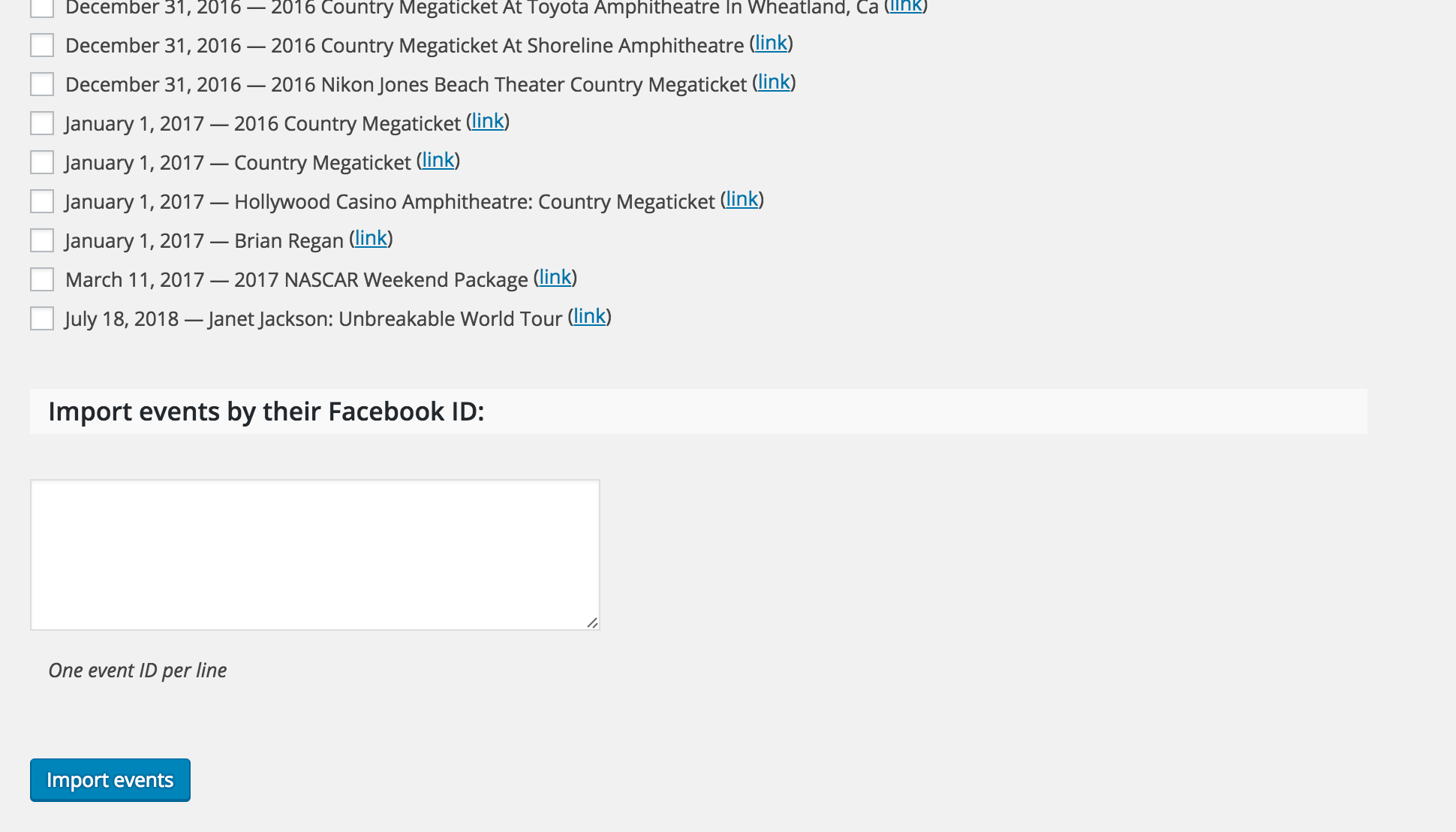
Let me know if you’re able to get it working properly. Thanks for working with me on the issue and have a good rest of your day.
ModeratorThanks for the update and please feel free to open a new thread should anything else come up! Have a good week 🙂
ModeratorHey Christine,
My apologies for the misunderstanding. Let me try and answer your questions a bit more accurately.
Do I have to check the box and manually import the item? It seems that way. I want to set it up so it auto-imports with no checking needed.
Yes, you will need to check individual events you’d like to import. I see the merit in the functionality you described. We don’t currently offer that ability, but our UserVoice Feature Ideas is the perfect place to add it as an idea if it hasn’t been already.
In regards to the duplicate events being imported, we did have a bug but it was completed and sent out in a release a few months ago. Can you please send over your System Information as a private reply? Also, include the import options you have set under Events > Import > Import Settings > Facebook Import Settings.
I apologize again for not answering your questions the first time around and I look forward to getting this issue resolved. Have a good rest of your week 🙂
ModeratorHey Chris,
You’re totally right – I was obviously on a different page than you here! Any of the WooCommerce payment gateways should jive just fine with Event Tickets Plus. I do apologize I sent you in the wrong direction.
Let me know if I have fully answered your question and thanks again for the patience while I got with the program 😉
Take care!
ModeratorHi Melissa,
Can you please create a new event following these exact instructions? Please do the settings first, then create the event.
1) Set your WordPress timezone settings to UTC-5.
2) Set your Timezone settings under Events > Settings > General to “Use the sitewide timezone everywhere” for the Timezone mode setting.
3) Create a new recurring event with the exact rules seen in the screenshot I provided on April 22nd.
Let me know if the event times work properly. If you still have troubles, would it be possible to get a copy of you database? Keep me updated with your progress.
ModeratorHi Amy,
Thanks for posting and welcome back 🙂
Can you please confirm you’ve ruled out you’re not experiencing a conflict by reviewing our Testing for conflicts guide? Respond back with your findings and we’ll go from there.
Have a good rest of your week!
ModeratorHi and welcome back,
I’d be happy to help. Can you please review our Testing for conflicts guide to ensure you’re not experiencing a theme/plugin conflict? Let me know how that goes and we’ll continue troubleshooting if we need.
Thanks for choosing PRO and have a great week.
-
AuthorPosts