

Forum Replies Created
-
AuthorPosts
-
Hunter
ModeratorHi Liz,
Thanks for posting and welcome to the forums. Can you please review our Testing for conflicts guide? Doing so will help narrow down the source of conflict and give more insight on how to go forward.
Thanks and I look forward to hearing back. Take care 🙂
ModeratorHello and welcome back,
The first step in resolving the issue is to review our Testing for conflicts guide. Theme/plugin conflicts extend beyond the support we’re able to provide, but hopefully it’s fairly simple once you identify the source of conflict.
Best of luck and thanks for choosing PRO 🙂
ModeratorHi and welcome back,
I appreciate you testing for conflicts as it’s always the first step when working towards a resolution. We don’t have any logged bugs of users reporting the issue and I’m unfortunately unable to replicate the issue, so there’s really not much I can do in terms of support.
I would recommend trying to identify the source of conflict by reverting to the default WP theme and deactivating all other plugins. I would also check to see if you do in fact have a folder named tribe-events inside your theme folder.
Again, I apologize I can’t be of more assistance and wish you the best of luck finding a solution. Thanks for understanding and have a good rest of the week.
ModeratorHello,
Glad to hear you’re headed in the right direction. You could send an empty string in, ie
...->front_end_tickets_form( '' );One other thing is it looks like that shortcode function will echo the form straightaway – with a shortcode you generally should return the string.
I do want to point out that these types of support requests are outside the scope of support we’re able to provide, so you’ll have to take the reigns from here. Good luck getting it all squared away and have a great upcoming weekend!
ModeratorHey Matthew,
Welcome to the forums 🙂
The button should say “Add to Cart” on the single event page rather than “More Details”. It is a WooCommerce button and the “More Details” link is from The Events Calendar, so I’m not really sure as to why the button is taking on the incorrect text. This leads me to believe you’re experiencing a theme and/or plugin conflict.
I see you checked “Yes” to reverting to the default WP theme and deactivating all other plugins as outlined in our Testing for conflicts, but can you please confirm this?
Thanks for posting and I look forward to getting the issue resolved. Have a good remainder of your week!
ModeratorHi and welcome back,
I recently responded to your email, so if everything worked out as expected, please mark this thread as resolved. Thanks again and have a good upcoming weekend.
ModeratorHello,
Thanks for confirming. Can you please send over your System Information as a private reply? Thanks again and have a good rest of the week.
May 4, 2016 at 12:28 pm in reply to: Events are created with the right date and timezone, but display wrong #1110657ModeratorThanks for sending that over 🙂
I just created an event after setting my WP timezone setting to “Toronto” and then added a new event with the start time of 10:00 AM and end time 11:30 AM. The event appears to be displaying the correct time for me (see screenshot below).
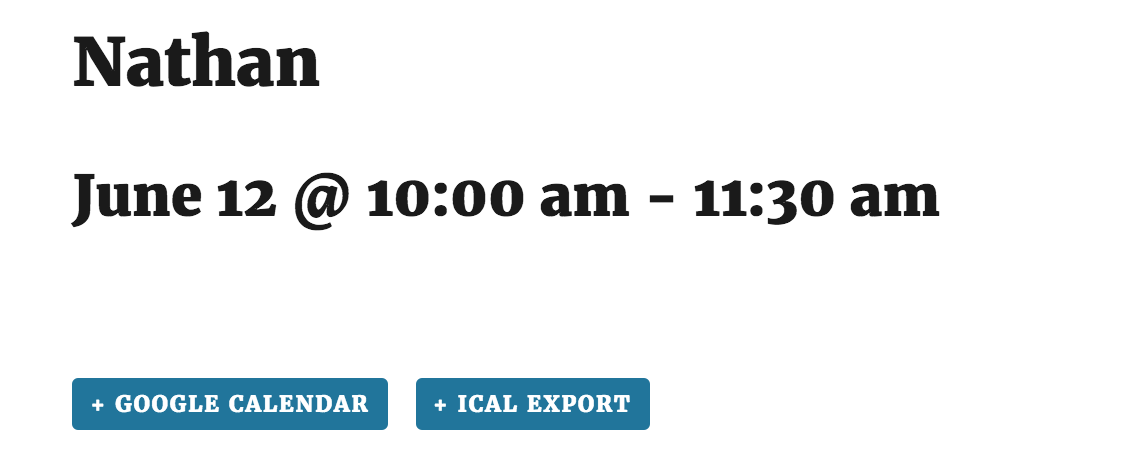
Does this issue still occur when only using the default theme and our plugins as outlined in our Testing for conflicts guide? Also, can you create a test event with the WP timezone setting set to “Toronto” and keep the event timezone settings as you have in the provided screenshots and let me know if the test event displays the correct times?
Thanks again for sending over those screenshots. Take care!
ModeratorHey David,
Welcome to the forums. I’d be happy to help you out 🙂
The file you’ll need to overwrite is events-calendar-pro/src/views/related-events.php. Our Themer’s Guide provides insight on how to go about creating custom templates. Let me know if this gets you started in the right direction and have a great upcoming week!
ModeratorWelcome back and sorry to hear about the troubles.
Can you please confirm you’ve reviewed our Testing for conflicts guide to ensure you’re not experiencing a conflict?
Additionally, do you have a folder inside your theme folder named tribe-events? Often times, there are custom files in this folder which override the default files which can cause unforeseen issues if you’re unaware of the folder.
Let me know your findings and we’ll take it from there. Thanks for reaching out and enjoy the remainder of your day.
ModeratorHey Mike,
You could create a shortcode which are fairly easy to make. Just have that shortcode output Tribe__Tickets_Plus__Commerce__WooCommerce__Main::get_instance()->front_end_tickets_form().
That’s for WooCommerce of course. But all of the various ticket forms can be called the same way, just change the base class. They all have a front_end_tickets_form() method.
I hope this helps and best of luck with the customizations. Take care 🙂
ModeratorHey Tommy,
I understand my reply is not what you were hoping for but, in the spirit of our stated forum guidelines, I will continue to help Santosa directly and you are welcome to open a new thread if you would like direct assistance.
Thanks,
HunterModeratorHello and thanks for posting 🙂
I’m sorry to hear about the issue. I’d be happy to help you out!
I visited the link and did experience the events displaying incorrectly chronologically. Once I hit “Reset Filters” the events did display in the correct order. Does this issue still occur when the default WP theme and only our plugins are active as instructed in our Testing for conflicts guide?
Let me know your findings and we’ll continue troubleshooting from there. Thanks again for reaching out and I look forward to resolving this with you. Have an excellent remainder of your day!
ModeratorHi and thanks for sending over the iCal link.
I tested it an did not see the “En Español – Parent Meeting: Cookies with Keith” event in the iCal import feed. Was this event at any point listed on the calendar attached to the iCal link you provided? If so, and the event wasn’t removed prior to the import, it would still be published to the website calendar. Your client would then need to manually delete the event.
I hope we’re on the same page here and please let me know if I’m missing anything or something I’ve said needs clarification. Thanks again for sending that over and have a good rest of your day.
ModeratorNo problem, glad to be of assistance! Thanks again for choosing PRO and feel free to open a new thread if you have any more questions 🙂
-
AuthorPosts