

Forum Replies Created
-
AuthorPosts
-
May 6, 2016 at 10:11 am in reply to: We were unable to import your Eventbrite event. Please verify the event id… #1111566
Hunter
ModeratorHey Katie,
Thanks for reaching out and I’m sorry to hear about the import troubles.
I just did a quick check to see if we have any relative bugs, but I didn’t see anything pertaining to Eventbrite import issues. Does the problem still occur when reverting back to the default theme and with only our plugins active as recommended in our Testing for conflicts guide?
Let’s see if this is a theme/plugin conflict first, then we’ll continue investigating from there. Thanks again for the post and have a happy Friday 🙂
ModeratorHey Alison,
Welcome back. To answer your question, yes, the plugin is designed to provide an error when an image upload fails (see screenshot below).
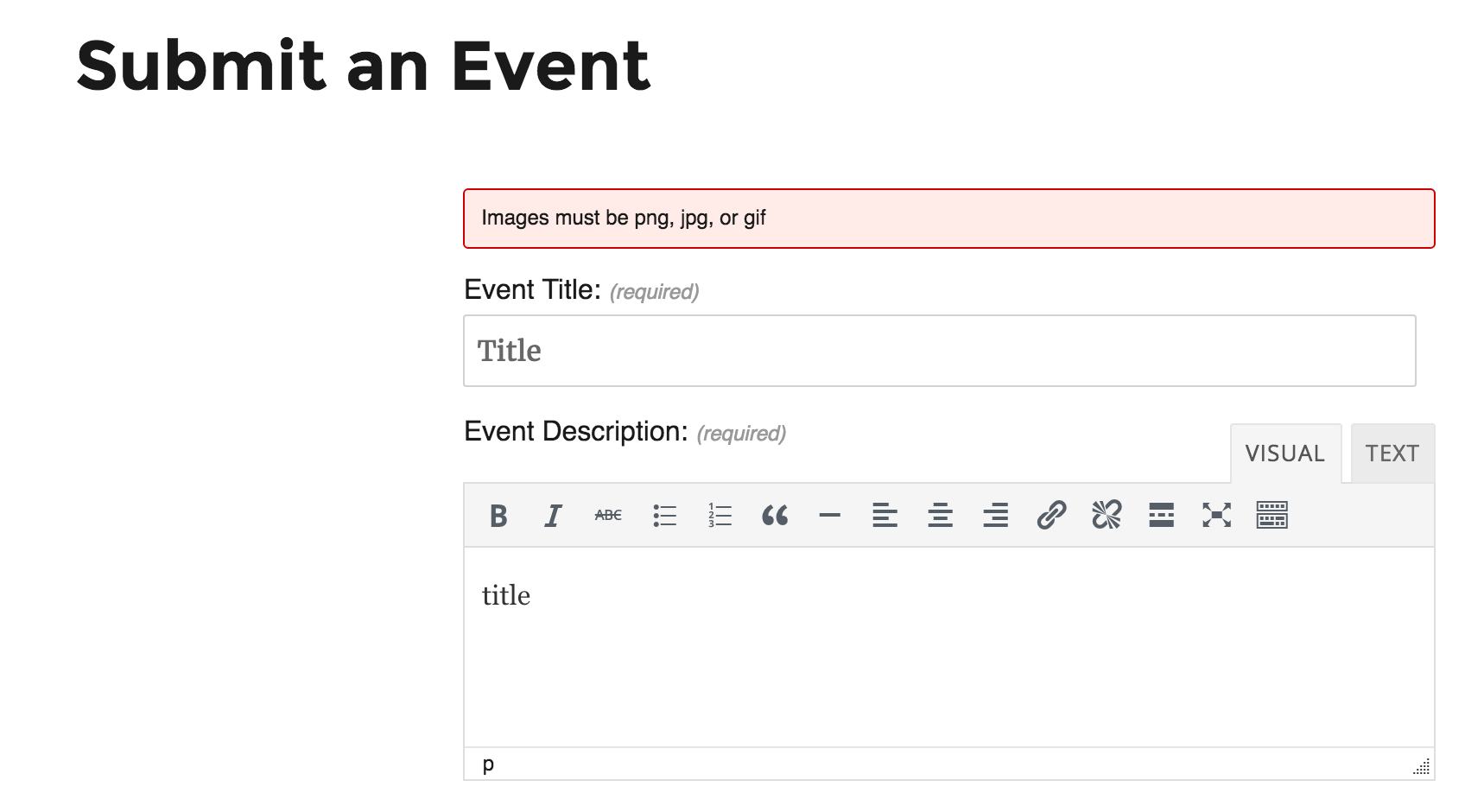
I apologize if I didn’t answer your question the first time around. Happy Friday and thanks for the patience while we work towards a resolution.
ModeratorWelcome back,
The default text for The Events Calendar is “Find out more” – my apologies for telling you it was “More Details” in my previous post. If you remove that script then you should see “Find out more” when viewing the events list and “Add to Cart” on the individual event pages (when using WooCommerce tickets).
You can change the text for “Find out more” in list view by altering the bolded code below (found on line 70 in /the-events-calendar/src/views/list/single-event.php.) Follow the instructions in our Themer’s Guide to save your customizations properly.
Let me know how it goes and have a happy Friday 🙂
ModeratorI just spoke with a few other support team members and this was their advice. Let me know how it goes 🙂
X Theme Setting:
Appearance > Customize > Blog > “Full Post Content on Index” Set to > OnThe Events Calendar Settings:
Events > Settings > Display Tab > “Events template” Set to > Default Events TemplateModeratorHey Emily,
I would be happy to answer your questions about the designed functionality of the search function.
1. The Search box is supposed to search event titles and descriptions.
2. The location box should attempt to autocomplete the location you’re typing in. See screenshot below from our demo site.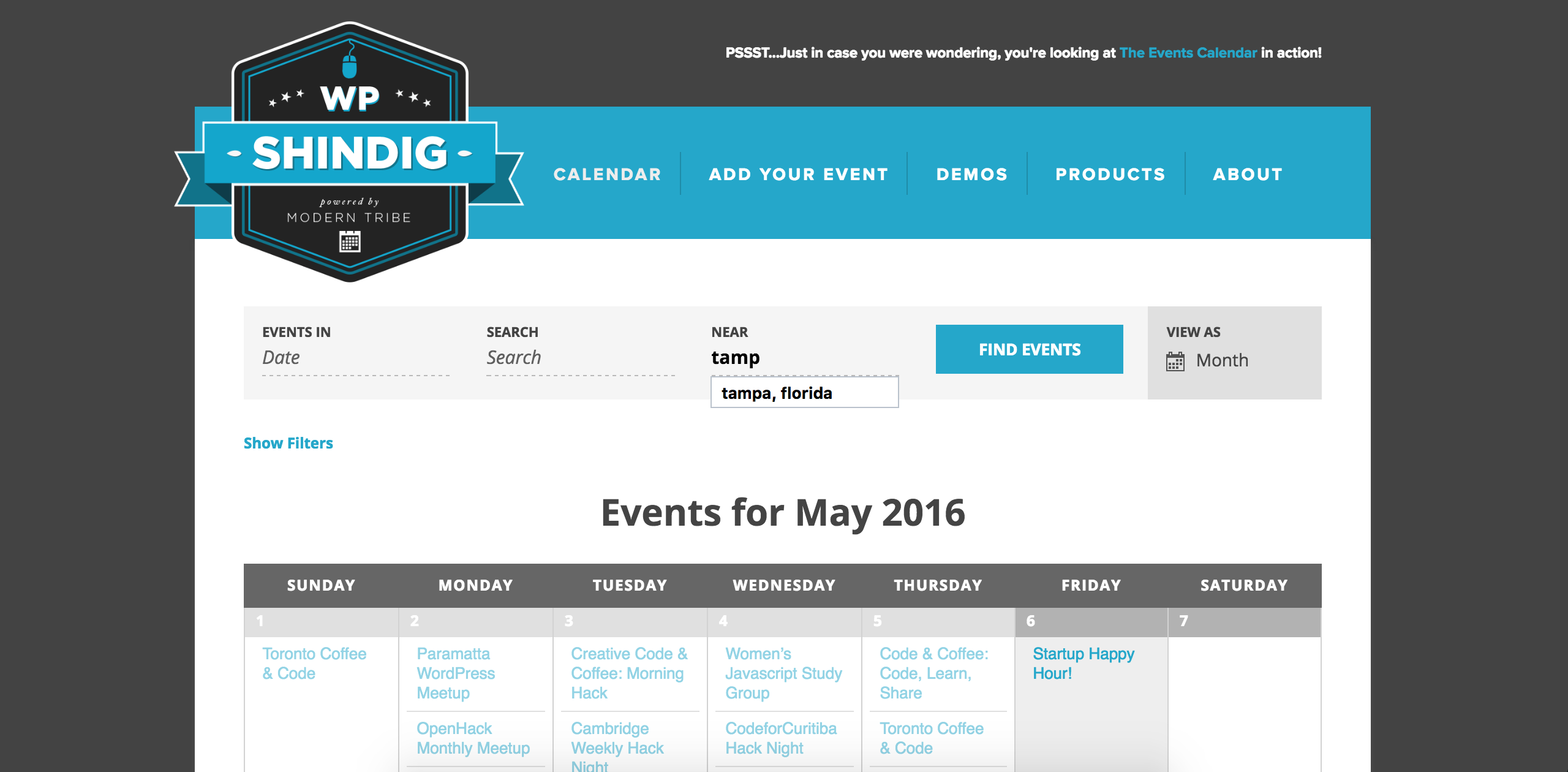
Let me know if this sufficiently answers your questions. Happy Friday and thanks for being patient while we figure this out!
ModeratorHi and welcome back,
While the X Theme is very popular, it is not actually “in line” with WordPress core standards, so we will unfortunately not be able to assist with theme conflicts. With that said, I’m still happy to try and help get the plugin set up properly.
Did you create a page with the same slug as what you’ve entered under Events > Settings > Events URL slug? If possible, provide the step-by-step process you did when installing and activating the plugin. Provide screenshots too 🙂
In the mean time, I’ll go do a test setup using our plugin and the X Theme and see if I notice any oddities. Report back with your findings and we’ll take it from there. Thanks again for the patience and willingness to work with me on the issue and have a happy Friday!
ModeratorHi and thanks for letting me know the issue has been resolved. My apologies again that I wasn’t able to provide more assistance on narrowing down the conflict, but either way, I’m glad it’s resolved 🙂
I’ll close this thread out but please open a new one if any questions come up.
May 6, 2016 at 9:09 am in reply to: Events are created with the right date and timezone, but display wrong #1111495ModeratorHey Nathan,
I wish we were able to, but support forum rules restrict us from logging into customer sites. I’m currently investigating the possibility of a bug, but one trend I’ve noticed after dealing with many timezone issues is this: once you get the timezone settings set up properly (both WP and Events Calendar), you may need to re-create the events you’ve already made to get them to display the correct times.
So if you don’t mind, try following the instructions outlined in my last response and report back with the results. Thanks for the patience and have a good Friday!
ModeratorHey Tom,
Welcome to the forums and thanks for choosing PRO! I’m sorry to hear about the troubles and I’d be happy to help get you started in the right direction.
These types of support requests typically extend beyond the scope we’re able to support as it appears to be a conflict with another plugin. With that said, I’m not too familiar with All in One SEO Pack, but I do know with Yoast’s WordPress SEO, you have the ability to set the featured image for individual events. You can also set a default image for you entire site. You may want to dig a bit deeper into the All in One SEO Pack settings and/or reach out the authors to see if they have any insight as to fetch the correct image.
I wish I could be of more help but per support rules, theme and plugin conflicts are out of our hands. Thanks for understanding and best of luck resolving the issue. Have a great week!
ModeratorHey Emily,
Thanks for reaching out! I’d be glad to assist you here 🙂
If you haven’t already, please review our Testing for conflicts and see if the issues you’ve mentioned still occur.
Report back with your findings and we’ll continue troubleshooting. Thanks again and have a great rest of your day.
ModeratorHey Matt,
Thanks for reaching out and I’d be happy to address your questions 🙂
The “errors/notices littering the console” are all just diagnostic information, no errors.
Unfortunately, dequeueing scripts is still a manual process. The best we can recommend is to get a code editor with a “Find in Folder” search feature and search for all instances inside our plugins of
wp_enqueue_script(). Copy the script handle from these functions, then write a function that performswp_dequeue_script()for each script handle.Lastly, would you be able to temporarily open your site for public viewing? It is currently blocked and requires authorization to view. We cannot use customer credentials, so if possible, please open it publicly so that we can see what the actual JavaScript conflict is.
Thanks again for the inquiry and I look forward to your response. Take care and enjoy your day!
ModeratorHey Matt,
Unfortunately, I really wouldn’t know where to begin without having a deeper understanding of how your site is set up. When you say,
on further testing I’ve realised that it is the coding that changed ‘join’ to ‘more details’ (carried out by a third party) that is causing the issue
Do you mean you have a script running on your site from a third party that alters the button text? Again, I am really not sure as to how I can be of assistance as this appears to be a conflict relative to a source outside of the scope we’re able to provide.
I do wish I could be of more help and have a good rest of your day.
ModeratorThanks for the positive response and we’re more than happy to help when we have the resources. I’m glad to hear you’re all set and I’ll close this thread out. Please feel free to open a new one should anything else come up. Have a good weekend!
ModeratorHi and thanks for choosing PRO!
Welcome to the forums 🙂
Our New User Primer is an excellent resource on how to properly install and set up the plugin.
If you’re still having troubles or need specific instruction, please feel free to respond with any questions. Thanks again for choosing PRO and enjoy your upcoming weekend!
ModeratorHey Ed,
Glad to have you on the support forums and thanks for choosing PRO!
The first step to resolving these types of issues is by identifying the source of conflict. Review our Testing for conflicts and let me know if the issue still occurs.
Thanks again for choosing us for your events calendar needs and have a great rest of the week.
-
AuthorPosts