

Forum Replies Created
-
AuthorPosts
-
March 15, 2017 at 4:56 pm in reply to: Event Imports from Facebook not populating with the right location data. #1254807
Hunter
ModeratorThis reply is private.
ModeratorHi and welcome back,
We have a known issue with Photo view, but it only applies when using the “Skeleton Styles” option in Events > Settings > Display. I notice in your latest response a message about “no API keys”, so please take a moment to review our Setting Up Your Google Maps API Key tutorial.
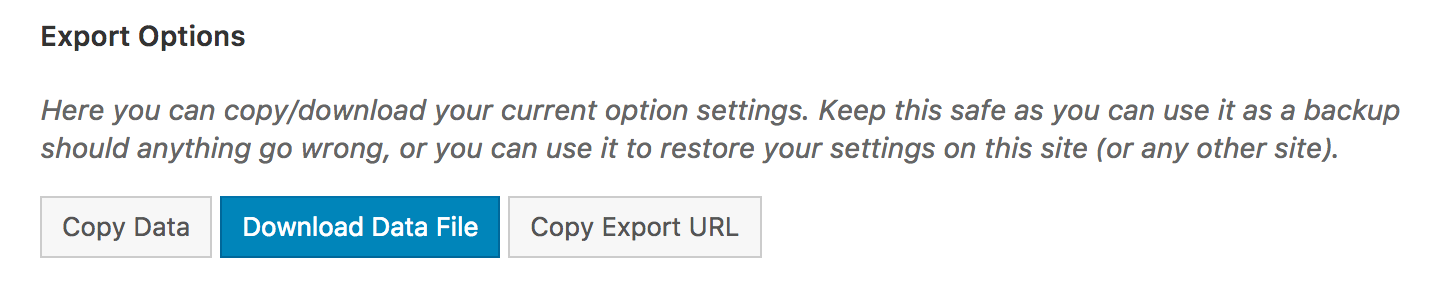
Can you please visit the Avada Theme Options > Import \ Export tab and push the “Download Data File” button, then provide the file in a response? See screenshot below for example:
Thank you and take care 🙂
ModeratorWelcome back,
My apologies if I misunderstood your question. And if it came off as canned, funny enough not one line in the response came from my TextExpander app (other than a few links). The video I linked to goes over how to use your browser’s ‘Inspect’ tool to identify CSS classes and IDs and make changes using CSS. Our Using Google Chrome Developer Tools tutorial is also helpful. Reason I bring these up is because CSS is most likely going to be your best solution. You also might want to visit the Events > Help > Recent Template Changes just to be sure any templates are updated with the latest code.
You also might able to get the look you want by trying different combinations of options under the Events > Settings > Display tab. If you can provide links to the page(s), I’d be happy to take a look and see what I can come up with.
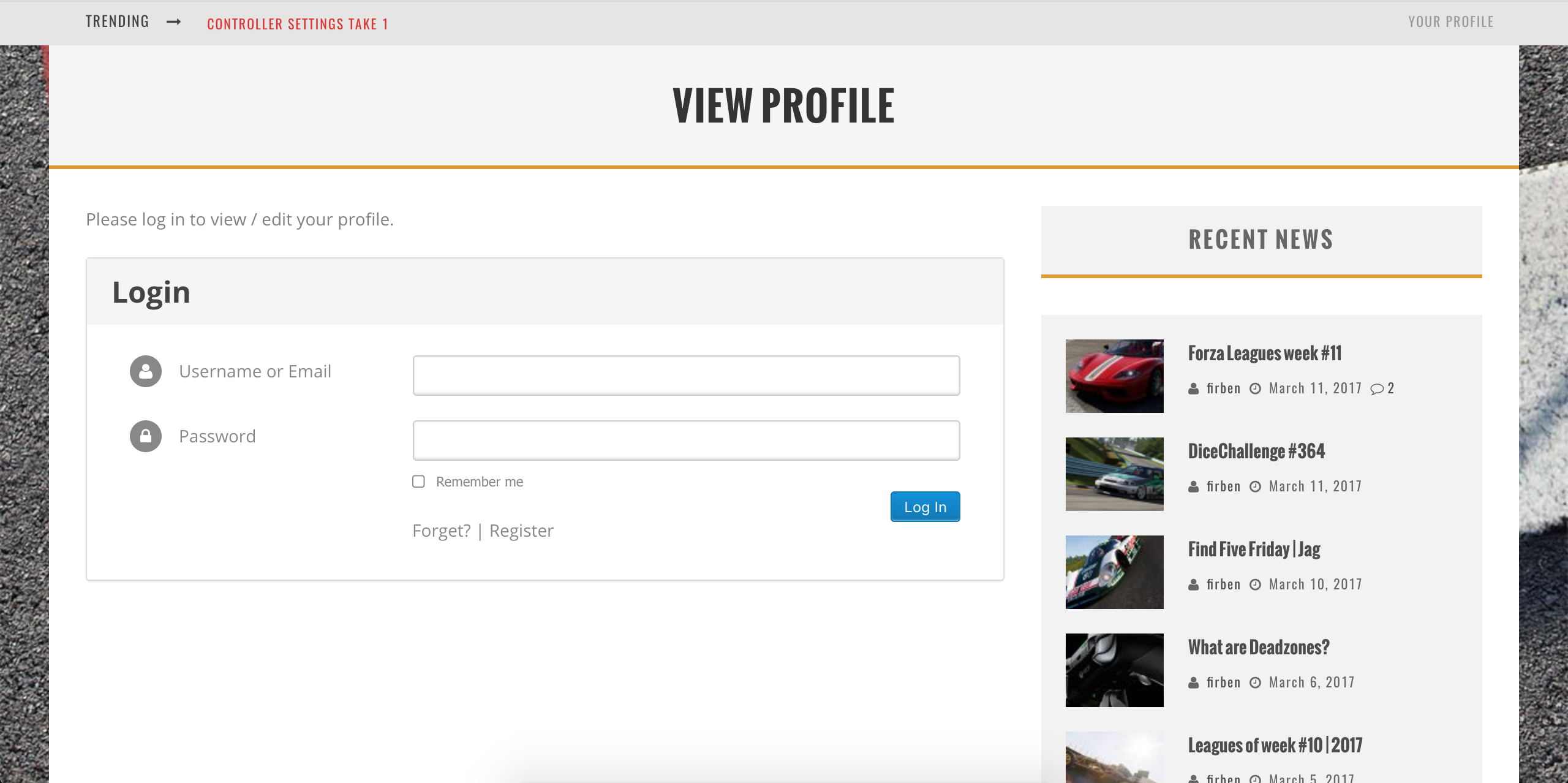
I clicked the “Your Profile” link in the upper right-hand corner of your site and was taken to a login page which looks good to me. Did you get that particular issue addressed? If not, please provide a link to the log in page you’re referring to.
I’ll provide some more documentation we have on the matter, so please take a moment and review them. Not all may apply to this particular situation, but I’m just attempting to share all information relating to styling:
• Adding Custom CSS to Community Events Pages
• A Major Community Events Redesign
• Stylesheets and Page Templates
• Settings Overview: The Events Calendar and Events Calendar PRO
• Basic font and color changes with CSSI checked our logged bug and feature reports but am not finding anything relevant to your situation. Let me know if anything works. Cheers 🙂
March 15, 2017 at 2:08 am in reply to: Reducing width of events in Weekly calendar view when there are overlaps #1254294ModeratorWelcome back,
We have a bug logged resembling what you’ve described, so I’ve added this forum thread to the ticket which helps expedite the process of getting a fix included in an upcoming release. I don’t have a precise date when it will be available, but please stay tuned to our Release Notes and the plugin changelogs for more information. Thanks again and let me know if you’ve got any additional questions or comments. Cheers!
ModeratorI quickly searched through our forums and came up with these threads. Let me know if you’re able to get things squared away.
• https://theeventscalendar.com/support/forums/topic/change-the-start-time-of-the-week-view/
• https://theeventscalendar.com/support/forums/topic/trying-to-limit-hours-displayed-in-week-view/I didn’t look too deep into the matter, so if neither of those threads yield the desired results try searching our forums to see if you’ve got the magical touch to finding the perfect thread.
Thanks and have a good rest of your day!
ModeratorWe’re aware of the discrepancy and are looking further into the matter. I’ll include this thread to the report for the devs to review on a deeper level. Once I have more information I’d be happy to update you.
I don’t have any workaround in the meantime which I’m sorry about. But hopefully the devs can respond as soon as possible. One last idea I have is to review our Working with timezones tutorial just to make sure the situation you’re facing is in fact not related to the known issue.
Thanks for being thorough in your initial post and including the screenshots. Let me know if you have any more questions or comments relative to the topic and I’d be happy to help further assist. Cheers!
ModeratorDoes this behavior occur after reviewing our Testing for conflicts guide? Let me know what you find out and we’ll go from there. Thanks!
ModeratorShort answer: Yes!
If you visit your License Keys page, you’ll see the option to upgrade to the right of the plugin expiration date. I’ve included a screenshot below:

Please let me know if this helps answer your question and have a great rest of your day. Cheers!
ModeratorHello,
I had responded to this thread, but it was meant for another user so I’ve deleted it to avoid confusion. In response to your issues:
I’m using Event Calendar Pro & Community events. I notice that EC & ECP are version 4.4.4 and my Community Events plugin is ver 4.4.2. Are they supposed to be the same version? I’m not seeing an update notice for Community Events.
No, the versions you’re running are all updated to their latest releases. We always mention which plugins did get updated in this particular release in our Release Notes. If you visit your Downloads page, you can view the latest versions of each plugin.
About the events not displaying on your main calendar page with your custom theme active. We’re fairly limited on the amount of support we can provide in this instance, but please review our Settings Overview and Stylesheets and Page templates to see if you can find the combination of settings to get your events to appear.
I’d also review our Testing for conflicts guide once again. When testing, please make sure WP_DEBUG and WP_DEBUG_LOG are enabled on your site’s wp-config.php file. Any errors will display at the top of your page as you try to reproduce the conflict. I also recommend right-clicking your mouse and opening the ‘Inspect’ tool to see if any errors display in the console. Note what you find and please include it in your reply.
Keep me updated and have a great day. Cheers!
March 15, 2017 at 1:32 am in reply to: Possible bug with recurrence series using last day of the month #1254278ModeratorHello,
Thank you for your in-depth post! Screenshots are always helpful too. I went ahead and attempted to reproduce the behavior based on the ‘Time & Date’ recurrence rules in the screenshot. When I went to publish the event, I experienced a fatal error:
Fatal error: Maximum execution time of 30 seconds exceeded in /…/wp-content/plugins/the-events-calendar/common/src/Tribe/Date_Utils.php on line 313
I checked our logged bugs and searched around our forums but came up empty-handled. With that said, I’ve logged a bug for the devs to review. Once I have more information, I’d be happy to update you. Downgrading to the version that works for you is an option until we can patch things up in a maintenance release.
Thanks again and have a great day. Cheers!
March 15, 2017 at 12:58 am in reply to: How to access original Event Page details using Woocommerce order details #1254269ModeratorHey Rob,
Would you mind reviewing our Events Calendar PRO WordPress post meta data to see if the information you need is there? Another good resource is our Functions Archive, so check that as well.
Have you searched our forums to see if any threads lead you to the right information? I know this is probably an obvious statement, but events are stored as tribe_events post_type and the post_id in the ID column in your MySQL database.
Please keep me updated and we’ll continue investigating possible solutions. Cheers!
March 15, 2017 at 12:50 am in reply to: Adding event and date title to cart/checkout and booking confirmation email #1254268ModeratorHey Marty,
Sorry to see you’re having troubles. Can you send a screenshot of the ‘Time & Date’ section of a recurring event you’re experiencing this behavior on? Please include your System Information as a private reply.
Lastly, you say multiple times:
I am getting the date that the event was created and not the actual date of the event
Is the event you’re getting the date the event was published or the first date in a series of recurring events. Thanks and please keep me updated. Cheers!
March 15, 2017 at 12:30 am in reply to: Receiving an error stating "Fatal error: Cannot redeclare tribe_get_single_ical" #1254267ModeratorHello,
We are unfortunately unable to provide support through our Pre-Sales forum channel, but you can head over to The Events Calendar WordPress.org support forums for assistance and answers.
If you have a PRO license, you can log into your account and get assistance through the PRO forums.
Thanks for understanding and good luck resolving your issue. Have a good day!
ModeratorHey Steph,
Thank you for reaching out to our premium plugin support forums! I hope you’ve been well. What you’ll need to do is create a custom template as explained in our Themer’s Guide. There’s a great YouTube video that goes over the process in a similar manner – Customizing WordPress #1 – How To Create A Child Theme by LevelUpTuts.
Using the default theme, I was able to incorporate a sidebar into the Community Events Add event page by copying the contents of /the-events-calendar-community-events/src/views/community/edit-event.php into a blank file, then adding lines 18-20 of themes/twenty-seventeen/sidebar.php and adding them into the the newly created file. I saved this file with the following structure and once I refreshed my Add event page, the sidebar appeared: [your-theme]/tribe-events/community/edit-event.php
That is the basic process you’ll need to follow in order to add a sidebar to the Add event page. I also came across this Custom Sidebars plugin but I have not tested to see if it addresses your request.
Each theme is different but the process is essentially the same. You’re manipulating the code from plugins into your theme. It can get difficult and frustrating at times, but unfortunately comes with the territory. I’d also like to point out that I’m unable to provide much more instance relating to this thread as it’s a basic customization requests which we’re limited to informing of potential solutions. Please review our What support is provided for license holders? Knowledgebase article.
Best of luck with the customizations and have a great week ahead. Cheers!
ModeratorWelcome back Hans-Gerd 🙂
I am able to search our logged bug reports by forum threads, but nothing came up when using the URL of the issue you believe to be related. I notice in your System Information you have multiple versions of our plugins not updated to their current version.
Is it possible for you to update to the latest versions and attempt to reproduce the behavior? I also notice you indicated you have not reviewed the Testing for conflicts guide to see if a theme or plugin is the cause of conflict.
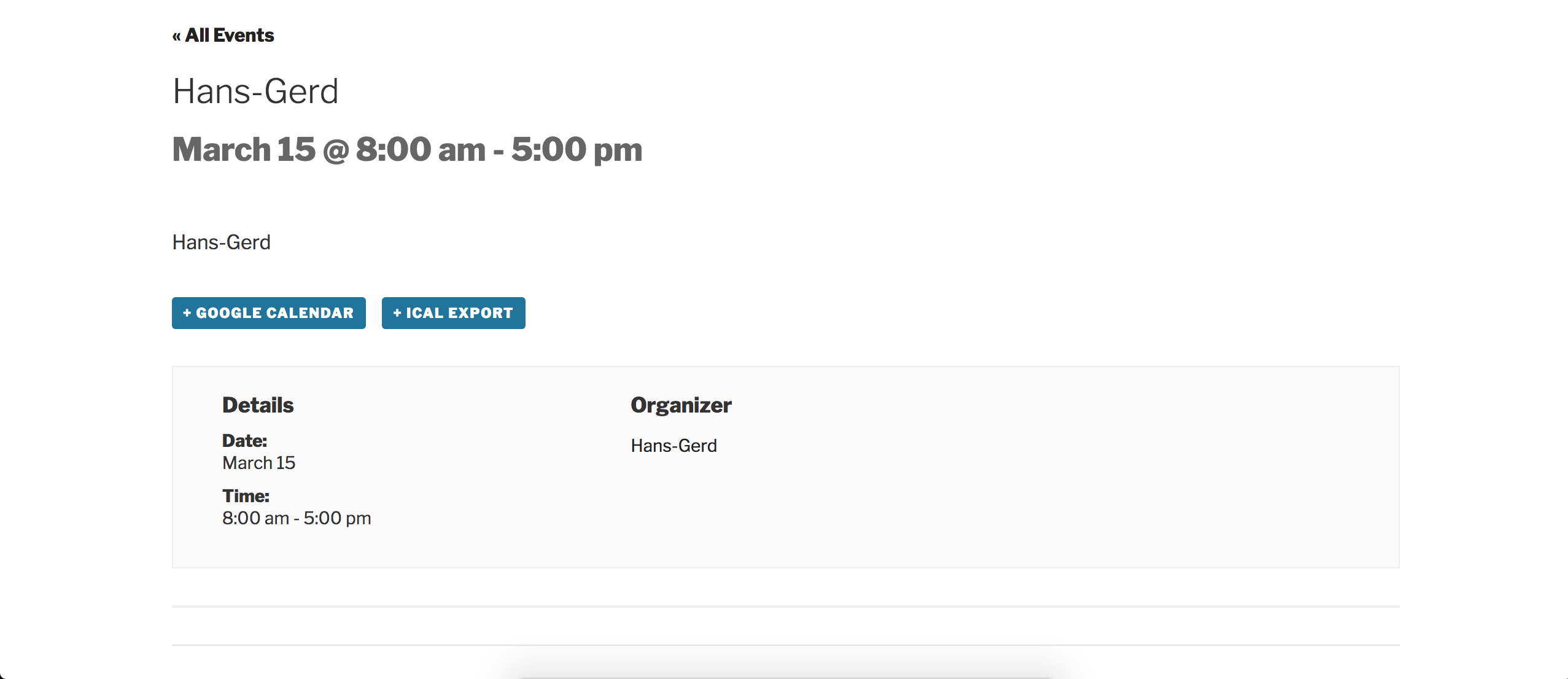
I also attempted to reproduce the behavior on my test site which has the latest versions of our plugins in addition to the default WordPress Twenty Seventeen theme, but I did not run into any similar troubles:
Front end of the event I created on my test site:
Edit event screen of the event after it was published:

Please keep me updated and enjoy the rest of your day. Cheers!
-
AuthorPosts