

Forum Replies Created
-
AuthorPosts
-
Hunter
ModeratorWelcome back, Uwe!
I truly appreciate your understanding our limitations in this particular situation, but logic dictates the WP tags should be an available attribute when using the [tribe_events] shortcode. So I’m glad we have it “in the books” and hopefully can get it included sooner rather than later.
Feel free to visit our Contact page including a link to the site(s) you’d like considered and we’d be more than happy to review them when time allows. Our criteria isn’t set in stone; it’s basically a matter of does it look good? Does it offer anything slightly different from other installs running our plugins? And so forth.
I’ll go ahead and close this thread out but please feel free to create a new one should the need arise. Have a great upcoming weekend and thanks again! Cheers 🙂
ModeratorHello 🙂
Thank you for your in-depth analysis of what you believe to be a bug in our plugin(s) code. We do have an open bug related to the concerns you’ve expressed, so I’m confident in adding this forum thread to the bug report. Doing so helps increase attention on the matter and hopefully expedites a fix sooner rather than later. I don’t have any particular timeframe when to expect a patch, but we’ll update you here in addition to including relevant info in the Release Notes and plugin changelogs.
I can export a zip for you from DesktopServer if that would help you test it on your local server. I don’t want to post it on a public forum though; and I don’t see the option to mark this post private.
Please do if you don’t mind. You should see a checkbox ensuring your reply is marked as private just beneath the upload file section. Please see a screenshot below for reference:
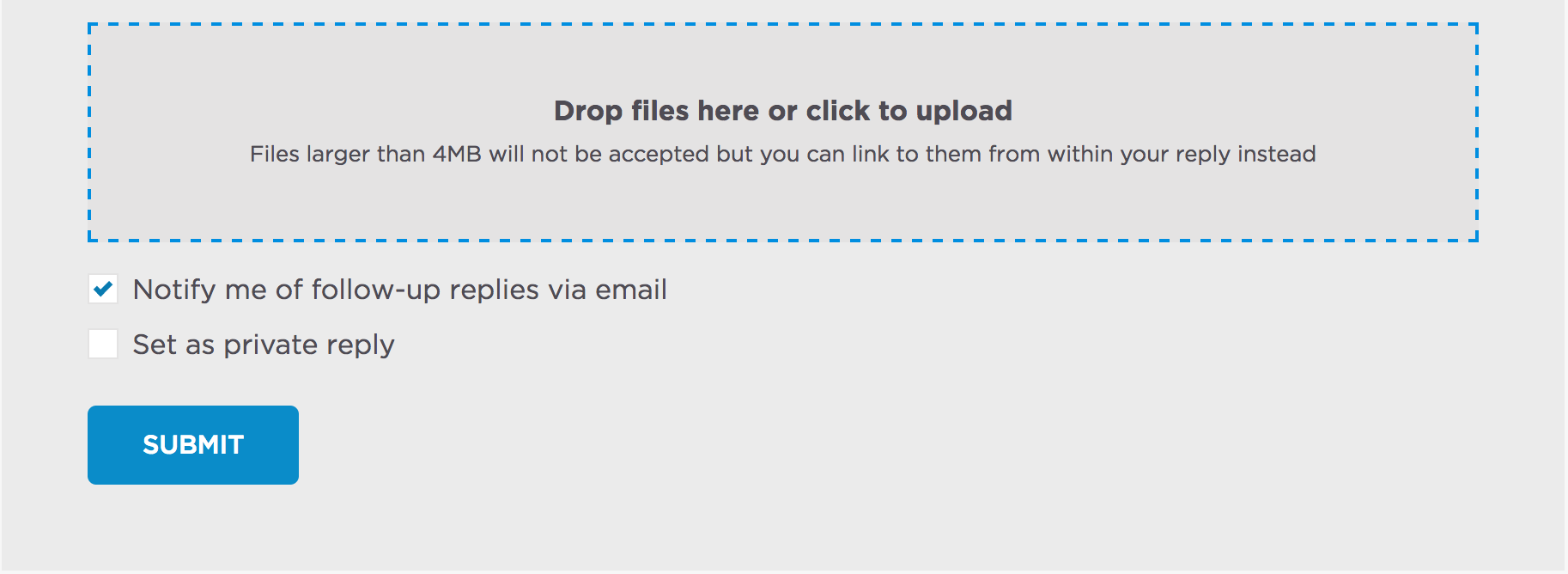
Should I learn a temporary workaround other than downgrading to the version that works best for you, I’ll be sure to provide that information. Thanks again for your due diligence and thorough testing. Let me know if there are any other questions you need answered or have any additional feedback. Cheers!
ModeratorHey Mathew,
I compared each thread you shared with me to both bug reports we have related to this particular issue. One bug was “Completed” and shipped awhile back and one bug is currently marked as “Open”. I’ve updated each ticket with each thread relative to that particular bug, so I truly appreciate you finding any relevant threads and shared them with me. It will help cut down on turnaround time for our devs to get a fix out.
With that said, there’s not much to report other than we’re aware of the situation and once a fix is available, we’ll updated you here in addition to including info in the plugin changelogs and Release Notes.
Thanks again for taking the initiative and let me know if you’ve got any more questions for me. Have a great afternoon!
ModeratorWell, my work is done here 😉
You guys are on the same page and 100% correct – the multiple _EventOrganizerID issues present in the wp_postmeta table which affects the publishing/updating of Organizers is a known issue. I’ve included this forum thread to the logged report which helps increase attention on the matter.
I unfortunately am not seeing a workaround other than possibly downgrading to the version that works for you. You could also review our Release Notes and the plugin changelogs in hopes of identifying a note indicating the _EventOrganizerID data was altered.
As Cliff mentioned in the first thread Mathew has open related to this situation, I’ll mark this thread as ‘Pending Fix’ and will update you here once a fix has been included in a maintenance release. I’ll also update you should I learn anything helpful in the mean time.
@Mathew, I’m going to assign your newest thread to myself to help expedite the process all around. I’ll respond accordingly.
Thanks to the both of you for your patience while we found the needle in the haystack. That’s often times the difficult part! Now that we’re aware of the situation, we have a clear direction forward. Have a pleasant rest of your week and let me know if you have any more comments or questions. Cheers!
ModeratorHello,
I did a little more testing and with the ‘Time & Date‘ settings set to the following produced events on March 15th-16th, 17th-18th, and 29th-30th – granted the events on the 17th-18th and 29th-30th have a start time of 8:00am and end time of 5:00pm.
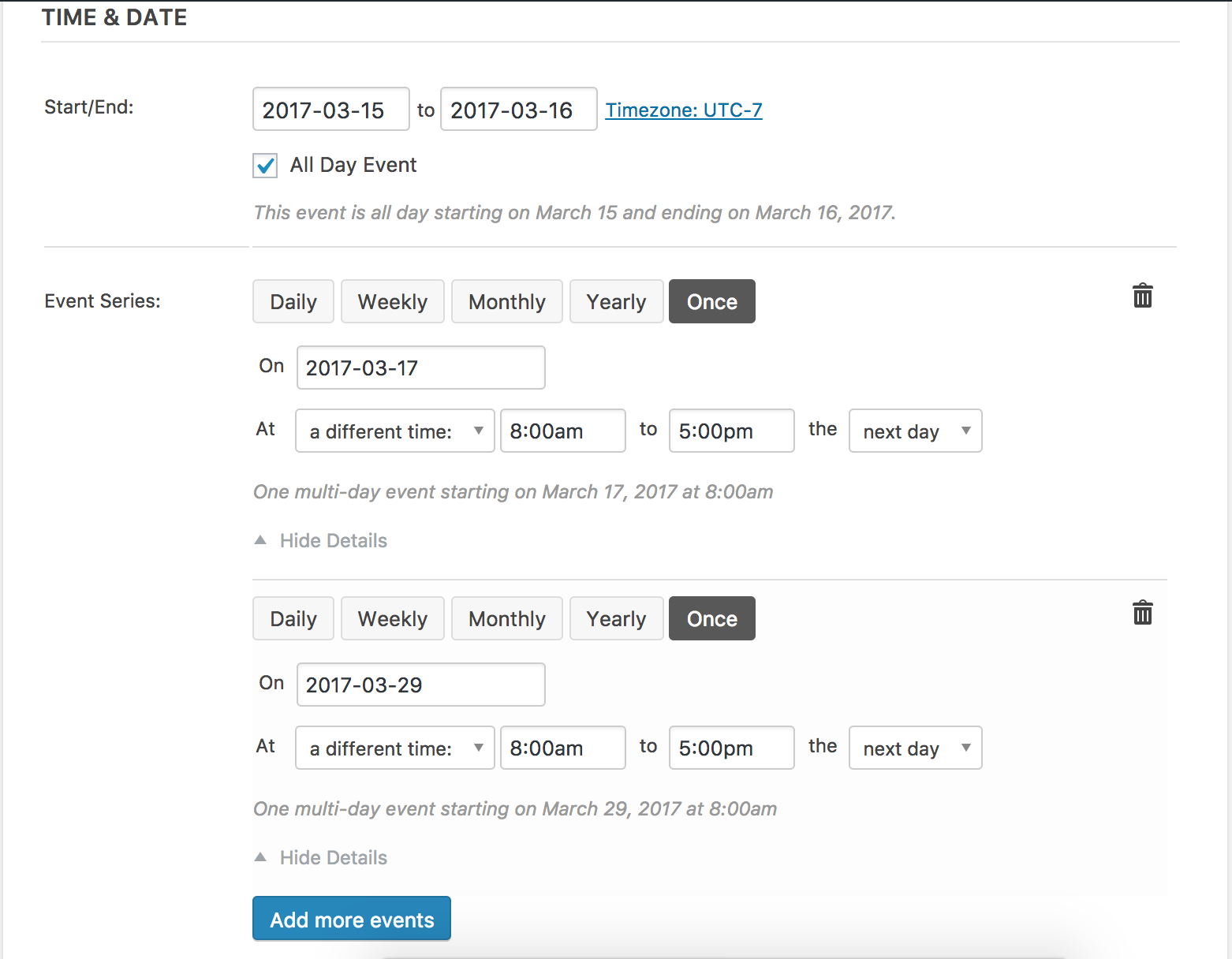
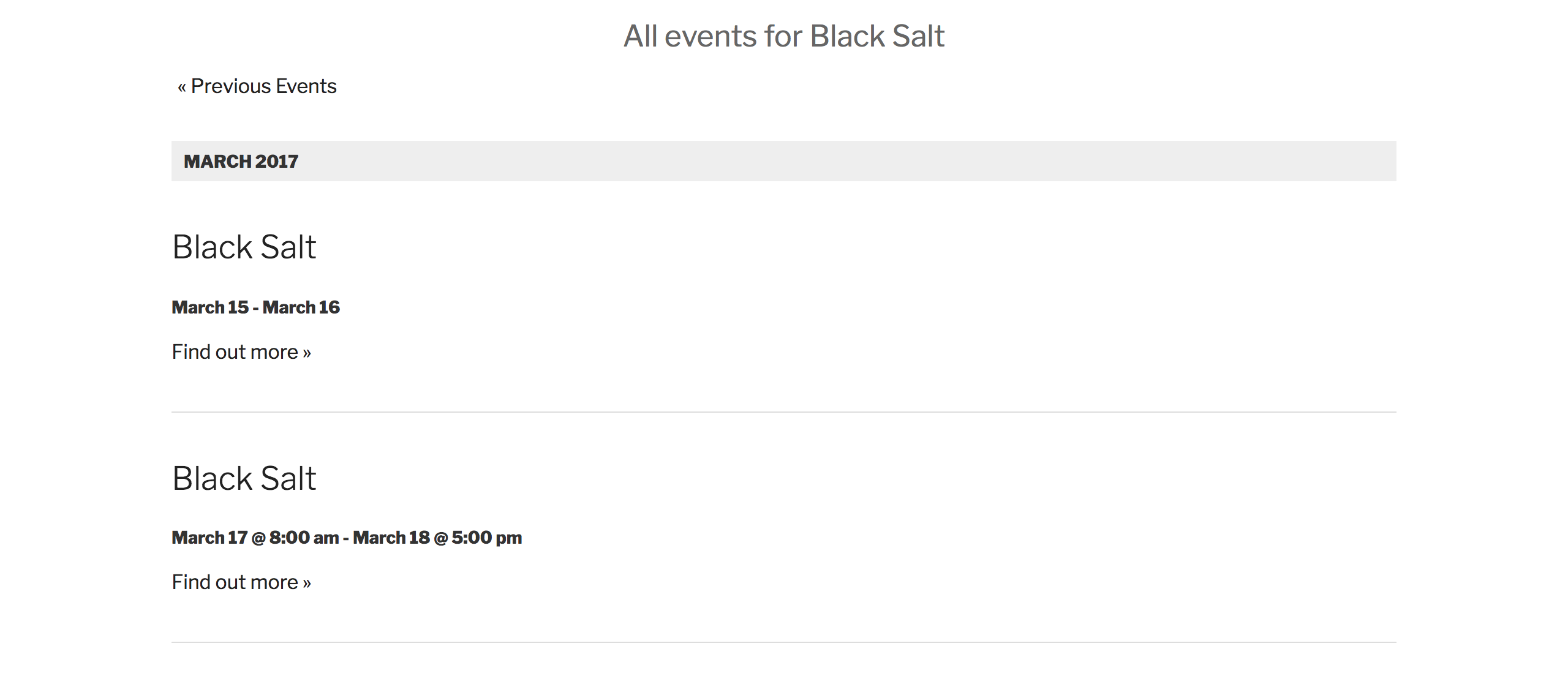
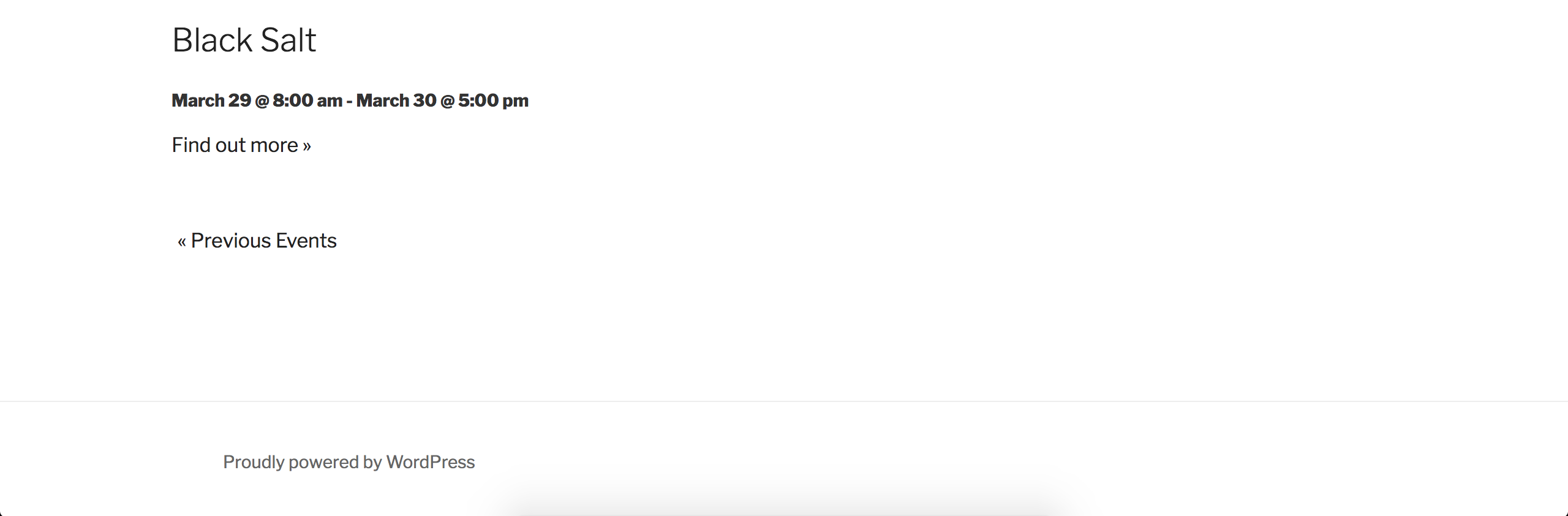
That information lead me to a logged bug report which is marked at Priority Level 1. I’ve included this forum thread which helps increase attention on the matter. I don’t have a precise date when a fix will be available, but keep an eye on the plugin changelogs and Release Notes. We’ll also update you in this support forum thread.
You could try downgrading to a previous version, but I can’t give you an exact version which will provide the results you need. You could check out the Release Notes and plugin changelogs for that information.
I’m happy we have finally identified exactly what is going on and please let me know your thoughts on the matter. Cheers!
ModeratorHi again 🙂
I found a relatively old thread which has a solution posted, so please take a moment and review it to see if it is still in working order. If not, we can explore some other options. Thanks and have a great rest of your day. Cheers!
ModeratorHi and welcome 🙂
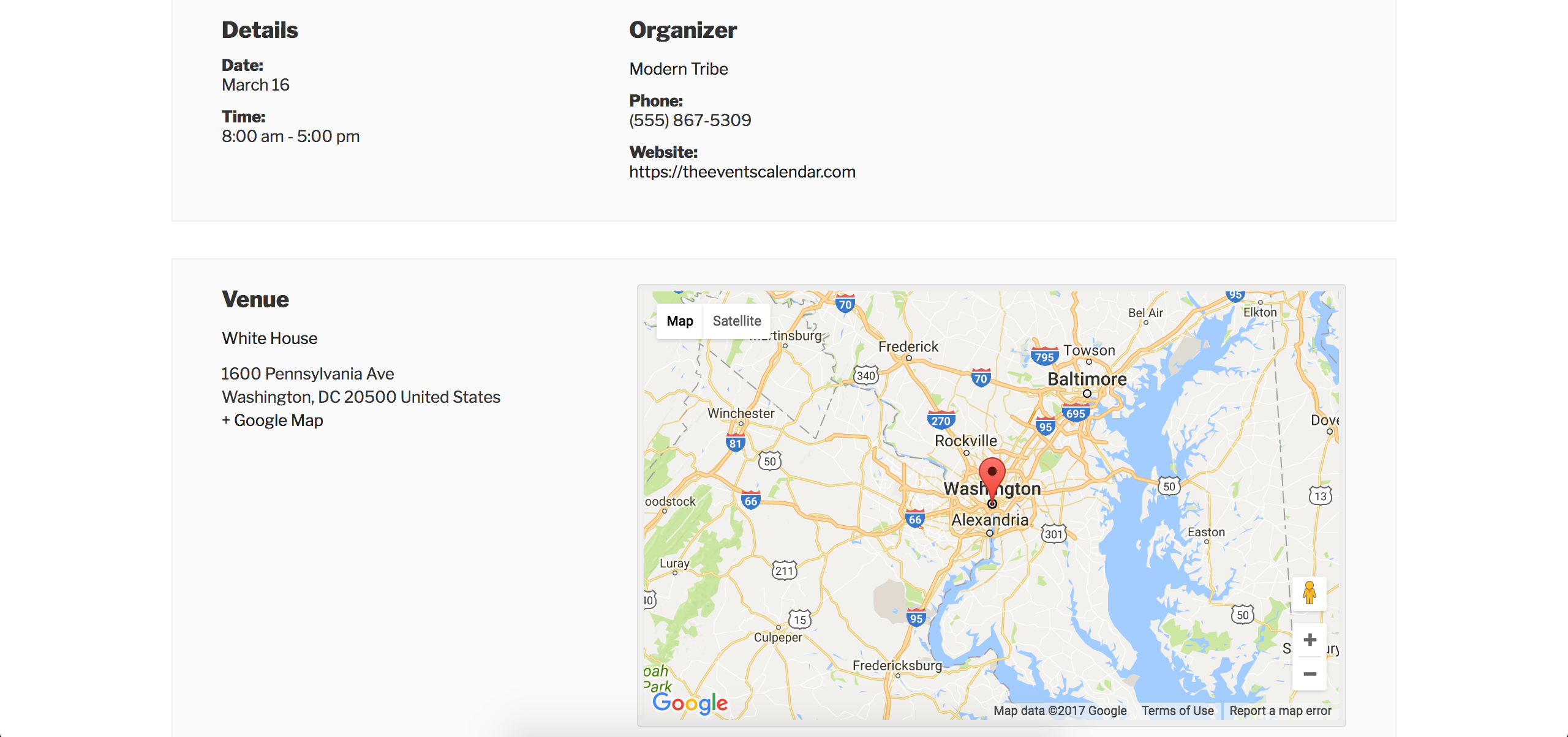
I checked on my test site which has the default WP theme and only our plugins active. As you can see, the map is showing on the single event pages:
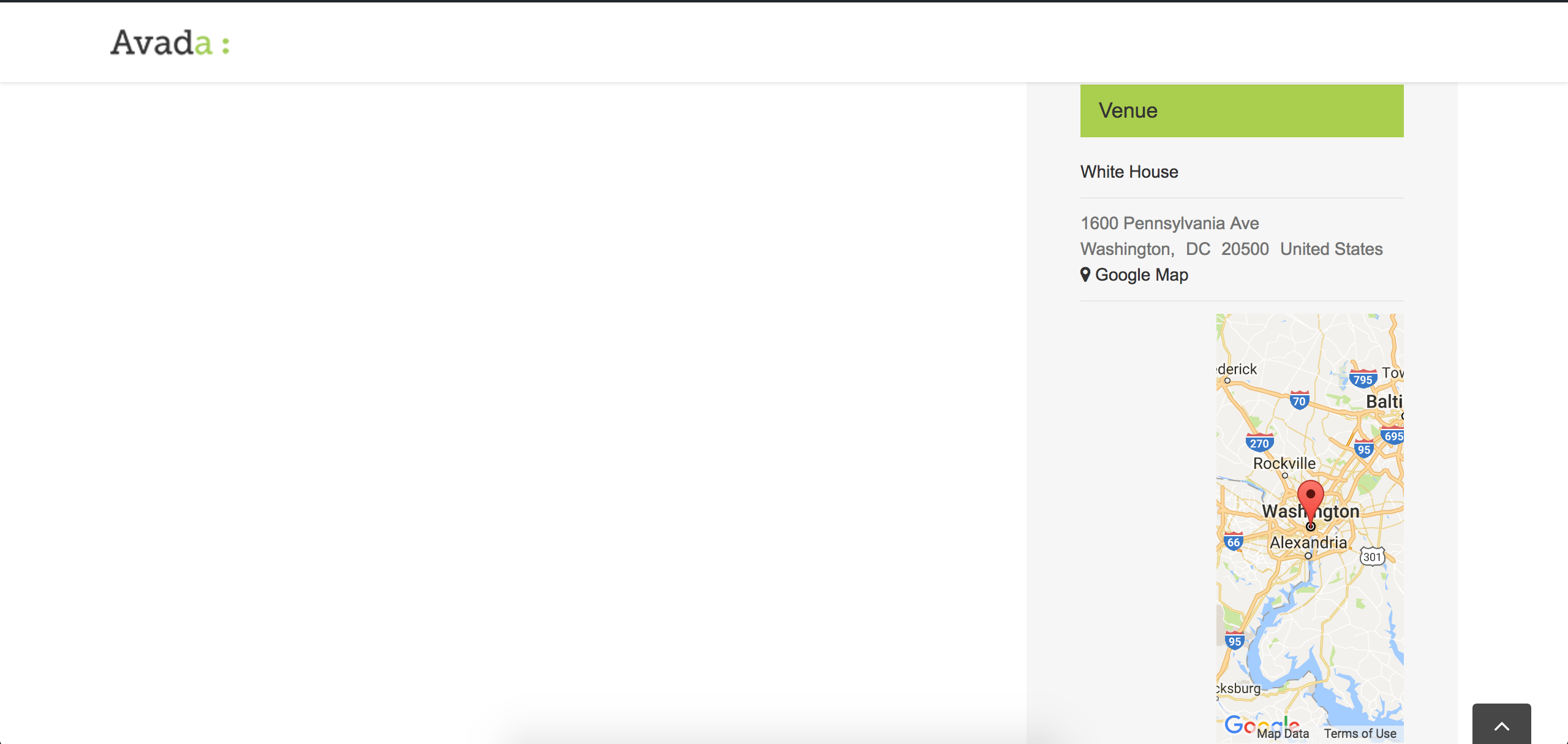
I also happen to have the latest version of Avada (5.1.1) and am still not experiencing the same behavior:
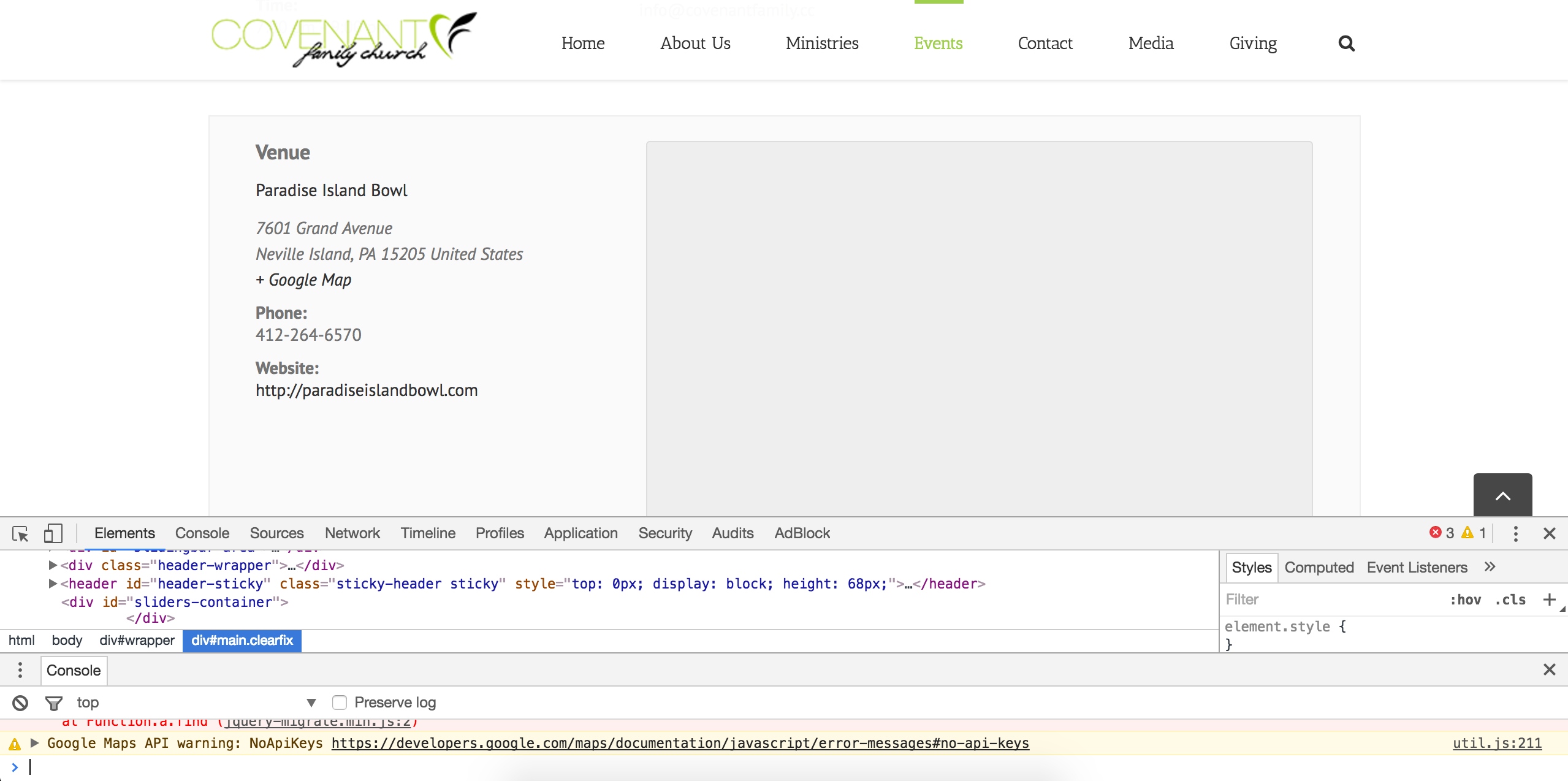
Can you review our Setting Up Your Google Maps API Key tutorial and make sure you have your API properly set up? I took a look at a single event on your page and noticed a related error in the browser console:
Let me know if this helps and have a great evening. Cheers!
ModeratorHi Guido,
I see in your System Information there are updates available for our plugins. Can you please update them, then review the Testing for conflicts guide once more and let me know what you find out.
Please make sure WP_DEBUG and WP_DEBUG_LOG are enabled on your site’s wp-config.php file. Any errors will display at the top of your page as you try to reproduce the conflict. I also recommend right-clicking your mouse and opening the ‘Inspect’ tool to see if any errors display in the console. Note what you find and please include it in your reply.
One last question: do you have your site set up as explained in this article? If so, we are aware of the issue. Please let me know the results of your test and have a great rest of your day. Cheers!
ModeratorYes, the plugin should find results when searching for a tag in the “Keyword” field. We have a bug report aimed to improve the search functionality of the Tribe Events Bar. I’ve added this forum thread to the ticket which helps expedite the process of getting a fix included in an upcoming release. I don’t have a precise date when it will be available, but please stay tuned to our Release Notes and the plugin changelogs for more information. Thanks again and let me know if you’ve got any additional questions or comments. Cheers!
ModeratorHi and welcome,
There are a few ways to go about hiding the sidebar. The first includes using CSS. Please review our Using Google Chrome Developer Tools tutorial and this handy Customizing WordPress #2 – Using Chrome Developers Tools YouTube video to identify the sidebar class and hide it. You could also create a template override as explained in our Testing for conflicts guide.
Have you visited Events > Settings > Display and tried different options there? I tried locating the page on your site but was unable to find it. If you can send a link, I’d be happy to provide some CSS to help out though we are limited with these requests. Fore more information, please review our What support is provided for license holders? Knowledgebase article.
I’ll also share a few helpful resources below:
• https://theeventscalendar.com/knowledgebase/stylesheets-and-page-templates/
• https://theeventscalendar.com/knowledgebase/wp-admin-settings-overview/Thanks and please keep me posted on your progress. Cheers!
ModeratorThe reason I elaborated on the sidebar process is because between the Themer’s Guide and CSS, you should be able to get your event-related pages looking how you want. I shared the link to the plugin because often times, plugins are easier for users than writing/manipulating code. Sorry again for the tangent.
Regardless, I’m glad we’re on the same page here. When referring to specific pages, sharing links really helps. Just have your dev apply the styles from the Profile page to your Community Events Add event form. They should be able to adjust the spacing/alignment/etc with all the documentation I provided above.
I don’t know any css and even if i used the inspector, i would have no idea what i was looking at, what to do with it, and where to change what.
I completely understand. CSS is a pretty tricky language and definitely requires practice and patience. Hopefully your developer isn’t in the same boat 😉
Thanks again for your patience and let me know if you’ve got any more questions or comments. Cheers!
ModeratorHi Uwe,
Welcome back 🙂
Unfortunately, tags are not currently a supported attribute when using the [tribe_events] shortcode. I’ll provide some code below to help get started. By itself it doesn’t do anything, at the very minimum the modify() method would need to be completed – but it shows how you can wrap the existing shortcode and graft on support for extra attributes:
class Tribe_Events_Shortcode_Enhancement {

    protected $atts;
public function __construct() {
add_action( 'init', array( $this, 'reregister' ) );
}public function reregister() {
if ( class_exists( 'Tribe__Events__Pro__Main' ) ) {
add_shortcode( 'tribe_events_list', array( $this, 'wrapper' ) );
}
}public function wrapper( $atts ) {
$this->atts = $atts;
add_action( 'tribe_events_pro_tribe_events_shortcode_prepare', array( $this, 'modify' ) );
Tribe__Events__Pro__Main::instance()->shortcodes->tribe_events( $atts );
}public function modify( $shortcode ) {
// Make calls to $shortcode->update_query() from here in order to adapt the query to match
// the attributes contained in $this->atts: this effectively lets us add support for
// new attributes not supported by the default implementation
}
}new Tribe_Events_Shortcode_Enhancement;
You would make a copy of that code and in the modify method (the one where all the lines are commented out) you’d basically check if anything is specified then modify the query from there, a little like this:
if ( empty( $this->atts[ 'tags' ] ) ) {

    return;

}
$this->update_query( array(
'tag__in' => $this->atts[ 'tags' ]
) );That’s a simplification – you’re probably going to want to do some sanity checks, etc. I wish I could provide more at this time, but unfortunately you’ll have to manage things from here on out. I’ve created a feature report for the developers to review for them to include tags as an attribute in the [tribe_events] shortcode and incorporating it into a feature release. I also recommend visiting our UserVoice Feature Ideas and submitting the request there.
Good luck and have a great afternoon! Cheers 🙂
March 15, 2017 at 5:24 pm in reply to: How to access original Event Page details using Woocommerce order details #1254820ModeratorYou could use tribe_events_get_ticket_event(). For example, if the product or ticket ID is 123, and it belongs to event 456, then:
echo tribe_events_get_ticket_event( 123 ); // := 456You can also check out the logic in Tribe__Tickets_Plus__Commerce__WooCommerce__Main::get_event_for_ticket() if you need more insight there.
I hope this helps! Cheers 🙂
March 15, 2017 at 5:21 pm in reply to: Adding event and date title to cart/checkout and booking confirmation email #1254815ModeratorHey Martin,
Thanks for the reply and including the System Information. Forgive me for not realizing the situation sooner, but unfortunately Event Tickets/Event Tickets Plus and the PRO Recurring Events feature are not fully compatible yet. I’m not able to provide much support in this instance seeing it’s not a fully-supported feature yet.
Sorry I don’t have a better answer for you at this time, but keep an eye on our Release Notes and the plugin changelogs for more info. Cheers!
ModeratorThank you for the update. Can you possibly check your database to see if there are multiple _EventOrganizerID entries for the event you referred to in your last response? I’m still unable to find any bugs I’m confident relate to your particular issue and am not able to reproduce the behavior on my test site. Additionally, Trisha mentioned she didn’t experience any similar issues while testing.
There is the potential a bug is present, but until I’m able to reproduce the behavior there is not much I can do. Please let me know what you find in your database and we’ll continue investigating. Thanks! Cheers 🙂
-
AuthorPosts