
Home › Forums › Calendar Products › Events Calendar PRO › Recurring Multi-day Events only showing single day
- This topic has 9 replies, 3 voices, and was last updated 9 years, 5 months ago by
Black Salt.
-
AuthorPosts
-
March 10, 2017 at 10:38 am #1252525
Black Salt
ParticipantWhen creating recurring events for multi-day events it does not show or all to choose multiple days. Only the first day of the multi-day event shows up. Please advise.
March 10, 2017 at 6:36 pm #1252767Hunter
ModeratorHi and welcome 🙂
Thank you for your purchase! I’m not 100% certain I understand your issue, but I’ll do my best to accommodate. The first step is to revert back to the default WordPress theme and deactivate all plugins other than ours. This is a required step to continue receiving assistance. Detailed instructions can be found in our Testing for conflicts guide. Once that’s done, try checking/unchecking the “Recurring event instances” option in the Events > Settings > General tab to see if that addresses your concern.
Next, it would be helpful if you can take a screenshot of the ‘Time & Date’ section on the back end of an event giving you troubles (see screenshot below for reference).
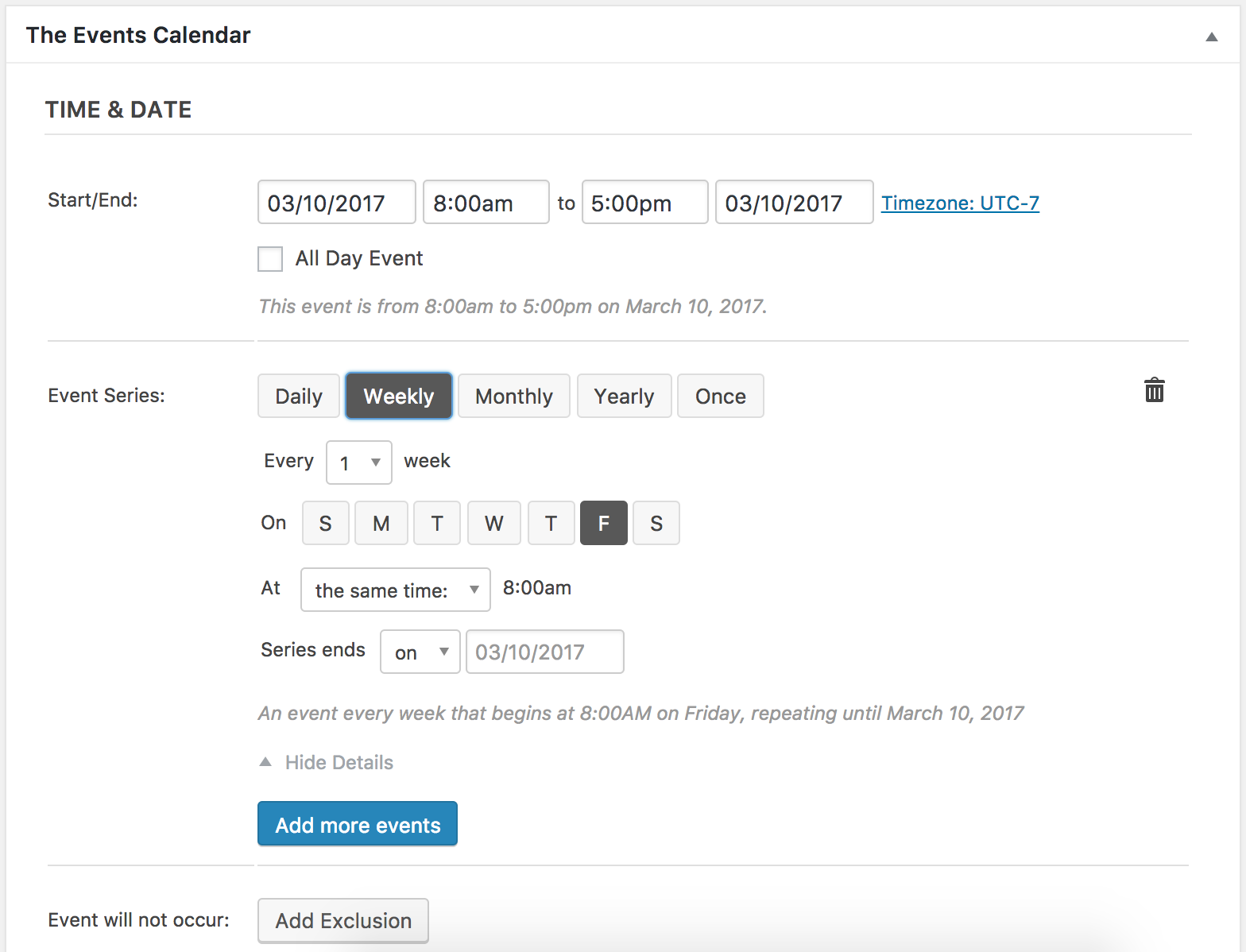
The next step is to provide exact step-by-step instructions on how to reproduce the conflict. The more specific you can get, the better off we’ll be. Lastly, can you show any examples (URLS and/or screenshots) of the effects from the conflict?
March 11, 2017 at 11:29 pm #1253014ParticipantThis reply is private.
March 14, 2017 at 5:08 pm #1254146ModeratorHello,
Thank you so much for your patience while I’ve further investigated the matter. I too had similar issues while attempting to create the recurrence rules you provided in your previous response. For the mean time, is it possible for you to create separate events for the time being until I can either a) come up with a solution with the current version or b) identify there is in fact a bug, which I would then log and would get addressed by the devs in an upcoming maintenance release.
Another option is to downgrade to the version that works best for you until we can patch things up in a maintenance release. I wouldn’t jump to any other action besides the first recommendation I made (create separate events) until you hear back from me with more information.
Thanks again for your patience while I do a little more testing and converse with my fellow support team members on the matter and have a good rest of your day!
March 15, 2017 at 6:27 pm #1254848ParticipantThis reply is private.
March 16, 2017 at 1:28 pm #1255523ModeratorHello,
I did a little more testing and with the ‘Time & Date‘ settings set to the following produced events on March 15th-16th, 17th-18th, and 29th-30th – granted the events on the 17th-18th and 29th-30th have a start time of 8:00am and end time of 5:00pm.
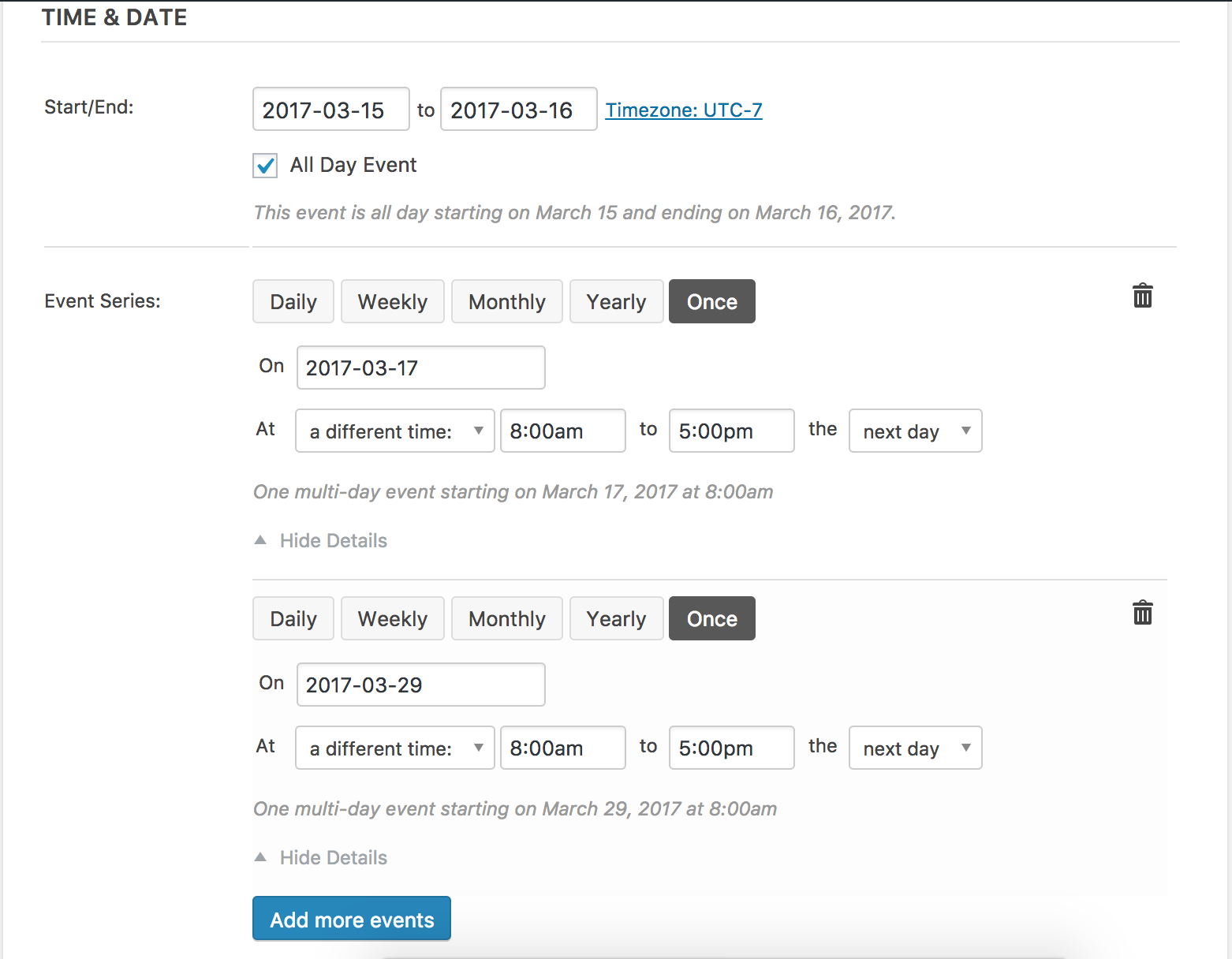
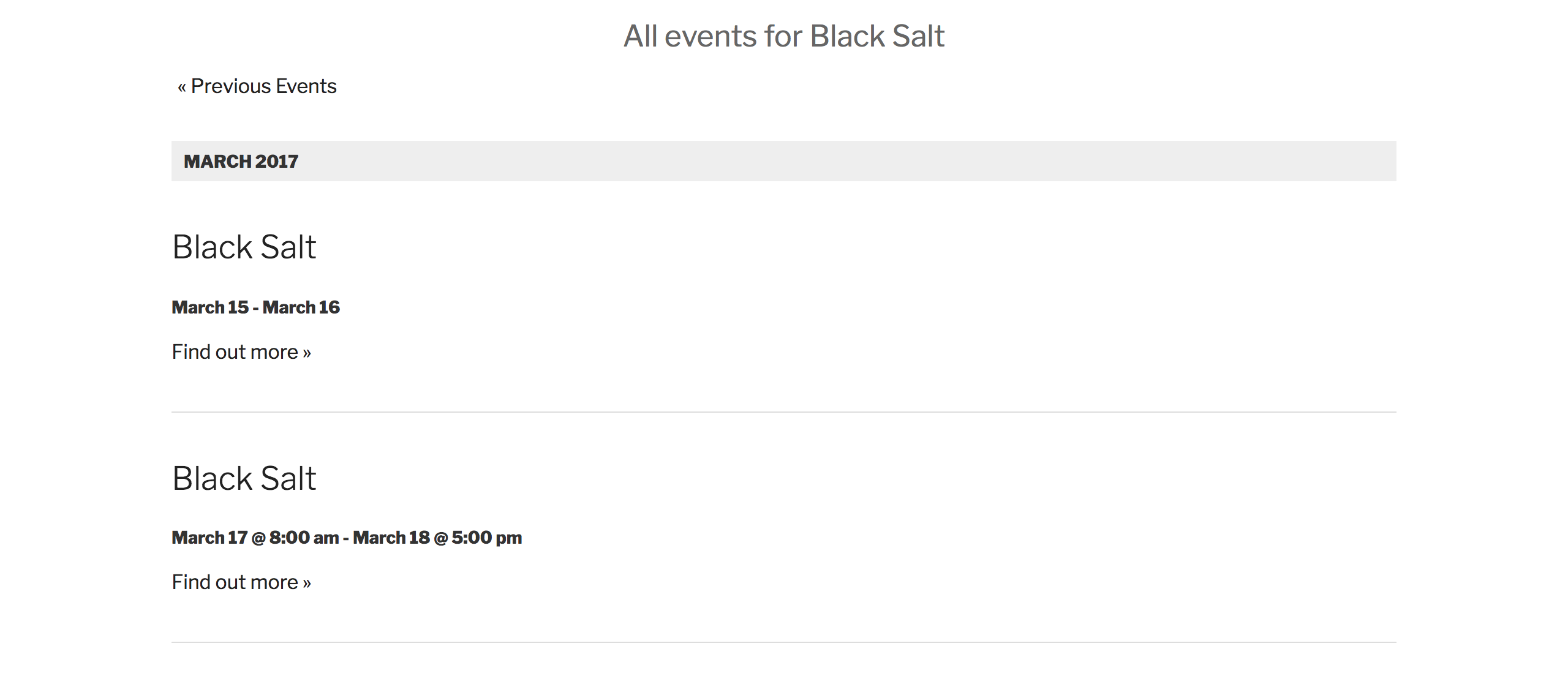

That information lead me to a logged bug report which is marked at Priority Level 1. I’ve included this forum thread which helps increase attention on the matter. I don’t have a precise date when a fix will be available, but keep an eye on the plugin changelogs and Release Notes. We’ll also update you in this support forum thread.
You could try downgrading to a previous version, but I can’t give you an exact version which will provide the results you need. You could check out the Release Notes and plugin changelogs for that information.
I’m happy we have finally identified exactly what is going on and please let me know your thoughts on the matter. Cheers!
April 20, 2017 at 6:33 am #1272100Nico
MemberHi,
Just wanted to share with you that maintenance release 4.4.6 of our plugins is out, including a fix for this issue 🙂
Find out more about the release → https://theeventscalendar.com/maintenance-release-events-calendar-pro-4-4-6-event-tickets-4-4-6-premium-add-ons/
Please update the plugins and let us know if the fix works for your site,
Best,
NicoApril 20, 2017 at 6:35 am #1272101MemberHi,
Just wanted to share with you that maintenance release 4.4.6 of our plugins is out, including a fix for this issue 🙂
Find out more about the release → https://theeventscalendar.com/maintenance-release-events-calendar-pro-4-4-6-event-tickets-4-4-6-premium-add-ons/
Please update the plugins and let us know if the fix works for your site,
Best,
NicoMay 12, 2017 at 9:35 am #1283071Support Droid
KeymasterHey there! This thread has been pretty quiet for the last three weeks, so we’re going to go ahead and close it to avoid confusion with other topics. If you’re still looking for help with this, please do open a new thread, reference this one and we’d be more than happy to continue the conversation over there.
Thanks so much!
The Events Calendar Support Team -
AuthorPosts
- The topic ‘Recurring Multi-day Events only showing single day’ is closed to new replies.