

Forum Replies Created
-
AuthorPosts
-
Hunter
ModeratorHello Jacob,
We are unfortunately unable to provide support through our Pre-Sales forum channel, but you can head over to The Events Calendar WordPress.org support forums for assistance and answers.
If you have a PRO license, you can log into your account and we’d be happy to assist you through the premium support forums.
I’ll keep an eye on the queue and have a good day! Cheers 🙂
ModeratorMarina,
Welcome! And lovely name 🙂
I took a minute to try and reproduce the issue, but the Yoast SEO meta box looks ok on my test installation. (see screenshot below)
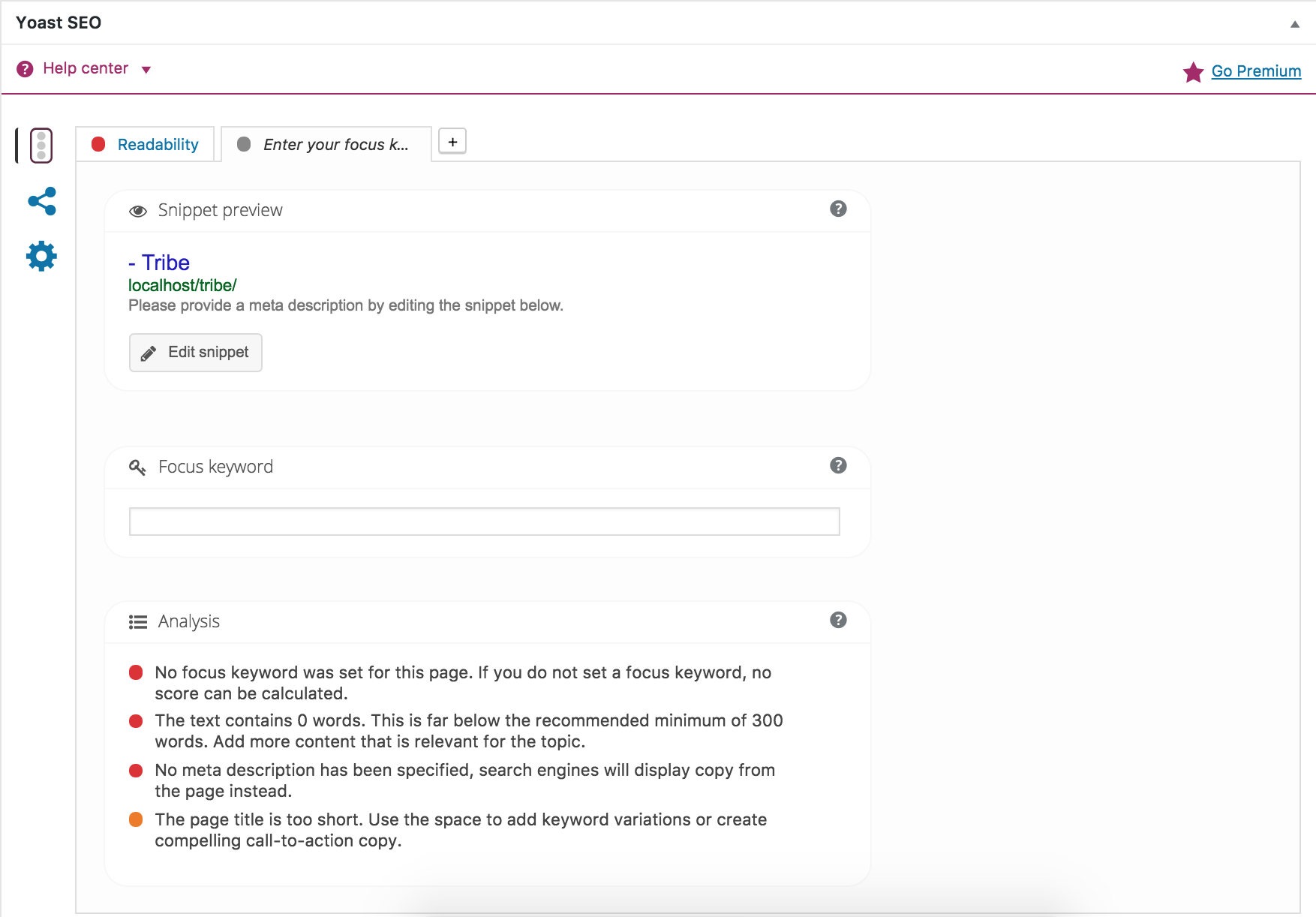
Can you please confirm you’ve reviewed our Testing for conflicts guide? If you haven’t, please take a moment to do so and reply back with your findings. Please include your System Information as a private reply too.
Thank you for choosing us for your events calendar needs and take care. Cheers!
October 25, 2016 at 11:07 pm in reply to: The URL provided did not have events in the proper format. #1183025ModeratorHey Frank,
Thank you for your purchase and welcome to our premium support forums! You can visit our Refunds page and we’d be happy to refund your iCal Importer purchase.
Can you walk me through the steps you took to acquire the Google Calendar link you shared with me in your follow-up response? (https://calendar.google.com/calendar/render?pli=1#main_7)
The correct URL for your Google Calendar can be found by navigating to Google Calendars > My Calendars (left-hand side of the screen), then selecting the dropdown arrow next to the calendar you want. From there, you’ll select the ‘Calendar Details‘ tab and scroll down to the ‘Calendar Address‘ setting and hit the green ‘iCal‘ button.
Please let me know if these answers help and thanks again for choosing us for your events calendar needs. Cheers!
October 25, 2016 at 10:58 pm in reply to: Update to Events Calendar 4.3.1.1 failing…. NOT PRO #1183022ModeratorPeter,
Thank you for posting and welcome 🙂
It sounds like you need to check your permissions for your wp-content/plugins folder. If you have an FTP app such as Filezilla, connect to your server and navigate to your wp-plugins folder. Once there, right-click the folder and select ‘File Permissions’. You can then compare what your current permissions are to what the linked above article on WP folder permissions recommends to see if that is indeed the reason the plugin is not updating correctly.
Please let me know if this helps and I look forward to your response. Take care and thanks for choosing PRO. Cheers!
ModeratorBrian,
Thank you for reaching out and welcome to the PRO support forums. We are pretty limited on supporting theme customizations and conflicts (see What support is provided for license holders?), but I’ll do my best to help out.
Can you send over a Pastebin link with the your single-event.php custom template? It looks like you’re missing a good portion of code which is why your header/navigation aren’t showing in addition to the issues you’ve mentioned.
Additionally, I’d recommend reaching out to the theme authors to see if they have any advice on the matter. Without having a copy of your theme, it’s hard for me to replicate the issue and come up with a solution.
I look forward to your response. Thanks again and have a wonderful evening. Cheers!
ModeratorHey Frank,
Thank you for reaching out via our Pre-Sales Channel! The design seen in the screenshot appears to be customization, though the styles could be integrated into the theme by the theme author. Our Settings Overview: The Events Calendar and Events Calendar PRO does a good job explaining how the plugin handles styles.
So to answer your question simply, you would need to implement custom code to mimic the design shown in the screenshot you shared with me, though I don’t think it would be too difficult.
Please let me know if this helps and feel free to respond with any additional questions or comments you have. Thanks again and have a great remainder of your week. Cheers!
October 25, 2016 at 10:36 pm in reply to: How to customize event page titles to match web page, blog format (using Canvas) #1183014ModeratorHey Steve,
Welcome!
As much as I’d love to help out, we are unfortunately unable to provide support through our Pre-Sales forum channel. You can head over to The Events Calendar WordPress.org support forums for assistance and answers.
If you have a PRO license, please log into your account and we’d be more than happy to assist you in the PRO support forums.
Thanks for understanding and good luck resolving your issue. Have a good day!
October 25, 2016 at 10:32 pm in reply to: Can I simply manually add dates to a re-occurring event #1183011ModeratorHey Jane,
Sorry to hear you had troubles locating the submit request form. If I might suggest bookmarking the page to help save time in the future. Now to your issue!
If you could reply back with the ideal schedule your recurring event needs, I’ll do my best to help out. Our PRO Recurring Events KB article is also a great resource for explaining how to set up and manage your recurring events.
Thank you and have a great evening. Cheers!
October 25, 2016 at 10:27 pm in reply to: How to turn ON the pop-up window when hovering mouse on a date in month view #1183010ModeratorHi Michelle,
Sorry to hear the hover tooltip isn’t working properly.
There is an update for PRO available, though it might not be showing in your WordPress > Plugins page. Can you visit WordPress > Plugins and see if the update displays under ‘Update Available‘? (see bottom right-hand corner of screenshot below for reference)
If you don’t see anything there, visit your Downloads page and download version 4.3.1.1 and update manually.
Once that’s done, can you please revert back to the default WP theme, deactivate all plugins other than ours, then set ‘wp_debug‘ to ‘TRUE’ on your wp-config.php file to see if any errors display at the top of your /upcoming-events/ page?
Please let me know if you have any questions on the procedures I’ve outlined and the results of your tests. Once I have a little more info, I’ll have a better idea on what the problem is and some possible solutions. As of right now, I’m not seeing any bug reports relating to your issue.
Thanks for working with me on the issue and have a good evening. Cheers!
October 25, 2016 at 10:12 pm in reply to: Importing Eventbrite events no longer under Import but Legacy Import? #1183000ModeratorAnne,
Welcome back 🙂
The Eventbrite Tickets plugin is separate from Events Aggregator, so you won’t need to purchase an Events Aggregator license in the foreseeable future. Please let me know if this answers your question and if not, any additional details you can provide will be helpful.
Thank you for reaching out and have a great evening. Cheers!
ModeratorThomas,
Welcome back and thank you for reaching out. Did you review our Testing for conflicts guide to see if you can reproduce the issue? If not, that is a required step to rule out theme and/or plugin conflicts. I’ll also need you to send over your System Information as a private reply.
Keep me posted on the results of your testing and we’ll take the next step. If there is a bug, rest assured we’ll find it! Thanks again and enjoy the rest of your evening. Cheers!
October 25, 2016 at 9:49 pm in reply to: After Last Update Events Calendar PRO Breaks My Site And Admin #1182985ModeratorHello,
That doesn’t sound good! I’d be happy to help investigate, but before going any further I’ll need you to please review our Testing for conflicts guide and reply back with your findings.
Once I hear back with that info, I’ll have a better idea on the next step to take. Thank you so much for choosing PRO and have a good evening. Cheers!
ModeratorDiane,
Welcome to the PRO support forums 🙂
Would you mind sending over a screenshot of the issue you’ve described? Is this issue happening with all events, or only a single event? It would also be helpful if you could send the ‘Time & Date’ settings for the event(s) displaying the same start and end dates.
Lastly, I see you’re running outdated versions of our plugins. Are you able to update to the most recent versions? (Download current versions for TEC and PRO) Once you’ve updated, please try and reproduce the issue with the default WordPress theme and only our plugins active as outlined in the Testing for conflicts guide.
Thank you for reaching out and I look forward to your response. Take care!
ModeratorHello,
Thank you for your purchase and I’m sorry to hear things are going as planned. Can you try removing your Events Aggregator license from Events > Settings > Licenses? Doing so should stop the import.
Let me know if that does the trick and we’ll continue investigating. Again, I apologize the transfer is giving you a headache and rest assured I’ll do everything possible to help get you transitioned over to our plugins. Thanks again and have a great evening. Cheers!
ModeratorHi and welcome,
Before I try reproduce the issues on my test environment, can you please review our Testing for conflicts guide and reply back with your findings?
when user use the back button it adds the empty tickets back onto the pages.
I believe WooCommerce does not reduce tickets from the alotted stock until the order has been completed. So I think this behavior is by design.
on cart page when user refresh the post data gets resubmitted for a duplicated ticket everytime.
Does this happen before or after selecting the ‘Place Order’ button?
Thank you for working with me on the issues and I look forward to your response. Cheers!
-
AuthorPosts