

Forum Replies Created
-
AuthorPosts
-
Hunter
ModeratorHello,
Thank you for the update. You should be able to use the CSS code I provided for the ‘Upcoming Events‘ text, but if it’s overwriting the single event page title, use the following CSS code:
.tribe-events-single-event-title {

    color: #fcedd9!important;

}
Learn more about using !important here.
Also, check out the PRO Color Customizer tool. It can help make color adjustments on the fly. Thanks again let me know how things go and have a great weekend. Cheers!
ModeratorHello, Henry 🙂
I would be more than happy to help assist. Try adding the following CSS code to your theme option’s CSS section or directly into your theme’s style.css file:
.tribe-events-list h2.tribe-events-page-title {

    margin-bottom: 15px;

    color: #fcedd9;

}
#tribe-events-content a, ul.tribe-events-sub-nav a {
text-decoration: none;
color: #fcedd9!important;
}The best (and easiest) way to change CSS is to right-click on the 'Upcoming Events' text (or whatever else you want to change), then select 'Inspect'. From there, you can identify and make changes in your browser, then copy those changes and paste them where you manage CSS (theme options or the style.css sheet). More info can be found by watching this YouTube Video.
Let me know if this helps and have a great Friday. Cheers!
ModeratorHey Kam 🙂
Welcome back to the Premium forums and I hope all is well. You cannot have a page with the same slug as what you have entered for your Events URL slug setting under Events > Settings. (see screenshot below)

If you want your main events page slug to be your-site.com/events and the single event page slugs to be your-site.com/event, you’ll need to mimic what I have in the screenshot above.
I hope this clears up any confusion on how the plugin slugs work and feel free to reply back with any additional questions or comments you have. Have a great Friday and thanks for choosing PRO. Cheers!
ModeratorHi and welcome,
Thank you for choosing our Eventbrite Tickets plugin and welcome to the Premium support forums. Before we proceed, I’ll need you to review our Testing for conflicts guide and try to reproduce the issue with the default theme and only our plugins active.
It would also be helpful if you could find out if cURL is installed on the server you site is being hosted on. We have a logged bug of users not able to Authorize through Eventbrite.com when cURL is not installed on their server.
Keep me informed on what you learn and we’ll continue investigating from there. Thanks again and have a great Friday. Cheers!
ModeratorHi Rodrigo,
Thank you for posting and welcome back 🙂
I’m not seeing any logged bug reports resembling what you’ve described, so before we go any further, I’ll need you to review our Testing for conflicts guide and reply back with what you find out.
Once we eliminate theme and/or plugin conflicts, we’ll continue investigating. Have a great Friday morning and thanks for choosing PRO. Cheers!
ModeratorHey Jonathan,
Welcome back and thank you for reaching out. I attempted to reproduce the behavior and can confirm the end date and times are not being imported correctly. They seem to be defaulting to the event start date and time. With that said, I’ve gone ahead and logged a bug report for the developers to address in an upcoming maintenance release, which I’ve linked to this forum thread.
This is obviously an issue that will impact a large amount of users, so I imagine the timeframe for a fix will be hasty. I don’t have a concrete date for you, but stay tuned to your WP admin dashboard and our Release Notes for more info.
I apologize you’ve having to deal with this bug in the mean time and please let me know if you have any more questions or comments. Thanks again and take care. Cheers!
October 27, 2016 at 4:34 pm in reply to: Spinning Wheel When Next Month: Undefined index: id_base #1184148ModeratorHey Nick,
Welcome back and thank you for reaching out. Where does the error display? E.g. in your server’s error log, when ‘wp_debug‘ is set to ‘TRUE’ on you wp-config.php file? Can you confirm the error occurs after reviewing our Testing for conflicts guide?
Thanks again and I look forward to your response. Cheers 🙂
ModeratorHello, Brian 🙂
Welcome to our Premium support forums. Sorry to hear the event isn’t displaying on your calendar. Can you confirm it was imported by navigating to ‘Events’ in your WordPress admin dashboard? If it was imported, you should be able to find it there. (see screenshot below)
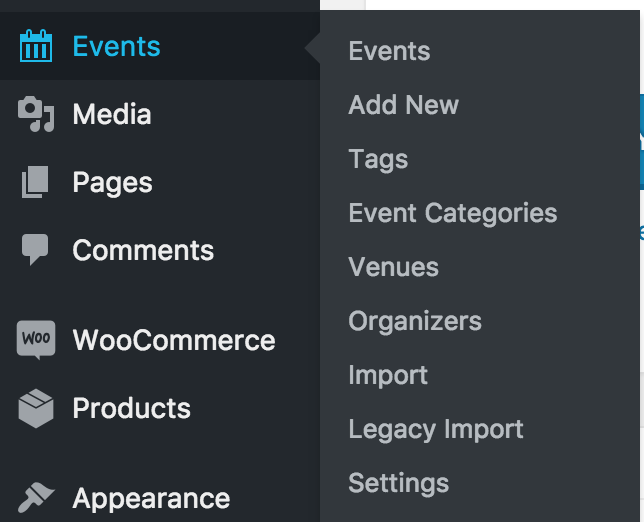
Let me know if you’re able to locate it and we’ll continue investigating. Thanks for choosing us for your events calendar needs and have a good evening!
ModeratorHello,
Welcome back! You could accomplish displaying all future events on your main events page by using the code below. Try adding it to the bottom of your theme’s functions.php file and adjust the $value =’30’ to whatever number of events you’d like to display. Let me know how things work for you.
/**

 * Set the events per page on photo view.

 */

function tribe_photo_posts_per_page( $value, $name, $default ){

	if ( 'postsPerPage' === $name && tribe_is_photo() ) {

		$value = '30';

	}

	return $value;

}

add_filter( 'tribe_get_option', 'tribe_photo_posts_per_page', 10, 3 );
Best of luck and thanks for reaching out. Cheers!
October 27, 2016 at 1:11 pm in reply to: [tribe_events_list] shortcode shows incorrect format for venue option #1184027ModeratorHello and welcome 🙂
Thank you for posting. I created a new venue with the same name and address. Below are screenshots of both the back-end of the venue page and front-end view when using both shortcodes you shared with me.
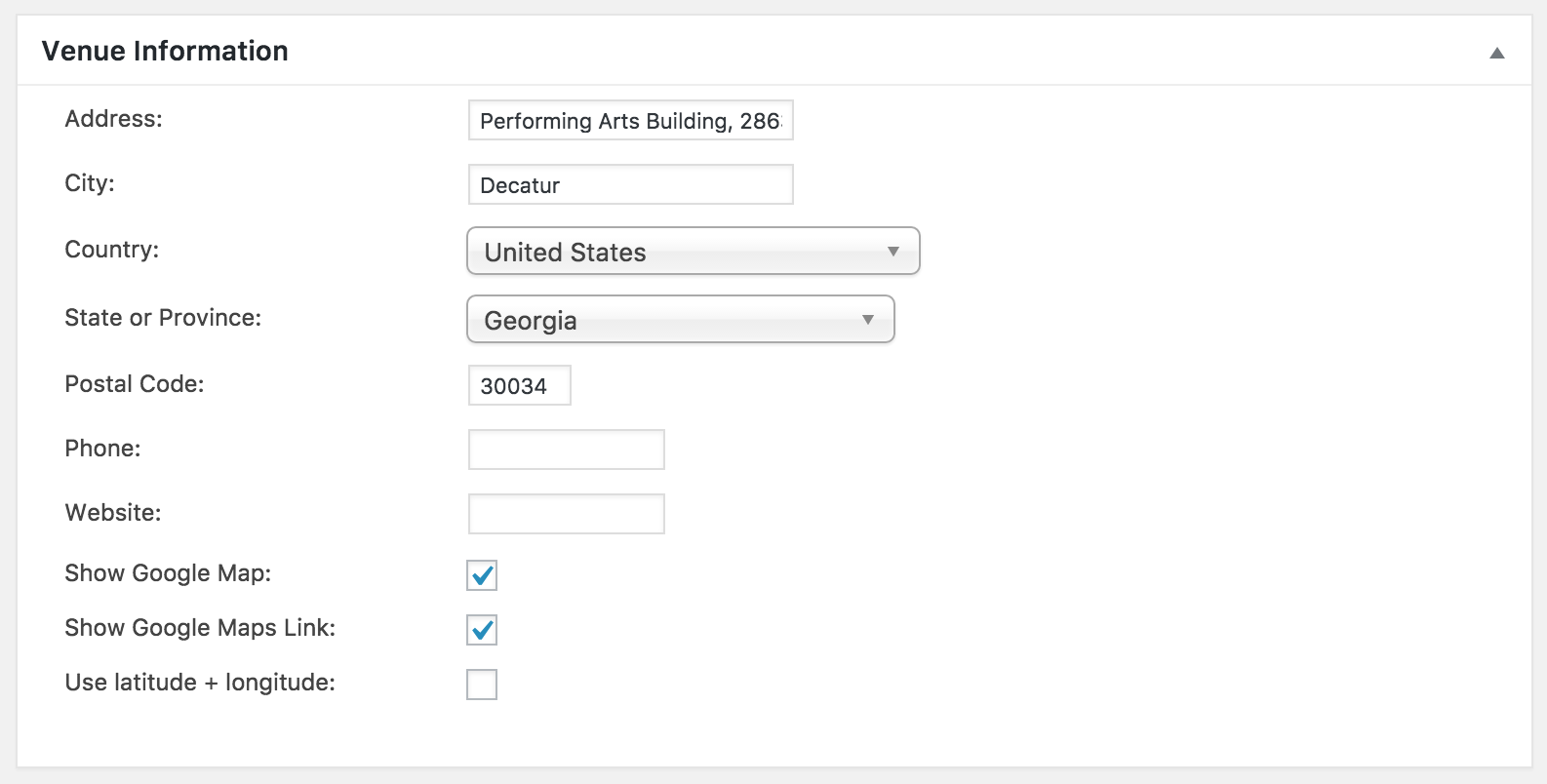

As you can see, the plugin doesn’t seem to be behaving the same way for me. Can you please confirmed you’ve review our Testing for conflicts guide? If not, please do and reply back with your findings.
Thank you and I look forward to resolving the issue. Have a great rest of your afternoon!
ModeratorWelcome back,
Thank you for the response.
Within /themes/parent-theme/framework/modules/events/events-functions.php there is a function that sets that page title.
According to the above statement, your theme author has included customizations which override our plugin code. As you can see, I’ve bolded the overwrite structure. Either way, I’m glad you got the text changed to your liking and please feel free to create a new thread if you have any more questions or concerns. Cheers!
ModeratorRaphe,
Unfortunately, theme conflicts extend beyond what we’re able to provide. I did a quick Google search on your issue and came up with this thread over on the Enfold support forums. It looks like it might be the answer you’re looking for. If not, the next step I’d take would be to contact the theme authors for advice.
Thank you for understanding and working with me on the issue. Let me know how things go and have a good afternoon!
October 27, 2016 at 12:43 pm in reply to: Upcoming Events Widget Malfunctions When Switched to Month View #1184002ModeratorHey John,
Thank you for the response. When you say,
“I removed all theme overrides and I still have the same problem.”
Does this mean you reverted back to the default WordPress theme? This is a required step to proceed. I tried reproducing the issue on my test environment but was unable to do so.
Please confirm you’ve both reverted back to the default WP theme and deactivated all plugins other than ours simultaneously and we’ll continue investigating from there. Thanks for understanding and have a good afternoon.
ModeratorHey John,
Well done! I’m glad you got everything figured out so quickly and please open a new thread if you have any more questions or concerns. Have a good upcoming weekend. Cheers!
ModeratorMandy,
Yep, that should do it! I encourage you to read our New User Primer: Event Tickets & Event Tickets Plus as it’s filled with all the info you’ll need to get started. Let me know how things work out. Cheers!
-
AuthorPosts