

Forum Replies Created
-
AuthorPosts
-
Geoff B.
MemberHey there Bryan,
I am glad you are making progress but sorry to see that you have apparently hit a wall.
I would be glad to help you out with that.I believe you might be using the wrong URL. Try this one https://calendar.google.com/calendar/ical/movementaz.org_4t6v2u0d2ecct4gmcgpafhj2rk%40group.calendar.google.com/public/basic.ics
Let me know how that goes.
Best regards,
Geoff B.January 11, 2018 at 9:34 pm in reply to: Events Calendar Pro plug-ins from staging to production issue #1424343MemberGood evening Kalani,
I am super stoked that this helped you fix the issue.
We are totally in the process of updating our license rules to make sure that more staging environment get treated as such. WP engine users are totally on our list.
So stay tuned! We will get back to you as soon as this is out.
Best regards,
Geoff B.
MemberGood evening Ian,
I am super stoked that this was useful to you.
You are welcome back in our support forums any time 🙂
For now, I am going to close this thread.
Have a great week!
Geoff B.
MemberThis reply is private.
MemberGood evening Glenn,
Thank you for trying the first 2 things.
You are on the right track about the conflict idea.
As a first troubleshooting step, could you please provide us with your complete system information in a private reply using the instructions found in the following link?
https://theeventscalendar.com/knowledgebase/sharing-sys-info/
I would be very surprised to find that the Events Calendar Pro is the cause of the issue.
However, I cannot say the same for The Events Calendar Shortcode PRO (which is a third-party plugin).Such conflicts are usually because of:
- A conflict with another plugin
- A conflict with your WordPress theme
- A template customization for the Events Calendar that requires updating
When it comes to that type of issue, it is preferable to troubleshoot in a staging environment if you have one.
That might prove faster than operating from a backup. You can even use something like Local (by Flywheel) for that purpose.
The next step would be to go through our testing for conflicts procedure and let us know what you find out.
Basically the goal here is to revert back to a bare WordPress installation to see if the problem persists. It also allows us to pinpoint what the cause of the issue is.
Finally, could you please send me a copy of the latest version of your WordPress theme / child theme via a link to a .zip file link (stored Dropbox or Google Drive) so that I can run some tests on my end ? I recommend a private reply for that purpose.
Please ensure you are using the latest files as found on your actual website.
This way I will get access to any updates or customizations you might have made.Let me know how that goes.
Geoff B.
MemberGood evening Ian,
Thank you for taking the time to write back.
I will gladly answer your follow-up questions.I plan to use the plug-in to sell tickets to events and I am hoping that I can use the same functionality to allow booking of seats for afternoon tea in a cafe. I am pretty sure the principal of selling a finite number ‘places’ on a specific date can be handled in a similar way to an event?
Yes, you totally can have a limited amount of tickets for any event. You can even have several ticket types that share a global “stock” (total room capacity in this case).
I am not sure if this is a requirement, but you could even mimic selling certain seating arrangements: https://theeventscalendar.com/knowledgebase/ticketing-using-seating-chart/
I need to enable users to purchase tickets on the website in a normal eCommerce situation and also enable tickets to be sold manually at point of sale. The main requirement is that the overall stock control is accurate whether the ticket is sold over the counter or online.
Thank you for clarifying this. I was under the impression that you only wanted to sell offline.
You can totally handle that scenario too and yes it does change my recommendations.
In a nutshell:- You use Event Tickets Plus inside of events with the normal process
- You will need to add another payment platform to WooCommerce that allows you to handle at the counter sales (these guys will still need a computer for that purpose), it could be “Cash on delivery” or a POS plugin of your choice (there is also https://codecanyon.net/item/woocommerce-point-of-sale-pos/7869665).
WooCommerce POS plugins will work because our tickets are WooCommerce Simple virtual products. Itwill allow you to sell the WooCommerce tickets directly (without going through the front-end). In turn that will also impact the total number of spots available.
The only downside of making purchases from a POS interface is that some of the functionalities of the tickets will not be available that way (e.g.: additional attendee information gathering).
Let me know if that helps.
Have a great day!
Geoff B.
MemberThis reply is private.
MemberGood evening Daniel,
Thank you for taking the time to write back.
I am super stoked that you were able to find the culprit.Kudos and thank you for sharing for everyone’s benefit.
I have notified the team here. You might want to tell the plugin’s author about this (I see the plugin has not been updated in a little while).
As a side note, there is a number of other custom post type duplicators out there. Most of them will work great with Events if you are looking for a quick solution.
Best regards,
Geoff B.
January 10, 2018 at 12:06 pm in reply to: I’m Considering Buying Another One Of Your Plugins Have A Question #1422882MemberGood afternoon Eric,
You have great timing as I also received more info about Organizer and Venue Duplicate validation.
What the algorithm is looking at is the Venue or Organizer post title (name), global id and ID.
Since the Global ID and ID are unlikely to be carried over from one site to the next, this only leaves the post title (name).
In other words, if the Venue or Organizer name does not have exactly the same spelling, there will be duplicates.
With that in mind, we could probably improve on this by adding a filter to allow devs to define own custom matching criteria (e.g. lat/long) and use what is returned there.
In fact, I just opened a ticket for that.
If my database ends up with duplicate venues or organizers and the “merge duplicate venues” feature is used…. what happens to the descriptions and featured images?
My understanding is that this will depend on the scenario, but if a description or a featured image exists, it wins over no description or featured image.
In cases where there are entries for both, typically the most recent one wins.
Again, I would advise some tests of your different potential use cases before going full force on this one.
Best regards,
Geoff B.
MemberGood evening Kris,
Thank you for taking the time to write back.
That is correct.
If you want to provide filters to your users you can get a copy of our Filter bar add-on: https://theeventscalendar.com/product/wordpress-events-filterbar/We like to keep things modular to make sure people only pay for what they need.
As a side note, we also have a couple of bundles available: https://theeventscalendar.com/bundles/Have a great day!
Geoff B.
MemberGood evening Logan,
Thank you for taking the time to write back.
Before we continue, just to set expectations, I’m afraid that we’re not equipped to provide technical support for our free the Events Calendar users here in our pre-sales forum.
But, the good news is that you are still welcome to consult this forum and all our premium forums to your liking and browse it for solutions, snippets and tutorials.
We’d be more than happy to assist you at one of the following locations:
- On the WordPress.org support forum for the Events Calendar.
- If you’re a current premium license holder for one of our premium offerings, please log in to your account and submit a post to the appropriate forum for the affected product.
With that in mind, the file you will want to modify is called single.php and it lives in /wp-content/plugins/the-events-calendar/src/views/
Have a great day!
Geoff B.
MemberThis reply is private.
MemberGood evening Robin,
Thank you for adding this to your site.
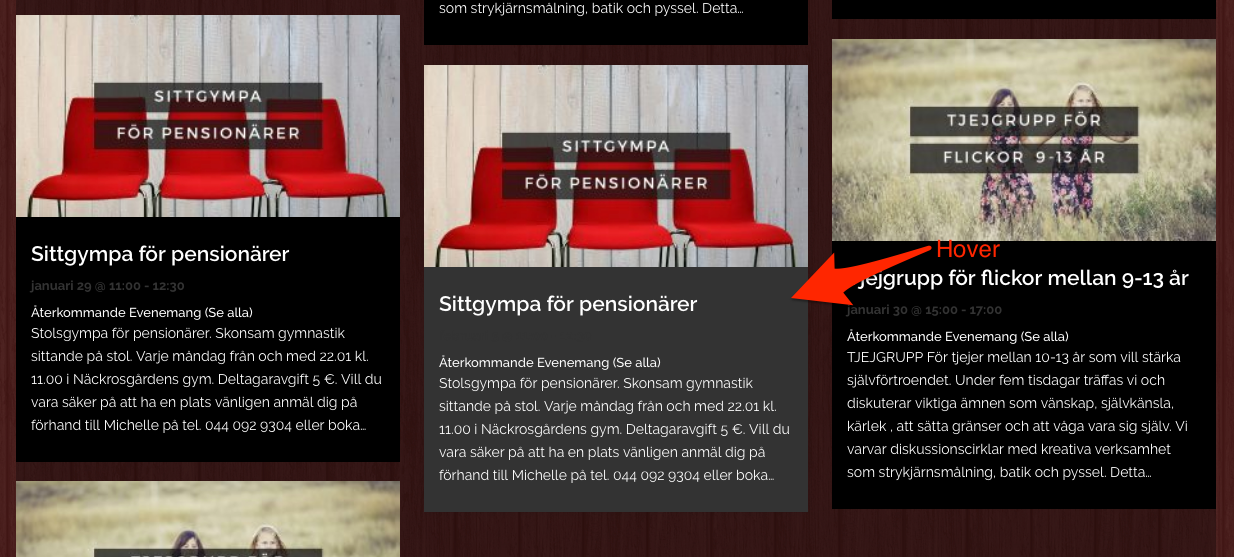
The good news is that it looks like it did work (see screenshot).Perhaps this is a matter of browser cache not being emptied. Try going to the site in a private browsing window as a test.
Have a great day!
Geoff B.
MemberGood evening Henrik,
That is correct.
If you use the attendee additional info AND make these fields mandatory, the purchaser will need to fill these fields for each ticket.
As a side note, we do have a 30 day refund policy that can totally let you test this out for yourself.
Of course, please reach out if you have any question while doing so. We also have a pretty nice collection of knowledge base articles / tutorials to help you along.Have a great day!
Geoff B.
January 9, 2018 at 10:04 pm in reply to: Single license for a WordPress Multisite – only one client – #1422089MemberGood evening Dominique and welcome to the Events Calendar forum!
Thank you for your interest in our products.
We’ll be glad to answer your questions.One particular client would like to have a ticketing system on top of the WooCommerce.
This can be achieved via our Event Tickets Plus premium add-on: https://theeventscalendar.com/product/wordpress-event-tickets-plus/
Can you activate the plugin for only one site of a WordPress Multisite?
Yes you can.
Just grab a copy of a personal license and install the plugin only on that one site.Although this is totally cool to do, the caveat is that using a personal license on a multisite install will remove the ability to do updates automatically via wp-admin.
In other words, all updates will have to be performed manually on your end.
Thank you for your suggestion of emails as a ticketing solution.
We might do that at a later point in time, but so far we find that the forum approach provides greater value for people to find out answers to similar questions.The good news is that our customers also get the ability to do private forum posts.
Let me know how that goes.
Best regards,
Geoff B. -
AuthorPosts