Background color Photo view

Home Forums Calendar Products Events Calendar PRO Background color Photo view

Viewing 5 posts - 1 through 5 (of 5 total)
  • Author
    Posts
  • #1420241
    Robin Libck
    Participant

    Hello,

    How do you change the hover background color in Photo view?

    At the moment everything in Photo view looks fine to me. Except the white background on hover.
    I would like to change that one to gray.

    #1420925
    Geoff B.
    Member

    Good evening Robin and welcome back!

    Thank you for reaching out to us.
    I would love to help you with this topic.

    Try adding the following CSS rule to your style.css file or in your Custom CSS metabox:

    .type-tribe_events.tribe-events-photo-event .tribe-events-photo-event-wrap:hover {
    background-color: #333333 !important;
    }

    Let me know if that helps.

    Have a great day!

    Geoff B.

    #1421113
    Robin Libck
    Participant

    Hello Geoff,

    Unfortunately that did not seem to solve the issue.

    I tried adding it both in my custom css box and in the custom tribe-events-pro.css inside my theme folder. But no luck.

    #1422092
    Geoff B.
    Member

    Good evening Robin,

    Thank you for adding this to your site.
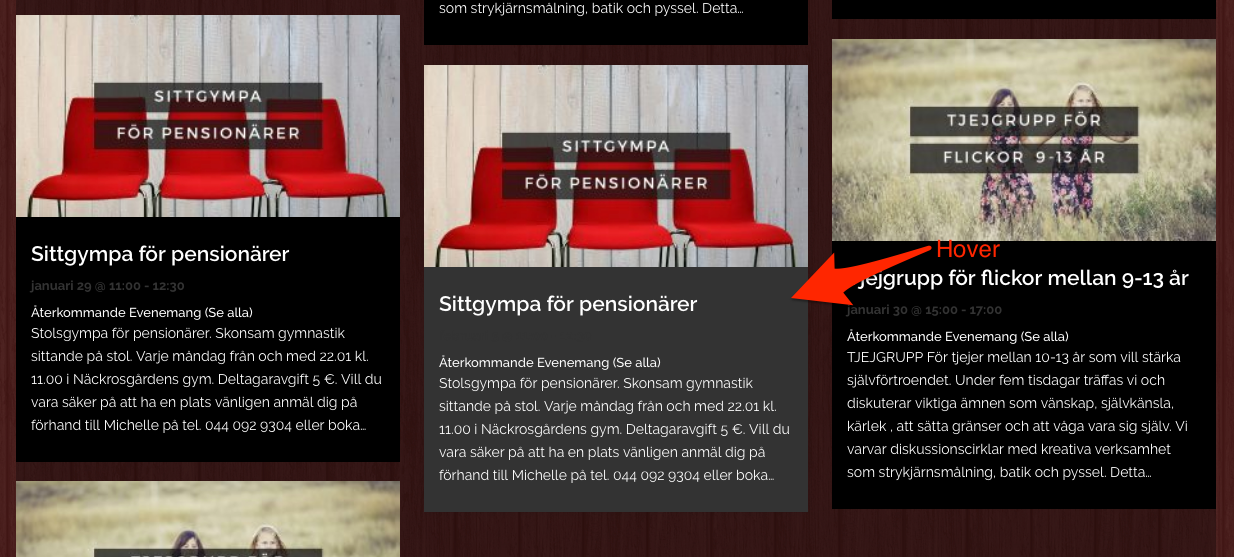
    The good news is that it looks like it did work (see screenshot).

    Perhaps this is a matter of browser cache not being emptied. Try going to the site in a private browsing window as a test.

    Have a great day!

    Geoff B.

    #1440730
    Support Droid
    Keymaster

    Hey there! This thread has been pretty quiet for the last three weeks, so we’re going to go ahead and close it to avoid confusion with other topics. If you’re still looking for help with this, please do open a new thread, reference this one and we’d be more than happy to continue the conversation over there.

    Thanks so much!
    The Events Calendar Support Team

Viewing 5 posts - 1 through 5 (of 5 total)
  • The topic ‘Background color Photo view’ is closed to new replies.