Forum Replies Created
-
AuthorPosts
-
Cliff
MemberHi, Adam.
Sorry for the frustration.
1)
I posted an update to that thread. We do not provide ETAs, but I did bring it up to our developers’ attention again.
2)
I searched our
 email and didn’t see any email from you. Please re-send the email that Caroline requested you send from that last reply.
===
If you do not need further assistance here, it will get closed eventually. Threads get Closed automatically after a couple weeks of inactivity.
Thank you!
MemberHi, Adam. Sorry for the delay not answering your question here.
This ticket is in Pending Fix status, which means this thread should receive a reply once the applicable fix has been released. I did bring this up again to our development team’s attention but cannot guarantee when it will be fixed.
I apologize for this issue and appreciate your understanding and patience.
MemberHi, Lindsey.
I believe you’re requesting the same thing as one of our existing feature requests: https://tribe.uservoice.com/forums/195723-feature-ideas/suggestions/7423063-more-field-type-options-for-additional-fields-esp
Please do add your vote there.
This allows us to gauge interest in this particular feature request, which helps us prioritize our development efforts.
Thank you.
MemberHi, Ted. You posted in our Pre-Sales forum from a user account that doesn’t have any purchases associated with it.
We don’t answer support questions for The Events Calendar core/free or Event Tickets core/free or their paid add-ons in the Pre-Sales forum.
If you made your purchase(s) through a different user account, please login to that account and then post in one of the paid forums.
By the way, I visited http://www.paramounticeland.net/event/ and it worked fine and then http://www.paramounticeland.net/event/freestyle-session-4/2017-05-04/5/ also loaded just fine. I didn’t see any “Oops…” or “page can’t be found” error.
Thank you for your understanding and thank you for using our plugins.
MemberHi, Jane.
I’m sorry, but I don’t 100% understand exactly what you mean by “set how many volunteers she needs per day.”
Similarly, what do you mean by a “volunteer event”?
I’ll take a stab at helping you, though:
If you’re just talking about events you create with our The Events Calendar plugin and you’re calling them volunteer events, maybe you’re asking about using our Event Tickets to collect RSVPs for each event.
Or maybe you’re looking for functionality where website visitors could add events to your calendar, which is available via Community Events.
If you provide some additional details, I may be able to further help.
Last but not least, we have a pretty great Refund Policy so you can buy one or many of our add-ons and thoroughly test them.
I hope this info helps. Let me know if you have any follow-up questions.
MemberYou don’t have to worry about this thread getting Closed while it’s in Pending Fix status.
I see your event is now displaying with the correct JSON-LD: https://cl.ly/042p3W3e2R3f
And the testing tool detected this as well: https://cl.ly/2U3q1Z231N2K
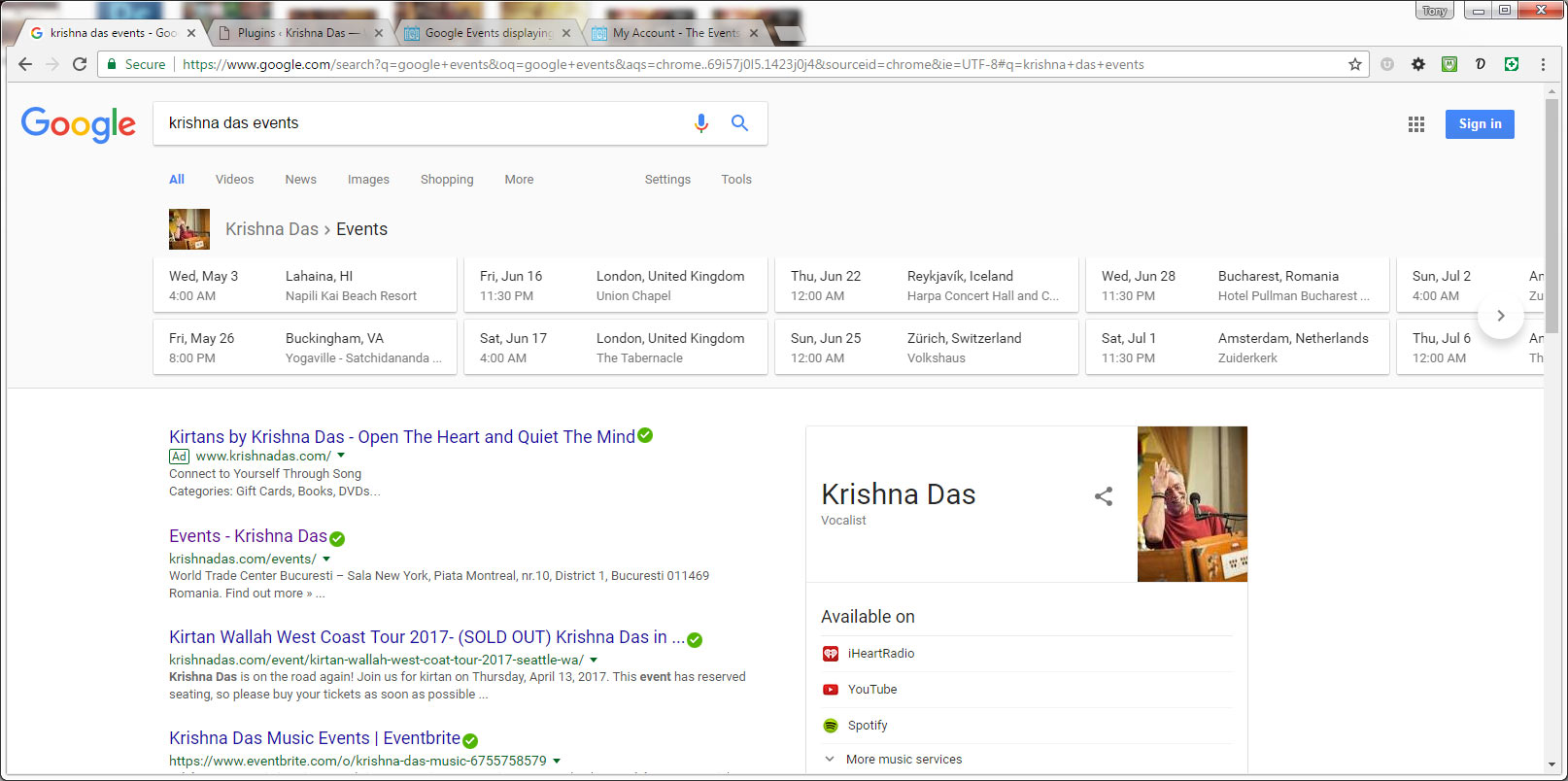
As far as Google’s search results actually getting updated, that’s on Google to update every so often. I don’t know what to tell you for its previews (like one of your initial screenshots).
MemberThat Eventbrite event says Sales Ended: https://cl.ly/3t3v373h2O2w
Is there a different one?
MemberThanks for the detailed update.
The WordPress timezone didn’t come through at the time you shared your System Information Report:
WP TIMEZONE
Unknown or not set
WP GMT OFFSET
-4
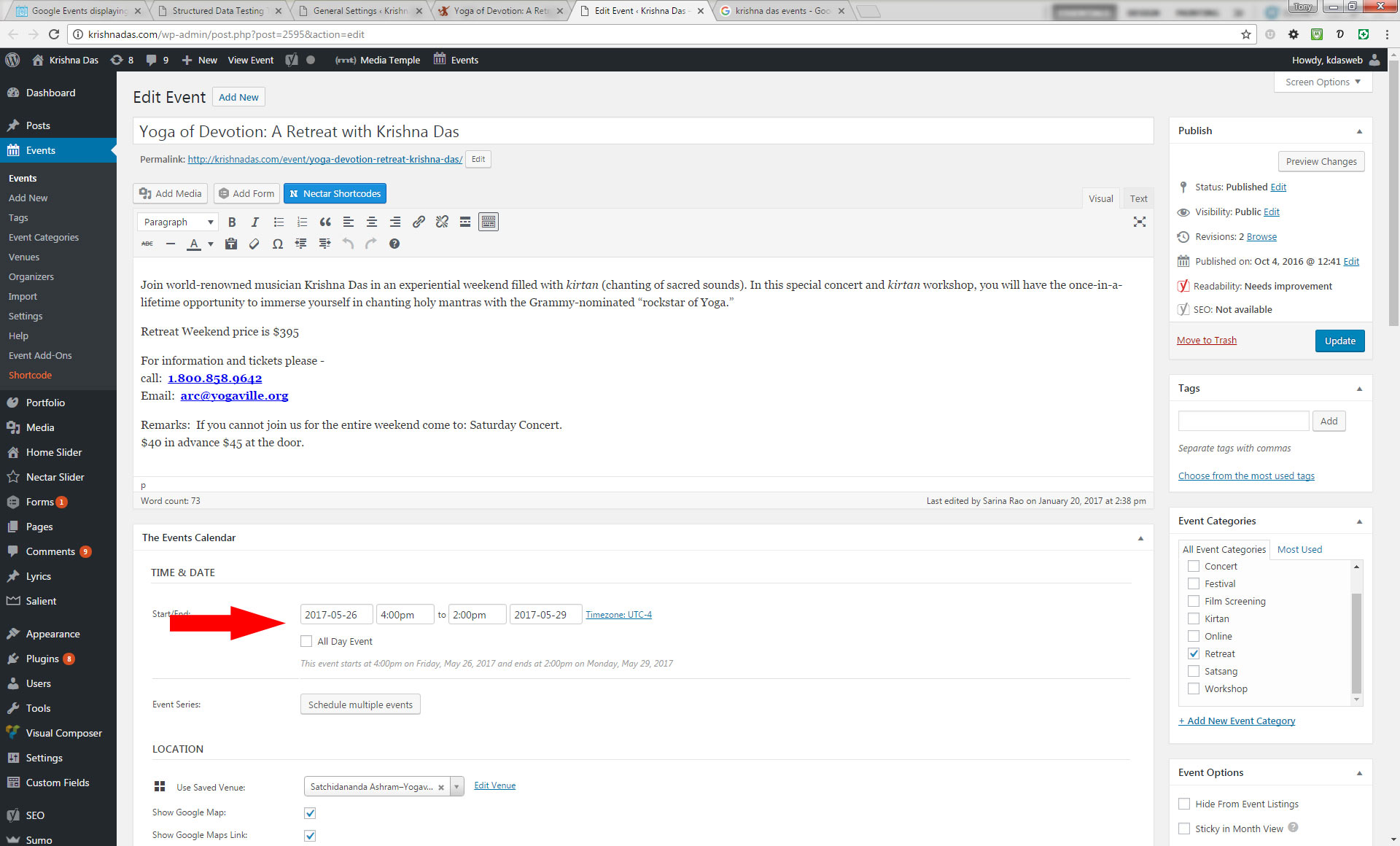
Regardless, this specific event has a timezone of UTC-4:

Please change this event’s timezone from UTC-4 to New York timezone and see if it fixes it in Google’s testing tool.
And please create a new thread for that wrong location issue. I don’t think this thread is relevant for digging into that separate issue so you don’t have to link back to this one.
MemberThanks for the quick reply.
Is there another event this is happening for that is a future/upcoming event? I won’t be able to test if the event is past (because then Eventbrite won’t have tickets for it)?
MemberI’m glad that was helpful for you, William.
We’ll leave this in Pending Fix status… but it will be a long while before an update reply is expected, as Brook discussed.
Thanks for your understanding.
MemberHi. Sorry you’re experiencing this.
Thanks for your detailed question. Unfortunately, because I’m not logged in as you, I can’t click the link of the two events you said this is happening for.
Would you be able to share an annotated screenshot of each’s edit screen in Google Calendar so I can see its title and details? Then I’ll be able to dig into this a bit more.
Thanks.
MemberHi, Tracy. Sorry you’re experiencing this.
The Eventbrite event needs to be Published/Live and Public for the Eventbrite Tickets to display.
Please provide a link to the Eventbrite event so I can look into it further.
MemberHi, Tara. Thanks for your interest in our plugin suite. I think we’d be close but not perfect for your setup. Here are a few key points:
Event Tickets Plus (ET+) allows you to sell tickets via an eCommerce plugin, like WooCommerce. You could give your Groupon-ers a coupon code like “GROUPON-2” or “GROUPON-4”. Your eCommerce plugin would control which rules are required for these codes to work.
Then, because ET+ cannot sell groups of tickets (e.g. 2 or 4), you could add just a single ticket to your event with a cost of $29 each. Someone who bought a 2-person Groupon would “buy” a quantity of 2 tickets and then use the coupon they got from their Groupon purchase.
For people buying directly from your website, they would add 2 tickets to the cart but in the ticket’s description, you could say to use a coupon like “9-OFF” if buying 2 and “21-OFF” if buying 4 quantity. Or, better yet, you could get your eCommerce plugin to handle these things automatically.
===
A current limitation, however, is that if you start to create a ticket for a recurring event (only available via Events Calendar PRO), there will be a little question mark notice that reads:
Currently, tickets will only show up on the frontend once per full event. For PRO users this means the same ticket will appear across all events in the series. Please configure your events accordingly.
You should add your vote to this existing feature request for Event Tickets to support PRO’s recurring events.
Something some users are doing right now is using PRO’s recurring events to populate their events calendar but then breaking each occurrence from the series to turn them into single events — basically using PRO as an event generator but not actually using its recurring events functionality on the front-end. Others are just dealing with the tickets on recurring events even though you can’t then tell <i>which</i> occurrence they reserved the ticket for… use this information for your own reference but please don’t take it as any sort of recommendation.
===
Regarding max capacity, you can set this per ticket (you’d only have 1 ticket per event in my example setup anyway), but if you had multiple tickets for a single event, you could use ET+’s Global Stock functionality and control it that way.
===
Last but not least, we have a pretty great Refund Policy so you can buy one or many of our add-ons and thoroughly test them.
I hope this info helps. Let me know if you have any follow-up questions.
MemberThe feature request to Delete events from WordPress when deleted from the source is here: https://tribe.uservoice.com/forums/195723-feature-ideas/suggestions/17696905-event-aggregator-to-remove-deleted-events-during-i
Please do add your vote there.
This allows us to gauge interest in this particular feature request, which helps us prioritize our development efforts.
Thank you.
MemberHi, Peter.
Thanks for your interest in our plugin suite.
Yes, that’s correct. Event Aggregator can import and update, except it cannot update if the event is entirely deleted.
In other words, if an event from Google Calendar gets modified, it would modify the WordPress event (depending on your settings within the plugin) — like change from Saturday to Sunday.
However, if it gets entirely deleted from Google Calendar, the Saturday event won’t be modified at all within WordPress.
Last but not least, we have a pretty great Refund Policy so you can buy one or many of our add-ons and thoroughly test them.
I hope this info helps. Let me know if you have any follow-up questions.
-
AuthorPosts