

Forum Replies Created
-
AuthorPosts
-
Hunter
ModeratorHello,
To log into your account and access the premium support forums, you can visit your My Account page. From there, you’ll need to visit the forums and post a thread in the appropriate venue.
Let me know if you have any further questions on accessing your account. Have a good one!
ModeratorHey Valrie,
Thank you for the in-depth response. It has cleared up any confusion on my side.
At this time, we don’t have that functionality but I can see the merit in it. With that said, I recommend visiting our UserVoice Feature Ideas and see if it’s been added as an idea. If not, feel free to add it. We review submissions on a regular basis and use them as a roadmap for future features 🙂
Thanks again for the informative response and I hope I’ve also cleared the air for you. Have a great rest of your week!
ModeratorHey Keith,
Thanks for the post. Would you mind updating the latest versions (released today) and respond back if you’re still experiencing issues with recurring events?
Thanks and keep me informed. Have a good week!
ModeratorHey Yan,
I am seeing the same issue in my error console, so we’ve gone ahead and created a ticket in our bug logging system. I’m not exactly sure on the impact the error is currently having, but the developers have been made aware of the issue and are prioritizing accordingly.
Thanks for reporting the issue to our forums as we’re always grateful to have the many eyes and ears of our wonderful community looking after us! Stay tuned to your wp-admin and theeventscalendar.com/blog for release information.
Have a great remainder of your week and thanks for choosing PRO!
ModeratorHey Frank,
Welcome to the forums!
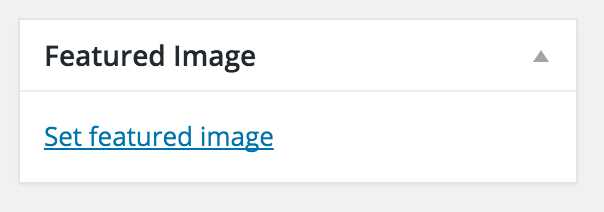
Let’s see if we can get this figured out. First, have you tried uploading a featured image when adding/editing an event? (see screenshot below) It’s typically found on the right-hand side of your edit event screen.
In response to your follow up: First, visit Events > Settings > Display and try some different options to see if you’re able to get your event image displaying properly. If you haven’t already, review our New User Primer. We provide insight on how the plugin works.
You may also want to explore the Themer’s Guide. This is where we give examples and instructions on creating custom templates. Lastly, our Testing for conflicts is a great resource when trying to narrow down conflicts.
I hope this helps answer your question and feel free to respond if you have any additional questions or comments. Thanks for choosing PRO and again, welcome to the forums!
ModeratorHello and welcome back,
To overwrite the add event form, you will need to create a template overwrite as outlined in our Themer’s Guide. The template you need to overwrite (edit-event.php) is located in the-events-calendar-community-events/src/views/community.
In response to your second question: that may be a question more suited for the author of the like buttons. I’m not sure how the plugin inserts the appropriate code, but they should have insight on that.
I hope I’ve provided enough information to get you started on the template override. Let me know how it goes and thanks for choosing PRO.
ModeratorHello and thank you for the compliments!
We are always trying to please our customers, so the kind words mean a lot to us 🙂
It sounds like you potentially have a template override as outlined in our Themer’s Guide. Try opening your theme folder and see if there is a folder in there called tribe-events. If you see this folder, the introductory text in question is more than likely in here. Another option would be to look in plugins/the-events-calendar/src/views; look for list.php.
Check it out and let me know if you’re able to locate it. If not, we’ll explore some more options. Thanks for posting and choosing PRO – have an excellent week!
ModeratorHi Wire,
Would you mind opening a thread in our Premium support forums? We are unfortunately unable to provide support via the Pre-Sales channel. Thanks for understanding and I’ll keep an eye out over in the Premium forums. Have a great week 🙂
ModeratorHi David,
Thanks for posting and welcome back to the forums 🙂
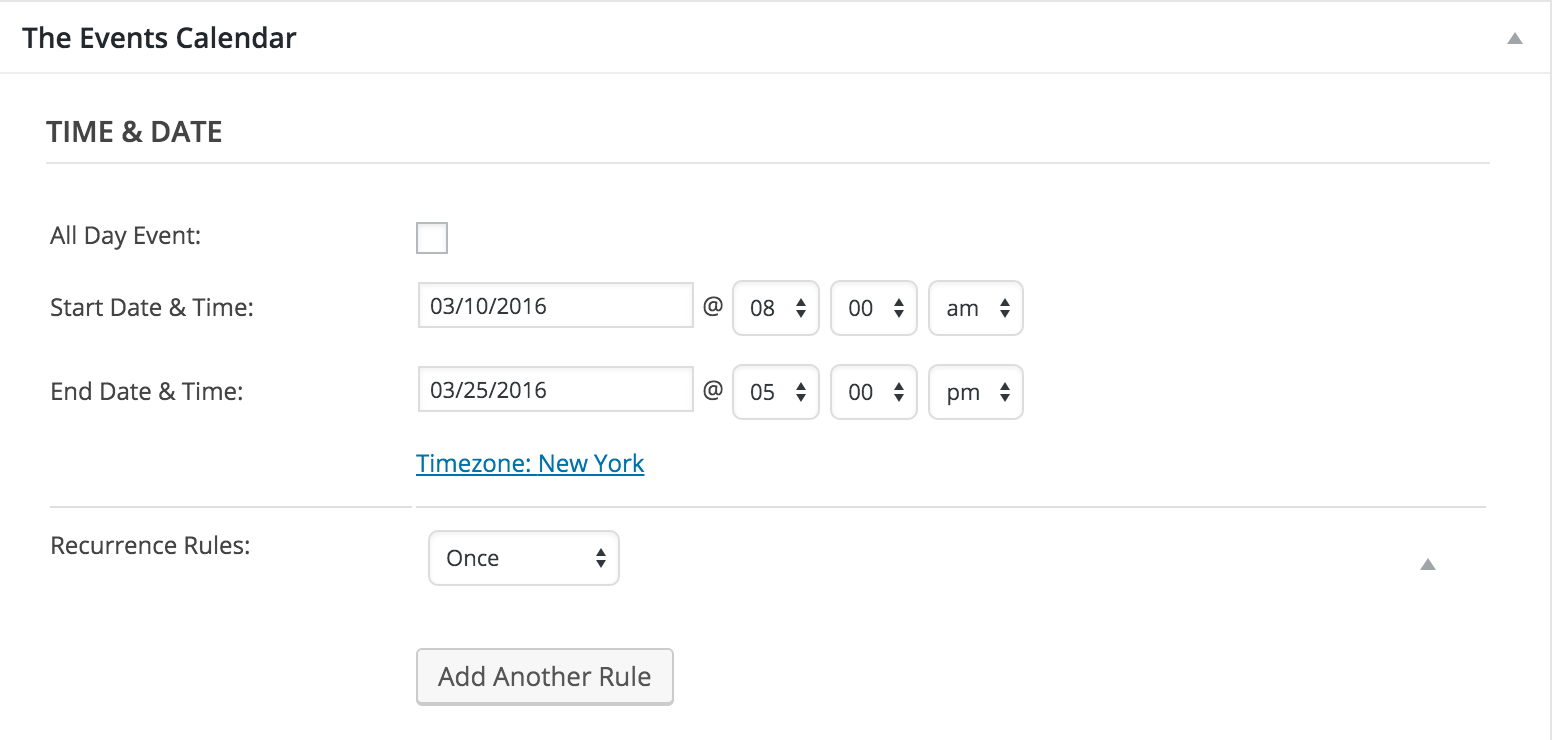
Would you mind sending a screenshot of your Time & Date settings found on the edit event page for the event you’re having issues with? (see screenshot below) Thanks again for the post and have a great day!
 Moderator
Thank for the update and glad to hear you’ve got it resolved! I’ll close this thread out but please open a new one if you have any questions. Take care and thanks for choosing PRO!
ModeratorHi and thanks for posting to the forums 🙂
I’m not exactly sure as to why the location search isn’t showing up in list view. Would you mind reviewing our Testing for conflicts guide? It seems you may be experiencing a theme and/or plugin conflict.
Let me know if you’re able to track down the conflict. You may also want to try “Inspect” by right-clicking your mouse when viewing pages with issues.
If you’re still unable to track down the conflict, respond back with your System Information as a private reply.
Thanks again for the post and enjoy your week!
ModeratorHi Paul,
Thank you so much for the detailed response. I don’t have any solid answer for you at this time, but hang tight and hopefully we can get this addressed in the next maintenance release. It is a top priority and we are treating is as such.
Again, thanks for the useful information and I look forward to getting this resolved once and for all! Enjoy your week 🙂
ModeratorHello and thanks for sharing the info with me,
Hang tight while we work on a resolution and as previously stated, stay tuned to your WP dashboard and theeventscalendar.com/blog for maintenance release information.
Have a great week and thanks for choosing PRO 🙂
ModeratorHi Myke,
Unfortunately, the Facebook API limits us from being able to parse the data, so you’ll have to add events marked 18+ manually.
I’ll go ahead and close this thread out but if you’ve got any additional questions or concerns, please open a new one and we’d be glad to help you out. Have a great week and thanks for working with me on the issue 🙂
ModeratorHey Paula,
Try adding the following code to your theme’s style.css file. A lot of themes include a theme options panel, so you may be able to enter it there. Look for “custom CSS” or something along those lines:
.tribe-bar-views-list li:first-child a span::after {

content: '\2193';

}
Let me know how it works out for you. Thanks for the response and enjoy your weekend 🙂
-
AuthorPosts