

Forum Replies Created
-
AuthorPosts
-
December 7, 2015 at 2:34 pm in reply to: Date and price wrong colour, taking two lines, please help #1037172
George
ParticipantWoot! Glad to help.
Best of luck with your site,
GeorgeParticipantHey @floydvadems,
Thanks for sitting tight here waiting for a reply. To clarify, our support promise is to respond to threads within 24 hours during the work week. Your thread came in on a Sunday, and so that’s why you did not get an immediate response.
Thank you for your patience and for sitting tight here.
In regards to your actual issues, I actually don’t know of other people reporting this exact issue.
1. Can you please share links to the other threads that you are referring to?
2. Can you please link to some events on your site? State what you set as the start date for each event in the admin – I’ll look at it on the front-end and see if I can learn anything from here.
Thank you!
GeorgeParticipantHey @Oded,
Really sorry to hear about this!
First, can you share your “System information” with us? Here’s how: https://theeventscalendar.com/knowledgebase/sharing-sys-info/
Next, can you please let us know what your permalinks settings are? These are seen in Settings > Permalinks in your wp-admin. For example, are they /%postname%/ ?
Thank you!
GeorgeDecember 7, 2015 at 1:39 pm in reply to: WEB IS COMPLETELY DOWN AFTER UPGRADING TO VERSION 4.0!!! HELP PLEASE! #1037145ParticipantHey @Cristina,
I’m really sorry to hear about this!
Another user, @clay, had the same error – I wrote up a careful step-by-step process for resolving this over in that thread here → https://theeventscalendar.com/support/forums/topic/an-error/
I would recommend reading that whole thread and doing the steps I recommended there.
Let me know what you find after doing those steps!
Thanks,
GeorgeParticipantHey Steve!
We offer free licenses to non-profits that meet the requirements of our “Non-Profit Partnership Program”. We love helping out organizations, and provide free licenses as long as the organization applying is not religious or political in nature.
You can learn more about this program and find the application link here → https://theeventscalendar.com/knowledgebase/do-you-offer-discounts-for-non-profit-organizations/
Cheers!
GeorgeParticipantKrystian has requested a refund, which we’ve processed – with that in mind then, I will be closing this thread and their other open threads 🙂
Cheers!
GeorgeParticipantKrystian has requested a refund, which we’ve processed – with that in mind then, I will be closing this thread and their other open threads 🙂
Cheers!
GeorgeParticipantKrystian has requested a refund, which we’ve processed – with that in mind then, I will be closing this thread and their other open threads 🙂
Cheers!
GeorgeParticipantHey @Hans,
Thanks so much for posting about this here!
We have indeed heard a few reports of this and are hoping to implement a fix to ensure that timezone functionality works as expected.
Thanks for posting here and for your patience with us while we fix this; we’re working on it! 😀
Please keep me posted here if you have any other questions, comments, or concerns in the meantime.
Sincerely,
GeorgeParticipantHey @Mediaversa,
Sorry to hear about this! I just tested this out both with and without Community Events, and cannot reproduce the problem. It works fine for me:
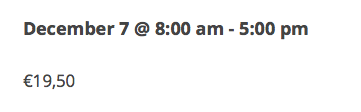
Can you share the “system information” for the site that is having these issues? Here’s how to do that → https://theeventscalendar.com/knowledgebase/sharing-sys-info/
Thank you,
GeorgeParticipantHello,
This can be achieved by pasting the following CSS into the bottom of your theme’s style.css file:
.tribe-events-meta-group.tribe-events-meta-group-gmap {

    display: none !important;

}
Further CSS tweaks may be needed after this to get the layout just right – unfortunately, we cannot help with customizations though, so you will have to implement the rest of those layout tweaks.
Cheers!
GeorgeDecember 7, 2015 at 12:57 pm in reply to: Free Ticket / No Quantity Limit – don't go easily together #1037106ParticipantHey @Christopher!
Really sorry about this – this is a bug that we already have fixed and are going to be shipping very, very soon as part of a 4.0.1 maintenance release.
Sorry about the trouble here!
Please let me know if this helps or if I can help with anything else.
George
ParticipantHey Harrison!
Thanks for reaching out.
Just to be 100% clear, do you mean that you want to be charging the course providers a fixed fee to post on your site? Will this fee literally just be a one-time signup fee when the course providers create their account on your site? Or will every single time they post an event, they’ll be asked to pay a fixed fee before the event can be posted?
Thanks!
GeorgeParticipantHey @Chris,
Thanks for reaching out.
This is not something that can be done by default and will not be supported in future versions of the plugin. If you note that file path, the file you are referencing is an admin view, not just a normal front-end view.
The Events Calendar and its add-ons only support template overrides of front-end views at this time. We have no plans to change this because admin views are very, very crucial to the functioning of the plugins on a basic level.
If truly need to override a default admin-facing view, then at this time you unfortunately will have to edit core plugin code and thus maintain and re-do this customization after each plugin update 🙁 I’m sorry to bear that news! But by design these admin templates are not meant to be easy to customize and alter. Doing so can break core functionality of the plugin and lead to issues that are hard to track down if not done super, super carefully.
I hope this information helps, as disappointing as it may be in its content.
Sincerely,
GeorgeDecember 7, 2015 at 12:43 pm in reply to: FILTER BAR NOT DISPLAYING "WITHIN DISTANCE OF" UNLESS DATA IS ENTERED #1037098ParticipantHey @cybertek,
The way you’ve described Filter Bar’s functionality is exactly by design. If there is no data entered, or no zip code provided or anything, then “Within Distance Of” cannot work. Because there’s nothing to be in distance of.
In other words, when you enter a location, that field makes sense because then you can filter things within distance of that location.
But if no data is entered, then “Within Distance Of” makes no sense. Within Distance Of…of what? There’s no location or zip code entered, so “within distance of” cannot be used.
I mention this for two reasons:
1. We unfortunately can not help with customizations in any way. Please see the “Product support” section of our site and license terms here for more information.
2. Revealing that field without the location requirement would be useless and would break things, and so even if we could help with customizations, it’s one that I would very heavily recommend against doing.
Please let me know what you think about my comments here, and how you envision things working if this field is just open all the time with no location available for it to work correctly.
Thank you,
GeorgeP.S.
Please still address my concerns above! However, just to provide the answer you mainly are seeking here, you can force that field to be visible by adding the following CSS to the bottom of your theme’s style.css file:
#tribe_events_filter_item_geofence {

    display: inline-block !important;

}
😀
-
AuthorPosts