Setting a decimal mark

Home Forums Calendar Products Community Events Setting a decimal mark

Viewing 4 posts - 1 through 4 (of 4 total)
  • Author
    Posts
  • #1036628
    mediaversa
    Participant

    Hi,

    I just got a call from one of our clients who experienced a “problem”
    When clients would fill a event price like: € 19,50, the event would show € 19 – € 50

    I just checked this, and the problem exist because of the client used a “,” as a decimal mark instead of the requered “.”
    But since its a community event, and in the Netherlands we use a decimal comma, i think this problem will keep comming back.

    So is there an option to “choose” what decimal mark can be used? Or maybe accept both?
    If not, where can i change this myself?

    Kind regards!
    Rob van der Pol

    • This topic was modified 10 years, 5 months ago by mediaversa.
    #1037116
    George
    Participant

    Hey @Mediaversa,

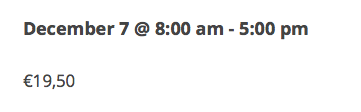
    Sorry to hear about this! I just tested this out both with and without Community Events, and cannot reproduce the problem. It works fine for me:

    Can you share the “system information” for the site that is having these issues? Here’s how to do that → https://theeventscalendar.com/knowledgebase/sharing-sys-info/

    Thank you,
    George

    #1037347
    mediaversa
    Participant

    Hi George,

    I just updated both event calender and community event to the latest version and now decimals work agian.
    So i guess the problem only existed in last version.

    Thank you

    #1037763
    George
    Participant

    Nice! I’m glad to hear that.

    I’ll close up this thread for now, but if any other issues arise open a new thread any time! 😀

    Sincerely,
    George

Viewing 4 posts - 1 through 4 (of 4 total)
  • The topic ‘Setting a decimal mark’ is closed to new replies.