

Forum Replies Created
-
AuthorPosts
-
George
ParticipantHey there,
I’m sorry to bear this news, but we unfortunately do not have a guaranteed ETA for when this feature will be possible 🙁
It’s an oft-requested feature and so we are working on it diligently, but there is no set deadline at this time.
I can say that it’s very, very unlikely that this will be a part of our plugins before February 2016 at the earliest 🙁 Sorry to bear that news!
Sincerely,
GeorgeDecember 7, 2015 at 12:33 pm in reply to: Ability to test plugin before purchase? Nonprofit discount? #1037093ParticipantHey Kathryn!
In general, the closest we have to a “trial” period is just our 30-day 100% refund policy. The nature of WordPress plugins makes them hard to offer “trial licenses” for or anything like that (because it’s software that you take and install, etc.), but you can get a license, install and use the plugin, and if for any reason whatsoever you don’t like the plugin, you can request a refund.
As long as the refund is requested within 27 or so days of the date of purchase, we can issue that refund immediately. (The limit is technically 30 days as imposed by our payment processors; but best to reach out early in case you request a refund on Day 30 and it’s late on Friday or something!)
However, yes we also provide non-profit discounts. We actually give free licenses to non-profits.
The people who run the non-profit themselves have to apply for the license and have an account for managing it here on http://theeventscalendar.com, not you separately as the developer for hire for them for example. If you’re working with/for them, then of course you can log into their account and manage it, but for applying for the free licenses and for owning the license and its associated account, someone in charge of the organization itself must apply and be the license-holder.
Please head here to learn more about the program and to find the application link → https://theeventscalendar.com/knowledgebase/do-you-offer-discounts-for-non-profit-organizations/
Cheers!
GeorgeParticipantHey @Antoinette,
Thanks for reaching out! I’m happy to help with your questions here but, just for future reference and to set expectations for any further questions that may arise, I would like to mention that we can’t officially offer any support for customizations or design tweaks here. You can learn more about this in the “Product Support” section of our license and website terms.
With that being said, let’s tend to your issues now 🙂
1. This issue may be related to the templates provided by your theme. What I would recommend first is to head to Events > Settings > Display in your site’s wp-admin. On this settings pane, scroll down until you find the option called “Events template”.
Try out each different option here. For each available template, save the changes and check on that link again to see if the layout shifts to full-width at all.
If not, then set this option back to “default template” and let me know – in this case, we’d have to proceed with some custom CSS unfortunately 🙁
2. This should be possible by adding a filter in your theme’s functions.php file. Something like this should help:
function tribe_1036559_excerpt( $length ) {

	return 30;

}

add_filter( 'excerpt_length', 'tribe_1036559_excerpt', 999 );
You can learn more about this filter here → https://codex.wordpress.org/Plugin_API/Filter_Reference/excerpt_length
I hope this information helps!
Cheers,
GeorgeParticipantI’m sorry to hear about this Carolyn!
Can you share a link directly to a page on your site where we can see the broken drop-down menus? I’ll take a look and try to spot the problem.
Sorry for the trouble; there could be a JavaScript conflict of some kind here, and I will do what I can to help resolve that if that’s the case 🙂
Sincerely,
GeorgeParticipantHey Steve!
Real sorry for the trouble here – I took a look at your site and unfortunately found that these overlapping issues arise from various styles inherited from your theme.
That does not mean we can’t help here 🙂 Just pointing out the source of the problem; and the fact that follows from it, which is that unfortunately the only way to fix this is to use some custom CSS.
There are a number of approaches that could theoretically work here. One example would be to widen your entire theme – but this is clearly a big change that could have many many consequences.
A smaller and simpler change that would be just as effective would be to decrease the font-size of the day titles ever so slightly. For example, try pasting the following CSS at the bottom of your theme’s style.css:
.tribe-events-calendar thead th {

    font-size: 1em !important;

}
1em is just an example, but you can change it to any size you’d like.
Here’s how 1em font size makes things look on your site:
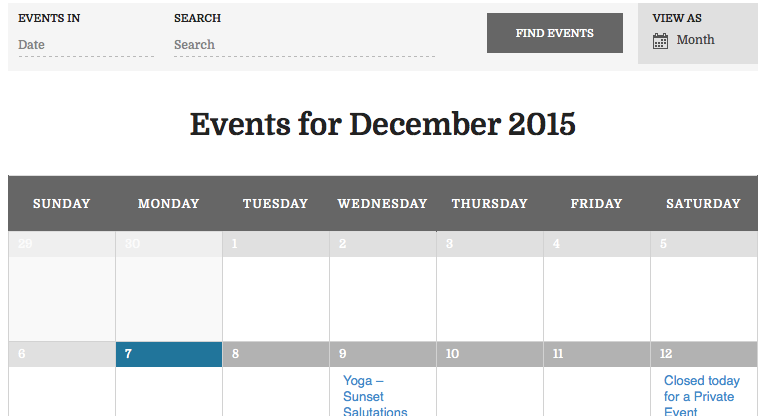
I hope that helps! 😀
Cheers,
GeorgeParticipantHi Krystian,
We do not offer any support for custom code. Please see the “Product Support” section of our terms and conditions → http://theeventscalendar.com/terms
Sorry to disappoint,
GeorgeParticipantHey @Naomi!
If I understand this right, the plugin allows one person to purchase a number of tickets, but only collects data about that one person.
You’ve indeed described the functionality of our plugins at this time.
Would there be a way to integrate Gravity Forms within the process so that the purchaser’s information is collected with your plugin, and then they are requested to complete a simple Gravity Form to provide data on the other attendees they are purchasing for?
For example, Joe the Plumber buys 3 tickets, and registers his name & email address. Can I code the ticket page to also include a Gravity Form to capture the names of Frank and Bill, whom Joe paid for – or would this be a separate step/page I need to build after the checkout process?
This may be possible indeed – there is unfortunately not anything built into our ticketing plugins that would facilitate this specific checkout flow, but since “Tickets” generated by our plugins or normal “Products” within WooCommerce, if you find a Gravity Forms extension or have custom code that is fully compatible with the WooCommerce checkout process and “product” post type, then it should in theory work fine with our ticketing plugins too.
I hope this information is helpful!
— George
December 7, 2015 at 10:43 am in reply to: license key bug related to hyphenated domain names still a problem #1037040ParticipantHey @Ralph,
Sorry to hear about this! Thanks for elaborating though – this sounds less like an issue with our old hyphenated domain issue, and more like something is wrong on your site itself. I’m sorry to bear that news! But we can work towards a fix there.
To start figuring out the problem, can you share the “system information” for st-ritaschool.org? Here’s how to do that → https://theeventscalendar.com/knowledgebase/sharing-sys-info/
Thank you!
GeorgeParticipantHey @Krystian,
Please do not post “Up” or “bump” on threads – our support promise is to respond within one workday, but you posted this thread on December 6th which was a Sunday in the United States. A weekend. So please be patient with us while we work through the Monday pile of threads! 😀
Also, by posting that on your thread, it actually delays your response! This is because our support queue is sorted by length of time since last updated. And so if you leave your thread here, but then post “up” or “bump”, it’ll show in our system as being more recently updated than if you had just left it here.
Just wanted to clarify this for future support interactions.
—
As for your question, no, our widgets unfortunately do not have tooltips or pop-ups at this time.
Sorry to disappoint!
Cheers,
GeorgeDecember 7, 2015 at 10:36 am in reply to: license key bug related to hyphenated domain names still a problem #1037033ParticipantHey @Ralph,
I’m sorry to hear about this!
When you that things “Continue to be a problem” with that second domain you listed, can you elaborate a bit more on that? What are the specific issues that arise when you try to active your license with that second domain?
Thanks!
GeorgeDecember 7, 2015 at 10:31 am in reply to: Event calendar 4.0 + WooTickets : multiple attendees #1037030ParticipantHey @Vero,
Thanks for reaching out. Nico’s words were aptly phrased in the thread you linked to, and I’ll quote them here, with the emphasis mine:
hopefully this will be possible! Please note that the date and features included in the next release are subject to change as the code is still in QA phase.
I just want to make it clear that there was not a promise of this functionality. We did not, as you put it, “said that in the version 4.0 there will be a new feature that allow to set the attendee name for each ticket.”
The Feature Itself
Now, despite my comments above, there are indeed some changes in 4.0 that might work for what you’re looking for here. For example, there is the new built-in RSVP ticket type which allows folks to “RSVP” for events, where each RSVP is essentially a ticket and they can add their name to each ticket.
You can read more about RSVPs and how to enable them here → https://theeventscalendar.com/knowledgebase/rsvps/
If the RSVP feature does not help, then can you please clarify exactly what you are looking for? If possible, please give a specific example of what you’re trying to do – there are many things in the 4.0 suite of updates and I can help with determining if what you’re trying to do is possible or not.
Thank you!
GeorgeParticipantHey Krystian,
There are unfortunately no tooltips available on our calendar widgets at this time 🙁
Sorry to disappoint!
Sincerely,
GeorgeParticipantHey Francesco,
Can you post this question in the forum for Events Calendar Pro, from your account that has the product license associated with it? This is the pre-sales forum, and your name is listed here but not tied to an account.
Log in to your premium license-holding account and post in the Events Calendar Pro forum – I’ll help out from there! 😀
Thank you,
GeorgeParticipantHey Chris,
Thanks for the kind words! 😀
What you’re asking here is unfortunately not possible without custom code – you would have to use the function tribe_get_events() in combination with user-specific arguments in that function call from WP_Query.
To get started with that, I’d recommend familiarizing yourself with tribe_get_events() by reading this Knowledgebase Article here → https://theeventscalendar.com/knowledgebase/using-tribe_get_events/
Then you can use user-related query arguments from WP_Query, which you can learn about in this WordPress Codex article here → https://codex.wordpress.org/Class_Reference/WP_Query
—
We cannot help with custom coding, so unfortunately you’ll have to take the reins on implementing this custom code. If you’re interested in hiring a professional to help, we do maintain a list of highly-rated and reliable customizers here → http://m.tri.be/18k1
I hope this information all helps!
Let me know if it does and/or if there’s anything else I can help with 😀
Cheers,
GeorgeParticipantHey there,
I’m sorry you’ve found this frustrating! However, we will not include an easy way to disable this because having a page with the same slug as the events calendar slug will break functionality of The Events Calendar on the site.
If your site has not had any issues caused by this slug conflict, then that is a rarity – it’s not a problem, and if you want to keep using the slug of the page there, then that is fine. But the warning is there specifically to be annoying, to urge people to make the simple change and prevent things on their site breaking.
I’m genuinely sorry about the frustration caused by it – and if you really, truly need to keep the page in place with that same slug, then by all means please keep doing so! 😀 And just try adding this new code to your theme’s functions.php file instead to turn that notice off:
if ( class_exists( 'Tribe__Admin__Notice__Archive_Slug_Conflict' ) ) {

	remove_action( 'admin_init', array( Tribe__Admin__Notice__Archive_Slug_Conflict::instance(), 'maybe_add_admin_notice' ) );

}
It’s basically the same code as the original, just with a different Class Name now.
I hope this helps!
— George
-
AuthorPosts