

Forum Replies Created
-
AuthorPosts
-
Geoff
MemberHi Jazz Miranda,
Thanks for getting in touch!
Great question. The Eventbrite Tickets add-on unfortunately does not share user information between WordPress and Eventbrite.com.
One thing you could do is customize the event temple so that tickets are only displayed if someone is logged into WordPress. Then, the only folks who see the tickets are ones who are registered on your site. However, the plugin will not communicate that information once someone has clicked over to Eventbrite to make the ticket purchase.
Does this help answer your question? Please let me know. 🙂
Cheers!
GeoffMemberHello Aurélien,
Yes! The Events Calendar makes use of WordPress’s comment system, so the WordPress settings you save in Settings > Discussion will have the same effect on events in the calendar.
Does this help answer your question? Please let me know. 🙂
Cheers!
GeoffMemberHi Gary,
Thanks so much for getting in touch! I’m really excited to hear you’re looking into our plugins for your organization and I hope they are a good fit for the site you’re building. 🙂
We do indeed have a nonprofit program and I would absolutely encourage you to apply. If accepted, we would be happy to grant you a free license for either Events Calendar PRO or Event Tickets Plus. Here is a link to more information about the program that includes a direct link to the application:
https://theeventscalendar.com/knowledgebase/do-you-offer-discounts-for-nonprofit-organizations/
As far as a demo goes, we offer a full refund on all our products within 30 days of purchase. We do that to give everyone a good amount of time to download, install, and try the plugins with their own sites and return them if they wind up not fitting your needs for any reason at all.
Does this help answer your question? Please let me know. 🙂
Cheers!
GeoffMemberHey Matthew,
Thanks for getting in touch — and great questions!
The Events Calendar should have all the functions you need to build those queries. For example, you can get a list of events using tribe_get_events. Similarly, you can make a query of venues using tribe_get_venues.
As afar as the layout goes, you can either create your own page template in the theme and use the functions and custom queries to build the layout, or you can override any of the templates that come included in the plugin. Our Themer’s Guide is a really great overview of how template overrides work.
You also asked about a checkbox for venue types. That’s a little more tricky. We do have an add-on called Filter Bar that allows viewers to sort events by a number of available filters, but it is not very portable as far as including it in a custom page template. That said, it should still work well if your layout customizations are included in a template override, but still ultimately depends on how those customizations are coded.
It’s also worth noting that Events Calendar PRO includes custom fields for events. That would allow you to create the Venue Type options are looking for, which can then be included in Filter Bar seamlessly.
Does this help answer your question? Please let me know. 🙂
Cheers!
GeoffMemberHello @telemediabroadcasting,
Thanks for getting in touch and sorry to about the issue here!
I was just checking your site and the Venue and Organizer sections of the form seemed to be working well. Here’s a screenshot of what I see:
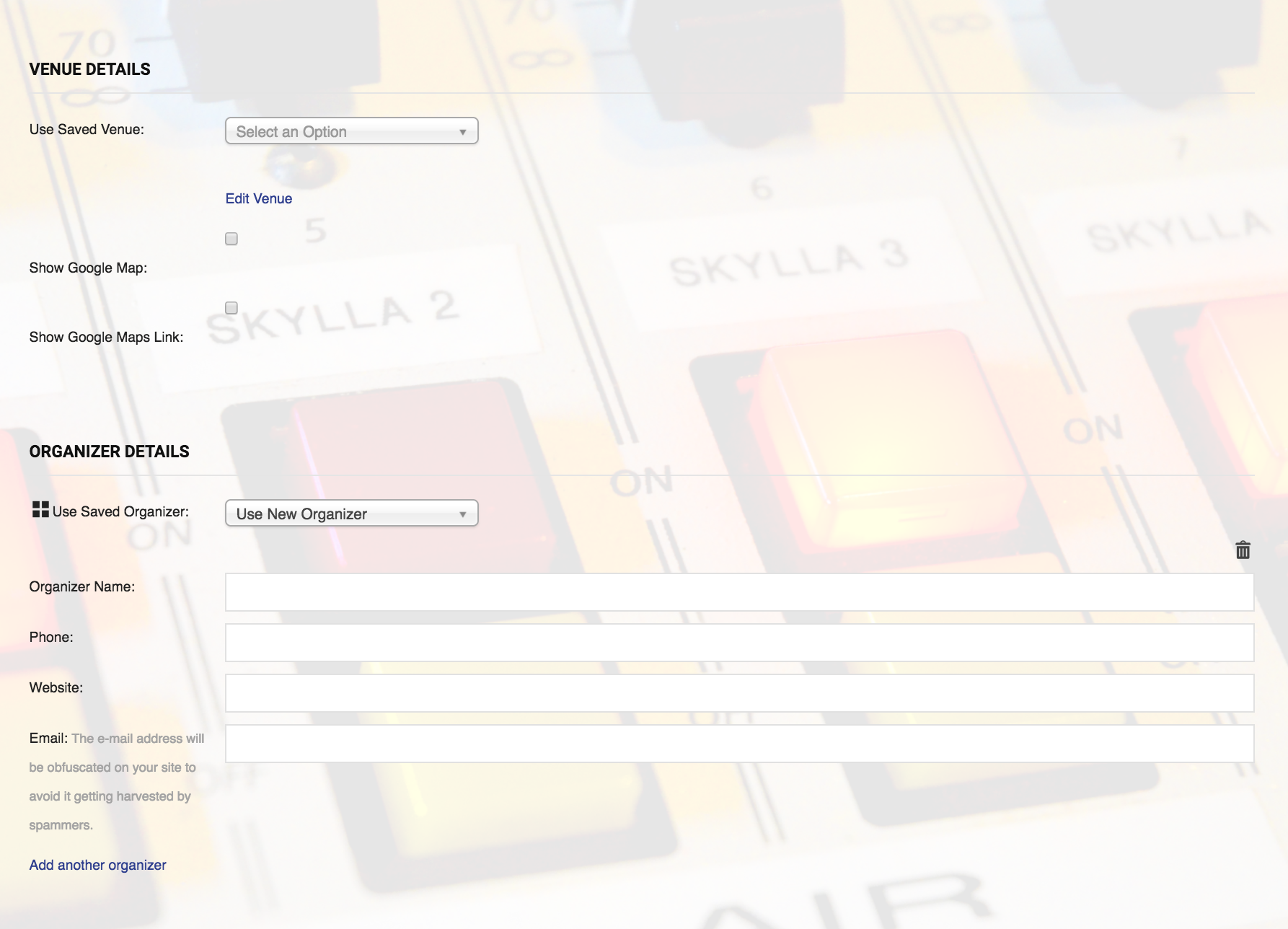
Is it possible I am looking in the wrong place? Ir perhaps you were able to resolve the issue? In either case, please let me know and I would be happy to look into this with you.
And, if the issue is still there, please head over to Events > Help, copy the system information toward the bottom of the screen and paste it here for me as a private reply when you respond — that will help me check a few of your settings as well.
Thanks so much!
GeoffMemberHi @rtnsolutions,
So sorry for the trouble here!
There was indeed a known issue in The Events Calendar 4.4 where a Server 500 error affected some users in specific hosting environments.
That said, we patched it up in version 4.4.1.1, which is what you tried installing. And, so far, we have not seen additional reports of the issue, including any specifically related to Enfold.
Just to confirm: have you tried changing to a default WordPress theme (like Twenty Seventeen) before updating The Events Calendar to 4.4.1.1? If not, let’s try that and see if you get the same error. If you do not get the error, try re-activating Enfold after that to see if that triggers the error.
Let’s start there and see what we find. If the issue persists, then I’m going to recommend that we try installing the plugin updates manually via FTP, assuming you have access to FTP to do that. But, let’s try updating with a default WordPress theme active first before we go there.
Thanks so much!
GeoffMemberHi Jorge,
Events Calendar PRO and Filter Bar are two different plugins with different functionalities. In other words, Events Calendar PRO does not include Filter Bar and you will want to consider purchasing Filter Bar if you would like to add filters to the calendar that your visitors can use to sort events by a specific venue.
Let me know if you have any other questions about what the plugins include and I’d be happy to help!
Thanks,
GeoffMemberHi Andy,
You may need to delete the the opening
<?phptag in the the snippet, depending on how your functions.php file is formatted. If you do that, paste the code at the very bottom of the file, but before any closing?>tag, if one is there.Cheers!
GeoffMemberHi Joe,
Great question! Event Aggregator will indeed allow you to set up and import from as many Facebook sources as you would like.
This article does a good job explaining the overall process for importing events from other sources using Event Aggregator:
https://theeventscalendar.com/knowledgebase/import-from-feed-or-url/
Those steps could be followed as many times as you’d like when setting up imports from multiple Facebook feeds.
Does this help answer your question? Please let me know. 🙂
Cheers!
GeoffMemberHi Jorge,
Thanks for getting in touch!
Event Aggregator will definitely allow you to import your events from Facebook into The Events Calendar.
If you want people to be able to filter those imported events by location when viewing the calendar, then I would recommend you consider purchasing Filter Bar as well. That will add a list of options that your visitors can use to filter events, including location.
Does this help answer your question? Please let me know. 🙂
Cheers!
GeoffMemberHi Alexander,
Thanks for following up!
Oh, so if I’m understanding correctly, it’s that all pages on your site displays “Upcoming Events” as the title instead of you wanting to change that only on event-specific pages. Is that correct?
If so, would you be willing to try something for me and switch to a default WordPress theme (like Twenty Seventeen)? I want to see whether the same thing happens when you’re using a standard theme because that will confirm that the issue is isolated to the theme rather the plugin itself.
Thanks!
GeoffMemberHey Scott! Thanks for getting in touch and I’m stoked to hear you’re considering upgrading to Events Calendar PRO. 🙂
We’d be happy to help — but I do want to note that our pre-sales forum is used to answer questions about purchasing our premium plugins.
If you’re looking for technical support, it would be awesome if you could post your question to our WordPress.org support forum.
Or, if you already have an active license for one of premium plugins, will you please log into your account and post your topic to our premium support forum instead?
In the meantime, it’s worth noting that the calendar does throw soft 404 errors for views that doe not include events. The incomplete structured data is certainly interesting. I do see two warnings come up in the structured data testing tool for our demo site but no actual errors that would prevent it from working. Please do link to your structured data results when opening your thread and we’d be interested in checking that out.
Thanks so much!
GeoffMemberHi Jordan,
Thanks for reaching out — I’m definitely happy to help, though am sorry to hear our plugins won’t do the trick for you here.
I’ve gone ahead and issued a refund for your orders and the funds should be back in your account within 5-10 business days.
Please do keep us in mind on future projects and we hope to work with you again down the road. 🙂
Cheers!
GeoffJanuary 30, 2017 at 8:28 am in reply to: Same issue as Doug K from March 24, 2016 – updating PRO software #1226186MemberHi Naomi,
Thanks for getting in touch! I hope you had a great weekend.
The price for licenses is currently $89 per year and that grants you access to plugin updates. You can renew your license by logging in to this site and navigating to My Account > License Keys and clocking the “Renew My License” button next to the expired license number.
Or, if you’d prefer, you can purchase a new license altogether — totally up to you!
Does this help answer your question? Please let me know. 🙂
Cheers!
GeoffMemberHello Shelley! I hope you had a great weekend.
You can find your license by logging into this site and then navigating to My Account > License Keys. That will provide you a list of all your licenses, which you can then use to enter into the plugin Events > Settings > Licenses screen.
Does this help answer your question? Please let me know. 🙂
Cheers!
Geoff -
AuthorPosts