Forum Replies Created
-
AuthorPosts
-
June 8, 2016 at 1:06 pm in reply to: Updating to new version – Make sure base is updated first #1124133
Brian
MemberHi,
Thanks for using our plugins. Sorry for the issues, but thanks for bringing this up.
We are not able to reproduce on our test sites, but just in case we put up a sticky message to encourage people to update the base plugins first and then the premium plugins.
So it appears we do have to checks in place, but not for every instance. Did you copy the error message you got? That would help us prevent this in the future.
Thanks
MemberHi,
There is no simple button to downgrade, but it is possible.
You can manually downgrade your plugins following this guide:
You can download the older versions from your account here on theeventscalendar.com
Older versions of the core plugin here:
https://wordpress.org/plugins/the-events-calendar/developers/Event Tickets here:
https://wordpress.org/plugins/event-tickets/developers/That process does not delete or change event settings.
Thanks
MemberHi,
The debug enables us to see where the issue is. We do not know how to help you fix it without getting to what the cause is. Our QA team and development team has not run into this issue so we do not have any error messages to help figure this out. It will greatly speed along the resolution of this if you can do it.
And thanks for linking to that other thread. I replied to them and their issue is on the single events not the event views as you are having. So it maybe related, but we do not have enough information.
If you need this fixed right away you can manually downgrade your plugins following this guide:
You can download the older versions from your account here on theeventscalendar.com
Older versions of the core plugin here:
https://wordpress.org/plugins/the-events-calendar/developers/Event Tickets here:
https://wordpress.org/plugins/event-tickets/developers/That process does not delete or change event settings.
Let me know what you would like to do.
Thanks
MemberHi,
Thanks for using our plugins. I can help out here.
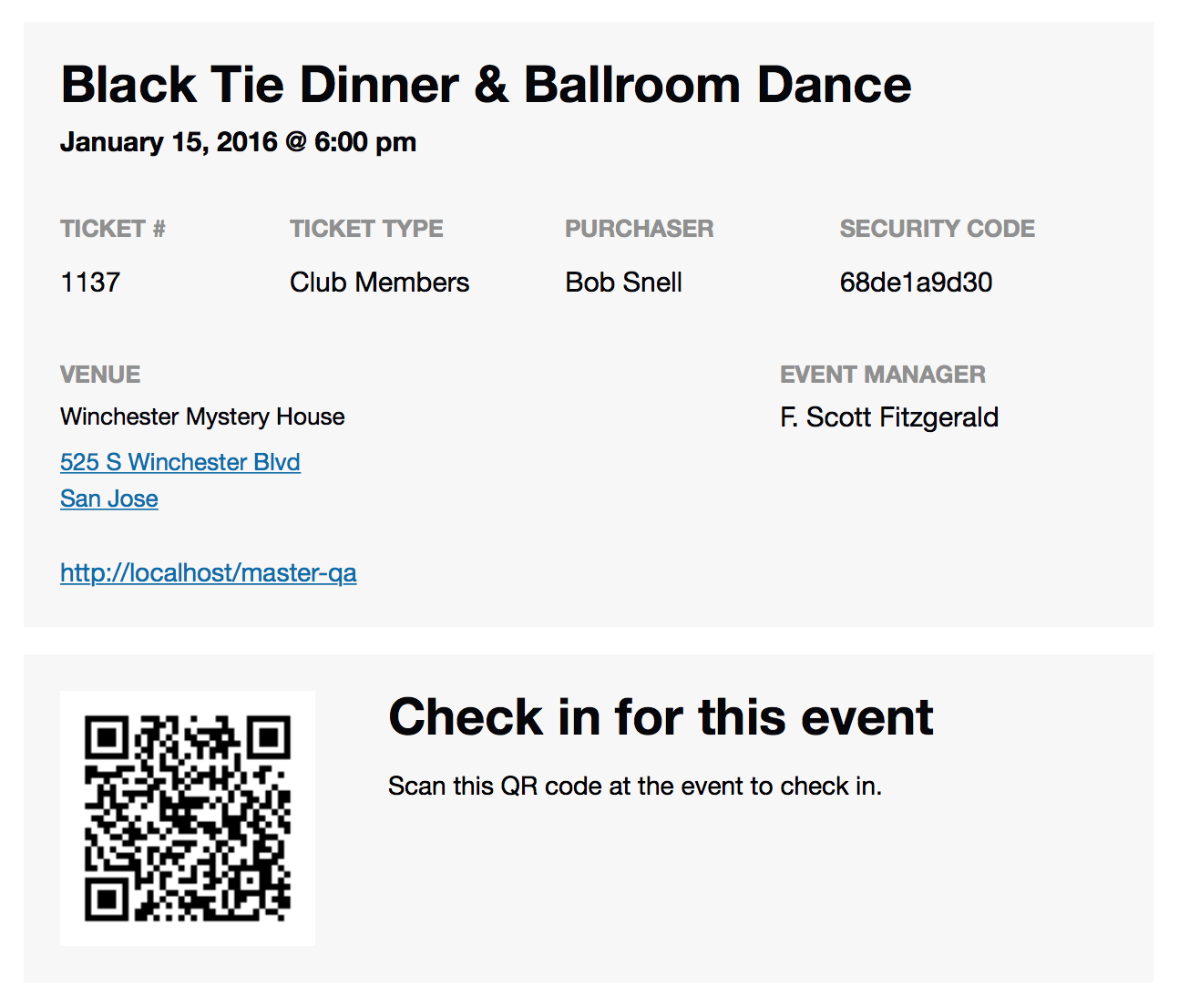
The QR Code is sent with the ticket email with is different from the order email.
Once an order is marked complete in WooCommerce the ticket email will send and should have the QR code.
This is what the Ticket Email Looks like:
https://theeventscalendar.com/content/uploads/2015/12/Screen-Shot-2015-12-02-at-12.59.45-PM.png
Let me know if you see it in that email.
Thanks
MemberHi,
Thanks for using our plugins. Sorry for the issues with this.
Unfortunately, there is no way around that restriction as it comes from Facebook’s side and we cannot change their coding.
If you can remove the age restriction or any other restriction on the Facebook Page that will fix the issue.
If that is not something you can do. You can always request a refund by following our policy outlined here:
And we can take care of it. Thanks
MemberWe have responded to you by email and handle this there so I am closing out this thread.
Cheers
MemberI am glad to see you were able to work it out.
I am going to go ahead and close this ticket. If you have a similar issue or another in the future, please do not hesitate to create a new ticket.
Thanks!
MemberHi,
Sorry for the issues you are having. I can help troubleshoot this with you.
I am not seeing the issue on my site.
Do you have any custom templates in your theme here:
wp-content/themes/youtheme/tribe-events/
If so and you remove those does that help the issue?
And if that does not help narrow down the issue please setup WordPress Debug to see what errors are showing when you try to recreate the issue a couple times in this file: /wp-content/debug.log
Let me know what you find out and we can go from here to resolve this.
Thanks
MemberHi,
Sorry for the issues you are having. I can help troubleshoot this with you.
I am not seeing the issue on my site.
Do you have any custom templates in your theme here:
wp-content/themes/youtheme/tribe-events/
If so and you remove those does that help the issue?
And if that does not help narrow down the issue please setup WordPress Debug to see what errors are showing when you try to recreate the issue a couple times in this file: /wp-content/debug.log
Let me know what you find out and we can go from here to resolve this.
Thanks
June 8, 2016 at 11:28 am in reply to: PLEASE HELP! I updated to the new Event Ticket Plus 4.2 and now FATAL ERROR #1124046MemberThis is a duplicate of this thread and is closed:
Fatal error: Class 'Tribe__Tickets_Plus__Commerce__WooCommerce__Main7please help
June 8, 2016 at 11:27 am in reply to: Fatal error: Class 'Tribe__Tickets_Plus__Commerce__WooCommerce__Main7please help #1124042MemberHi,
Sorry for the issues you are having. I can help out here.
I am not able to reproduce the issue on my site, but it looks to be a bad update for Event Tickets Plus.
You are going to have to go in by ftp or through your hosting’s file manager and remove Event Tickets Plus from the plugin directory.
wp-content/plugins/event-tickets-plus
Then you will want to update The Events Calendar and Event Tickets to 4.2
And finally get the latest version of Event Tickets Plus (4.2) from your account here on theeventscalendar.com
After that you should be able to activate everything without issue.
This entire process does not delete or change settings or events so you should not lose any data.
Let me know how that works out.
Thanks
MemberHi,
Thanks for using the Events Calendar.
Here on the pre-sales forum, I’m afraid we do not provide technical support. I would ask that you take any technical support questions across to our wordpress.org forum – our staff scan it periodically and other community members may also be able to help out.
Thanks again!
MemberHi,
Thanks for using our plugins. I can try to help out here.
I looked at the information you provided and all 3 of those functions although event related are actually custom functions in your theme that interact with the Events Calendar.
So I am not sure there is anything we can work on to improve in our plugins in this instance to help you out.
It looks to be coming from a custom widget they developed. Are you using that widget? Are you able to contact the theme developer to see if they can help?
Do you have front end caching to help prevent the page from loading those functions every time?
Let me know and I can try to help out from here.
Cheers
MemberI am glad to see you were able to figure it out.
Also, here on the pre-sales forum, I’m afraid we do not provide technical support. I would ask that you take any future technical support questions across to our wordpress.org forum – our staff scan it periodically and other community members may also be able to help out.
Thanks again!
MemberHi,
Thanks for using the Events Calendar.
Here on the pre-sales forum, I’m afraid we do not provide technical support. I would ask that you take any technical support questions across to our wordpress.org forum – our staff scan it periodically and other community members may also be able to help out.
Thanks again!
-
AuthorPosts