
Home › Forums › Ticket Products › Event Tickets Plus › Tickets are not coming through with QR Codes
- This topic has 18 replies, 5 voices, and was last updated 10 years, 2 months ago by
Neil Salter.
-
AuthorPosts
-
June 8, 2016 at 11:46 am #1124067
Neil Salter
ParticipantI have purchased Events calendar pro and Events tickets plus with Woocommerce so I can use the QR code on tickets.
However, the orders are coming through to email but no QR code.
June 8, 2016 at 12:12 pm #1124095Brian
MemberHi,
Thanks for using our plugins. I can help out here.
The QR Code is sent with the ticket email with is different from the order email.
Once an order is marked complete in WooCommerce the ticket email will send and should have the QR code.
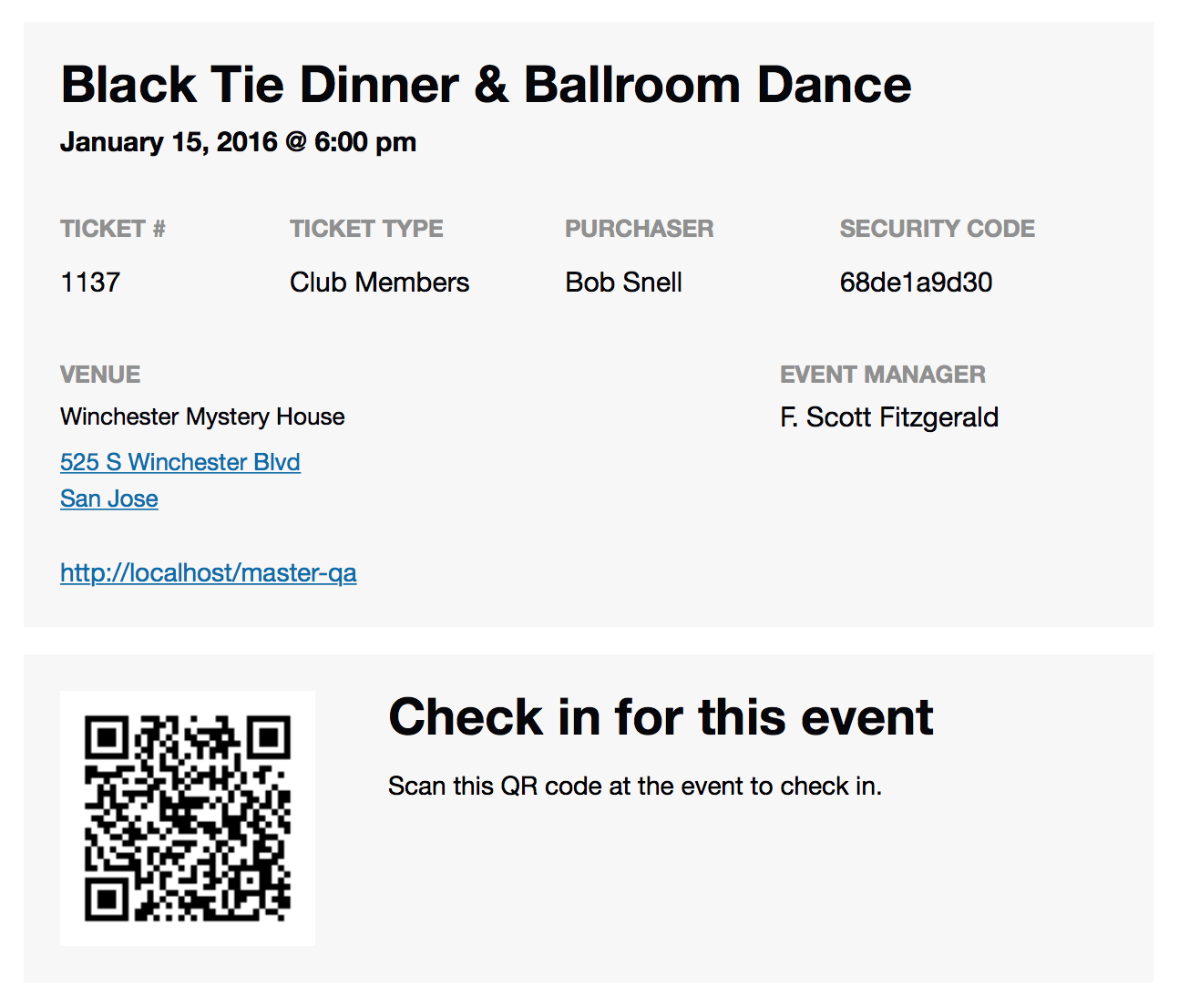
This is what the Ticket Email Looks like:
https://theeventscalendar.com/content/uploads/2015/12/Screen-Shot-2015-12-02-at-12.59.45-PM.png
Let me know if you see it in that email.
Thanks
June 8, 2016 at 1:00 pm #1124128ParticipantThanks for your help.
When I scan the QR codes it says ‘the Ticket with ID 0 was checked in.’ no matter what ticket it is or what device I use.
When I find the relevant ticket, it still shows as not checked in.
Am I missing something?
Thanks in advance.
June 8, 2016 at 1:09 pm #1124136MemberHi,
I am not seeing that issue.
Are you logged into the website with the browser that opens when you scan in the ticket?
Do you have any kind of admin redirect or anything in your htaccess that would prevent the id from going through?
Can you see the initial QR url it generates and does that include the id in the query string?
June 8, 2016 at 1:18 pm #1124144ParticipantHi Brian,
The tickets come through with QR code.
I ensure that I’m logged in to the site when I scan the code on android or apple.
As you can see by the images, the message at the top states ‘the Ticket with ID 0 was checked in.’ but in the other image, the ticket still shows as unchecked in.
I then have to click check in, which defeats the object of using the QR code.
Cheers.
June 8, 2016 at 2:01 pm #1124163MemberHi,
I tested again and it is working for me so not sure of your issue.
What does the url look like when you scan the QR code?
Mine generates this url:
http://mysite.org?event_qr_code=1&ticket_id=6766&event_id=6759
And then it redirects to this url to show the success or failure message in the admin:
What do your two urls look like?
June 8, 2016 at 2:16 pm #1124168ParticipantHi Brian,
Maybe it’s because I have https enforced in the admin.
URL from scan
June 8, 2016 at 2:44 pm #1124181ParticipantI have just turned off SSL in the admin and the error still occurs.
June 8, 2016 at 3:16 pm #1124201MemberHi,
I am not sure if this is the case, but you are blocking off your site maybe that is the cause? If you turn that off does it work?
If not can you please follow our testing for conflicts guide:
And see if that can narrow down the cause of this.
June 12, 2016 at 6:47 am #1125811ParticipantHi Brian,
Sorry for the delay, I’ve been away for a few days.
I have removed all extra plugins and returned to Twenty Sixteen and I am still receiving the same error. I have disabled ssl in admin and tried scanning on several different devices.
The website goes live tonight for ticket sales.
Would be great if we can use the checking function on Friday.
Attached is the error message.
Many thanks.
June 12, 2016 at 1:34 pm #1125881MemberHi,
I did not see an attached error message. Can you please resend it.
We have also not gotten any other reports of this so not sure what is causing the conflict on your site.
What is your host for the site?
June 13, 2016 at 1:10 am #1125997ParticipantHi Brian,
I scanned ticket number TEST-2 and got ‘The ticket with ID 0 was checked in.’
As you can see from the image, it wasn’t checked in.
This website has it’s own virtual server, due to amount of traffic, on Ubuntu 14.04 LTS using Plesk.
I’m going to try moving it to another host to see if this fixes the issue. I do have 6 VM’s with the same configuration and no problems on those 50 websites. I don’t run Events Calendar Pro on them though.
June 13, 2016 at 5:35 am #1126037MemberI looked back at your checkin urls and our coding and see your ticket ID is RVBT-12
However, that is suppose to be a number and our sanitization of that value is what is turning it to 0
Can you please forward a copy of your ticket email to support(at)theeventscalendar.com
And put a link to reference this thread.
I would like to see what information is included there.
Thanks
June 13, 2016 at 10:41 am #1126211MemberThanks for the email.
I believe I found the issue and created a patched version to help this:
Please follow these steps to change the plugin:
You will have to resend the ticket emails, which you can do from the WooCommerce Order Actions for the QR link to be correct.
Let me know how that works out.
Thanks
June 13, 2016 at 1:00 pm #1126302ParticipantHi Brian,
BRILLIANT! This has fixed it.
May I ask what the issue was? Is there something I can do my end to be able to use the standard download?
Many thanks for your help.
-
AuthorPosts
- The topic ‘Tickets are not coming through with QR Codes’ is closed to new replies.