

Forum Replies Created
-
AuthorPosts
-
Brian
MemberGreat, glad it helps.
Yep if you can keep one query per topic that would be great.
Thanks!
MemberHi,
Sorry for the issues you are having. I can help troubleshoot this with you.
I think you got an early version of The Events Calendar 4.0.5 that caused this.
Please downloaded the latest version again on WordPress.org: https://wordpress.org/plugins/the-events-calendar/
And follow these steps to manually update:
Although that process does not delete or change your events or settings it is a good idea to backup beforehand.
Let me know if that fixes it.
Thanks
MemberHi,
Thanks for using our plugins. I can help out here.
Try this snippet to disable the Ticket Emails and remove the message from the order email when using WooCommerce in Event Tickets Plus:
/*

* Events Tickets Plus - WooCommerce Tickets - Prevent Ticket Email from being sent.

* @ Version 4.0

*/

add_action( 'init', 'wootickets_stop_sending_email' );

function wootickets_stop_sending_email() {

	if ( class_exists( 'Tribe__Tickets_Plus__Commerce__WooCommerce__Main' ) ) {

		$woo = Tribe__Tickets_Plus__Commerce__WooCommerce__Main::get_instance();

		remove_filter( 'woocommerce_email_classes', array( $woo, 'add_email_class_to_woocommerce' ) );

		add_action( 'woocommerce_email_after_order_table', array( $woo, 'add_tickets_msg_to_email' ) );

	}

}
/*
* Events Tickets Plus - WooCommerce Tickets - Hide You'll receive your tickets in another email.
* @ Version 4.0
*/
add_filter( 'wootickets_email_message', 'woo_tickets_filter_completed_order', 10 );
function woo_tickets_filter_completed_order( $text ) {
$text = "";return $text;
}Add that to your child theme’s (or parent) functions.php to use it.
Let me know if that works.
Thanks
MemberGreat, glad it helps, I am going to go ahead and close this ticket, but if you need help on this or something else please post a new ticket.
Thanks!
MemberHi,
Thanks for the interest in our plugins. I can answer your questions.
It is not possible to export events to Facebook Per their API unfortunately.
Let me know if you have any follow up questions.
Thanks
MemberOk you can change the output of the This Week Widget duration in this template:
plugins/events-calendar-pro/src/views/pro/widgets/this-week/single-event.php
To here:
yourtheme/tribe-events/pro/widgets/this-week/single-event.php
Changing this:
<?php echo tribe_events_event_schedule_details( $event->ID ) ?>to this:
<?php echo tribe_get_start_date( $event->ID, false, 'm/d' ); ?>You can change the date format output by modifying this: m/d
With the PHP standards:
http://php.net/manual/en/function.date.php
Cheers
February 8, 2016 at 12:00 pm in reply to: Should I combine Facebook Events and Community Events, or should I choose? #1069699MemberI am not sure how simple the customizations are. They are not too complex, but the cost would depend on the developer.
I do not have a site to upload those events too that you can see and I am not able to do that on our demo site.
We do have a 30 day refund policy so you could try the plugins:
And this list of people that could help with customizations:
https://theeventscalendar.com/knowledgebase/find-a-customizer/
February 8, 2016 at 11:55 am in reply to: My Events calendar PRO does not finding any events in map view #1069697MemberGreat, glad it helps, I am going to go ahead and close this ticket, but if you need help on this or something else please post a new ticket.
Thanks!
MemberFor that event is pulled in the image size of 600px × 400px
This is how it looked on my site after import.
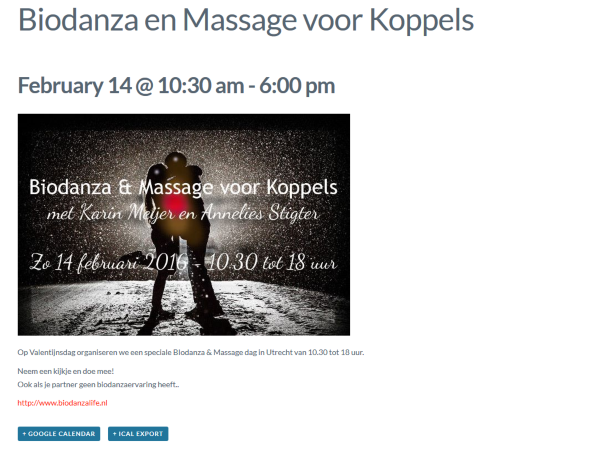
The text is because of the theme I had active, but image is regular size.
MemberOh yeah the pre-sales does not have that ability, that is for the premium forums.
If you put a link in this thread I will come back and remove it after I see it.
MemberHi,
Thanks for using our plugins. I can help out here.
To change that text you want to move and edit this file:
plugins/event-tickets-plus/src/views/wootickets/tickets.php
In your theme here:
yourtheme/tribe-events/wootickets/tickets.php
Look at your themer’s guide for more information about editing templates:
https://theeventscalendar.com/knowledgebase/themers-guide/
Once in your theme you can see the text in the button in that file and edit it to what you would like.
Cheers
February 8, 2016 at 7:51 am in reply to: My Events calendar PRO does not finding any events in map view #1069537MemberHi,
Sorry for the issues you are having. I can help troubleshoot this with you.
The Map View displays events only with full addresses in the venues attached to them.
So if you have not added venues with complete addresses to the event it will not display.
Is that the case here? If not can you provide a link to a event that has a venue with address, but is not showing?
Thanks
MemberHi,
Thanks for the interest in our plugins. I can answer your questions.
For the Facebook Importer we try to grab the cover image in full size that Facebook has it.
Do you have an event you would like to test it out on ? I can do an import and share the image size.
Cheers
MemberHi,
Thanks for using our plugins. Sorry for the issues.
We did have a fix in the plugin for this, but not able to find out why it regressed back.
We have a new ticket to address this, but for now you would have to use your workaround for creating the events before and after the time change.
Let me know if you have any follow up questions.
Thanks
MemberHi,
Thanks for the interest in our plugins. I can answer your questions.
You can purchase Community Events from the link on this page:
https://theeventscalendar.com/product/wordpress-community-events/
We currently do not have any discounts.
Thanks
-
AuthorPosts