Announcing Our New Event Tickets Square Integration!
Estimated reading time:
1 minute
Are you tired of juggling multiple systems to manage your event ticketing and point of sale? We’ve got exciting news! We’re thrilled to announce the release of our brand-new Event Tickets Square Integration, designed to streamline your event operations and bring everything into one seamless workflow. It’s perfect for festivals, concerts, conferences, theaters, sporting events, and any other event where you’re selling tickets online and on-site.
Enjoy Seamless Online and In-Person Ticketing
Our Event Tickets Square Integration seamlessly connects your online ticketing with your in-person point of sale, making event management smoother. This integration is perfect if you want to:
- Unify your ticketing and sales: Keep track of online and in-person sales in one place.
- Simplify checkout: Provide a faster and more efficient checkout experience for attendees.
- Reduce manual errors: Eliminate the need to reconcile sales data from different systems manually.
- Improved Efficiency: Streamline your event operations with a unified sales and ticketing system.
- Enhanced Attendee Experience: Provide your attendees with a faster and more convenient checkout experience.
- Gain better insights: Get a comprehensive overview of your event sales and attendee behavior.
With our Event Tickets Square Integration, you can sync your online ticket sales with your Square point of sale system. Tickets sold online through our platform will automatically reflect in your Square system, and vice versa. You’ll have real-time data at your fingertips, making it easy to manage your event and track sales.
Key Features of Event Tickets Square Integration
The robust capabilities of our Event Tickets Square Integration are designed to enhance every aspect of your event ticketing and sales process.
- Easy Setup: Integrate your Event Tickets system with Square quickly and easily.
- Real-Time Sync: Automatically synchronize ticket sales between your online platform and Square POS.
- Simplified Checkout: Streamline the in-person checkout process with Square’s intuitive interface.
- Unified Reporting: Access comprehensive sales reports that combine online and in-person transactions.
- Supports All Major Payment Types: Allow attendees to pay using credit/debit cards, contactless, or mobile wallets.
- In-person Pricing: Offer discounts or special pricing to attendees purchasing their tickets on-site.
- Supports Multiple Square Devices: Choose the Square device that best suits your event.
- Sell Tickets at Multiple Entry Points: Use multiple Square devices to sell tickets anywhere you need to speed up the process of filling your venue.
- Automatic Inventory Management: Don’t worry about overselling ever again, as Square and Event Tickets are updated in real-time as ticket sales come in.
- Sell Offline: Using offline mode, you can maintain reliable operations even in venues with connectivity issues.
By leveraging these features, you’ll be able to focus on creating memorable experiences for your attendees instead of dealing with ticketing headaches.
Getting Started
Setting up the Event Tickets Square Integration is simple. Just follow these steps:
Connect to Square
Navigate to Tickets > Settings > Payments > Tickets Commerce in your WP Admin. Enable Tickets Commerce.

You’ll notice that now there is the option to Connect to Square. Click that button.
Now, all your online and in-person ticket sales will go through Square. To view those sales, go to Tickets > Orders.
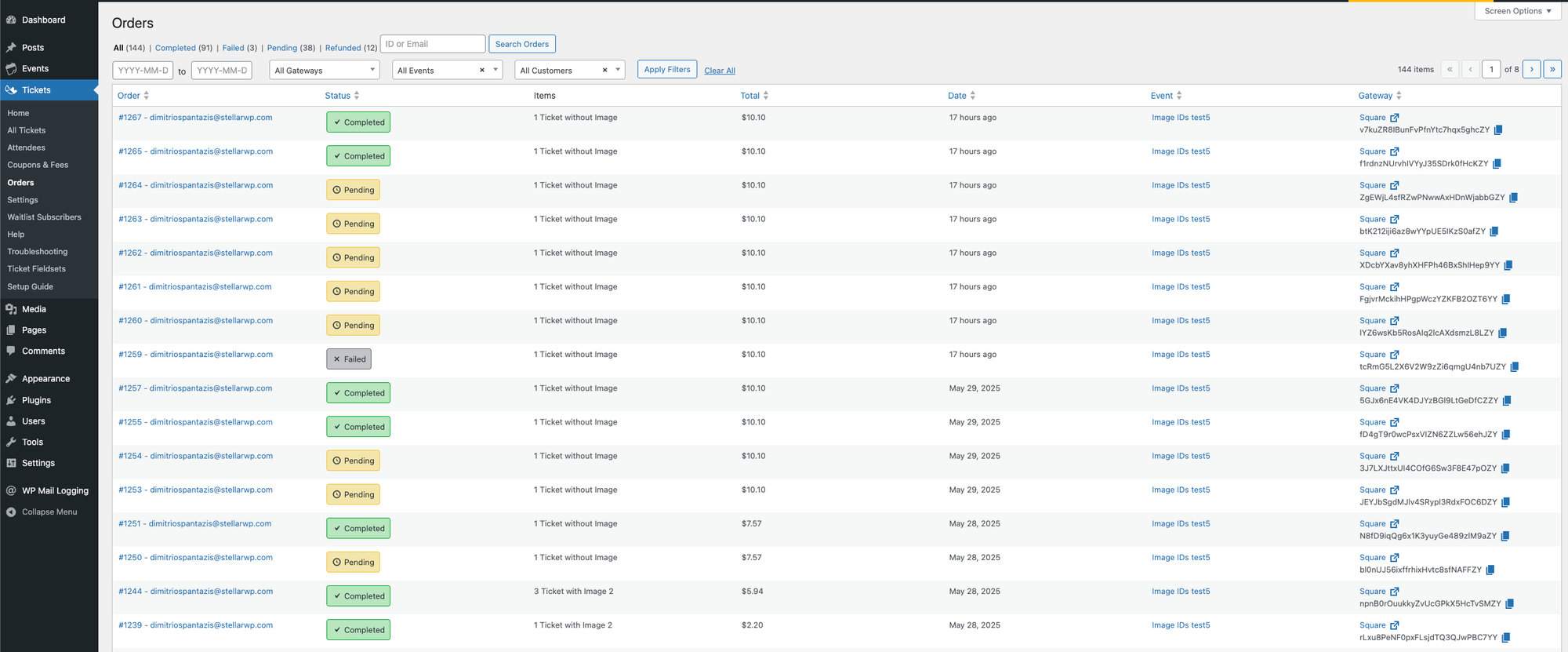
You’ll notice that each order has a link to your Square account, making it easy to find it there, too. But that’s only half the benefit of this integration. You’ll almost certainly want to ensure your ticket inventory is synced across physical and online sales, too.
Sync Inventory
Navigate to Tickets > Settings > Payments > Square. Under the General section, tick the “Enable Inventory Sync” checkbox and save changes.
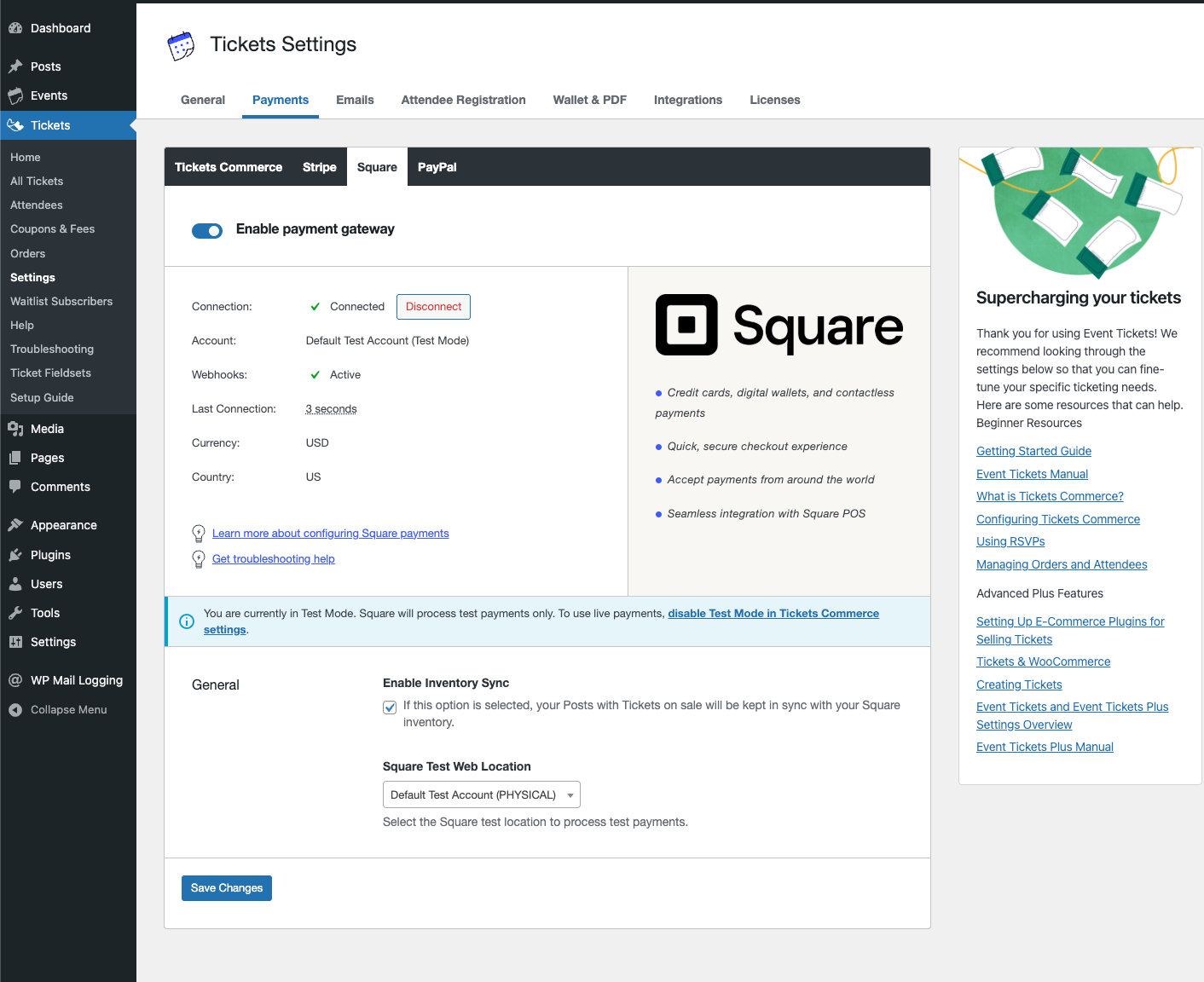
You’re now ready to sell tickets online and in person with Square!
Square Device Options
Our Event Tickets Square integration supports a range of hardware devices to accommodate different event needs:
| Device | Best For | Features | Mobility |
|---|---|---|---|
| Square Reader for Contactless and Chip | Mobile ticket taking, multiple entry points | Compact, wireless, accepts NFC and chip cards | Highest (pocket-sized) |
| Square Terminal | Dedicated check-in areas, box offices | All-in-one device with built-in receipt printer | High (portable) |
| Square Stand | Versatile setups using iPads | Transforms iPad into a complete POS | Medium (movable) |
Square Supported Locations
Our Event Tickets Square integration is available to users in the following countries:
| Region | Supported Countries |
|---|---|
| North America | United States, Canada |
| Europe | United Kingdom, Ireland, France, Spain |
| Asia Pacific | Japan, Australia |
| Middle East | United Arab Emirates |
Note: This list may change as Square expands to new markets. During the setup process, users select their location, and based on this user-provided information, the system determines whether Square is available as a payment option.
Level Up Your Ticket Sales with Event Tickets and Square
Our new Event Tickets Square Integration offers a powerful and streamlined solution for event organizers looking to unify their online and in-person ticket sales. This integration will save you time, improve accuracy, and enhance the overall experience for you and your attendees by simplifying checkout, reducing manual errors, and providing comprehensive insights. Ready to take your event ticket sales to the next level? Connect Event Tickets with Square today and experience the difference!
In Case You Missed It 🔍 👀
We’re always working to make our product suite better for you. Below are just three, recent examples, of new features we’ve released that bring new functionality to our products while making your life easier. To see all major feature and product releases, check out our full news feed. If you’d like to see all product updates, including maintenance and security releases, you can find that information in our release notes.
Event Tickets Update Delivers New Onboarding Wizard and Settings Design

With these updates, we aim to provide a more streamlined and intuitive experience for all users, whether setting up Event Tickets for the first time or managing their existing settings.
QR Code Generations Now Built-in to The Events Calendar
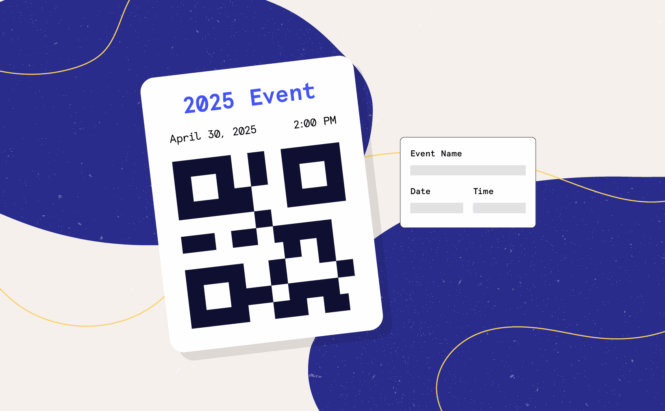
This feature automatically generates QR codes for every event you publish. These codes can be downloaded and used across digital and physical marketing materials (think posters, flyers, jumbotrons, and more.) No long URLs or confusion, just instant access.
Embed Your Events Calendar on Any External Website
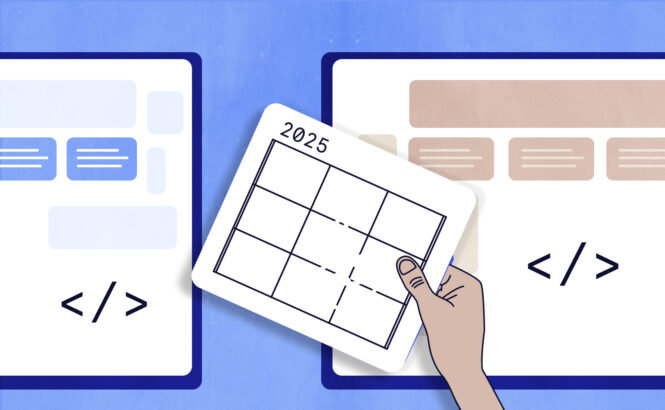
You can now easily share your full events calendar beyond your main site! With our new embed feature, you can place your calendar on any external website to boost visibility.

Nathan
View author page