

Forum Replies Created
-
AuthorPosts
-
George
ParticipantThank you for this information, @Jakob!
The HTML in the wp_options table in your screenshots seems to be there because of the “Month View Cache” option in our plugin, which I see is enabled in your system information.
I would recommend heading to Events > Settings in your wp-admin and un-checking this option:

Then, if possible I would recommend deleting the transient option that all of that HTML is associated with. This is doable with a SQL command, though if you’re not familiar with this, you should contact your webhost support and ask them to delete the transient option that is shown in the screenshots you shared.
You should also ask them if they have thoughts about your site performance; they may be able to pinpoint the issue, as the HTML in the options table may not be the actual problem.
Let me know what you find by doing the sorts of things I mention here.
Thank you Jakob!
– George
ParticipantHey CASC-OR,
Thanks for your follow-up; apologies for not addressing the question you described here in depth:
I could use event categories to filter what gets displayed on calendars and select multiple event categories to display on multiple calendars, right?
When it comes to the first part of your question, the answer is “Yes.” Categories can be used to filter items that are displaying on calendars.
The problem, however, arises with the notion of “multiple calendars.” Even if you are on the same single website, The Events Calendar and its add-ons currently only support the one main calendar generated by the plugin. This calendar is usually generated at example.com/events, though you can change the slug where this is generated by changing the aptly-named “Events Slug” option in your Events Settings.
So, in other words:
• Support for filtering by categories? Yes.
• Support for multiple calendars, even on one website? No.
• Support filtering across multiple calendars, therefore: No 🙁I’m sorry to bear this news!
In closing, the choice to use a custom taxonomy instead of default Post Categories is one motivated by a number of factors. The biggest reason is simply that, most people—by far—have “Events” content and “Posts” content on their site wholly separate from each other. So using the same taxonomies for two silos of content that are otherwise never related does not make sense as a default, ‘out-of-the-box’ option.
I highlighted the “default, out-of-the-box” part here because this is just the most common situation; if using Post Categories would make sense for you, you can add Post Categories to events by adding the following line of code to your theme’s functions.php file:
register_taxonomy_for_object_type( 'category', 'tribe_events' );
You can learn more about that function here: http://codex.wordpress.org/Function_Reference/register_taxonomy_for_object_type.
I hope all of this helps! Let me know if so and if there’s anything else I can try to help with or address.
Sincerely,
GeorgeFebruary 22, 2016 at 1:48 pm in reply to: Display Additional Field outside of "other" grouping #1080181ParticipantHey Mad Dog,
Additional Fields are fundamentally just “post meta” fields in WordPress, so you SHOULD be able to access specific fields there.
I would recommend tinkering around with this, for starters:
$meta = get_post_meta( get_the_ID() );
Then do a var_dump() on that $meta variable (do a quick Google search for “var_dump()” if you’re not familiar with it!):
$meta = get_post_meta( get_the_ID() );var_dump( $meta );
You should be able to see all of the event meta here, and should see the array structures in place to access a specific “Additional Field” field.
I hope this helps and wish you luck with your tinkering!
— George
ParticipantHey Sam,
Thanks for reaching out!
None of our plugins have any specific integration with “Fusion Builder,” so if there are Fusion Builder-specific features you are hoping for, they will likely not exist with our plugins 🙁
However, this does not necessarily mean the two software are incompatible with each other. I would recommend trying out our free plugin first to see if it works well alongside Fusion Builder and your theme and such → http://wordpress.org/plugins/the-events-calendar
I hope this is useful! If you have Fusion Builder-specific questions, I would recommend posing those questions to the Fusion Builder folks. But if there’s anything else Calendar-related I can help with, let me know 🙂
— George
ParticipantHey Sally,
Thanks for reaching out! You should be able to re-license your sites by heading to http://theeventscalendar.com/license-keys, and using the “Disconnect Now” links there to “clear out” your domain name from the previous time you licensed it.
For screenshots of this process and more information, check out this article here → https://theeventscalendar.com/knowledgebase/moving-your-license-keys/
I hope this helps! Let me know.
— George
ParticipantThank you, @Patti!
Your version of The Events Calendar is not that far behind, but it’s still a few weeks out of date. Your system info shows that you’re running version 4.0.4, while we are now at version 4.0.6.
The “hide from list view” checkbox works for me, so this is worth testing: can you update to 4.0.6 and see if that option still fails?
• http://wordpress.org/plugins/the-events-calendar
If updating doesn’t seem to help at all, then there are two courses of action I can think of.
One course of action would be for you to run through the complete set of troubleshooting steps outlined here → https://theeventscalendar.com/knowledgebase/testing-for-conflicts/
Then after EACH STEP in that process, check on the “hide from list view” issue and see if it behaves as expected or if it still does not seem to be working.
This process will reveal—or definitely rule out the possibility of—a plugin or theme code conflict that might be preventing proper functionality.
If you would rather not perform all of this troubleshooting, no worries! I understand completely; in this case, the second course of action would unfortunately be to wait indefinitely for us to find a bug here and then release a fix for it 🙁 I say “indefinitely” because at this time, that checkbox works fine for me, and so I cannot confirm the existence of a bug. But I could make a bug ticket for our developers to find and fix this. This could take several weeks.
February 22, 2016 at 11:48 am in reply to: Basic community events user registration question #1080099ParticipantUnfortunately there still seems to be an issue with the implementation of that custom code.
I have tested this numerous times, even now within a child theme, and it works fine, so I’m wondering — it seems like you might be using apostrophes in your custom snippet, which is something that you likely did not do intentionally, but it happened as a result of your copying-and-pasting.
I would recommend the following exact steps:
1. Remove all previously-attempted pastes of the code snippet from your theme’s functions.php files.
2. In your wp-admin, go to Appearance > Editor and navigate to the child theme functions.php file.
3. Make sure this file is completely empty, and then replace the contents with the content of the complete text at this link: https://git.io/v2YRF
4. Do not add anything or remove anything. Do not add a closing ?> tag, nothing at all. Just copy the above-shared code in the link in step #3 100% exactly as-is. Change nothing.
5. Save the changes.
6. See if things work.
7. If not, go back to the editor and to the child theme functions.php file.
8. Change wp_safe_redirect to wp_redirect. Do not change any other characters in the file—all you’re doing here is literally taking “safe_” out of the “wp_safe_redirect” text.
9. Save the changes. See if things work.
If things still fail after all of this, then repeat the steps but place the code in your parent theme’s functions.php file and see if that helps.
Thank you,
GeorgeParticipantThanks Karen!
I took a look and would recommend adding CSS like this to the bottom of your theme’s style.css file:
#tribe-events-content .type-tribe_events {

    border-bottom: 1px solid #999;

    padding-bottom: 1em;

    padding-top: 1em;

}
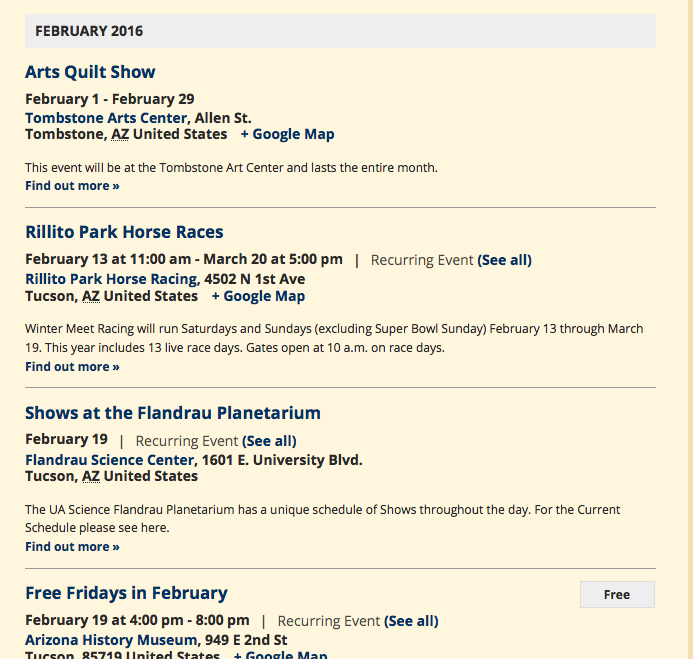
You will have to play around with the styles, change the colors to your needs and such, but I hope this is a helpful starting place. Here’s how that CSS makes things look on your site:
I will not be able to help with any further customization-related questions,
but I hope this helps! If you want to make further tweaks on your pages, definitely check out a [free!] tool like Firebug if you use FireFox, or the Developer Tools for either Safari or Chrome. They have “Inspector” tools that let you zoom right over the element whose styles you’d like to change, so you can see what CSS is required to make the changes you want to make.Cheers,
GeorgeParticipantHi @stephaneperrin,
Our response time on support threads is 24 hours during the workweek.
Your reply after Douglas’s was posted on a Friday night, and then there was the two-day weekend.
So that is why there was not a response.
As for these issues, can you please confirm what you find if you view this Photo View on your mobile device → http://wpshindig.com/events/photo/
On your mobile device, how does that specific Photo View I linked to behave? Is there a blank white page and other issues that you describe on your own Photo View?
Thanks,
GeorgeParticipantHi Hanna,
In your reply you have shared a number of links, the first of which was to this knowledgebase article → https://theeventscalendar.com/knowledgebase/required-fields-for-events-submission-form/
Have you implemented any code customizations like what is described in that article?
As for whether or not updating would resolve your issues, I am still unable to even reproduce your issues and am truly baffled by this. I’m sorry Hanna!
It seems you have a valid license, still, so you can log into your account here and download fresh new files for Community Events. Then, replace your existing files with these new files on your site and see if anything improves.
• The Events Calendar should be at version 4.0.6
• Community Events should be at version 4.0.5I’m sorry about the persistence of this bug. I am still unable to reproduce it 🙁
Thank you for your patience,
GeorgeParticipantThanks for the link, Pam. That button is coming from your theme, and in fact the whole output of that page is your theme’s custom display of events.
There is no easy way to specify the donate button on a per-event basis, but to hide it in general, you can do that by adding the following CSS to the bottom of your theme’s style.css file:
.wpv-single-event-after-details a.button:last-of-type {

    display: none;

}
Thanks,
GeorgeParticipantHi @bruciebruce,
Thanks for reaching out. I’m glad to hear you’re a programmer! We cannot offer any help with customizing things, so the fact that you have some knowledge here is a huge help.
I do not quite understand what you are trying to build, which I’m sorry about, but if you need 4 specific events in a specific order that will work 100% of the time, I think your best bet might be to use the tribe_get_events() function and then use the WP_Query parameter post__in to specify which 4 events to query.
If you’re not familiar with either thing I just mentioned, then you will have do some research and tinkering, but here are some resources to help with that:
• Using tribe_get_events() → https://theeventscalendar.com/knowledgebase/using-tribe_get_events/
• WP_Query, where you can learn about the post__in parameter → https://codex.wordpress.org/Class_Reference/WP_QueryWe cannot help with custom coding, so while I unfortunately cannot provide more insight on this checkout-page customization, if you have any other questions here please let me know!
— George
February 22, 2016 at 11:01 am in reply to: Widget not showing on today's events (eventbrite) #1080070ParticipantI’m sorry to hear about these issues, Jessie!
Is there any progress with these issues if you ensure the following two things:
1. Ensure the “Display tickets on event page” option is set to YES.
2. Ensure the “Eventbrite event status” option is set to LIVE.
There are screenshots for examples of both of the options above on this knowledgebase article → https://theeventscalendar.com/knowledgebase/creating-tickets-and-publishing-to-eventbrite/
If you have ensured both things on events but issues persist, then in your reply could you include your “System Information”? Here’s how to do that → https://theeventscalendar.com/knowledgebase/sharing-sys-info/
Thank you!
GeorgeParticipantHey Pam,
Thanks for reaching out.
What we are needing to know is, if we upgrade is it just a simple code and will this break the site?
Events Calendar Pro is another plugin that you would install on your site, alongside The Events Calendar. To clarify, this means that both The Events Calendar and Events Calendar Pro will be installed and activated on your site. Events Calendar Pro is a plugin that “extends” and “adds features” to The Events Calendar.
It definitely should not break your site! 🙂
Also, is there a way to remove the donate button from the calendar events? Not all events are a donate event and it seems to be confusing folks.
Our plugins don’t add a “donate” link anywhere, so this sounds like something happening from your theme or another plugin. Can you share some links to events or pages on your site where this “donate” link is visible? I will take a look and try to recommend a solution.
Thank you,
GeorgeParticipantHey @sciotomile,
I’m sorry to hear about these issues on your site. Unfortunately, the 3.9 versions of our plugins are very outdated. They cannot be supported and will continue to break your site if you do not update things, even if you temporarily fix this bug.
Also, the older a version of a plugin is, the less secure it is; there’s been a significant amount of security improvements since version 3.9, so if you leave that version on your site, you are putting your site at risk of being compromised.
These facts are the case regardless of which plugin you buy and from whom; plugins are complicated pieces of software. We take them seriously, invest immense amounts of time in developing, testing, and supporting them, and so that’s where the yearly cost comes from.
I’m genuinely sorry about the size of these costs, but just wanted to elaborate on the reasoning for the costs. We do not pull the numbers out of thin air 🙂
I have temporarily extended the lifetime of your old Community Events license key, free of charge. This will allow you to go to http://theeventscalendar.com/my-account/downloads and download a fresh new copy of the latest version of Community Events.
Update your site’s version of Community Events to this latest version, and ensure your version of The Events Calendar is up-to-date too. Here are the current versions for each of our plugins that you are using:
• The Events Calendar: 4.0.6
• Events Calendar Pro: 4.0.6
• Community Events: 4.0.5Ensuring that these version numbers are up-to-snuff is the only way to truly resolve the error you currently have.
Your Community Events license key will expire again on March 1, 2016.
I hope this extension helps and that you update your site. If not, please let me know your thoughts and what course of action you would prefer.
Thank you,
George -
AuthorPosts