

Forum Replies Created
-
AuthorPosts
-
May 7, 2016 at 3:23 pm in reply to: Repost: Removing Scripts/Styles on pages they shouldn't be loading #1111933
George
ParticipantHey @Stratejusinc,
At this time, the only way to un-load scripts from our plugins is to search the plugin folders for any instance of wp_enqueue_script(). Then you can use wp_dequeue_script() in your theme or a custom plugin to disable these scripts, and then selectively load them where needed/wanted.
As for our plugins loading jQuery in the header, I do not find this to be the case on my own sites. Perhaps another plugin or your theme is making this happen?
If possible, please post the “System information” of one of these afflicted sites you mention—you can learn how to do so here → https://theeventscalendar.com/knowledgebase/sharing-sys-info/
Thank you,
GeorgeParticipantHey Michael,
Thanks for reaching out!
We have some known issues with our ticketing plugins in PHP7 at this time, but most of our add-ons have been tested in PHP7 and should be compatible. I cannot guarantee that there aren’t any bugs, but I have searched for bugs in our development system and, like I mentioned, there are only a few logged and they pertain to our ticketing plugins.
If you proceed with PHP7 and run into any issues, please let me know!
Sincerely,
GeorgeMay 7, 2016 at 3:11 pm in reply to: I can't see the Settings area in the Event Calendar Plugin. #1111930ParticipantHi Maxime,
I unfortunately could not download from that ge.tt link—no matter what I tried, no download would happen. So sorry for the trouble here! I’ve never had problems with ge.tt—in the meantime, can you try another option like either uploading directly to this thread; uploading to cloudup.com; or uploading to a publicly-downloadable location on Dropbox or something?
Sorry for the trouble!
GeorgeParticipantOur no-hijack code is a snippet we share to try and help folks; it only relates to the functioning of the checkout process that lets you skip over the WooCommerce product page right to the cart.
To alter this behavior, and add other pages in between that process, like stopping at a Gravity Form along the way instead, this is a customization and, like all customizations, one you have to shoulder the responsibility of implementing and maintaining over time as other code changes.
I have tested the no-hijack snippet and it works fine for me in the same way the older version did.
I’m glad you’ve resolved the issue.
Best of luck with your site,
GeorgeParticipantHi,
You can remove the opt-out button by adding CSS like this to the bottom of your theme’s style.css file:
tr.tribe-tickets-attendees-list-optout {

    display: none !important;

}
You will have to take the reins on all further customizations—if you need to write more custom CSS on your site, definitely check out a [free!] tool like Firebug if you use FireFox, or the Developer Tools for either Safari or Chrome. They have “Inspector” tools that let you zoom right over the element that you want to hide, and so you can easily determine what CSS is needed to hide it.
Cheers,
GeorgeParticipantHey Deena,
Thank you for the follow-up. It is true that our plugin itself does not impose a limit on the number of pages; however, if your requests are timing out, then this is happening on the level of the server. Despite what might frequently be a low number of events per page, I would recommend contacting your web host to see if they can spot the reason for the timeouts on your server.
I hope this yields some insight into the nature of the timeouts; in the meantime, you can post your “System Information” here if you’re so inclined, as per the instructions on this page → https://theeventscalendar.com/knowledgebase/sharing-sys-info/
That is not likely to reveal any issues, but it might, and I’m happy to take a look. Open a support ticket with your web host in the meantime and let us know what they say! 😀
Thank you,
GeorgeParticipantHey Deena,
Thanks for reaching out and for the kind words about our plugins.
“Hundreds of Facebook pages” is an immense amount of data, especially if each page then has several events on each import. This is a massive amount of data and, especially depending on your web host and server, this amount of pages simply may not be possible.
How are you hosting your website, specifically? What web host are you using?
I would recommend reaching out to their support team here to see if they can increase the amount of resources your server can use, which might help here, but to be completely candid it simply may not be possible to import from so many hundreds of pages. Facebook itself may be limiting the number of requests to their API, for example, and then your server too has its own limits, so this may be an insurmountable problem. 🙁
Sorry to disappoint!
Sincerely,
GeorgeParticipantHey @philmacaulay,
Thank you for the follow-up.
The “No hijack” code would not, on its own, alter the URLs in that way. I reviewed the code you posted briefly but did not spot any outright errors. There is unfortunately little we can do to assist with your custom Gravity Forms/WooCommerce integrating with tickets purchases, because we cannot help with custom coding and modifications.
I am sorry about the limitations arising from this and am happy to try and answer any other questions you might have. I would recommend reading this page so that you can know what to expect in terms of depth of assistance with customization-related questions, but am happy to at least try and help within the limits elaborated upon here → https://theeventscalendar.com/knowledgebase/what-support-is-provided-for-license-holders/
I did not spot a problem with the code you’ve posted thus far.
Thank you,
GeorgeParticipantHey @Marcus,
Thanks for reaching out. Our response times are one reply every 24 hours during the workweek. It is the weekend. So thank you in advance for your patience with the support exchanges here.
– Where or how can I hide the “Don’t list me on the public attendee list” both text and checkbox? Don´t want it on the page. I´ve tryed added this in the CSS but not working (see my site at http://nybroloppis.se/nya/boka/
I am happy to take a look at your site to try and recommend some better CSS. I cannot see your content at this time, though. This screenshot shows what I find when I try to view your site:
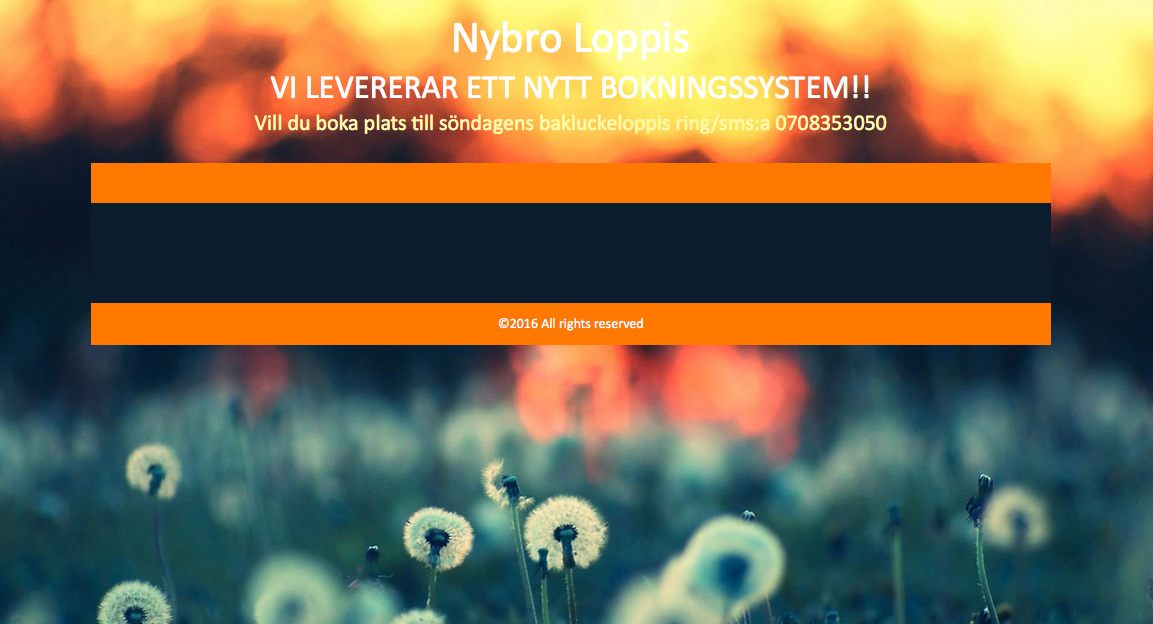
Can you temporarily make your site publicly visible? We cannot log into customer sites for any reason, so for me to see the site it has to be publicly viewable. I understand why you might want to keep it private at this stage, but it is only temporary and I will work as quickly as I can.
– Where can I translate the “available” text and also the “Add to Cart” text to swedish??
There are numerous ways to translate things. You can learn about translating in general in these articles:
• Translating The Events Calendar: http://theeventscalendar.com/knowledgebase/translating-the-events-calendar/
• Translating our premium add-ons: https://theeventscalendar.com/knowledgebase/adding-or-updating-a-translation/
• Changing the language on your site: https://theeventscalendar.com/knowledgebase/changing-the-language-on-your-calendar/To just change the text of some specific terms, though, you can do that using a method that is shown here:
• https://theeventscalendar.com/knowledgebase/change-the-wording-of-any-bit-of-text-or-string/
– Can I change so that the total amount of remaing tickets don´t counts down until the booking is payed and confirmed? Now it counts down direct when you add it in the cart.
You unfortunately cannot change the behavior of our plugins in this sort of way without customizing the plugin code directly. We cannot help with code customizations, so you will have to take the reins on changing this behavior yourself or by hiring a professional developer to help you if you cannot do so your self. We have a list of great developers here if you are interested → http://m.tri.be/18k1 (and we have no affiliation with any of these folks–they’re simply some well-respected names in the community that we’ve compiled).
I hope this information helps,
GeorgeParticipantHey @Philmacaulay,
Thanks for reaching out. Our “no_hijack” code does not necessarily support the Gravity Forms step that you mention here:
I require that the BUT TICKET redirects to a gravity form so that more information can be supplied before going to the cart.
So this may require additional tinkering on your end for that; but for the basic reworking of the snippet you posted here so that it will work with Event Tickets Plus, try replacing the wootix_no_hijack() function so that it looks like this:
function wootix_no_hijack() {if ( ! class_exists( 'Tribe__Tickets_Plus__Commerce__WooCommerce__Main' ) )
return;remove_filter( 'post_type_link', array( Tribe__Tickets_Plus__Commerce__WooCommerce__Main::get_instance(), 'hijack_ticket_link' ), 10, 4 );
}
Cheers,
GeorgeParticipantHi @Kary,
I’m sorry about the disappointing nature of our plugins for your needs. I have responded in your other thread with instructions for going about getting a refund, but just for some redundancy here, you can get a refund by following the steps on this page → https://theeventscalendar.com/knowledgebase/refund-policy/
Thank you for trying out our plugins to begin with. I wish you the best of luck with your site!
– George
May 7, 2016 at 10:34 am in reply to: When will advanced filtering be available for shortcodes?? #1111887ParticipantHey @Kary,
I’m sorry to disappoint about our plugins; but you can indeed get a refund by following the steps here → https://theeventscalendar.com/knowledgebase/refund-policy/
Thank you for giving our plugins a shot!
Sincerely,
GeorgeParticipantHey Cary,
Thanks for reaching out. At this time, we unfortunately do not have support for multiple venues for the same event—whether the event is a recurring event or not. 🙁
Is this fact alone a deal-breaker for your needs? If so, let me know.
As for code customizations, we unfortunately cannot assist with modifying plugin code. Read more here → https://theeventscalendar.com/knowledgebase/what-support-is-provided-for-license-holders/
So, you mention wanting to make this customization:
I’d like to replace “Recurring Event” with “3-Day Course”, “2-Day Course” or “1-Day Course,” depending on what type of course it is.
To hopefully at least help you get started in the right direction, the best I can recommend here is to open a code editor that has a “Find in Folder” feature. Use this to search in the plugin files for instances of the term “Recurring %s” (the %s is used instead of the literal word “event” or “events” for the purposes of translation and such).
Where you find these instances of that term you can write your custom logic for determining if it’s a 3-day, 2-day, etc. course. If you cannot write this custom code yourself, then your best course of action would be to hire a professional developer to assist you. We have a list of great developers here → http://m.tri.be/18k1 (and we have no affiliation with any of these folks–they’re simply some well-respected names in the community that we’ve compiled).
Let me know if there is anything else I can try to help with!
Best of luck with your customizations,
GeorgeParticipantHi Heather,
Thanks for reaching out. There is no screenshot attached here, but if you want to remove information from the front-end of your pages, you will need to use custom CSS to do so.
To make it easier to write custom CSS on your site, definitely check out a [free!] tool like Firebug if you use FireFox, or the Developer Tools for either Safari or Chrome. They have “Inspector” tools that let you zoom right over the elements you want to change or remove, and then you can write the necessary CSS easily.
If you are not able to do so yourself, you may find it necessary to hire a professional developer to assist you. We have a list of great developers here → http://m.tri.be/18k1 (and we have no affiliation with any of these folks–they’re simply some well-respected names in the community that we’ve compiled to share in situations like this one).
Cheers!
GeorgeParticipantHey Steven,
Thanks for reaching out.
The Events Calendar: WooCommerce Tickets is no longer an active, maintained plugin—it’s been replaced by a pair of plugins that work together to offer much better functionality: Event Tickets, and Event Tickets Plus.
As a license-holder of The Events Calendar: WooCommerce Tickets, you automatically should have a free license for Event Tickets Plus in your account.
So the first order of business to enable ticketing on recurring events is to update to Event Tickets and Event Tickets Plus. We have an article that walks through the whole process (which is much simpler than it might sound at first!) here → https://theeventscalendar.com/knowledgebase/moving-to-event-tickets-plus/
Once you get up-to-date with the plugins, you then need to make a recurring event. At this time, we do not fully support recurring tickets, but if you want to sell one ticket for the whole series, then you can do so by “breaking off” the first event in the series and then adding tickets to this singular event. You can learn to break off events from recurrence series in the “Breaking Events from Series” section of this page → https://theeventscalendar.com/knowledgebase/pro-recurring-events/
I hope this information helps!
Cheers,
George -
AuthorPosts