

Forum Replies Created
-
AuthorPosts
-
George
ParticipantI’m sorry to hear it Adam! As noted above, we’re working on a fix; stay tuned!
ParticipantHi Sarah,
I appreciate your posting login information here, but we unfortunately are not able to log into customer sites for any reason, and so I will not be using that information and have removed it from this site in the interest of security.
Next, in your most recent reply you cited files whose paths include /the-events-calendar-2/common/tribe-autoload.php.
Before getting into some of the other issues here, I would recommend “cleaning up” the plugin directory on your site. The fact that the plugin directory name is /the-events-calendar-2 indicates that there may be other versions of The Events Calendar files on your site.
To reduce fix this and ensure that this is not adding to the problems here, please log into your site’s server via FTP and head to the /wp-content/plugins directory. Delete all instances of directories with the following names:
• /the-events-calendar
• /the-events-calendar-2
• /events-calendar-pro
• /events-calendar-pro-2☝️ And so on—any directory like this.
This process will “clean” the plugins directory of all The Events Calendar plugins.
Once you have DELETED all existing files for The Events Calendar and Events Calendar Pro on your site, install fresh copies of The Events Calendar and Events Calendar Pro. You can get fresh files for The Events Calendar here: http://wordpress.org/plugins/the-events-calendar. And you can get fresh files for Events Calendar Pro here: http://theeventscalendar.com/my-account/downloads
You say you have already done some similar steps to this with Events Calendar Pro, but I am just recommending this for BOTH The Events Calendar and Events Calendar Pro to make sure things are correct and there are no file conflicts.
Once you do all of this, please activate both The Events Calendar and Events Calendar Pro and share a link directly to your site’s broken Events page—I will take a look at the page with debugging tools to identify the errors.
Thank you,
GeorgeParticipantHey @Rachel,
Thanks for reaching out. If you want to hide that cost information from your single-event details, you can do that by adding CSS like the following to the bottom of your theme’s style.css file:
.tribe-events-meta-group.tribe-events-meta-group-details dt:nth-of-type(3) {

    display: none !important;

}
dd.tribe-events-event-cost {
display: none !important;
}I hope this helps!
GeorgeParticipantThis reply is private.
ParticipantThank you for confirming these details! With these details in hand, I was able to recreate the problem on my own site, as shown in this screenshot:
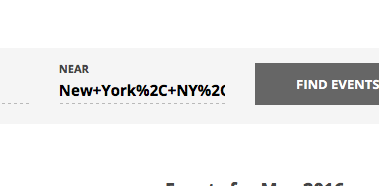
Now that I have confirmed this bug exists, I will make a ticket for our developers to fix this. While I cannot specify an ETA for when a fix will arrive in a plugin update, I can assure you that it should not be more than a few weeks from now before a fix for this arrives in our plugins.
I will mark this thread as “Pending Fix” and post when there is more information about the fix.
Sorry for the trouble here!
GeorgeParticipantHi Sarah,
I am sorry for the trouble here. I have responded to these issues and others over in this thread of yours here ? https://theeventscalendar.com/support/forums/topic/settings-not-saving-calendar-view-not-showing/
To keep things organized and help us help you most effectively, I will close this thread so that we can keep the conversation in that one place, that thread above.
I have posted there and will look for your replies there. Thank you!
GeorgeParticipantI’m sorry to hear about all of this, @Sarah!
First, if things started working once you activated a default theme, then the X Theme seems to be causing most of your problems. For support with that and assistance in getting that theme to not break plugins, please contact the theme support team.
You mention text overlapping, which is something we can look at separately, and may just be a CSS issue.
For now, can you please post your site’s “System Information”? Here’s how: https://theeventscalendar.com/knowledgebase/sharing-sys-info/
Also, if you would like me to try and fix the text-overlap issue, can you activate the default theme on your site again; leave your site in this state temporarily; and then share a link to where the overlapping-text issue can be seen? I will take a look and recommend a solution.
Thank you!
GeorgeParticipantGlad to hear it! 😀
ParticipantThis reply is private.
ParticipantHey @Jorge,
I do not know why it worked for me a for a while—perhaps browser caching or something?—but on recent attempts at recreating this issue I have confirmed that the stylesheet option does not currently work.
This is something we must fix as soon as possible and I have created a bug ticket so that we can work on that.
I will mark this thread as “Pending Fix” and will post an update once the fix is released, which could be some time in the next few weeks.
Stay tuned, and sorry for the trouble here!
George
ParticipantHey Duncan,
Thank you for reaching out. Because of that other thread, I have investigated this closely and indeed have found the bug. I do not know why it worked for me a for a while—perhaps browser caching or something?—but on recent attempts at recreating this issue I have confirmed that the stylesheet option does not currently work.
This is something we must fix as soon as possible and I have created a bug ticket so that we can work on that.
I will mark this thread as “Pending Fix” and will post an update once the fix is released, which could be some time in the next few weeks.
Stay tuned, and sorry for the trouble here!
George
ParticipantSorry for the trouble, Kenneth. Safari has this behavior in place and it is indeed a pain sometimes.
Best of luck with your site,
GeorgeParticipantI will share this feedback and genuinely appreciate it; clarifying our language is of importance and I’m sorry for the trouble that arose from the lack of clarity at this time.
I will close this thread for now, but if you have any other issues, questions, comments, concerns, etc., open a new thread any time.
Best of luck with your project,
GeorgeMay 27, 2016 at 4:41 pm in reply to: Costum monthly list going down from current month back to 2009. #1119964ParticipantWhile what I wrote in my above reply is true, and we will not be able to help you see this customization through to completion, I did just want to chime in a bit and at least offer some general advice! 😉
One thing I think will make a huge difference here is how you are currently working with dates.
If you are trying to do things with dates like subtract months and years, etc., which you are doing, then I would not recommend the manual, literal approach you are currently using.
I would instead recommend getting more familiar with PHP’s DateTime object methods, which you can learn about here:
• http://php.net/manual/en/class.datetime.php
You can do things like this with that Class and its utilities:
$date_one = new DateTime( '2009-09-01' );

$date_two = new DateTime( '2016-05-27' );
$time_since = $date_two->diff( $date_one );
You can then see the values you get in that $time_since variable by using print_r(), for example:
print_r( $time_since );How is this different? Well, it ensures consistency in the handling of subtracting dates from other dates; your current approach looks prone to bugs and inconsistent behavior to me after a quick read-through, so instead of doing all of the calculations manually yourself, I would recommend letting DateTime handle most of the work and then doing some simpler logic from there.
Next, when it comes to passing a Start Date and End Date to the tribe_get_events() function, I would recommend ensuring these values are the same format. A simple way of doing this is using PHP’s built-in strtotime() function, for example, which converts the passed dates to a Unix timestamp. That works well with the tribe_get_events() function.
So, something like this:
'start_date' => strtotime( '01 September 2009' ),

'end_date'   => strtotime( 'now' )
Read more here ? http://php.net/manual/en/function.strtotime.php
The last thing I can recommend is to make sure your PHP syntax is correct. For example, you currently have this:
'eventDisplay' => PASTBut PAST is not defined as a constant, so you cannot use this current notation with no quotes around it, for example. So you need to replace it with this instead:
'eventDisplay' => 'past'
You will have to take the reins from here, for reasons elaborated upon in this article. But I hope these insights help!
If you would like to hire some professional developers for further code-level assistance, we have a list of great developers here → http://m.tri.be/18k1 (and we have no affiliation with any of these folks–they’re simply some well-respected names in the community that we’ve compiled).
Cheers,
GeorgeMay 27, 2016 at 4:29 pm in reply to: Costum monthly list going down from current month back to 2009. #1119963ParticipantHey @Sven,
Thank you for reaching out! I am sorry to bear this news, but we unfortunately cannot provide the sort of code-level support you are looking for here. We are not able to help with any custom coding. 🙁
You can read more about this here ? https://theeventscalendar.com/knowledgebase/what-support-is-provided-for-license-holders/
I’m sorry to disappoint!
Sincerely,
George -
AuthorPosts