

Forum Replies Created
-
AuthorPosts
-
George
ParticipantHey Jon,
We were unfortunately not able to recreate authorization issues, so are taking a closer look here.
Based on your site’s “System Information”, we can confirm that you are right in saying you’ve set up the authorization correctly; all of the necessary auth variables are in place.
With that in mind, there might be a problem with the connection from your server to Eventbrite on a more base level this.
While we investigate this further, one thing you report is:
The only thing that seems to have changed is that we recently changed our Eventbrite admin login password.
Does anything improve if you generate a brand new “App” in your Eventbrite admin, and then use all-new API keys for this new app to try and authorize from within your wp-admin?
Let us know!
Thanks,
GeorgeParticipantHey Anders,
Unfortunately bugs can often take several weeks to be fixed. 🙁 I am sorry, Anders! I will post more information as soon as I have any news.
Sincerely,
GeorgeParticipantInteresting—thanks for sharing your update, Michelle.
Sorry for the trouble here! I will close up this thread for now, but if other issues or questions arise make a new thread any time.
Cheers,
GeorgeParticipantHey Ron,
You would have to enter this code in your theme’s functions.php file. If you are not familiar with how to do that, I would recommend searching online for “how to edit WordPress theme files” — there are many tutorials out there! 😀
— George
October 10, 2016 at 8:08 pm in reply to: Import contains wrong dates for recurring and multi-day events #1174758ParticipantThis reply is private.
ParticipantHey @Anders,
I’m finding weird results here now, too.
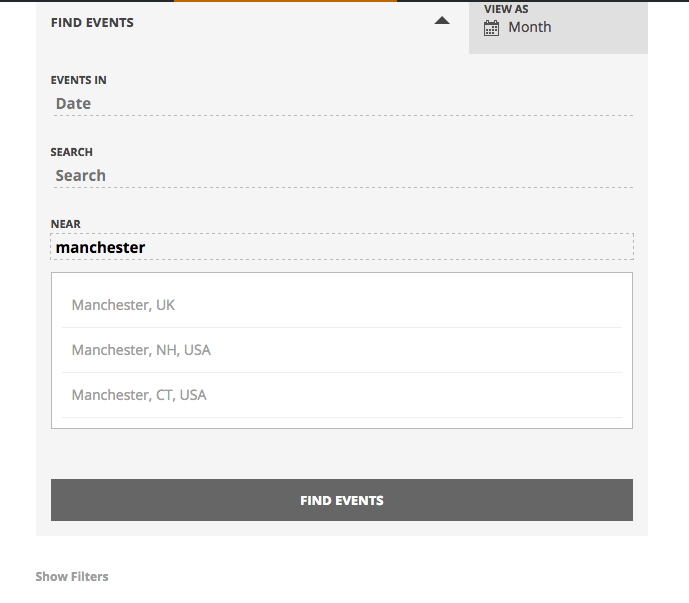
Here is a screenshot of what I first found (click for a larger-sized image):
Here is a screenshot of what I now find (click for a larger-sized image):
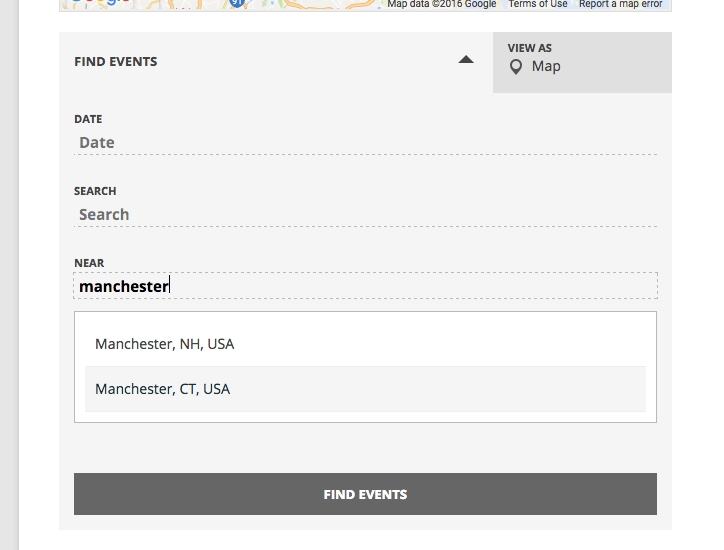
I’m not sure what’s happening here, so will be filing a bug report and escalating this to our development team.
Stay tuned; I will look into this and share updates here as soon as I have more news!
Sincerely,
GeorgeOctober 10, 2016 at 7:19 pm in reply to: Want to buy pro but free not working properly Events on Calendar partial popup #1174744ParticipantHey Janet,
Glad that helped! If you use this same theme on other sites, you may need to apply the same CSS on those sites.
As for the licensing, to be clear the PayPal payment features are provided by WooCommerce, not our ticketing plugins.
A license provides you access to support and updates for 1 year; renewing is OPTIONAL, not automatic, so you have to manually choose to renew and then do the renewals here on theeventscalendar.com
If you choose not to renew, then no plugin functionality is affected. Things will still keep working…for a time. But you lose access to support and updates. So, if things break and we fix it in a plugin update, you won’t be able to update until you renew and have an active license.
I hope this helps!
GeorgeParticipant😀
Participant😀
ParticipantHey Nelson,
Thanks for the clarification. Yes, what you describe is possible, but with Multisite Licenses we have to do the upgrading ourselves manually. So if you ever get to that point, stop by the forums and request an update, and we can help from there. 😀
— George
ParticipantGlad to hear it, Brent!
Let me know if there’s anything else I can try to help with.
— George
ParticipantHey Paul,
We unfortunately don’t provide “trial” licenses or anything of the sort at this time. To learn more about this and about how to best approximate a “trial” period, check out this page here → https://theeventscalendar.com/knowledgebase/do-you-have-a-demo-examples-i-can-see-or-trial-licenses/
Thanks!
GeorgeParticipantGlad to help! 😀
— George
October 10, 2016 at 12:38 pm in reply to: Event Ticket Plus not auto sending tickets after numerous updates #1174621ParticipantThanks for sharing, @Sabatha! Glad to hear things are resolved here.
I will close this thread for now; feel free to open a new one any time if other issues or questions arise.
Thanks,
GeorgeParticipantHey Nelson,
Can you clarify what you mean by prorating it into a “pro” license?
There are no non-pro licenses at this time. All licenses are “pro” licenses.
If you are wondering about upgrading from Personal to Business licenses, for example, yes, you can do this at any time in your account’s license keys management page. Once you have a license, that page will be at http://theeventscalendar.com/license-keys.
I hope this helps!
George -
AuthorPosts