Forum Replies Created
-
AuthorPosts
-
Cliff
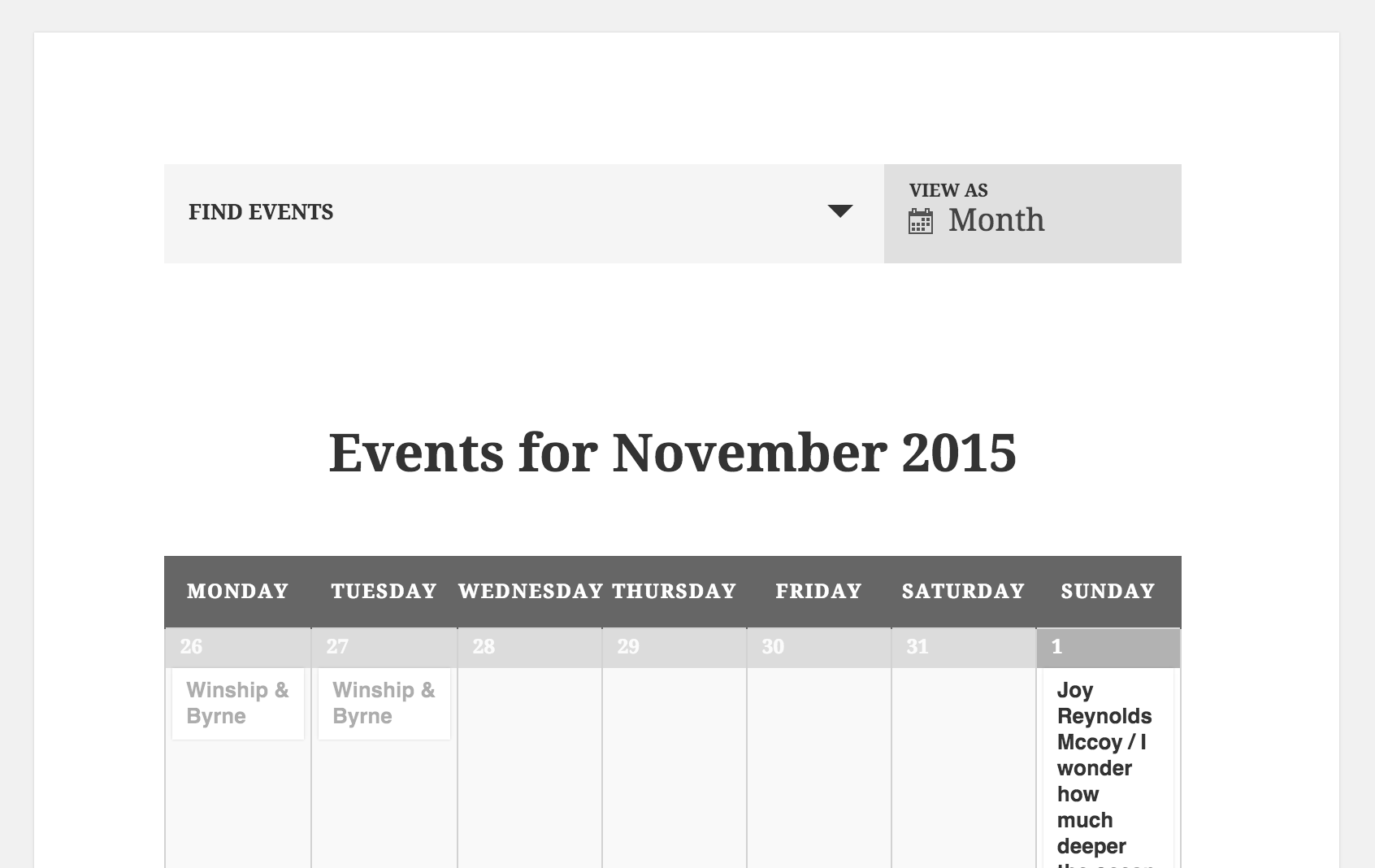
MemberHi Craig. Here’s a screenshot of my testing site with only The Events Calendar core and the Twenty Fifteen theme:

You can see that “Events for November 2015” displays by default.
Please note that support for the free core plugin is handled at https://wordpress.org/support/plugin/the-events-calendar and we only provide support on this site’s forums for purchased products with current license holders.
I hope this information helps get your issue sorted out.
Have a great day 🙂
MemberHi Josh.
There are WordPress plugins like WP External Links (untested) that might come in handy for your request.
Please let me know if this or another one does the trick for you.
MemberHi Peter. Thanks for your detailed question regarding our Themer’s Guide.
If you’re trying to override /wp-content/plugins/the-events-calendar/src/views/month/nav.php with your own nav.php, you’d need to put it in this location:
/wp-content/themes/YOUR-ACTIVE-THEME/tribe-events/src/views/month/nav.php
Please let me know if this clears it up and gets things rolling for you.
MemberHi Nikhil.
I’m guessing this question is coming from this text:
Please also note: You may not be able to import events that Facebook deems adult in nature, including breweries, bars, night clubs, and adult entertainment. The Facebook API dictates that only public, unrestricted events are importable at this time.
All that stuff would be determined by Facebook; our plugin’s importing doesn’t set any of those limitations.
We do have a pretty great Refund Policy so you can buy one or many of our add-ons and thoroughly test them, which is probably the best way to go for your scenario.
Let me know if you have any follow-up questions.
MemberHi Craig. Thanks for your business.
This functionality does not currently exist, but there is a feature request for it: https://tribe.uservoice.com/forums/195723-feature-ideas/suggestions/3802295-set-overall-number-of-tickets-remaining-for-all-ti
I can’t give an official ETA other than the Staff comment(s) at that link, but we all hope it’s sometime soon.
Please let me know if there’s anything else I can do for you.
MemberHi Aaron. Thanks for your question.
We have a few options for you to choose from:
- https://theeventscalendar.com/product/ical-importer/
- https://theeventscalendar.com/product/facebook-events/
- https://theeventscalendar.com/product/wordpress-eventbrite-tickets/
For the setup you suggested, it might be best to turn your existing data into iCal / .ics format and then setup that feed in our iCal Importer plugin’s settings.
You can learn more about it at https://theeventscalendar.com/knowledgebase/new-user-primer-ical-importer/, which links to https://theeventscalendar.com/knowledgebase/running-a-saved-recurring-import-with-the-ical-importer/
I look forward to hearing your thoughts on these options.
Thanks!
November 4, 2015 at 10:40 pm in reply to: Error "Your search returned no results. Please adjust your search." #1022021MemberHi Diane.
Thanks for the detailed request.
When I tried importing that feed URL as a one-time import, I got this error message: “The server responded with a malformed response. Please see the JS console for more information.”
In the Chrome console, I saw these messages over and over:
- Notice: Undefined index: hour in /wp-content/plugins/the-events-calendar-importer-ical/src/Tribe/Feed_Parser.php on line 592
- Notice: Undefined index: min in /Users/cmp/Documents/Websites/tribe.dev/wp-content/plugins/the-events-calendar-importer-ical/src/Tribe/Feed_Parser.php on line 594
After reviewing the Zone.ics file downloaded from http://www.thezonelive.com/zone/iCal?id=16348&startDate=&endDate=&tz=true and doing some var_dump testing around those 2 lines of Feed_Parser.php, I think the issue is that some/many of the events have a start time but not an end time.
They’re not specified as all-day events because then they wouldn’t have a start time. So if an event HAS a start time (DTSTART in iCal terms), it should have an end time (DTEND in iCal terms).
I edited the Zone.ics file to test importing just 1 of these events to my Mac’s calendar, and it imported the event with the end time equal to the start time:

For your reference, here’s what I imported to my Mac’s calendar:
BEGIN:VCALENDAR
VERSION:2.0
CALSCALE:GREGORIAN
METHOD:PUBLISH:
PRODID:-//School Datebooks Inc//The Zone™ - Mendota Township High School//E
N
X-PUBLISHED-TTL:PT60M
X-WR-CALDESC:Zone - Mendota Township High School
X-WR-CALNAME:Zone - Mendota Township High School
X-WR-TIMEZONE:America/Chicago
BEGIN:VEVENT
CREATED:20141023T055000Z
DESCRIPTION:Start Time: 4:00 PM\nLevel: All\nSport: Girls Tennis\nOpponent:
Dixon High School\nLocation: H\n
DTSTAMP:20151105T050147Z
DTSTART:20151005T210000Z
LAST-MODIFIED:20141023T055000Z
LOCATION:H
SEQUENCE:0
SUMMARY:All Girls Tennis vs Dixon High School (H)
TRANSP:Transparent
UID:[email protected]
END:VEVENT
END:VCALENDAR
When I tried importing just this as an .ics file to the Events Calendar iCal Importer, the iCal Importer DID give the same error message as before: “The server responded with a malformed response. Please see the JS console for more information,” so I think the issue is definitely that a non-all-day event has a start time but NOT an end time.
In a way, it’s protecting against bad data in, but I can understand the error message isn’t very helpful. I’ve logged a ticket in our issue tracking system to consider adding error checking / better error message for this situation.
I look forward to hearing back from you about this topic.
Thank you.
MemberHi Keith. No worries. I think you simply need to check the boxes in wp-admin > Events > Settings > Display to enable these additional views on the front-end drop down.
https://theeventscalendar.com/knowledgebase/wp-admin-settings-overview/#display briefly mentions the options, but here’s a screenshot too:

Let me know if you need anything else.
MemberHi Dana.
I’m a bit confused if you think there may be a plugin conflict and/or if you added anything to your child theme’s functions.php file.
If you simply activated another plugin that ended up conflicting with our plugin(s), that shouldn’t have added anything to your functions.php, just FYI.
Of course, we don’t want multiple plugins set to use the same slug, but one using “events” and the other using “calendar” — or something similar — often won’t cause a problem.
If you deactivate all but the Modern Tribe plugins (e.g. The Events Calendar and The Events Calendar PRO), does the events list widget display properly and not display any errors?
If it still errors, I’d suggest refreshing your Permalinks. To do that could you do the following:
- Go to WP Admin > Settings > Permalinks (or [your site]/wp-admin/options-permalink.php)
- Click save. (you don’t have to edit anything, just click the Save button)
Then revisit the page with the widget on it. Did that fix it?
MemberHi ussu.
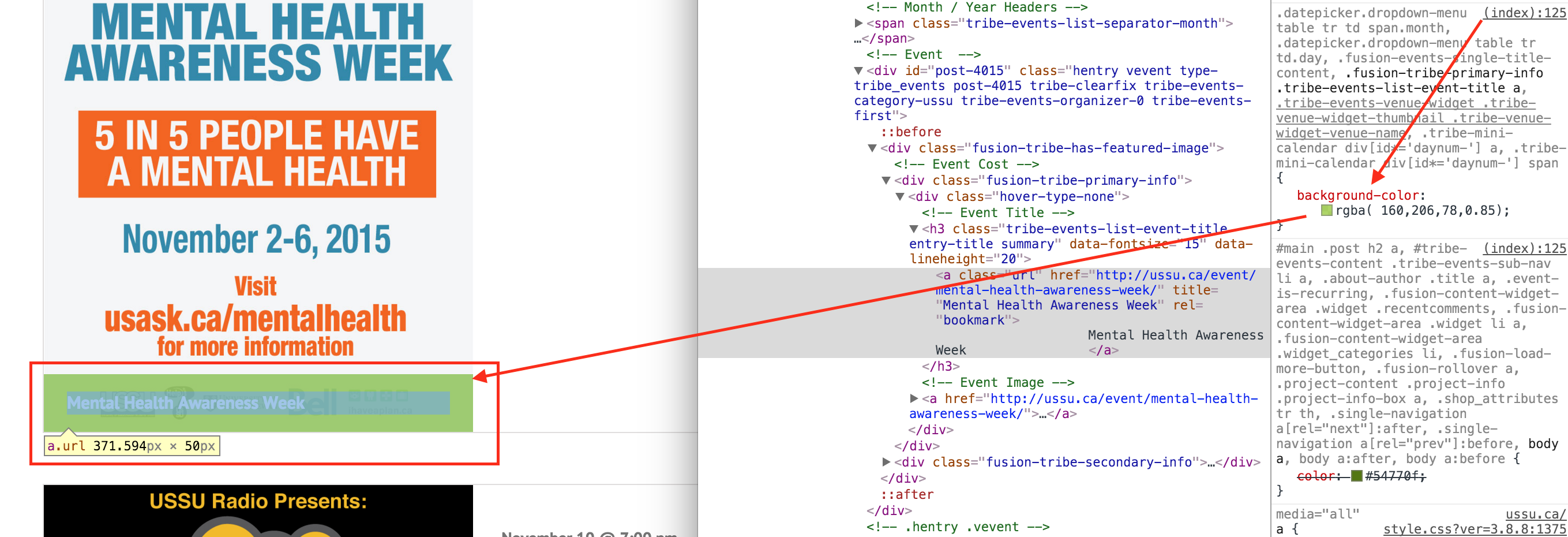
If I understood your question correctly, we’re talking about the green box in this screenshot:

The green is not coming from Modern Tribe plugins; it’s coming from your theme.
To hide the entire link and its green box, you could add custom CSS like this:
.type-tribe_events .fusion-tribe-has-featured-image .tribe-events-list-event-title a { display: none; }Please let me know if this worked for you.
MemberHi Cole. Cool idea!
You should be able to use https://theeventscalendar.com/function/tribe_get_event_meta/ (usually the recommended way to go) or https://developer.wordpress.org/reference/functions/get_post_meta/ (WordPress core function)
These knowledge base articles may benefit you:
- https://theeventscalendar.com/knowledgebase/custom-event-queries/
- https://theeventscalendar.com/knowledgebase/pro-additional-fields/
- https://theeventscalendar.com/knowledgebase/themers-guide/
Let me know if you need anything else.
MemberHi Giles. Thanks for the system information and the screenshot. Those always help.
Please update to the latest versions of all Modern Tribe plugins from https://wordpress.org/plugins/the-events-calendar/ and https://theeventscalendar.com/my-account/downloads/
Your Woo Tickets add-on is out of date by quite a bit.
Please install the latest versions of both The Events Calendar and its Woo Tickets add-on and see if that gets things working. I hope so!
Thanks 🙂
November 4, 2015 at 8:40 pm in reply to: How to make any one checkbox satisfy a series of required custom fields #1021995MemberHi Kevin.
I see you’re trying to follow along with this article: https://theeventscalendar.com/knowledgebase/required-fields-for-events-submission-form/
I definitely want to support you as much as I can. Unfortunately, we would have to charge a lot more for our plugin if it included a year’s worth of customizations/modifications in the price. As we outline in our Scope of Support, support includes assistance with bug fixes and guidance on how to perform modifications. However, it is up to you to actually make the modifications yourself.
Additionally, since I cannot see the “add new event” Community Events form, I can’t give the page source a quick look to see if there’s anything I can hint toward.
It may be helpful, though, if I draw your attention to that help article’s mentions of “square bracketed” fields — which is any field that permits more than one item (i.e. an array).
So maybe all you need to do is change `_ecp_custom` to `_ecp_custom[]` and it’ll work as desired…
I hope that makes sense. I am very glad to further assist you to the extent outlined in our support agreement.
Please let me know if you have any questions.
MemberHi Jason. Thanks for your detailed question.
Have you tried editing that line of /wp-content/plugins/the-events-calendar-importer-ical/src/Tribe/Importer.php and seeing if changing
falsetotruedoes work as desired?MemberThanks for the update.
We’re aware it’s a popular enhancement request, but I can’t say it’ll be anytime in the near future.
I hope all else goes well for you! 🙂
-
AuthorPosts