

Forum Replies Created
-
AuthorPosts
-
July 8, 2016 at 5:05 pm in reply to: Need help after updating to the latest version. Calling Nico! #1137630
Andras
KeymasterThis reply is private.
July 8, 2016 at 4:03 pm in reply to: Need help after updating to the latest version. Calling Nico! #1137619KeymasterThis reply is private.
July 8, 2016 at 2:35 pm in reply to: Unable to switch between RSVP and EDD on Events that are already created #1137575KeymasterHello Matt,
Thanks for getting back to me on that.
Since this is marked resolved I am going to close this ticket. If you need anything else related to this topic or another please post a new topic on the forum and we can help you out.
Cheers,
AndrasKeymasterSuper cool, I’m glad it helps!
I am going to go ahead and close this ticket, but if you need help on this or something else please post a new one and we’ll be here to help out.
Cheers,
AndrasPS: If you like our plugin, we would be happy to receive a review in the wordpress.org repository. Thanks!
KeymasterHello Amy,
Hmmm… I just checked your events page and in the list view I see the image fitting into a 250×250 box. See here:
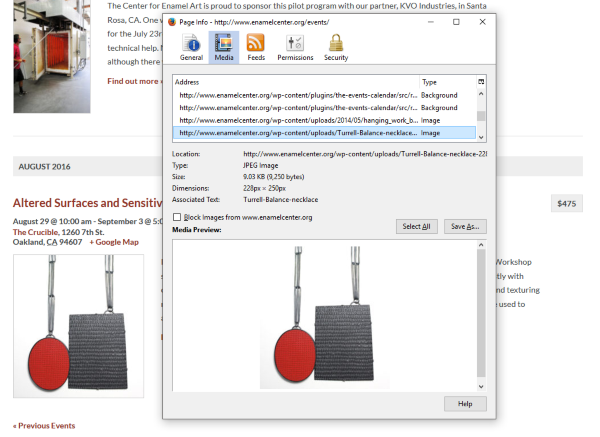
If I go to the page of the event, there I get it full size.
I’m a bit confused here, or I’m misunderstanding something. Could you send me a screenshot of what you see?
Thanks,
AndrasJuly 8, 2016 at 2:22 pm in reply to: Customize Overview Page // Using existing theme with page builder #1137570KeymasterHello again,
Unfortunately I don’t have a fixed release date I could share for the enhanced shortcodes. I know that a lot of people would be super happy to have them, so that also motivates us to have them soon. I don’t have anything more than that at this point.
Is there anything else I can help you with on this topic?
Andras
July 8, 2016 at 2:19 pm in reply to: Need help after updating to the latest version. Calling Nico! #1137564KeymasterOk, so based on your screenshots you sent you like the list view more. So I took that as a base and made the day view look almost the same. There are only minor line spacing differences but the rest should look the same. Paste these lines to your style.css file.
#tribe-events-day .tribe-events-event-image {

  width: unset;

}
#tribe-events-day .tribe-events-content {
float: left;
}
Let me know if this helps or if you like the look of the day view more. 🙂
Cheers,
AndrasJuly 8, 2016 at 2:13 pm in reply to: Need help after updating to the latest version. Calling Nico! #1137563KeymasterHey Yury,
I’m happy #2 is solved!
Now let’s tackle the other one. Which look do you want to have on both? Which look do you like more? The list view or the day view. I can help you modify the css so they look (almost) exactly the same.
Let me know.
Cheers,
AndrasKeymasterHello Amy,
Thanks for going Pro and welcome to the forums! Let me try to answer your questions and solve this mystery. 🙂
As for the photo view, the layout is split into equal width columns. You will have 1, 2 or 3 columns based on the available screen width. And the width of the column determines the width of the picture. The aspect ratio of the picture doesn’t change so the image will be scaled accordingly.
As for the list view, it is a bit more complicated. Check in your Settings > Media what you have set up for Medium size. That will determine the maximum height / width of your featured image. Your featured image will always be scaled down (never up!) to fit into that box. If your image is smaller, nothing will happen, then its original size will be used.
I suspect that your current medium size is set to 200 x 200 px.
Note, if you change this, then the images you have already uploaded will not automatically change. They will remain the same. A plugin line Regenerate Thumbnails might be of help here, but I didn’t test it.
Let me know if this clarifies a bit and if you have any followup questions.
Cheers,
AndrasJuly 7, 2016 at 3:53 pm in reply to: Unable to switch between RSVP and EDD on Events that are already created #1136985KeymasterHello Matt,
Thanks for trying out our Event Tickets Plus plugin and welcome to the forums!
Unfortunately, once a ticket type is created, it cannot be changed to a different one, I’m sorry. This is not a bug or the malfunctioning of the plugin.
I don’t want to go into the details but due to all the different platforms and implementations (RSVP, EDD, WooCommerce, WP eCommerce, Shopp) changing a ticket type would be a very complicated maneuver in the background using up lot of resources. This is why it is not currently possible.
The only workaround is to create a new ticket and remove the old one.
Again, I apologize for this inconvenience. Let me know if you have any followup questions, I’d be happy to answer them.
Cheers,
AndrasKeymasterHello again Kary,
I checked our previous conversation, I would like to ask some questions to get a totally clear view, so I can help you with this issue.
Are you talking about the snippet that removes the tags from the tag cloud?
In the update notes, are you referring to this:
Fix – Only add the events custom post type to the tag archive queries and not custom queries with tags
This basically means that when someone is looking at your archives based on a tag (old posts and events) then your events will be included. Otherwise not. This fix doesn’t influence the tag cloud in any way.
What is the outcome that you would like to achieve?
Thanks for clarifying these for me. Looking forward to your answer.
Cheers,
AndrasKeymasterThis reply is private.
KeymasterHi Michael,
Welcome to the forums and thanks for reaching out!
That’s a very good questions you have there, let me try to help you with that.
You will most probably need to do some template overrides. Here are some guides for that:
https://theeventscalendar.com/knowledgebase/themers-guide/
https://theeventscalendar.com/knowledgebase/template-overview/
And this article you will surely need. 🙂 I think I would start with this.
https://theeventscalendar.com/knowledgebase/moving-the-ticket-form/
Let me know if you have any follow-up questions.
Cheers,
AndrasJuly 7, 2016 at 2:58 pm in reply to: Customize Overview Page // Using existing theme with page builder #1136966KeymasterHallo Matthias,
Thanks for going Pro and welcome to the forums!
What you try to accomplish is not yet achievable out-of-the-box. It would require some major customization work.
You could overwrite the page template, here are some guides for that:
https://theeventscalendar.com/knowledgebase/themers-guide/
https://theeventscalendar.com/knowledgebase/template-overview/If you are looking for a developer, here is a list of freelancers who could possibly help you out:
https://theeventscalendar.com/knowledgebase/find-a-customizer/What I also heard is that enhanced shortcodes are in the making, which possibly should allow you to display the full calendar in any page. However, I don’t yet know the release date of it.
Let me know if any of this helps.
Cheers,
AndrasKeymasterSuper stoked to hear this solved it!
Since this is marked resolved I am going to close this ticket, but if you need anything else related to this topic or another please open a new topic on the forum and we can help you out.
Cheers,
Andras -
AuthorPosts