

Forum Replies Created
-
AuthorPosts
-
December 14, 2016 at 6:54 pm in reply to: Filter choices and Filter Bar are lost when advancing to later dates #1206242
Hunter
ModeratorHi Margie,
Thank you for posting and welcome back. I notice in your System Information you have outdated versions of our plugins installed and activated. Can you please update to the latest versions? Could you also share the code you’re using the move the Filter Bar beneath the title? You can use Pastebin.com to share that code with me.
Lastly, can you review our Testing for conflicts guide to see if there is potentially a theme and/or plugin contributing to the issue? I’d try once with the custom code you’re using to change the Filter Bar position and once without we can see if that is also a factor.
The more specificity you can provide, the quicker we can identify the cause of conflict and start working towards an improvement. Thanks again and have a good evening. Cheers!
ModeratorHey Stuart,
I’m not seeing any bug reports resembling what you’ve described. Does the duplicate venue occur whenever an event is imported? Or have you noticed any other sort of pattern? Can you send over a link to the page you’re importing events from which are in turn importing duplicate venues?
Thanks and have a great rest of your day. Cheers!
December 14, 2016 at 12:41 pm in reply to: Taxonomy filter will not register with Event List Widget #1206092ModeratorHey Beth,
You can find all the fixes and new features in the actual Release Notes and when an update is available in your WordPress admin dashboard, select “View version __ details” for the changelog info.
While we don’t currently have an email subscription which notifies you when a new Release Note has been released, you could check out this RSS feed to email tool and use the following feed: https://theeventscalendar.com/category/products/release-notes/feed
I’ve brought your inquiry/request to the attention of those in charge of new information releases and hopefully we can get an email notification set up for when Release Notes are sent out.
I hope this helps and let me know if you’ve got any more questions or concerns. Cheers!
December 14, 2016 at 11:48 am in reply to: show html in excerpts on event list page and calendar tooltips #1206073ModeratorKaren,
Thank you for sharing the link to the test site with me. I’m a little baffled as to what’s going on. Please see screenshots below which show the link and html padding code being properly formatted in the excerpt. My mouse was hovering over the “link” text which is a link. The only formatting which didn’t get translated in the month hover tooltip is the following code:
hello
but a viable workaround would be to use:
hello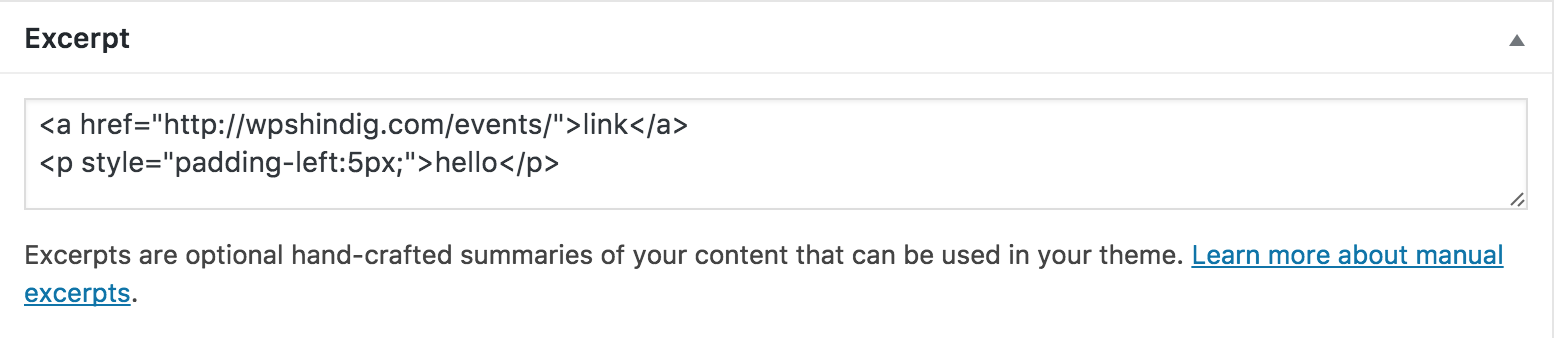
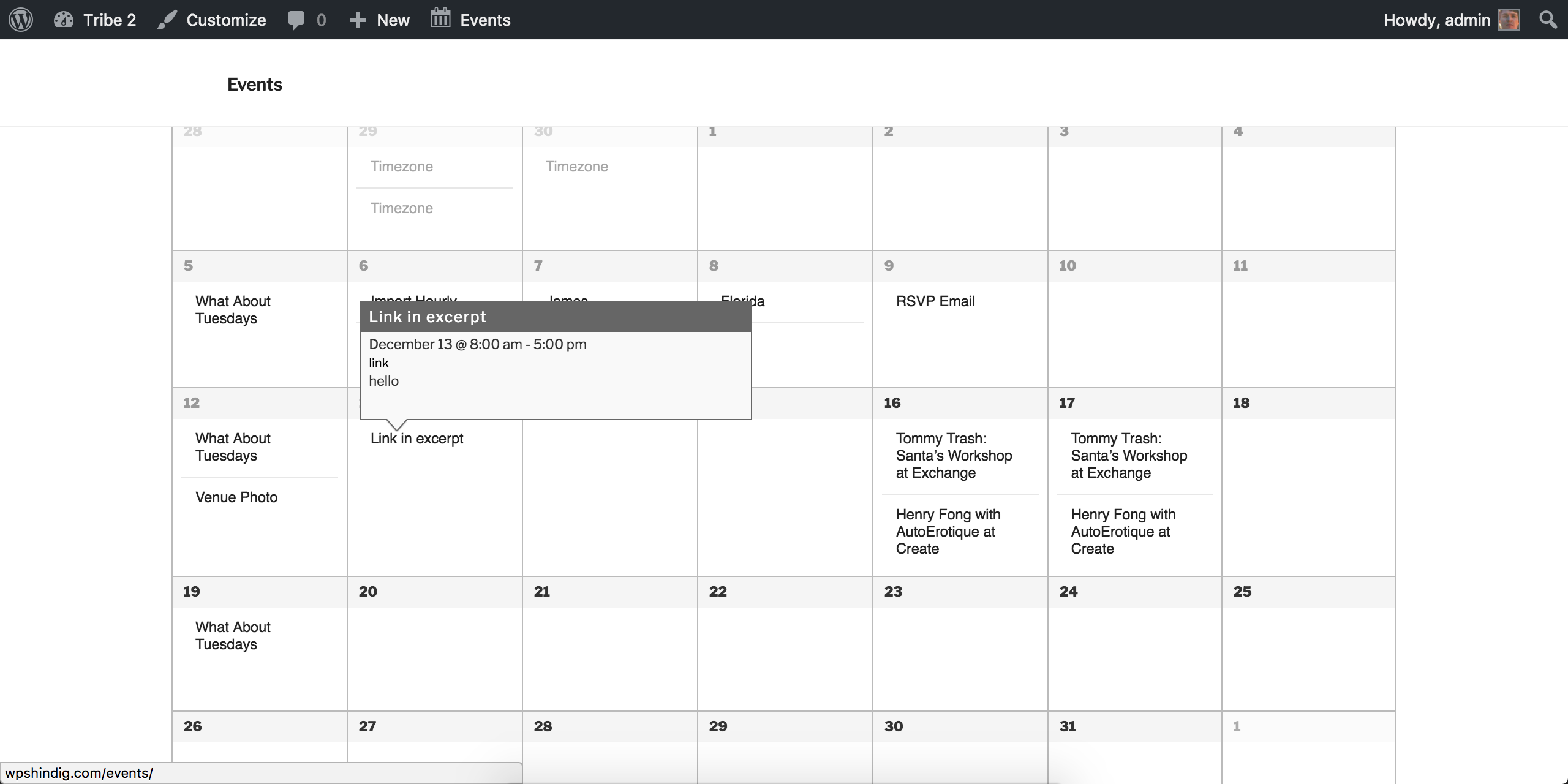
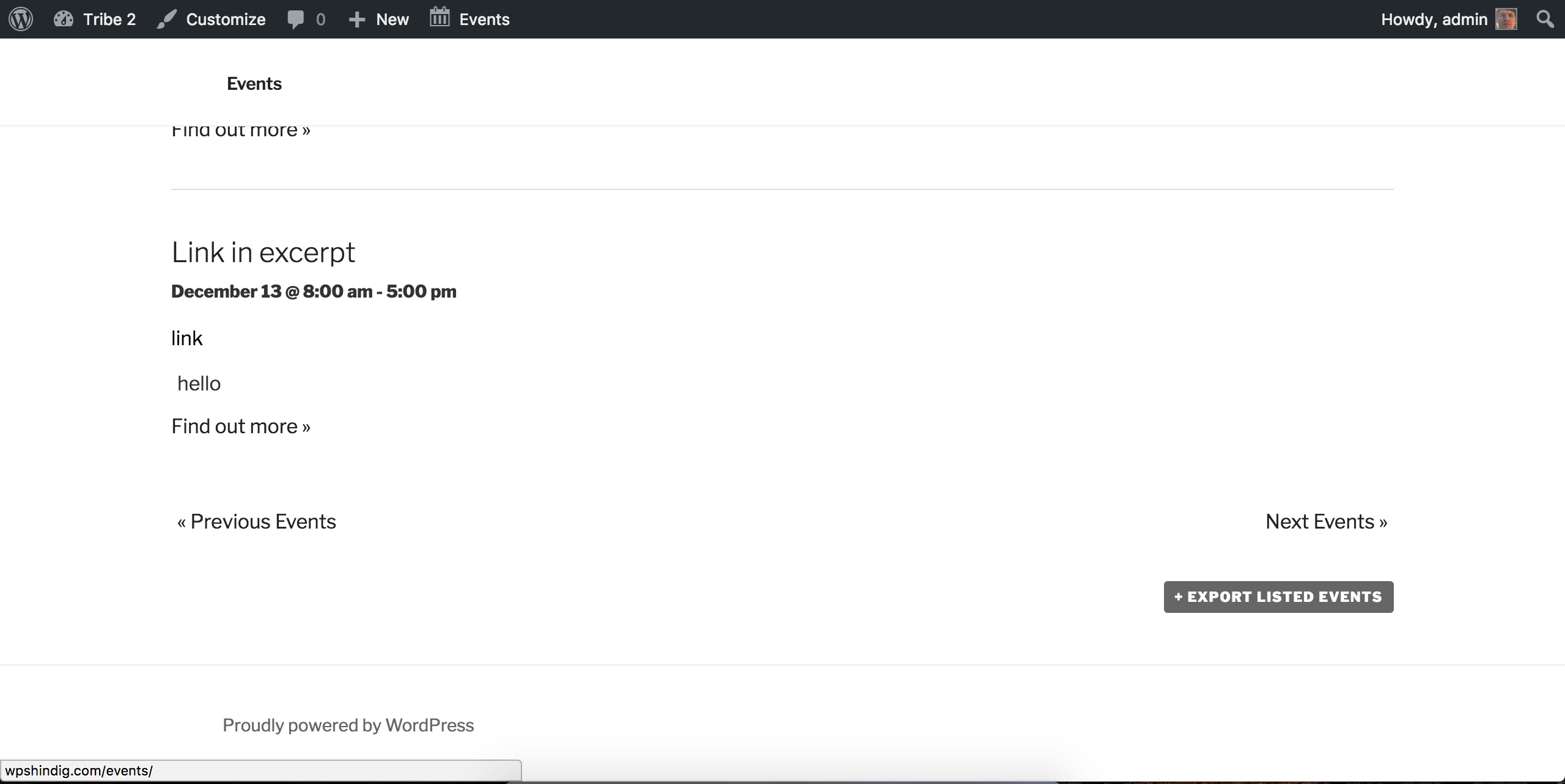
Have you tried using the ‘Excerpt’ box on the add/edit event page? Thanks again and have a good afternoon!
ModeratorHello,
You are right! Try the following code and let me know how it works for you. I was able to get it working properly on my test installation:
add_filter( 'tribe_events_community_required_fields', 'my_community_required_fields', 10, 1 );function my_community_required_fields( $fields ) {
if ( ! is_array( $fields ) ) {
return $fields;
}$fields[] = 'organizer';
return $fields;
}December 13, 2016 at 4:43 pm in reply to: Google Account With Multiple Calendars Being Imported #1205645ModeratorHey Brian,
As far as I know, there is no way to do what you’ve described at this time. You might want to contact whoever is in charge of the source calendar to see if they can create a separate calendar for you to avoid pulling in both calendar’s events.
Sorry I don’t have a better answer for you at this time and best of luck. Cheers!
December 13, 2016 at 4:41 pm in reply to: Taxonomy filter will not register with Event List Widget #1205643ModeratorHi Beth,
I just checked on the bug report and progress has been made, but there is still a little more work to be done. I’ve added this forum thread to the bug report which helps expedite a fix. Please stay tuned to our Release Notes and the plugin changelogs for more information. Thanks again and let me know if you’ve got any additional questions or comments. Cheers!
December 13, 2016 at 4:38 pm in reply to: Resolving Duplicate Title Tags on Recurring Events #1205641ModeratorHi Ed,
Welcome back! Please check out our list of the Events Calendar PRO WordPress post meta data. Please let me know if this helps and best of luck. Cheers!
ModeratorHi Ben!
Thank you for posting to our Pre-Sales Questions Channel! Events added using the Community Event’s Add Event form are included in the same calendar as what you have now. There would be no “merging” or any thing of that nature required when adding events either from the admin or user side of the process.
I hope this helps clarify any confusion you have and let me know if you have any more questions. Take care and I hope to see you around the premium plugin support forums. Cheers!
December 13, 2016 at 4:19 pm in reply to: Mysql error when searching for events in administration #1205623ModeratorGlad to hear things are worked out! I’ll close this thread out but feel free to create a new one if you have any more questions. Cheers!
ModeratorHello,
I’m unable to reproduce the issue on my test environment and I do not see any bug reports resembling what you’re experiencing. Before we proceed, I’ll need you to confirm you’ve reviewed our Testing for conflicts guide. If you have not, please do so and reply back with what you learn.
We are unable to provide assistance for theme and plugin conflicts. For more information on what is covered in our support forums, please review our What support is provided for license holders? Knowledgebase article.
Thanks and take care!
ModeratorHello,
I believe at this time the behavior you’re experiencing is not an issue, but a restriction from Facebook’s API. I wish I had a workaround, but for the time being you’ll have to import events individually. As mentioned on the Facebook Events API errors KB article, you can contact Facebook in hopes of enabling that functionality from their API.
Sorry again I don’t have a better answer for you and best of luck with your project. Cheers!
ModeratorHi Kelli,
Sorry about the delayed response! I somehow missed it in my queue of assigned threads. I would look into installing a plugin such as Theme My Login to help with the login form.
If users have an account on your site and are logged in, they should text that says “My Events” which links to their listings on the Community Events submit event page. (see screenshot below)
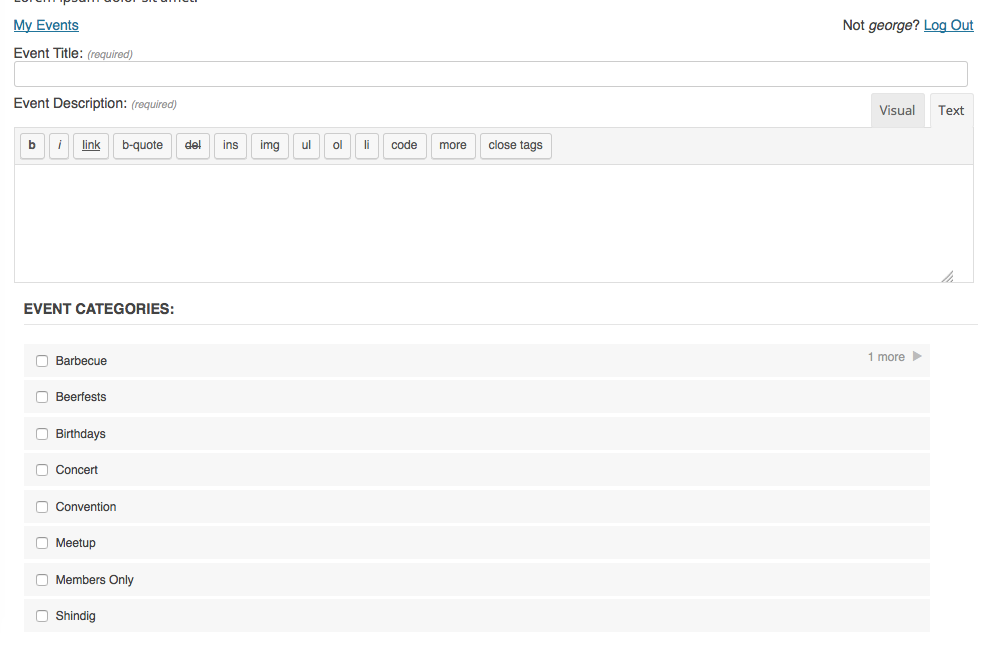
Please let me know if this helps address your questions and have a great rest of the day. Cheers!
December 12, 2016 at 11:21 pm in reply to: show html in excerpts on event list page and calendar tooltips #1205077ModeratorHello,
Welcome to our premium plugin support forums and thank you for your purchase! I went ahead and tested the behavior myself, but I am able to see a link as expected when viewing the tooltip in month view and also the event excerpt in list view.
Can you confirm you reviewed our Testing for conflicts guide? We are unfortunately unable to provide support for theme and plugin conflicts. For more information on what is covered in the support forums, please review our What support is provided for license holders? Knowledgebase article.
Let me know what you find from your testing and have a great day. Cheers!
ModeratorHello,
Thank you for posting to the premium plugin support forums! And thank you for sharing screenshots… they’re always helpful. If you visit Events > Settings and scroll to the bottom of that screen, try unchecking the ‘Show timezone‘ setting and let me know if it helps address your issue. (see screenshot below)

Thanks again and have a great day. Cheers!
-
AuthorPosts