edit login form

Home Forums Calendar Products Community Events edit login form

Viewing 3 posts - 1 through 3 (of 3 total)
  • Author
    Posts
  • #1203382
    Kelli Burrows
    Participant

    I do I change/edit the login form to include directions and change the look? I can’t find where this is, the login is currently sitting in the banner and is unreadable.

    Currently we are not requiring log-in but people are putting their info in wrong and then the just re putting it in and we end up with multiple listings as it doesn’t overwrite. So I would like for race directors (about 100 of them) log in and do their own edits.

    What is the best way to do this? Set up a universal login and pw (Race Director 1234) or have each individual create their own log in. How do I allow them to create their own subscriber account but only have access to the race submission and their races?

    Not sure how to proceed.

    thanks,
    k

    we are using Community and Pro.

    #1205606
    Hunter
    Moderator

    Hi Kelli,

    Sorry about the delayed response! I somehow missed it in my queue of assigned threads. I would look into installing a plugin such as Theme My Login to help with the login form.

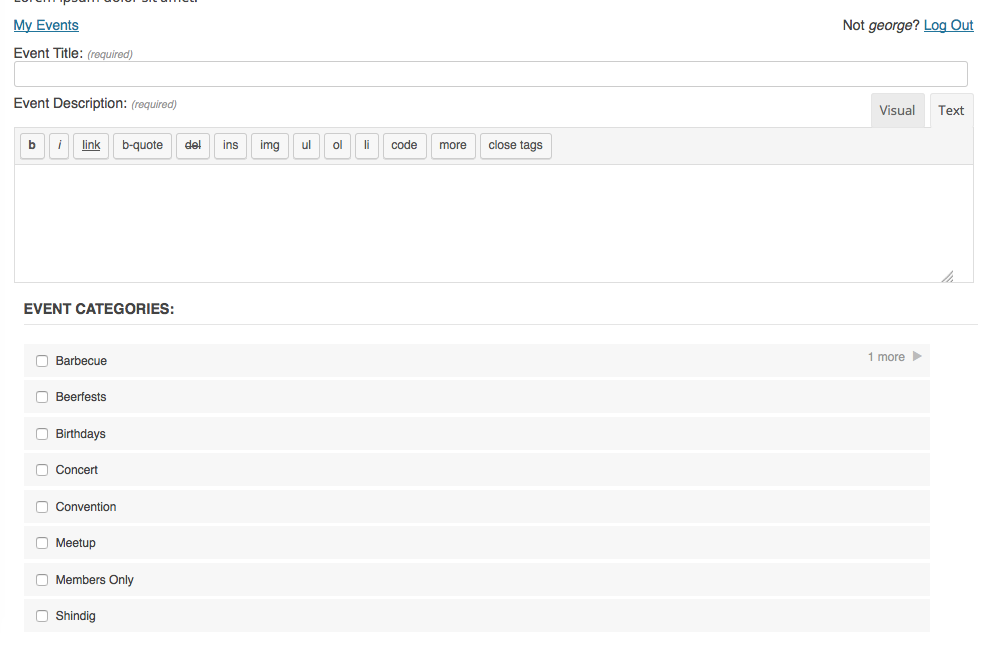
    If users have an account on your site and are logged in, they should text that says “My Events” which links to their listings on the Community Events submit event page. (see screenshot below)

    Please let me know if this helps address your questions and have a great rest of the day. Cheers!

    #1213220
    Support Droid
    Keymaster

    Hey there! This thread has been pretty quiet for the last three weeks, so we’re going to go ahead and close it to avoid confusion with other topics. If you’re still looking for help with this, please do open a new thread, reference this one and we’d be more than happy to continue the conversation over there.

    Thanks so much!
    The Events Calendar Support Team

Viewing 3 posts - 1 through 3 (of 3 total)
  • The topic ‘edit login form’ is closed to new replies.