
Home › Forums › Calendar Products › Events Calendar PRO › show html in excerpts on event list page and calendar tooltips
- This topic has 9 replies, 4 voices, and was last updated 9 years, 8 months ago by
Karen.
-
AuthorPosts
-
December 12, 2016 at 1:51 pm #1204903
Karen
ParticipantWe want to show html (links, paragraphs, etc) in the excerpts both on the tooltip on the calendar, and also on the Events List page (where there are excerpts for each event).
I’m using the code here to allow html in my excerpts — you can see it in action on our news page, you’ll note that the excerpts are returning with html.
However, on the Event List page, and on the tooltips on the Calendar page, there is no html in the excerpts (January’s ‘south city classes’ is a good example). So you guys are doing something different than just using the standard excerpt function, and it appears to be stripping the html.
Please let me know what we need to do to get the function to return html (minimally and tags).
Thanks!
-
This topic was modified 9 years, 9 months ago by
December 12, 2016 at 11:21 pm #1205077Hunter
ModeratorHello,
Welcome to our premium plugin support forums and thank you for your purchase! I went ahead and tested the behavior myself, but I am able to see a link as expected when viewing the tooltip in month view and also the event excerpt in list view.
Can you confirm you reviewed our Testing for conflicts guide? We are unfortunately unable to provide support for theme and plugin conflicts. For more information on what is covered in the support forums, please review our What support is provided for license holders? Knowledgebase article.
Let me know what you find from your testing and have a great day. Cheers!
December 14, 2016 at 9:27 am #1206004ParticipantThank you, but no this does not solve my issue. I’ve installed the plugins on a clean test site running 2017 theme and only the 2 events calendar plugins, and it is still showing excerpts without html. So the problem is not a conflict.
Go here to see
http://www.yesyoucandance.org/testsite/Hover over South Hills Classes here: http://www.yesyoucandance.org/testsite/events/2017-01/
You’ll see there is no html in the tooltip.December 14, 2016 at 11:48 am #1206073ModeratorKaren,
Thank you for sharing the link to the test site with me. I’m a little baffled as to what’s going on. Please see screenshots below which show the link and html padding code being properly formatted in the excerpt. My mouse was hovering over the “link” text which is a link. The only formatting which didn’t get translated in the month hover tooltip is the following code:
hello
but a viable workaround would be to use:
hello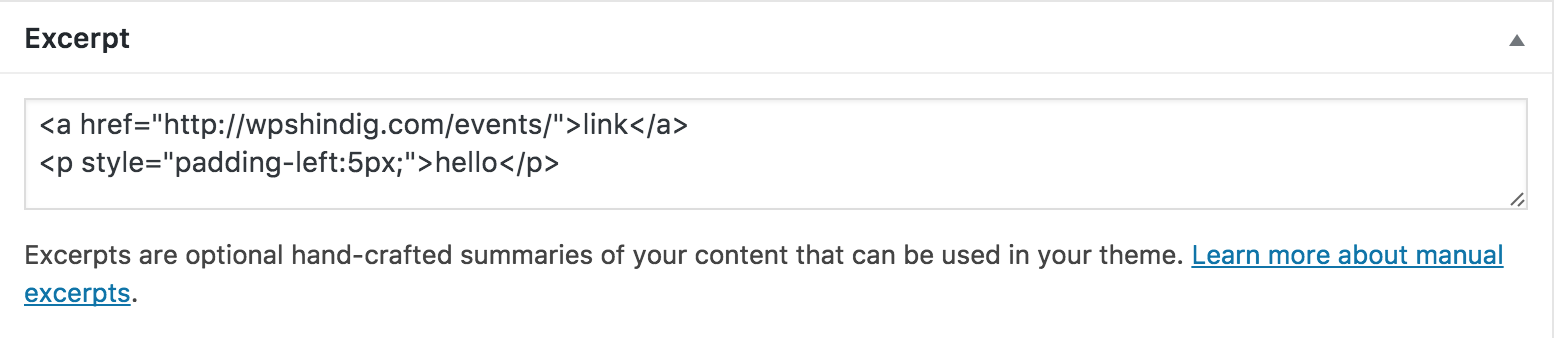
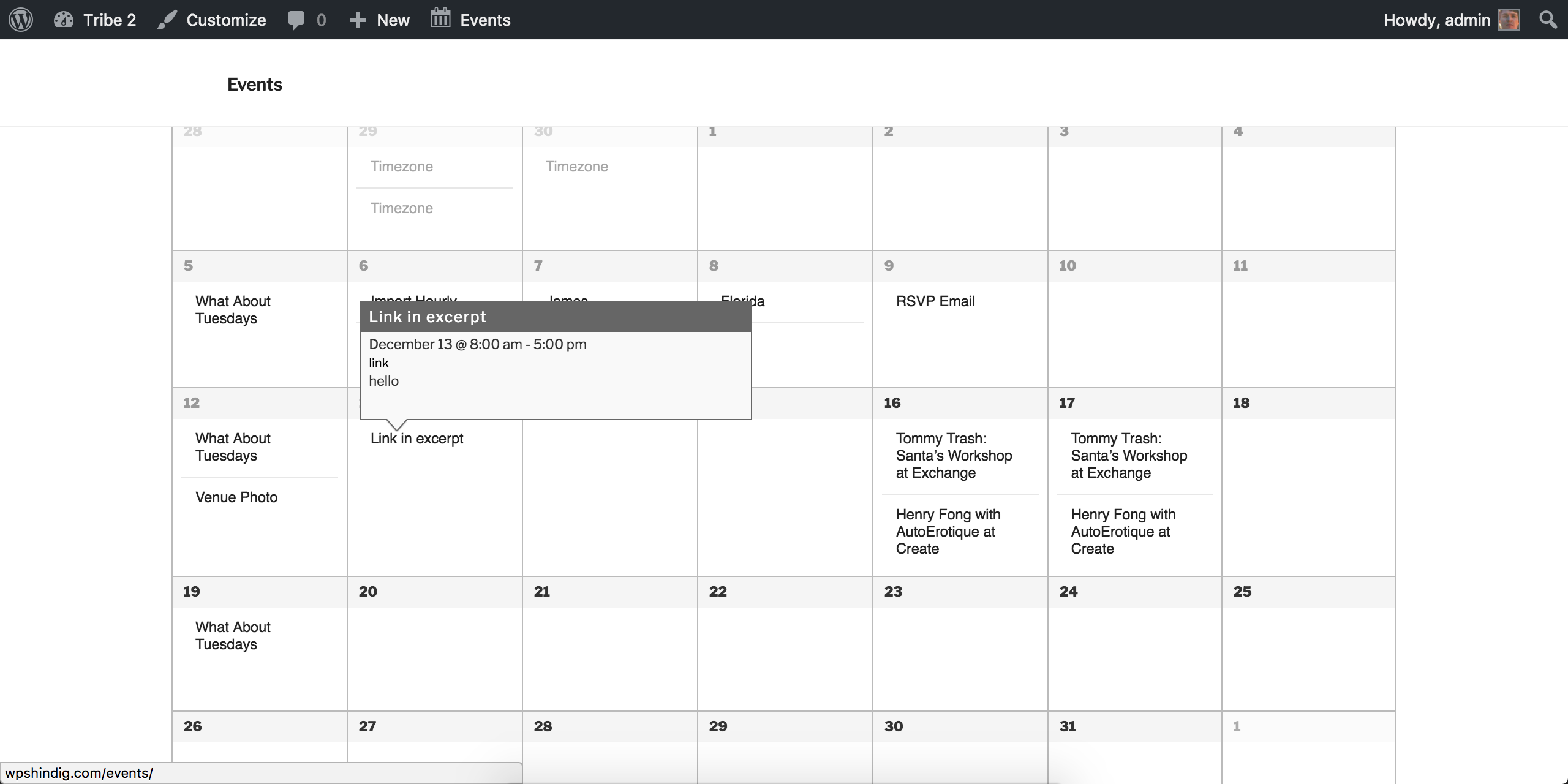
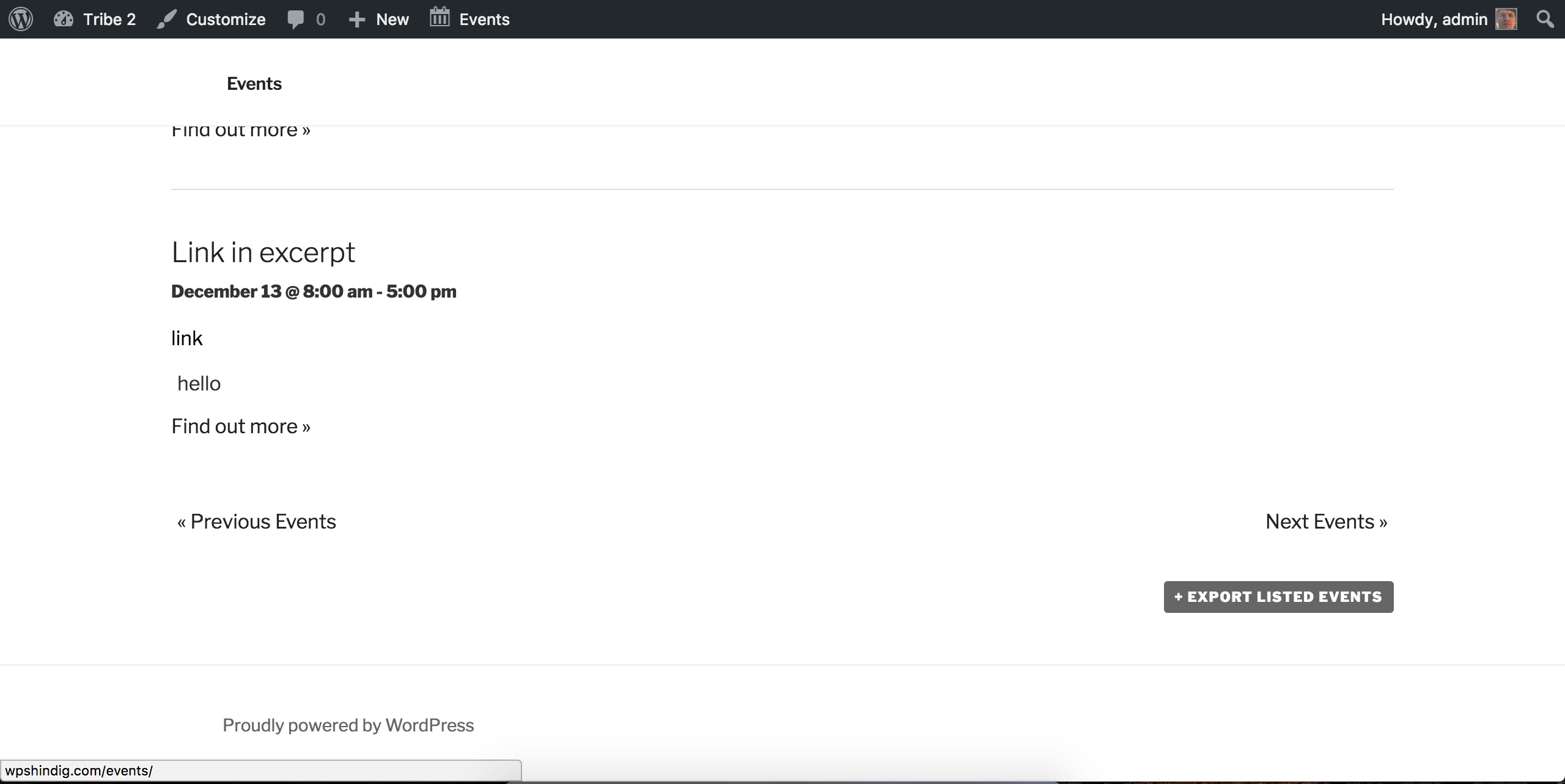
Have you tried using the ‘Excerpt’ box on the add/edit event page? Thanks again and have a good afternoon!
December 14, 2016 at 12:42 pm #1206094ParticipantI’m sorry, i think perhaps I didn’t explain the problem correctly.
I don’t have a problem with the created link or the html formatting of the tooltip itself.
My problem is that the content within the tooltip, and the content showing on the Events List page, does not contain any of the links or html from the event content. We aren’t using the Excerpt field, I just called it an excerpt because you usually use the_excerpt to get the shortened version of the content.
See the attached screenshot.Elsewhere on our site we are retrieving the post content using the_excerpt, and it contains the html, and we need it to work this way for events as well.
Does that make sense?
December 15, 2016 at 12:17 pm #1206654ModeratorHello,
It makes perfect sense 🙂
After doing some more research, it appears at this time the only workaround is to use the ‘Excerpt’ field, which does honor text formatting. More info on the matter can be found here.
Sorry I don’t have a better answer or workaround for you at this time and please let me know if you have any more questions or comments. Have a great afternoon!
December 15, 2016 at 12:47 pm #1206671ParticipantUnfortunately we have a lot of these, and I don’t think that using the Excerpt field is going to be an acceptable solution for the client. I don’t mind making code changes to get this functionality, I just need to know what to do. It’s trivial to add the function that makes your regular wordpress post excerpts (the_excerpt) return html–we’ve implemented that already, I and was told previously that you guys use the_excerpt for this case, so all i needed to do was enable the html functionality on the_excerpt. But apparently you’re doing something else to strip out the html. Can you please see if someone can point me in the right direction? We sold the client on using your product because we really like it, and have used it on multiple other installations, but the ability to be able to have the user click on a link to register without having to do an extra step is pretty key.
According to my research https://wordpress.org/support/topic/how-to-add-read-more-link-in-tooltip-text/, this user managed to solve the problem, but I couldn’t figure out what files to copy into my theme to override that function.
Thanks for your assistance.
December 16, 2016 at 12:16 pm #1207183ModeratorHello,
Thank you for the in-depth response. I took a look at the thread you linked to and tested their theory. If you open up /the-events-calendar/src/functions/template-tags/general.php and scroll down to line 1414, you can comment out the lines by putting // before the code or you can remove it all together. By doing so, you’ll be “hacking” a core file and will lose changes when you update the plugin, so make a note to edit this file each time you update.
Once you’ve done that, the excerpts should now allow HTML, including links. I tested it myself and everything seems to work as you’re hoping. Please let me know how it works out for you and thanks again for working with me on the issue.
I’ll bring this behavior to the attention of our developers and hopefully we can include an easier way to change this behavior and update our documentation accordingly. Thanks again and have a wonderful upcoming weekend!
January 7, 2017 at 8:35 am #1214719Support Droid
KeymasterHey there! This thread has been pretty quiet for the last three weeks, so we’re going to go ahead and close it to avoid confusion with other topics. If you’re still looking for help with this, please do open a new thread, reference this one and we’d be more than happy to continue the conversation over there.
Thanks so much!
The Events Calendar Support Team -
This topic was modified 9 years, 9 months ago by
-
AuthorPosts
- The topic ‘show html in excerpts on event list page and calendar tooltips’ is closed to new replies.