

Forum Replies Created
-
AuthorPosts
-
Hunter
ModeratorHello and thanks for posting,
Taking into account that you’ve reverted back to the default WP theme and deactivated all plugins as outlined in our Testing for conflicts guide, would you please share your System Information as a private reply?
Thanks for choosing TEC and I look forward to your response 🙂
ModeratorHello,
Unfortunately, we are unable to respond via email. I hope this thread will work :-/
Additionally, I reviewed your thread and links provided. The functionalities/capabilities described are not built-in features, but could be done with template overrides as outlined in our Themer’s Guide.
Another idea I have would be to visit our UserVoice Feature Ideas and submit your requests as potential features to be included in upcoming releases.
I wish I was able to provide more support and best of luck with the customizations. Have a great week 🙂
ModeratorHello,
To add a registration form to the page referenced, you will need to do a template override as outlined in our Themer’s Guide. To allow users to login with Facebook would require a separate plugin. I’m sure you’ll be able to find something in the WordPress repository.
Thanks for posting and choosing PRO – have a great rest of your week 🙂
ModeratorHello and thanks for the post,
Glad to hear you’ve narrowed it down to the theme. Unfortunately, theme support extends beyond the scope of support we’re able to provide. However, I would love to point you in the right direction.
Please review our Testing for conflicts and Themer’s Guide articles. Both will give enough insight to where you should be able to get the theme and plugins to play nicely.
One other idea would be to try different options under Events > Settings > Display. Best of luck with the customizations and thanks for choosing PRO!
ModeratorHi and thanks for posting,
I visited the link provided and the views seem to be appearing properly (see screenshot below).
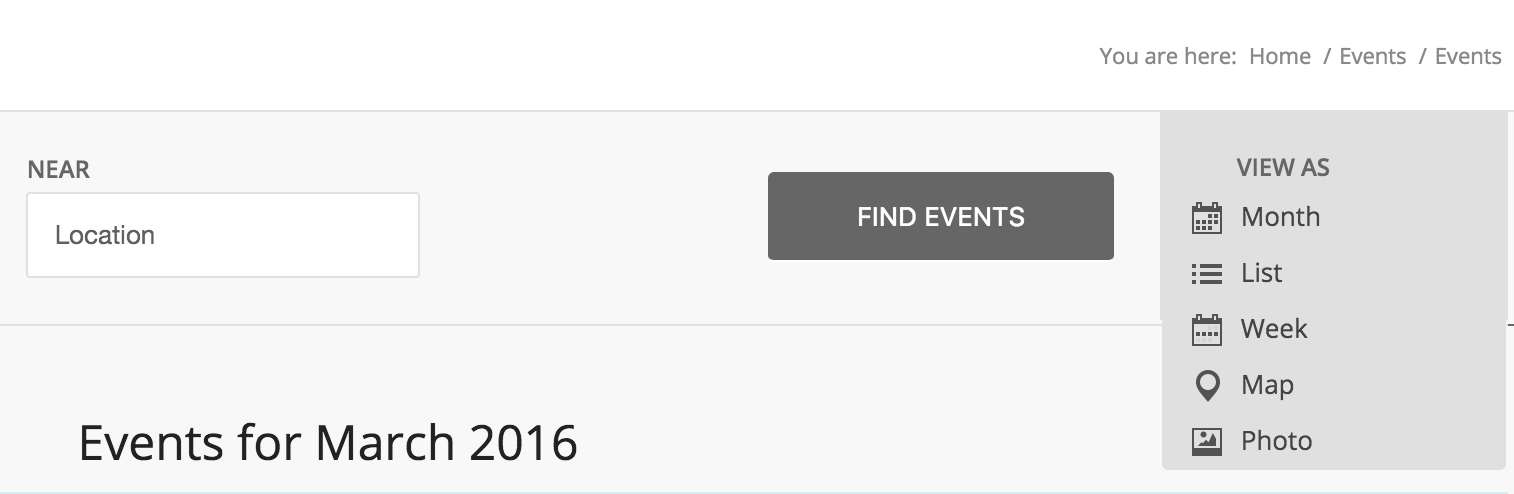
The learn/schedule page is using the [tribe_mini_calendar] shortcode. The mini calendar does not look the same as the main events calendar (/events). So it is working as designed.
Based on the additional views displaying, PRO is installed and appears to be working properly 🙂
ModeratorHello and sorry to hear about the troubles,
I’m not quite sure I understand the issue, but having events listed does not automatically guarantee visitors to your website. Have you been able to successfully import events to your WordPress website from Facebook using the Facebook Importer plugin?
Thanks for posting and if we can’t get this squared away, we’d be happy to refund your purchase if it was made in the past 30 days. Have a good week!
ModeratorHello,
Just to be clear – you are referring to SEO titles when you say titles, correct? With the information provided, you should be able to specify what you want for both past and upcoming events. Take a look at the snippet provided in the article and you’ll see what I mean.
Best of luck 🙂
ModeratorHi and thanks for posting,
It sounds like you’re experiencing a theme conflict which extend beyond the scope of support we’re able to provide. One idea I have would be to use an open graph plugin. If you’re using Yoast’s WordPress SEO, it has built-in open graph settings too.
I wish I was able to provide more support and best of luck getting the images to display properly!
ModeratorHi and thanks for the response,
Would you mind sharing your System Information as a private reply?
Also, how many total events do you have listed? How many over those events are part of a recurring series?
Thanks again for the patience and I look forward to hearing back. Enjoy the remainder of your weekend.
ModeratorHi Laila,
Sorry to hear about the troubles.
Can you give the exact warning you’re given when attempting to save the setting after hiding related events?
To change the hover color, check out this article. One other idea would be to open “Inspect” by right-clicking on your mouse. You can identify the CSS classes and make necessary changes wherever you handle your custom CSS.
You can also use “Inspect” to make CSS changes to fix the title issue being too close to the edge. Another route for that would be to do a custom template override as outlined in our Themer’s Guide.
Thanks for posting to the support forums and I hope this information helps. Have a great day 🙂
ModeratorHey Johan,
Check out this Knowledgebase article – it should help you out. Apologies for not finding it sooner. Let me know how it goes 🙂
ModeratorHi Kevin,
Thanks for the well-written, thought out post 🙂
To address a few of your questions/concerns:
1 – When we develop and package our products, we typically include the features and capabilities rather than the limitations. We leave that up to the customer to decide on whether or not the plugin meets their requirements. While it would be nice for us to be able to do what you describe, it would be nearly impossible to address every thing the plugin doesn’t do.
2 – A php function is being used to call the event images. Just like any WordPress page, post, etc, when an image is missing, you’ll see what you describe. This is typical WordPress behavior. If you’re interested in creating custom templates, you can read how to do so by reading through our Themer’s Guide.
3 – We consider all possibilities when developing our plugins. What some users feel should be a default feature, others may have no use for. Striking the perfect balance is what we’re always aiming for.
4 – We do have a Knowledgebase article on how to Show past events in reverse chronologic order.
5 – Not a bad idea. This one might be worth adding to our UserVoice Feature Ideas. We’re always looking for new and improved ways to please our customers, starting with giving them a concrete place to rally around particular ideas.
Thanks again for the detailed post and I hope I’ve acknowledged some of your questions/recommendations in the manner you were hoping. Have a good week and if you have any other questions/comments, feel free to open a new thread.
ModeratorWelcome back,
Thanks for sharing the System Information with me and the follow-up details. As previously mentioned, hold tight while the developers work on a potential fix. Stay tuned to your WP admin and our blog for the latest information.
Have a good weekend and thanks for working with me on the issue 🙂
ModeratorHello and thanks for the response,
I visited the link and did see the title issue as described. Would you mind sharing your System Information as a private reply?
Unfortunately, this type of support extend beyond the scope we’re able to provide through our support forum as we don’t have any logged bugs of users experiencing the same issue. I’m also unable to reproduce the issue on my test environment using the latest versions of our plugins and the default WP theme.
With that said, I’d be happy to take a quick look at your System Information and see if anything looks out of the ordinary. Thanks again for keeping me updated and have a good weekend!
ModeratorHey Nima,
Thanks for the update and I’m glad you’ve found a solution. I’ll close this thread out but please open a new one if you have any more questions. Have a good weekend 🙂
-
AuthorPosts